1. Производ је готовview
The D-Link AC1200 Wi-Fi Router (DIR-850L) delivers next-generation wireless speed and coverage to all your Wi-Fi devices. With wireless dual-band speeds of 300 Mbps (2.4 GHz) and 867 Mbps (5 GHz), the DIR-850L avoids interference to deliver fast wireless speeds, improved coverage, and reliable connections. This router is ideal for streaming HD video, gaming, connecting multiple devices, and watching shows on your TV simultaneously. The DIR-850L is also backward compatible with existing wireless 802.11a/g/n devices for seamless connectivity. D-Link’s free mobile apps provide easy setup, remote monitoring, and access to content from anywhere on your smartphone or tablet.
Кључне карактеристике:
- Бежична технологија следеће генерације: Wireless AC1200 for optimized performance and reliable coverage, delivering high-quality HD video streaming, gaming, and file трансфери.
- Повратна компатибилност: Compatible with wireless 802.11a/g/n devices.
- Повезивање са више уређаја: Connect more devices with four Gigabit Ethernet ports.
- Дељење медија: Stream and share files using the USB Share Port and free mobile app.
- Лако подешавање: Интелигентни чаробњак прегледача и мобилна апликација за брзо подешавање рутера за поједностављену инсталацију.
- Напредна безбедност: Preset security with advanced WPA2 encryption.
2. Садржај пакета
Ensure all items are present in your D-Link DIR-850L package:
- D-Link Wireless AC 1200 Dual-Band Gigabit Router (DIR-850L)
- Повер Адаптер
- Етхернет Цабле
- Водич за брзу инсталацију
Ако било који предмет недостаје или је оштећен, обратите се продавцу или D-Link подршци.
3. Хардвер је готовview
Familiarize yourself with the physical components and indicators of your DIR-850L router.

Слика 3.1: Предња страна View. Shows the cylindrical design of the router with the D-Link logo and LED indicators for Power and Internet status.

Слика 3.2: Страна View. Illustrates the side of the router, highlighting the USB port for storage sharing and the Wi-Fi Protected Setup (WPS) button.
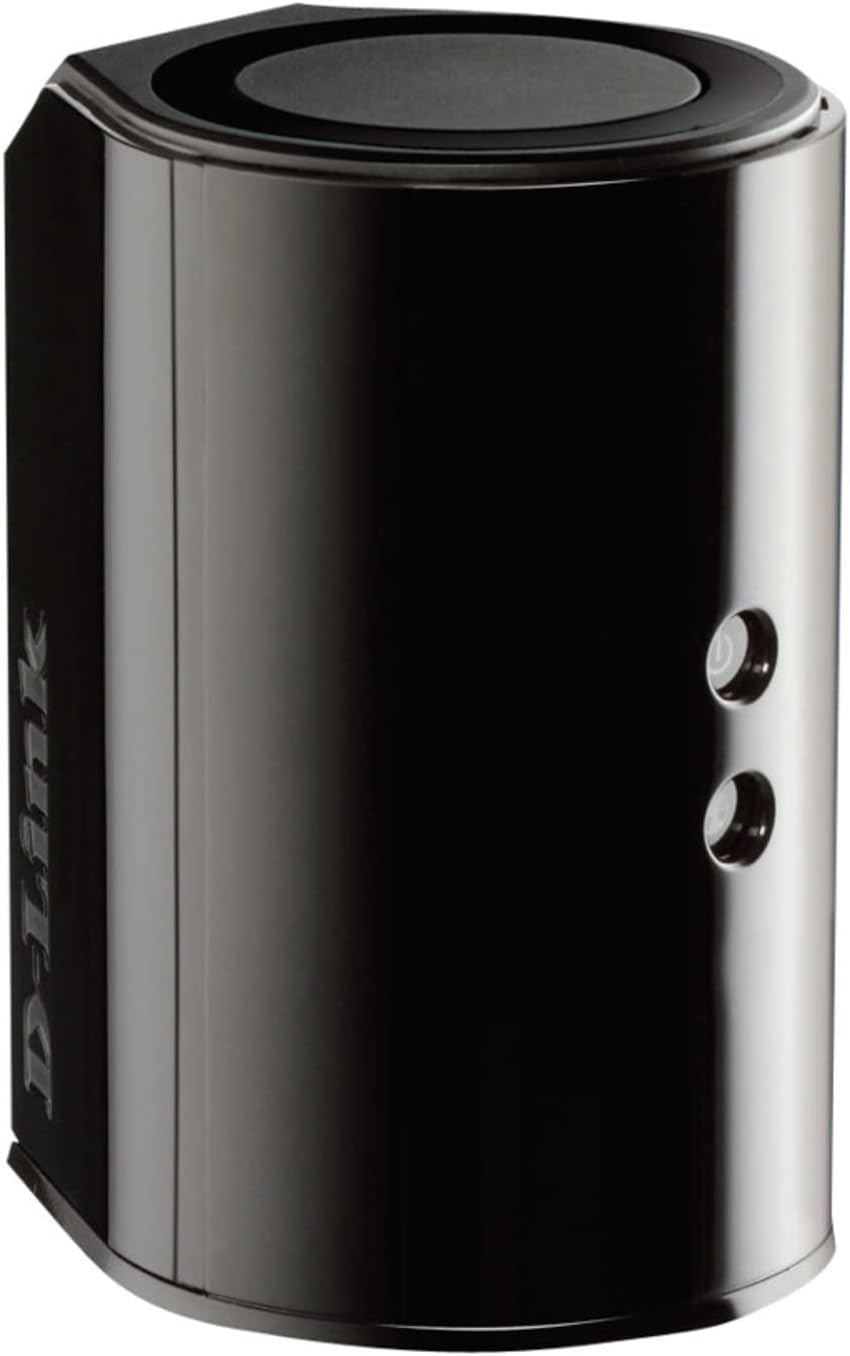
Слика 3.3: Задња страна View. Displays the back panel of the router, featuring the WAN (Internet) port, four LAN (Ethernet) ports, and the power input connector.
ЛЕД индикатори:
- ЛЕД за напајање: Solid green indicates the router is powered on. Blinking green indicates a firmware upgrade or reset.
- Интернет ЛЕД: Solid green indicates a successful connection to the internet. Blinking green indicates data activity. Amber indicates no internet connection.
Портови и дугмад:
- WAN (Internet) Port: Повезује се са вашим модемом за приступ интернету.
- ЛАН портови (1-4): Connect wired devices such as computers, gaming consoles, or network storage.
- УСБ порт: Connect a USB storage device for network sharing.
- Конектор за напајање: Повезује се са приложеним адаптером за напајање.
- Дугме за ресетовање: Притисните и држите 10 секунди да бисте вратили фабричка подешавања.
- ВПС дугме: Initiates Wi-Fi Protected Setup for easy wireless connection of compatible devices.
4. Подешавање
Follow these steps to set up your D-Link DIR-850L router:
- Позиционирајте рутер: Place your router in a central location in your home, away from obstructions and devices that may cause interference (e.g., cordless phones, microwaves).
- Повезивање са модемом:
- Искључите модем.
- Connect one end of the provided Ethernet cable to the WAN (Internet) port on your DIR-850L router.
- Connect the other end of the Ethernet cable to the Ethernet port on your modem.
- Укључено:
- Укључите модем и сачекајте да се индикаторска светла стабилизују (обично указује на активну интернет везу).
- Connect the power adapter to the power connector on your DIR-850L router and plug it into a power outlet.
- Wait for the Power LED on the router to turn solid green. The Internet LED should also turn green, indicating a successful connection.
- Повежите уређај:
- Жична веза: Connect an Ethernet cable from one of the LAN ports (1-4) on the router to your computer's Ethernet port.
- Бежична веза: On your Wi-Fi enabled device (laptop, smartphone, tablet), search for available Wi-Fi networks. Select the network name (SSID) found on the Wi-Fi Configuration Card (usually a sticker on the bottom of the router) and enter the Wi-Fi password.
- Покрените чаробњака за подешавање:
- Отвори а web browser (e.g., Chrome, Firefox) on the connected device.
- Тип
http://dlinkrouter.localor192.168.0.1у адресну траку и притисните Ентер. - Follow the on-screen instructions of the D-Link Setup Wizard to configure your internet connection and personalize your Wi-Fi network name (SSID) and password.
Setup Video (General D-Link Router Overview):
Video 4.1: D-Link Wireless AC 1200 Mbps Home Cloud App-Enabled Dual-Band Gigabit Router Overview. Овај видео пружа општи прегледview of D-Link routers, including the DIR-850L, and highlights their features and target users. While not a step-by-step setup guide, it offers insights into the router's capabilities.
5. Упутство за употребу
Once your D-Link DIR-850L router is set up, you can manage and optimize your network.
Повезивање уређаја:
- бежични: Use the Wi-Fi network name (SSID) and password you configured during setup to connect your wireless devices. The router supports both 2.4 GHz and 5 GHz bands.
- Виред: Connect devices directly to the LAN ports using Ethernet cables for a stable, high-speed connection.
Приступ подешавањима рутера:
To access advanced settings, open a web прегледач и идите на http://dlinkrouter.local or 192.168.0.1. Log in with the administrator password you set during the initial setup. From here, you can:
- Change Wi-Fi settings (SSID, password, security type).
- Configure guest Wi-Fi networks.
- Подесите родитељски надзор.
- Управљајте повезаним уређајима.
- Ажурирајте фирмвер.
Using the USB Share Port:
Plug a USB storage device (e.g., flash drive, external hard drive) into the USB port on the router. You can then access and share files on this storage device across your network using the D-Link SharePort Mobile app or through network shares on your computer.
6. Одржавање
Редовно одржавање помаже у обезбеђивању оптималних перформанси и дугог века трајања вашег рутера.
- Рестартовање: Периодично поново покрените рутер (искључите га из струје на 10 секунди, а затим га поново укључите) да бисте обрисали његову меморију и освежили мрежне везе. Ово може решити мање проблеме са перформансама.
- Ажурирања фирмвера: Проверите подршку за D-Link website for firmware updates. Firmware updates can improve performance, add new features, and fix security vulnerabilities. Follow the instructions provided by D-Link carefully when performing updates.
- Чишћење: Keep the router clean and free from dust. Use a soft, dry cloth to wipe the exterior. Do not use liquid cleaners or aerosols. Ensure ventilation openings are not blocked.
- безбедност: Regularly change your Wi-Fi password and router administrator password to enhance network security.
КСНУМКС. Решавање проблема
If you encounter issues with your D-Link DIR-850L router, refer to the following common problems and solutions:
Нема интернет везе:
- Проверите каблове: Уверите се да су сви Етернет каблови безбедно повезани са рутером и модемом.
- Статус модема: Проверите да ли ваш модем исправно ради и да ли има активну интернет везу.
- Редослед поновног покретања: Искључите модем, а затим рутер. Сачекајте 30 секунди, а затим прво укључите модем. Када се модем потпуно повеже са интернетом, укључите рутер.
- ISP Contact: If the issue persists, contact your Internet Service Provider (ISP) to confirm service status.
Мала брзина Wi-Fi-ја:
- Постављање рутера: Move the router to a more central location, away from obstacles and interference sources.
- Сметње канала: Пријавите се на рутер web interface and try changing the Wi-Fi channel for both 2.4 GHz and 5 GHz bands to a less congested one.
- Повезани уређаји: Disconnect unused devices from your network.
- Фирмвер: Уверите се да је фирмвер вашег рутера ажуриран.
Не могу да се повежем на Ви-Фи:
- Тачна лозинка: Double-check that you are entering the correct Wi-Fi password (case-sensitive).
- SSID емитовање: Ensure the router is broadcasting its Wi-Fi network name (SSID).
- ВПС: If your device supports WPS, try using the WPS button on the router to connect.
- Ресетујте рутер: As a last resort, perform a factory reset (see Hardware Overview) and reconfigure the router.
8. Спецификације
| Феатуре | Опис |
|---|---|
| Назив модела | ДИР-850Л |
| Вирелесс Типе | 802.11ac (backward compatible with 802.11a/b/g/n) |
| Класа фреквенцијског опсега | Двопојасни (2.4 ГХз и 5 ГХз) |
| Бежична брзина | До 300 Mbps (2.4 GHz), до 867 Mbps (5 GHz) |
| Етхернет портови | 4 x Gigabit LAN, 1 x Gigabit WAN |
| УСБ порт | 1 x USB 2.0 (for SharePort) |
| Антенна Типе | Унутрашње |
| Компатибилност оперативног система | Windows® 8, 7, Vista®, XP SP2, or Mac OS® X (v10.4 or higher) |
| Димензије (ДкШкВ) | 4.45 к 3.43 к 5.72 инча |
| Тежина артикла | 9.9 унце (0.62 фунте) |
| Боја | Црно |
9. Гаранција и подршка
D-Link products are backed by a limited warranty. For specific warranty terms and conditions, please refer to the warranty information included with your product or visit the official D-Link webсајту.
For technical support, product registration, and access to the latest drivers, firmware, and user manuals, please visit the D-Link support portal:
Подршка за Д-Линк Webсајт: www.dlink.com/support
You may also find helpful resources and community forums on the D-Link webсајту.


