1. Увод
This manual provides detailed instructions for the setup, operation, and maintenance of your EMOS E0114 Digital Thermometer and Hygrometer. This device accurately measures indoor temperature and humidity, and also functions as a quartz clock with an alarm, snooze feature, and date display. Please read this manual thoroughly before using the product to ensure correct operation and to prevent damage.
2. Безбедносне информације
- Држите уређај даље од екстремних температура, директне сунчеве светлости и високе влажности.
- Не излажите уређај води или другим течностима.
- Не покушавајте да растављате или модификујете уређај. То ће поништити гаранцију.
- Истрошене батерије одлажите одговорно у складу са локалним прописима.
- Држите батерије ван домашаја деце.
3. Садржај пакета
Молимо вас да проверите садржај пакета приликом распакивања:
- EMOS E0114 Digital Thermometer and Hygrometer
- Упутство за употребу
Note: 1 AA Mignon 1.5 V battery is required and not included in the package.

Figure 3.1: EMOS E0114 device in its retail packaging.
4. Производ је готовview
Familiarize yourself with the components of your EMOS E0114 device.
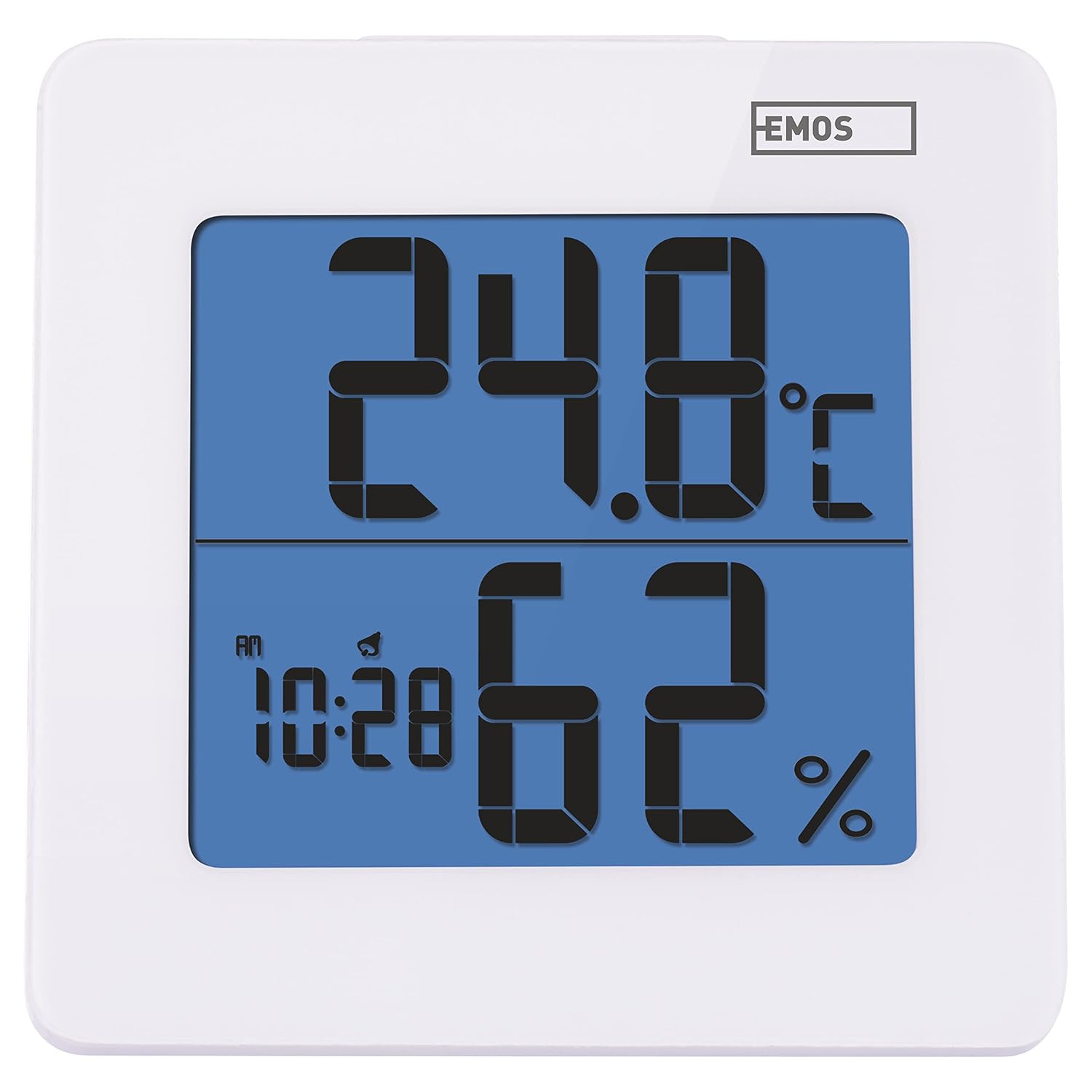
Слика 4.1: Предња страна view of the EMOS E0114 display, showing temperature, humidity, and time.

Слика 4.2: Позади view of the EMOS E0114, highlighting the control buttons and battery compartment.
Контролна дугмад:
- НАЧИН: Switches between time display, alarm setting, and date setting.
- УП: Increases values during setting, activates/deactivates alarm.
- МЕМ: Displays maximum and minimum temperature/humidity records.
- Ц/Ж: Пребацује се између Целзијусових и Фаренхајтових температурних јединица.
- РЕСЕТОВАТИ: Ресетује уређај на фабричка подешавања.
- ОДЛОМАЊЕ/СВЕТЛО (Горња трака): Activates snooze function during alarm, illuminates the display backlight.
5. Подешавање
5.1 Инсталација батерије
- Пронађите одељак за батерију на задњој страни уређаја (погледајте слику 4.2).
- Отворите поклопац одељка за батерије.
- Insert one (1) AA Mignon 1.5 V battery, ensuring correct polarity (+/-).
- Добро затворите поклопац одељка за батерије.
5.2 Почетно укључивање
Upon battery installation, the device will power on automatically and display the current time (default 12:00 AM), temperature, and humidity. The backlight will briefly illuminate.
6. Упутство за употребу
6.1 Подешавање времена и датума
- У режиму нормалног приказа времена, притисните МОДЕ дугме једном да бисте ушли у режим подешавања времена. Цифре за сате ће трептати.
- Користите UP dugme za podešavanje sata.
- Притисните МОДЕ again to set the minutes. The minute digits will flash. Use the UP тастер за подешавање минута.
- Притисните МОДЕ again to set the year. The year digits will flash. Use the UP дугме за подешавање године.
- Наставите да притискате МОДЕ to set the month and then the day, adjusting each with the UP дугме.
- Након подешавања дана, притисните МОДЕ to exit setting mode and return to normal time display.
6.2 Подешавање аларма
- У режиму нормалног приказа времена, притисните МОДЕ button twice to enter alarm setting mode. The alarm time will be displayed, and the hour digits will flash.
- Користите UP dugme za podešavanje sata alarma.
- Притисните МОДЕ again to set the alarm minutes. The minute digits will flash. Use the UP дугме за подешавање минута аларма.
- Притисните МОДЕ to exit alarm setting mode.
- Да бисте активирали или деактивирали аларм, притисните дугме UP button once in normal time display mode. An alarm icon will appear on the display when activated.
6.3 Using Snooze and Backlight
- Када се огласи аларм, притисните СНООЗЕ / СВЕТЛО bar on top of the device to activate the snooze function. The alarm will pause for approximately 5 minutes and then sound again.
- To turn off the alarm completely, press any other button (MODE, UP, MEM, C/F) on the back of the device.
- Притисните тастер СНООЗЕ / СВЕТЛО bar at any time to briefly illuminate the display backlight for better visibility in low light conditions.
6.4 Пребацивање јединица температуре (°C/°F)
У нормалном режиму приказа, притисните Ц / Ф button on the back of the device to toggle between Celsius (°C) and Fahrenheit (°F) temperature readings.
6.5 Viewing Maximum and Minimum Records
The device stores the maximum and minimum temperature and humidity values recorded since the last reset or battery change.
- Притисните тастер МЕМ button once to display the maximum recorded temperature and humidity.
- Притисните тастер МЕМ button again to display the minimum recorded temperature and humidity.
- Притисните МЕМ a third time to return to the current temperature and humidity display.
- To clear the maximum/minimum records, press and hold the МЕМ дугме на отприлике 3 секунде viewвођење записа.
7. Одржавање
7.1 Чишћење
- Обришите уређај меком, сувом крпом.
- Do not use abrasive cleaners, solvents, or chemical agents, as these may damage the display or casing.
7.2 Замена батерије
When the display becomes dim or the device stops functioning, it is time to replace the battery.
- Отворите поклопац одељка за батерије на задњој страни уређаја.
- Уклоните стару АА батерију.
- Insert a new AA Mignon 1.5 V battery, observing correct polarity.
- Затворите поклопац одељка за батерије.
- You may need to reset the time and date after battery replacement.
КСНУМКС. Решавање проблема
| Проблем | Могући узрок | Решење |
|---|---|---|
| Нема дисплеја или је дисплеј замагљен | Слаба или празна батерија; неправилна инсталација батерије. | Replace the battery with a new AA 1.5V battery. Ensure correct polarity. |
| Нетачно време/датум | Time/date not set correctly after battery installation or reset. | Follow instructions in Section 6.1 to set the time and date. |
| Temperature/humidity readings seem inaccurate | Device placed in an unsuitable location (e.g., near heat source, vent, direct sunlight). | Relocate the device to a stable indoor environment away from direct influences. Allow 30 minutes for readings to stabilize. |
| Аларм се не оглашава | Аларм није активиран. | Ensure the alarm icon is visible on the display (refer to Section 6.2). |
| Уређај не реагује | Привремени електронски квар. | Притисните тастер РЕСЕТ button on the back of the device using a thin object (e.g., paperclip). Note: This will clear all settings. |
9. Спецификације
- Модел: Е0114
- Бренд: ЕМОС
- Опсег мерења температуре: 0 ° Ц до +50 ° Ц (32 ° Ф до 122 ° Ф)
- Резолуција температуре: 0.1 °Ц / 0.1 °Ф
- Опсег мерења влажности: 20% до 90% Релативна влажност (РХ)
- Резолуција влажности: 1% РХ
- Сат: Quartz with 12/24 hour format
- Аларм: Yes, with Snooze function
- Приказ: ЛЦД са позадинским осветљењем
- Функција меморије: Мак/Мин температура и влажност
- Напајање: 1 x AA Mignon 1.5 V battery (not included)
- Димензије (Д к Ш к В): 3.7 x 9.3 x 9.3 цм (приближно 1.46 x 3.66 x 3.66 инча)
- Димензије екрана: 60 x 65 mm (approximately 2.36 x 2.56 inches)
- Тежина: 109 грама (приближно 3.84 унце)
- Тип монтаже: Wall mountable (integrated stand)
- Боја: White (with blue display backlight)

Figure 9.1: Dimensions of the EMOS E0114 device.
10. Гаранција и подршка
EMOS products are designed for reliability and performance. For warranty information or technical support, please refer to the warranty card included with your purchase or visit the official EMOS webсајт. Молимо вас да сачувате доказ о куповини за евентуалне рекламације по гаранцији.


