1. Увод
This manual provides comprehensive instructions for the installation, operation, and maintenance of your Speco Technologies HT5941T Intense IR HD TVI Dome Camera. This camera is designed to deliver high-definition surveillance with advanced features such as True WDR, Intense IR, and day/night operation. Please read this manual thoroughly before installation and use to ensure proper functionality and safety.
2. Безбедносне информације
- Напајање: Use only the specified 12VDC or 24VAC power supply. Incorrect voltage may damage the camera.
- Инсталација: Ensure the camera is securely mounted to prevent accidental falls. Professional installation is recommended.
- Окружење: Do not expose the camera to extreme temperatures, humidity, or corrosive environments beyond its specified operating conditions.
- Чишћење: Disconnect power before cleaning. Use a soft, dry cloth. Avoid harsh chemicals.
- Сервисирање: Do not attempt to disassemble or service the camera yourself. Refer all servicing to qualified personnel.
3. Садржај пакета
Проверите да ли су све ставке присутне у вашем пакету:
- HT5941T Dome Camera
- Chameleon Cover
- Монтажни прибор (вијци, анкери)
- Водич за брзи почетак (ако је применљиво)
4. Подешавање и инсталација
4.1 Монтирање камере
The HT5941T camera supports 3-axis adjustment for both wall and ceiling mounting. Ensure the mounting surface is strong enough to support the camera's weight.
- Изаберите одговарајућу локацију за монтажу.
- Use the provided mounting template (if included) or the camera base to mark drilling points.
- Избушите пробне рупе и по потреби уметните анкере у зид.
- Secure the camera base to the mounting surface using the provided screws.
- Adjust the camera's angle for optimal viewинг.
4.2 Ожичење и повезивање напајања
The HT5941T is an HD-TVI output only camera, providing full HD resolution over coaxial cable.
- Connect a coaxial cable (RG59 or similar) from the camera's BNC output to your HD-TVI DVR or monitor.
- Connect the power cable to the camera's power input. The camera supports dual voltage operation (12VDC or 24VAC). Ensure the power supply matches the camera's requirements.
- Проверите да ли су све везе безбедне пре него што примените напајање.
4.3 Chameleon Cover Installation
The included Chameleon Cover can be painted to match your décor.
- If desired, paint the Chameleon Cover before installation. Allow it to dry completely.
- Align the cover with the camera body and snap it into place.
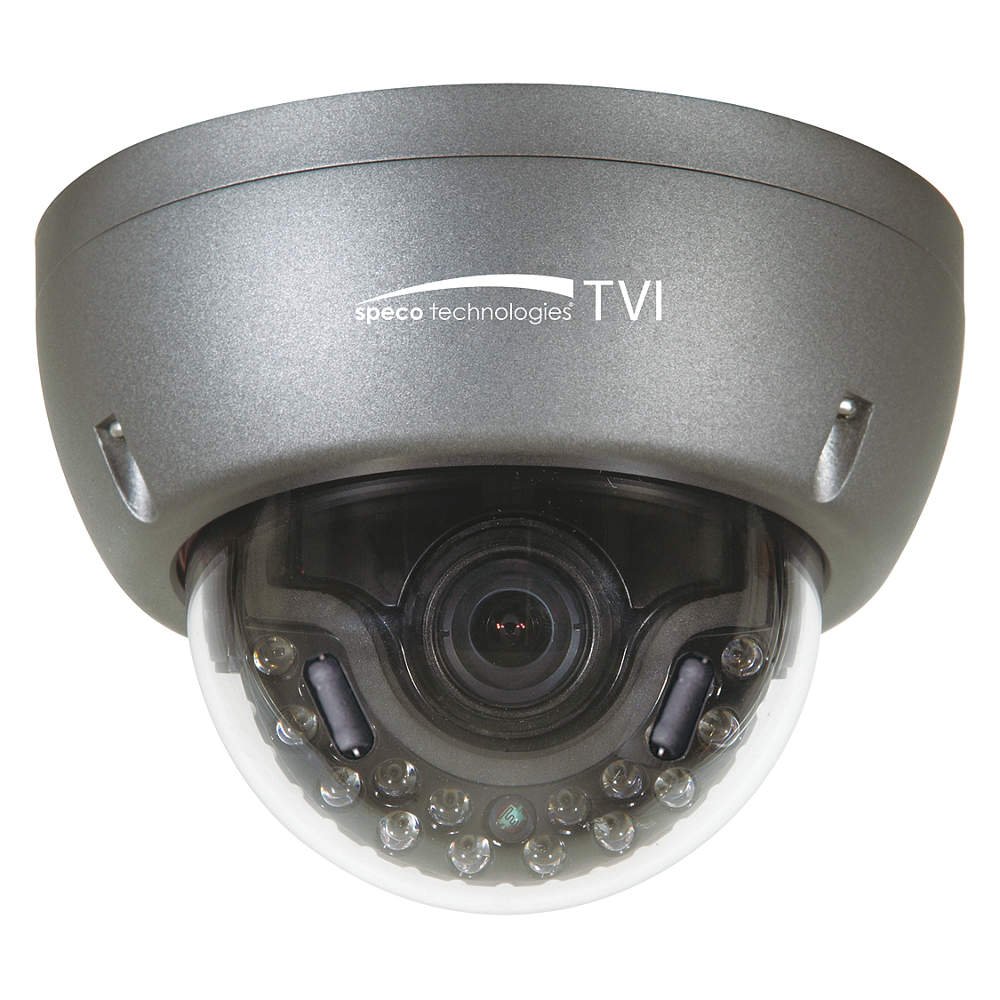
Figure 1: Speco Technologies HT5941T Dome Camera with its dark gray housing and dome design.
5. Упутство за употребу
5.1 Укључивање и почетно подешавање View
Once the camera is properly wired and powered, it will automatically begin transmitting video. Connect your HD-TVI DVR or monitor to view живи феед.
5.2 Приказ на екрану (ОСД) мени
The camera features a full OSD menu for configuration, accessible via on-board controls or UTC (Up The Coax) control from a compatible DVR.
- Accessing OSD: Use the joystick or buttons on the camera (if present) or the UTC control function on your DVR to bring up the OSD menu.
- Навигација: Use the directional controls to navigate through menu options. Select options to adjust settings such as exposure, white balance, and image enhancements.
- Кључне карактеристике:
- Прави WDR: Wide Dynamic Range for clear images in high-contrast lighting.
- Intense IR: Adapts IR intensity to the subject, preventing saturation and providing vivid night vision.
- Day/Night Operation: Mechanical IR cut filter automatically switches between color (day) and monochrome (night) modes for optimal image quality.
6. Одржавање
6.1 Чишћење
Regular cleaning helps maintain optimal image quality.
- Gently wipe the camera lens and housing with a soft, lint-free cloth.
- За тврдокорну прљавштину, благо дampen the cloth with water or a mild lens cleaning solution. Avoid abrasive cleaners.
- Уверите се да је камера искључена пре чишћења.
6.2 Разматрања животне средине
The HT5941T features heater circuitry and anti-moisture glass to reduce fog or condensation in various weather conditions. No specific user maintenance is required for these features, but ensure the camera's power supply is stable to allow these functions to operate effectively.
КСНУМКС. Решавање проблема
| Проблем | Могући узрок | Решење |
|---|---|---|
| Нема видео излаза | No power; Loose cable connection; Incorrect video format (not HD-TVI compatible DVR) | Check power supply and connections; Ensure DVR supports HD-TVI input. |
| Лош квалитет слике (замућена, изобличена) | Dirty lens; Improper focus; Cable interference; Insufficient lighting | Clean the lens; Adjust focus via OSD; Use shielded coaxial cable; Verify adequate lighting or IR function. |
| IR not working at night | Insufficient power; Day/Night setting incorrect; IR sensor blocked | Check power supply; Verify Day/Night mode in OSD; Ensure nothing obstructs the IR LEDs or sensor. |
| OSD мени се не појављује | Incorrect control method; DVR not compatible with UTC | Try on-board controls if available; Consult DVR manual for UTC compatibility and operation. |
8. Спецификације
| Феатуре | Спецификација |
|---|---|
| Број модела | ХТ5941Т |
| Бранд | Спецо Тецхнологиес |
| Резолуција снимања видео записа | 1080p (Full HD) |
| Фраме Рате | 30 фпс |
| Технологија повезивања | HD-TVI (Coaxial) |
| Извор напајања | 12VDC & 24VAC Dual Voltage |
| Тип монтаже | Wall Mount (3-axis adjustment) |
| Форм Фацтор | Доме |
| Лов Лигхт Тецхнологи | Day/Night, Intense IR |
| Посебне карактеристике | True WDR, Heater circuitry, Anti-moisture glass, Chameleon Cover |
| Оцена међународне заштите | ИП67 |
| Димензије (Д к Ш к В) | 5.12 к 4.84 к 3.66 инча |
| Тежина артикла | 1.5 фунти |
| Материјал | Стакло (сочиво) |
9. Гаранција и подршка
For warranty information and technical support, please refer to the official Speco Technologies webсајт или контактирајте њихову службу за кориснике. Сачувајте рачун као доказ о куповини за потребе гаранције.
Speco Technologies Official Webсајт: ввв.спецотецх.цом


