Увод
Thank you for choosing the Baseus H08 3D Surround Sound Gaming Earphones. This manual provides essential information for the safe and efficient use of your new earphones. Please read it thoroughly before use and retain it for future reference.
Производ је завршенview
The Baseus H08 earphones are designed to deliver an immersive 3D surround sound experience for gaming. They feature a wired connection, in-ear design, and an integrated microphone for clear communication.
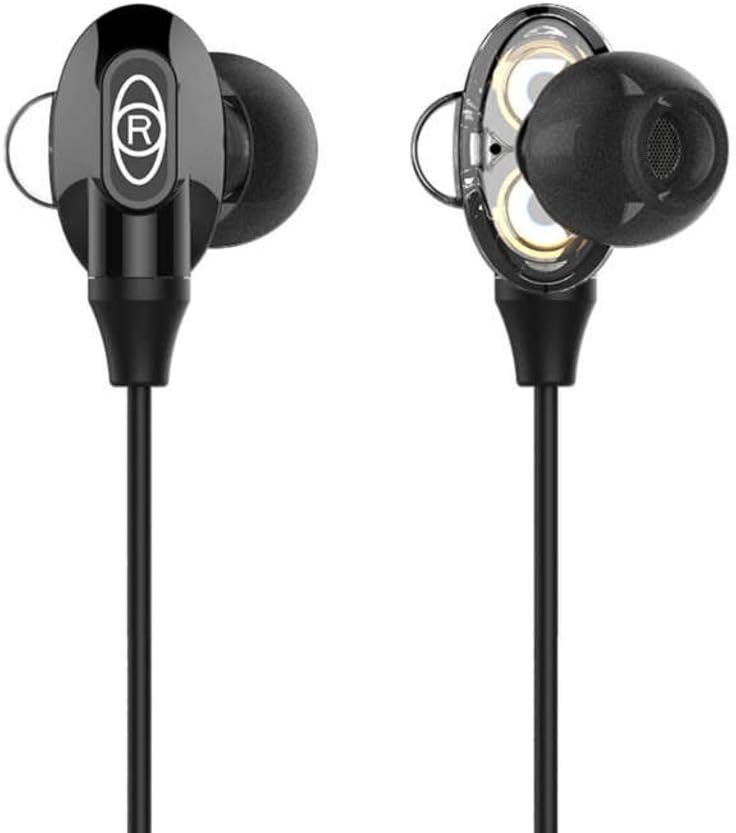
Figure 1: Baseus H08 In-Ear Gaming Earphones
This image displays the two in-ear earpieces of the Baseus H08 earphones, highlighting their sleek black design and the 'R' (right) indicator on one of the earpieces.
Кључне карактеристике:
- 3Д окружујући звук: Engineered for an immersive audio experience, enhancing spatial awareness in games.
- Жичано повезивање: Ensures stable audio transmission with a 3.5mm jack.
- Дизајн за уши: Provides a secure and comfortable fit, along with passive noise isolation.
- Интегрисани микрофон: For clear voice communication during gameplay.
- Inline Control: Easy access to volume adjustments and microphone functions.
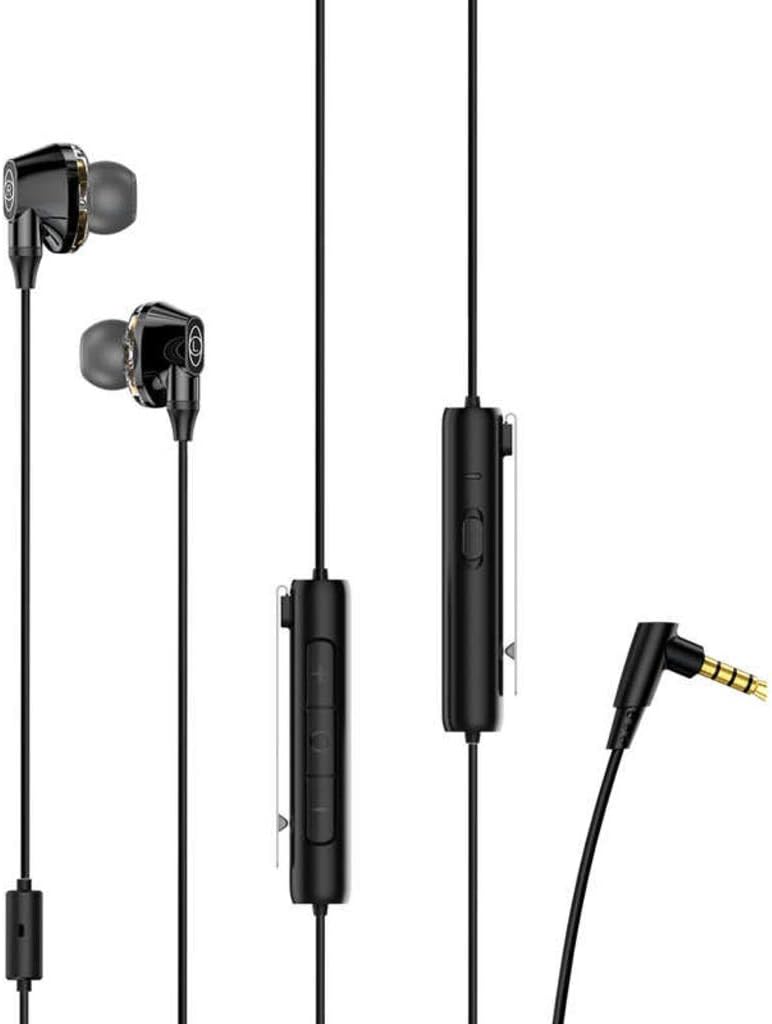
Figure 2: Earphones with Inline Control and 3.5mm Jack
This image shows the full length of the Baseus H08 earphones, including the in-ear buds, the inline control unit with buttons, and the L-shaped 3.5mm audio jack.
Сетуп
- Повежите се са уређајем: Insert the 3.5mm audio jack into the corresponding port on your gaming console, PC, or mobile device. Ensure the connection is secure.
- Ношење слушалица: Gently insert the left (L) and right (R) earpieces into your ears. Adjust them for a comfortable and snug fit. The correct fit is crucial for optimal sound quality and noise isolation.
- Позиционирање микрофона: Position the inline microphone close to your mouth for clear voice pickup.
Упутство за употребу
Inline Control Functions:
- Контрола јачине звука: Use the volume up (+) and volume down (-) buttons on the inline control unit to adjust the audio level.
- Искључивање/Укључивање микрофона: The inline control may include a switch or button to mute or unmute the microphone. Refer to the specific markings on your control unit.
- Управљање позивима: For mobile devices, the central button on the inline control typically allows you to answer/end calls or play/pause music.
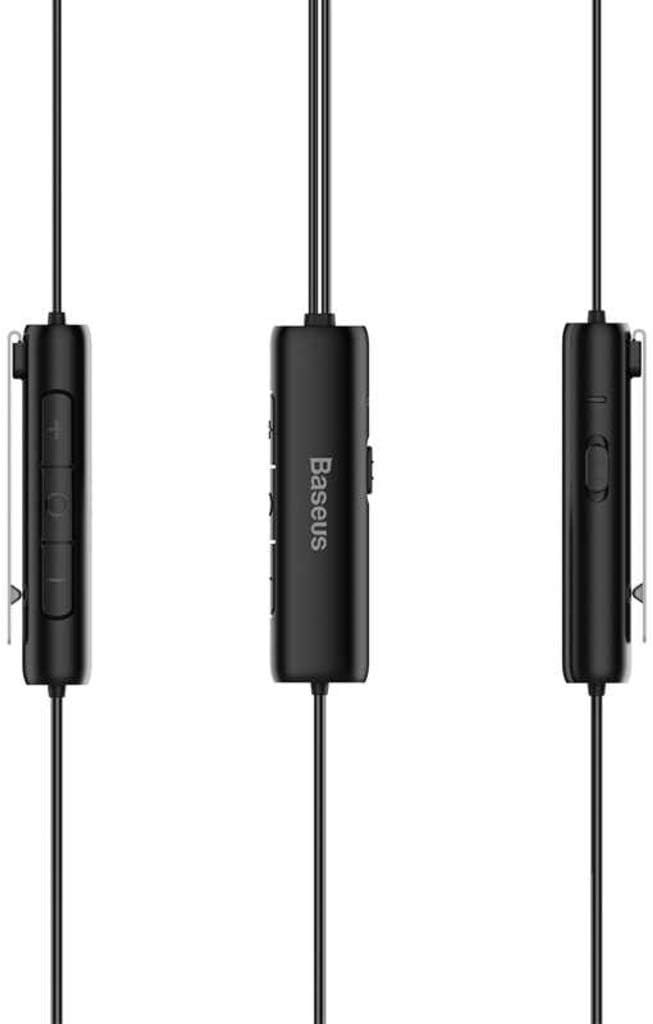
Figure 3: Inline Control Unit
Ова слика пружа детаљан view of the inline control unit, showing the volume buttons and the Baseus branding.
3Д окружујући звук:
The Baseus H08 earphones are designed to deliver a 3D surround sound effect, enhancing directional audio cues in compatible games. This feature is automatically active when connected to a device that supports stereo audio output. No additional setup is required for the 3D sound functionality.

Figure 4: Immersive 3D Sound Experience
This image shows a person wearing the Baseus H08 earphones, with visual effects suggesting an immersive 3D sound experience, highlighting the earphones' capability to deliver rich audio details.
Одржавање
- Чишћење: Regularly clean the earpieces and ear tips with a soft, dry cloth. For stubborn dirt, a slightly damp Може се користити крпа, али водите рачуна да влага не уђе у решетке звучника.
- Складиштење: When not in use, store the earphones in a clean, dry place, preferably in a protective pouch, to prevent tangling and damage.
- Избегавајте екстремне услове: Не излажите слушалице екстремним температурама, влази или директној сунчевој светлости.
- Нега каблова: Avoid sharply bending or pulling the cable, as this can damage internal wiring.
Решавање проблема
| Проблем | Могући узрок | Решење |
|---|---|---|
| Нема звука или је тиха |
|
|
| Микрофон не ради |
|
|
| Лош квалитет звука |
|
|
Спецификације
| Бранд | Басеус |
| Број модела | NGH08-01 |
| Технологија повезивања | Виред |
| Јацк за слушалице | 3.5 мм прикључак |
| Фактор облика слушалица | Ин Еар |
| Микрофон укључен | Да |
| Контрола буке | Активно поништавање буке |
| Тип контроле | Контрола јачине звука |
| Боја | Црно |
| Димензије производа | 5 к 3 к 10 цм |
| Тежина артикла | 200 грама |
| Компатибилни уређаји | ПЦ, Мац |
Гаранција и подршка
For warranty information or technical support, please refer to the documentation included with your purchase or visit the official Baseus webсајт. Такође можете директно контактирати корисничку службу Baseus за помоћ.
Baseus Official Webсајт: ввв.басеус.цом



