Увод
Thank you for choosing the Blaupunkt IRD 30 WH Internet Radio. This device offers a wide range of listening options, including Internet Radio, DAB+, and FM radio, along with alarm clock functions and Wi-Fi connectivity. This manual will guide you through the setup, operation, and maintenance of your new radio to ensure optimal performance and enjoyment.
Безбедносне информације
Please read all safety instructions before using the device. Keep this manual for future reference.
- Не излажите уређај киши или влази како бисте спречили пожар или струјни удар.
- Не отварајте цasinг. Сва сервисирања препустите квалификованом особљу.
- Обезбедите одговарајућу вентилацију око уређаја. Не блокирајте вентилационе отворе.
- Користите само струјни адаптер који је испоручен са јединицом.
- Држите уређај даље од директне сунчеве светлости, извора топлоте и јаких магнетних поља.
- Батерије бацајте одговорно.
Садржај пакета
Carefully unpack your Blaupunkt IRD 30 WH and check that all items are present and in good condition:
- Blaupunkt IRD 30 WH Internet Radio
- Remote control (including batteries)
- Адаптер за напајање
- Упутство за употребу (овај документ)
Производ је завршенview
The Blaupunkt IRD 30 WH is designed for versatile audio entertainment, featuring a sleek retro design with a real wood casing and a high-gloss front. It includes a 3.5-inch display for clear information display and intuitive controls.
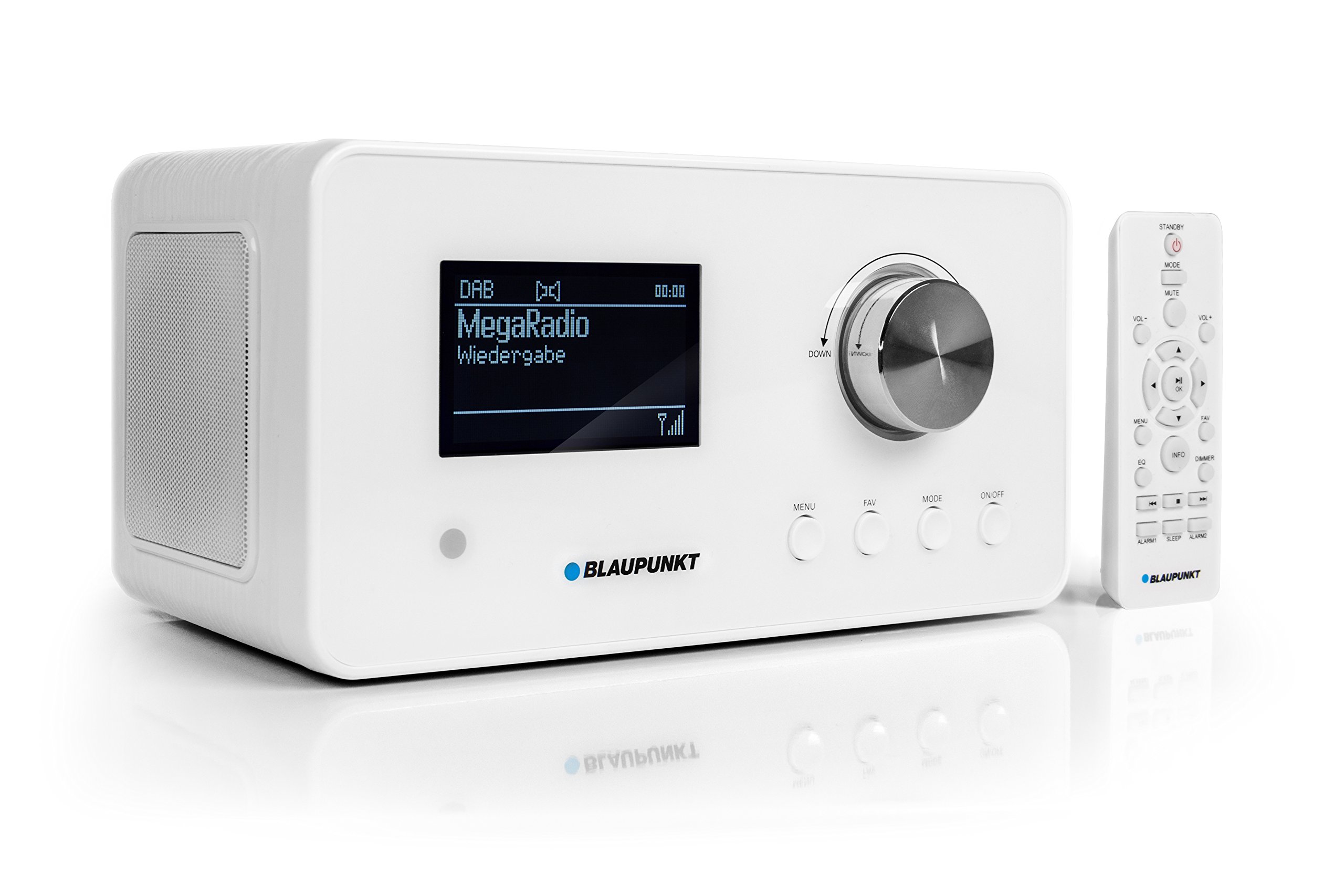
Figure 1: Blaupunkt IRD 30 WH Internet Radio, a compact white unit with a display and control knob.
Контроле и екран на предњој плочи
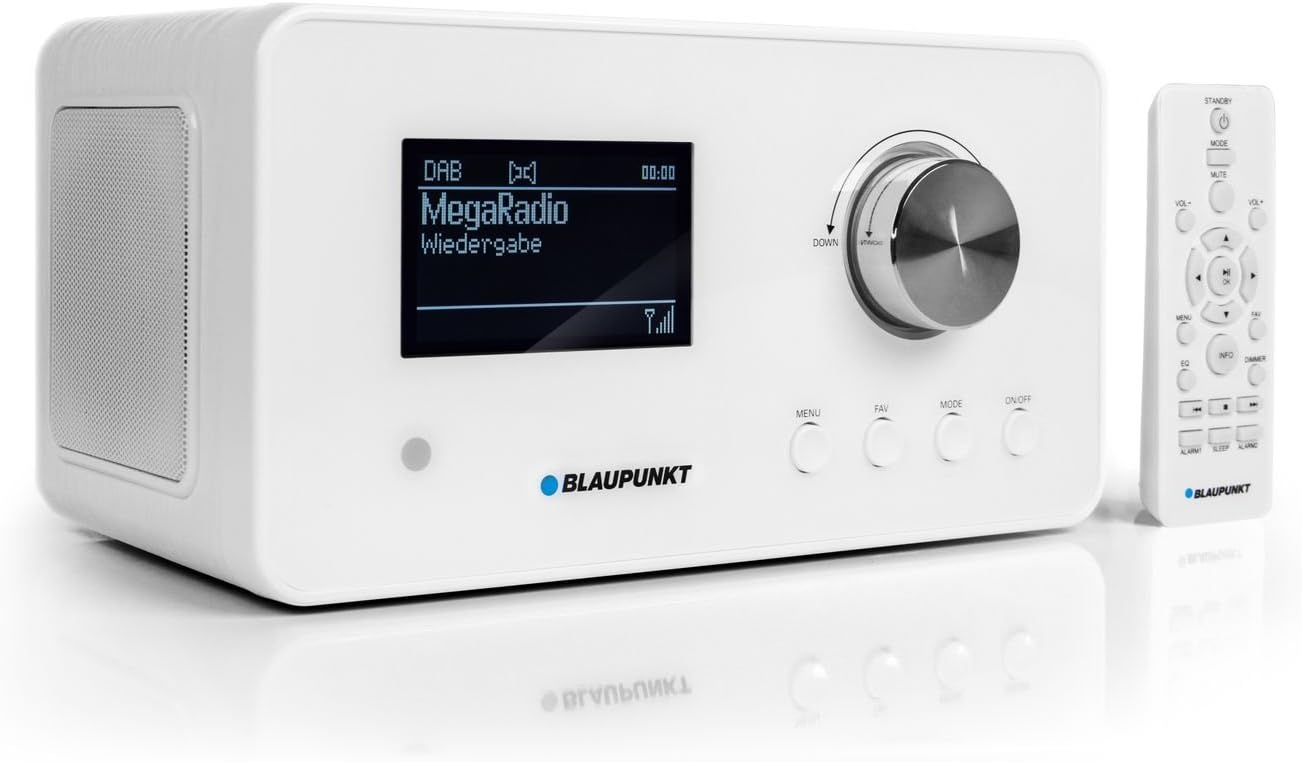
Figure 2: Close-up of the radio's front panel, showing the 3.5-inch display, main rotary knob, and function buttons (MENU, FAV, MODE, ON/OFF). The remote control is also visible.
The front panel features a large 3.5-inch display that shows station name, song title, artist, and time. Key controls include a rotary/push knob for navigation and volume, along with dedicated buttons for Menu, Favorites, Mode selection, and Power On/Off.
Прикључци задњег панела

Figure 3: The rear panel of the radio, featuring the Wi-Fi antenna, headphone output, AUX IN, AUX OUT, and DC IN 12V/2A power input.
The rear panel provides essential connectivity options, including a Wi-Fi antenna, headphone output, AUX IN for connecting external audio sources, AUX OUT for connecting to external speakers, and the DC IN port for power.
Ремоте Цонтрол

Figure 4: The remote control for the Blaupunkt IRD 30 WH, showing various buttons for power, volume, menu navigation, mode selection, and alarm functions.
The included remote control allows for convenient operation of all radio functions from a distance, including power, volume, menu navigation, mode selection, and alarm settings.
Сетуп
1. Прикључак за напајање
- Connect the supplied power adapter to the DC IN 12V/2A port on the rear of the radio.
- Укључите адаптер за напајање у зидну утичницу.
2. Подешавање антене
For optimal DAB/DAB+ and FM reception, extend the telescopic antenna located on the rear of the unit. Adjust its position for the best signal quality.
3. Initial Power On and Wi-Fi Connection
- Притисните тастер ОН/ОФФ button on the front panel or remote control to power on the radio.
- The radio will guide you through an initial setup wizard. Follow the on-screen prompts.
- When prompted, select your preferred language.
- The radio will scan for available Wi-Fi networks. Select your home network from the list.
- Enter your Wi-Fi password using the rotary knob to navigate characters and the push function to select. Confirm your entry.
- Once connected, the radio will synchronize the time via the internet or RDS (for FM).
Упутство за употребу
Основне контроле
- Окретно дугме: Rotate to scroll through menus or adjust volume. Push to select an option or confirm.
- Дугме МЕНУ: Приступите главном менију за подешавања и опције.
- ФАВ дугме: Access your list of favorite stations. Press and hold to save the current station as a favorite.
- Дугме МОДЕ: Switch between Internet Radio, DAB+, and FM modes.
- Дугме за укључивање/искључивање: Укључите или искључите уређај.
Интернет Радио
Access thousands of internet radio stations and podcasts from around the world.
- Притисните тастер МОДЕ button until "Internet Radio" is selected.
- Use the rotary knob to browse categories (e.g., Location, Genre) or search for specific stations.
- Push the rotary knob to select a station and begin playback.
- To save a station as a favorite, tune to the desired station and press and hold the ФАВ дугме.
ДАБ / ДАБ + радио
Enjoy digital radio with clear sound quality.
- Притисните тастер МОДЕ button until "DAB+" is selected.
- The radio will automatically scan for available DAB/DAB+ stations.
- Use the rotary knob to scroll through the list of found stations.
- Push the rotary knob to select a station.
ФМ Радио
Tune into traditional FM broadcasts.
- Притисните тастер МОДЕ дугме док се не изабере „FM“.
- Use the rotary knob to manually tune frequencies or press and hold to auto-scan for the next available station.
- To save an FM station as a favorite, tune to the desired station and press and hold the ФАВ дугме.
Функције будилника
The radio features versatile alarm and sleep functions.
- Access alarm settings via the МЕНУ дугме.
- Set up to two independent alarms with options for alarm source (tone, radio, podcast) and frequency (daily, weekdays, weekends, once).
- Use the sleep timer function to automatically turn off the radio after a set period.
- The snooze function allows for a temporary delay of the alarm.
UPnP Media Player
Stream music wirelessly from your PC or other UPnP-enabled devices on your network.
- Ensure your PC or media server is running a UPnP server application.
- Navigate to the UPnP section in the radio's menu.
- Select your media server and browse your music library.
Одржавање
Чишћење
To clean the radio, use a soft, dry cloth. Do not use abrasive cleaners, waxes, or solvents as they may damage the finish. Ensure the unit is unplugged before cleaning.
Ажурирања софтвера
The radio may receive software updates to improve performance and add new features. Check the system settings menu for available updates and follow the on-screen instructions.
Решавање проблема
If you encounter issues with your Blaupunkt IRD 30 WH, please refer to the following common problems and solutions:
| Проблем | Могући узрок / решење |
|---|---|
| Нема струје | Check if the power adapter is securely connected to the radio and the wall outlet. Ensure the outlet is functional. |
| Нема звука | Check the volume level. Ensure headphones are not connected if you expect sound from the speakers. Verify the audio source is playing. |
| Повезивање на Ви-Фи није могуће | Ensure your Wi-Fi password is correct. Check if your router is working and within range. Try restarting your router and the radio. |
| Internet radio buffering or disconnecting | Check your internet connection speed. Move the radio closer to your Wi-Fi router or ensure no obstructions are interfering with the signal. |
| Poor DAB/DAB+ or FM reception | Fully extend and adjust the telescopic antenna. Try repositioning the radio to a location with better signal. |
| Даљински управљач не ради | Ensure the batteries are correctly inserted and not depleted. Point the remote directly at the radio's sensor. |
Спецификације
| Феатуре | Спецификација |
|---|---|
| Број модела | IRD 30 WH |
| Димензије производа | 25.5 к 16 к 13.6 цм |
| Тежина артикла | 1.7 кг |
| Технологија повезивања | Wi-Fi (802.11 b/g, 54 Mbit/s) |
| Технологија тјунера | DAB, DAB+, FM (with RDS) |
| Дисплаи Типе | LCD (3.5 inch) |
| Аудио излазна снага | 2 x 7.5 Watt RMS (15 Watt Max) |
| Хардверски интерфејс | 3.5 mm Audio (AUX IN, AUX OUT, Headphone) |
| Извор напајања | Battery-Powered (for remote: 1 AAA battery required) / AC Adapter |
| Посебне карактеристике | Remote control, Alarm clock, Sleep timer, UPnP client |
Гаранција и подршка
For warranty information and technical support, please refer to the documentation provided with your purchase or visit the official Blaupunkt webсајт. Сачувајте доказ о куповини за евентуалне рекламације по гаранцији.


