1. Увод
This manual provides detailed instructions for the safe and efficient operation of your Optoma EH416 Full HD 3D DLP Projector. Please read this manual thoroughly before using the projector and retain it for future reference. Proper use and maintenance will ensure optimal performance and longevity of your device.
Безбедносне информације
- Не гледајте директно у сочиво пројектора када је укљученоamp је укључено. Интензивно светло може изазвати оштећење ока.
- Ensure adequate ventilation around the projector. Do not block ventilation openings.
- Користите само кабл за напајање који је испоручен са пројектором. Прикључите га на правилно уземљену утичницу.
- Не излажите пројектор киши, влази или прекомерној влажности.
- Сва сервисирања препустите квалификованом сервисном особљу. Не покушавајте сами да отворите или поправите пројектор.
2. Шта је у кутији
Please verify that all items listed below are present in your package. If any items are missing or damaged, contact your dealer immediately.
- Optoma EH416 Projector
- Повер Цорд
- ВГА на ВГА кабл
- Ремоте Цонтрол
- Торба за ношење
- Батерије за даљински управљач
- Multilingual CD-ROM User’s Manual
- Картица за брзи почетак
- Гарантни лист
3. Производ је готовview
Кључне карактеристике
- Висока осветљеност: 4200 lumens for clear images in various lighting conditions.
- Висок контраст: 20,000:1 contrast ratio for sharp, luminous images with deep blacks.
- Фулл ХД резолуција: Native 1080p (1920x1080) resolution, supporting up to WUXGA (1920x1200).
- Advanced Optical Lens: Features a 1.6x zoom and vertical lens shift for flexible installation.
- Екстензивно повезивање: Dual HDMI (one with MHL support), dual audio-in, VGA, and more.
- sRGB Color Profile: Enables vibrant and highly accurate colors based on Rec. 709 HDTV specification.
- Подешавање боје зида: Compensates for brightness loss when projecting on non-white surfaces.
- Edge Mask: Eliminates soft edges and jaggedness on the projection border for a smooth image.
- Интегрисани аудио: Уграђени звучник од 10В.
Компоненте пројектора
The image below illustrates the main components of the Optoma EH416 projector, including the lens, control panel, and various ports.
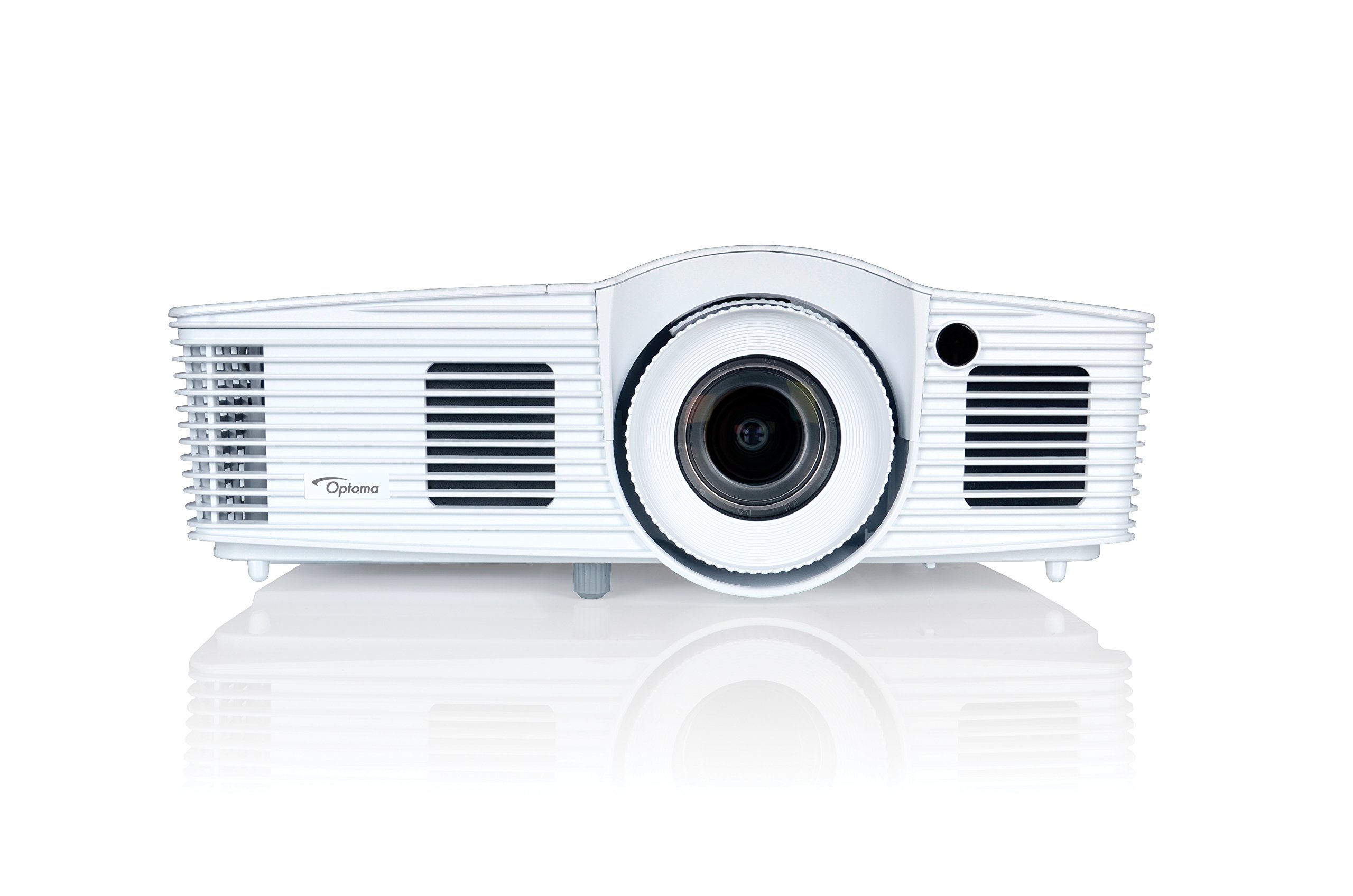
Слика 1: Предња страна view of the Optoma EH416 Projector, showing the lens and primary controls.
Портови за повезивање
The Optoma EH416 projector offers a wide range of connectivity options located on the rear panel for versatile integration with various devices.
- HDMI (x2): Digital input for high-definition video and audio. One port supports MHL for mobile devices.
- VGA (x2): Analog input for computer connections.
- Audio In (x2): 3.5mm stereo jack for analog audio input.
- Аудио излаз: 3.5mm stereo jack for connecting external speakers.
- УСБ-А: For power output or service.
- РС232: За управљање пројектором преко рачунара или система за управљање.
- RJ45 (Етернет): For network control and management.
4. Подешавање
Постављање пројектора
The Optoma EH416 offers flexibility in placement due to its 1.6x zoom and vertical lens shift capabilities. Position the projector on a stable surface or mount it securely. Adjust the distance from the screen to achieve the desired image size. The 1.6x zoom allows for a larger image from a shorter distance or a smaller image from a longer distance without moving the projector.
Повезивање уређаја
- Прикључак за напајање: Прикључите кабл за напајање на утичницу за напајање пројектора, а затим на уземљену електричну утичницу.
- Видео извор:
- For HDMI devices (e.g., Blu-ray player, laptop): Connect an HDMI cable from your device to one of the HDMI ports on the projector.
- For VGA devices (e.g., older laptops): Connect a VGA cable from your device to a VGA port on the projector. If audio is also required, connect a separate 3.5mm audio cable from your device to an Audio In port on the projector.
- For MHL compatible mobile devices: Connect an MHL cable to the designated HDMI/MHL port.
- Аудио излаз (опционо): If using external speakers, connect an audio cable from the projector's Audio Out port to your sound system.
Укључивање/искључивање
- За укључивање: Press the power button on the projector's control panel or the remote control. The power indicator light will turn blue.
- За искључивање: Press the power button twice. The projector will enter a cooling down cycle before completely shutting off. Do not unplug the projector during the cooling cycle.
5. Руковање пројектором
Основна операција
- Избор извора: Use the 'Source' button on the remote or control panel to cycle through available input sources (HDMI1, HDMI2/MHL, VGA1, VGA2).
- Навигација у менију: Press the 'Menu' button to access the On-Screen Display (OSD). Use the arrow keys to navigate and 'Enter' to select options.
- Контрола јачине звука: Use the volume buttons on the remote control to adjust the audio output from the built-in speaker or Audio Out port.
Подешавања слике
- Фокус и зумирање: Rotate the focus and zoom rings on the projector lens to achieve a sharp and appropriately sized image.
- Кеистоне Цоррецтион: If the image appears trapezoidal, use the 'Keystone' function in the OSD menu or the dedicated button on the remote to correct the image shape. The EH416 supports ±40° vertical keystone correction.
- Вертикални помак сочива: This feature allows you to physically move the image up or down without tilting the projector, minimizing keystone distortion. Adjust the lens shift dial located near the lens.
- Подешавање боје зида: Access this feature in the OSD menu to compensate for the color of your projection surface (e.g., blackboard, light yellow wall). This helps maintain accurate color reproduction even on non-white walls.
- sRGB Color Profile: For the most accurate and vibrant colors, especially when connecting to a PC, Mac, or sRGB compatible source, select the sRGB picture mode in the OSD. This profile adheres to the Rec. 709 HDTV specification.
- Edge Mask: This function, found in the OSD, helps to refine the edges of the projected image, eliminating any soft or jagged appearance on the border.
6. Одржавање
Чишћење пројектора
- Објектив: Користите меку крпу без влакана, посебно дизајнирану за оптичка сочива. Не користите абразивна средства за чишћење.
- Casing: Обришите пројектор casing with a soft, dry cloth. For stubborn dirt, use a slightly damp крпу благим детерџентом, а затим обришите сувим.
- Вентилациони отвори: Regularly check and clean the air vents to prevent dust buildup, which can lead to overheating. Use a soft brush or compressed air.
Lamp Царе
Пројектор лamp има ограничен век трајања. Када лamp life is nearing its end, a warning message may appear on the screen. Refer to the full user manual on the included CD-ROM for detailed instructions on lamp replacement. Always use genuine Optoma replacement lamps to ensure optimal performance and safety.
КСНУМКС. Решавање проблема
Овај одељак се бави уобичајеним проблемима на које можете наићи. За детаљније решавање проблема, погледајте свеобухватни кориснички приручник на приложеном CD-ROM-у.
- Нема слике на екрану:
- Check if the projector is powered on and the lamp је осветљен.
- Verify that the video source device is powered on and functioning correctly.
- Ensure the video cable (HDMI, VGA) is securely connected to both the projector and the source device.
- Select the correct input source using the 'Source' button on the remote or projector.
- Замућена или изобличена слика:
- Подесите фокусни прстен на сочиву пројектора.
- If the image is trapezoidal, use the keystone correction function.
- Ensure the projector is perpendicular to the screen or use vertical lens shift.
- Нема звука:
- Проверите ниво јачине звука на пројектору и изворном уређају.
- If using an analog VGA connection, ensure a separate audio cable is connected.
- Verify that the audio output is not muted.
- Даљински управљач не ради:
- Проверите и замените батерије.
- Уверите се да нема препрека између даљинског управљача и ИР пријемника пројектора.
8. Спецификације
| Феатуре | Детаљ |
|---|---|
| Број модела | ЕХ416 |
| Резолуција екрана | 1920 к 1080 (Фулл ХД) |
| Осветљеност | 4200 лумена |
| Однос контраста | 20,000:1 |
| Технологија повезивања | Wireless, HDMI, MHL, VGA |
| Димензије производа | 8.81 к 12.36 к 4.48 инча |
| Тежина артикла | 6.6 фунти |
| Препоручена употреба | Business, Education |
| Произвођач | ОПТОМА ТЕХНОЛОГИЈА |
| Датум првог доступног | 5. априла 2016. године |
9. Гаранција и подршка
Your Optoma EH416 projector comes with a manufacturer's warranty. Please refer to the included warranty card for specific terms, conditions, and registration information. For technical support, product registration, or to download the latest drivers and firmware, please visit the official Optoma website or contact Optoma customer service.


