1. Увод
The Turtle Beach Stealth 700 is a premium wireless gaming headset designed for an immersive audio experience on PlayStation 5 and PlayStation 4 consoles. This manual provides essential information on setting up, operating, and maintaining your headset, ensuring optimal performance and longevity.

Figure 1: Turtle Beach Stealth 700 Wireless Gaming Headset
2. Шта је у кутији
Upon unboxing your Turtle Beach Stealth 700 headset, please ensure all the following components are present:
- Turtle Beach Stealth 700 Wireless Gaming Headset
- Бежични УСБ предајник
- УСБ-Ц кабл за пуњење
- Кратки водич / Документација
Видео 1: Званични производ је завршенview and unboxing of the Turtle Beach Stealth 700 headset.
3. Производ је готовview
Familiarize yourself with the physical components and controls of your Stealth 700 headset.
3.1 Компоненте слушалица

Figure 2: User wearing the Stealth 700 headset, demonstrating its over-ear design.
- Подесива трака за главу: Features a synthetic leather-wrapped headband for comfort.
- Јастучићи за уши: Premium synthetic leather-wrapped ear cushions with ProSpecs glasses-friendly design to relieve pressure.
- 50mm Over-Ear Speakers: Deliver immersive surround sound and chat audio.
- High-Sensitivity Flip-Up Mic: Integrated microphone that mutes when flipped up.
3.2 Контроле
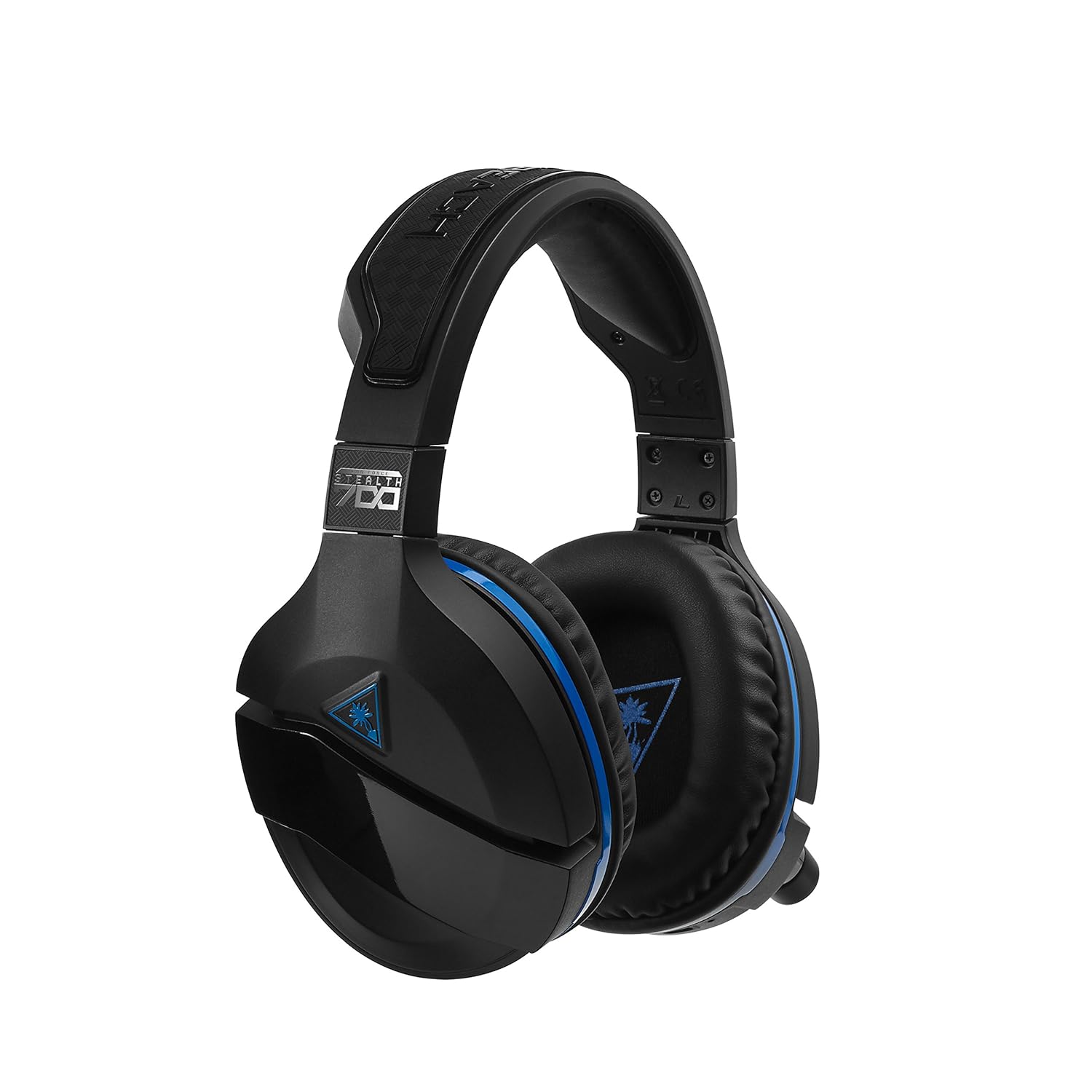
Figure 3: Right earcup controls and microphone in the down position.
- Дугме за напајање: Укључује/искључује слушалице.
- Блуетоотх дугме: Покреће Bluetooth упаривање.
- Game Volume Dial: Adjusts the overall game audio volume.
- Chat Volume Dial: Adjusts the chat audio volume independently.
- Mic Monitoring Dial: Adjusts the level of your own voice heard in the headset.
- Superhuman Hearing Button: Activates/deactivates the Superhuman Hearing sound setting.
- Дугме за режим: Cycles through DTS surround sound modes and audio presets.

Figure 4: Microphone in the flipped-up (muted) position.
4. Упутства за подешавање
Follow these steps to set up your Turtle Beach Stealth 700 headset with your PlayStation console.
4.1 Почетно пуњење
- Connect the USB-C Charging Cable to the headset and a USB power source.
- Charge the headset fully before first use (approximately 5 hours). The LED indicator will change when fully charged.
4.2 Connecting to PlayStation (Wireless)
- Plug the Wireless USB Transmitter into an available USB port on your PlayStation console.
- Power on your Stealth 700 headset by pressing and holding the Power Button until the LED illuminates.
- The headset and transmitter should automatically pair. A solid LED on both indicates a successful connection.
- On your PlayStation, navigate to Подешавања > Уређаји > Аудио уређаји.
- Сет Инпут Девице да УСБ слушалице (Туртле Беацх Стеалтх 700).
- Сет Излазни уређај да УСБ слушалице (Туртле Беацх Стеалтх 700).
- Сет Излаз на слушалице да Алл Аудио.
- Adjust your volume levels as desired.
4.3 Bluetooth Pairing (for Mobile Devices)
The Stealth 700 supports Bluetooth connectivity for calls, music, and the Turtle Beach Audio Hub app while gaming.
- With the headset powered on, press and hold the Блуетоотх дугме until the headset announces "Bluetooth Pairing" and the LED flashes blue.
- On your mobile device, go to Bluetooth settings and select "Stealth 700" from the list of available devices.
- The headset will announce "Bluetooth Paired" when the connection is successful.
5. Упутство за употребу
5.1 Basic Audio Control
- Јачина игре: Use the upper dial on the left earcup to adjust game audio.
- Chat Volume: Use the lower dial on the left earcup to adjust chat audio.
5.2 Употреба микрофона
- To Unmute: Flip the microphone down.
- Искључивање звука: Flip the microphone up. The headset will provide an audible cue.
- Variable Mic Monitoring: Adjust the lower dial to control how much of your own voice you hear in the headset.
5.3 Активно поништавање буке (АНЦ)
The Stealth 700 features active noise-cancellation to minimize external distractions.
- To Activate/Deactivate: Press the Power Button briefly while the headset is on. The headset will announce the status.
5.4 Надљудски слух
This exclusive Turtle Beach sound setting enhances critical in-game sounds like footsteps and weapon reloads.
- To Activate/Deactivate: Press the dedicated Superhuman Hearing button on the left earcup.
5.5 Audio Presets and DTS Surround Sound
Cycle through different audio presets and DTS surround sound modes for an optimized listening experience.
- To Cycle: Притисните тастер Дугме за режим to switch between available presets (e.g., Bass Boost) and DTS Headphone:X 7.1 surround sound options.
6. Turtle Beach Audio Hub App
The Turtle Beach Audio Hub app (available for iOS and Android) allows you to customize various settings of your Stealth 700 headset via Bluetooth.
- Adjust mic monitoring levels.
- Select DTS surround sound modes.
- Choose from various audio presets, including Bass Boost.
- Enable/disable Dynamic Chat Boost.
- Управљајте Блуетоотх везама.
7. Одржавање
Правилна нега осигурава дуготрајност и перформансе ваших слушалица.
- Чишћење: Користите меку, дamp cloth to clean the headset. Avoid harsh chemicals.
- Складиштење: Чувајте слушалице на хладном и сувом месту, даље од директне сунчеве светлости и екстремних температура.
- Одржавање батерије: За оптималан век трајања батерије, избегавајте често потпуно пражњење батерије. Редовно је пуните.
КСНУМКС. Решавање проблема
If you encounter issues with your Stealth 700 headset, try the following solutions:
8.1 No Audio / Disconnection
- Ensure the headset is fully charged and powered on.
- Verify the Wireless USB Transmitter is securely plugged into the console.
- Check PlayStation audio settings (Settings > Devices > Audio Devices) to ensure the headset is selected as input/output.
- Try re-pairing the headset and transmitter by powering both off and on.
8.2 Микрофон не ради
- Ensure the microphone is flipped down to unmute.
- Check PlayStation audio settings to confirm the headset is selected as the input device.
- Adjust the Mic Monitoring dial to ensure it's not set to zero.
- Test the microphone with another application or device if possible.
8.3 Проблеми са упаривањем преко Bluetooth-а
- Ensure the headset is in Bluetooth pairing mode (LED flashing blue).
- Forget the "Stealth 700" device from your mobile device's Bluetooth settings and try pairing again.
- Уверите се да ниједан други Bluetooth уређај не омета везу.
9. Спецификације
| Феатуре | Детаљ |
|---|---|
| Број модела | ТБС-3770-01 |
| Повезивање | Wireless (USB Transmitter), Bluetooth |
| Компатибилни уређаји | ПлаиСтатион 5, ПлаиСтатион 4 |
| Тип аудио драјвера | Динамички возач |
| Величина звучника | 50мм |
| Трајање батерије | До 10 сати |
| Време пуњења | Прибл. 5 сата |
| Блуетоотх верзија | 5.0 |
| Блуетоотх домет | 10 метара |
| Посебне карактеристике | DTS Headphone:X 7.1 Surround Sound, Active Noise Cancellation, Superhuman Hearing, ProSpecs Glasses Friendly Design, Dynamic Chat Boost, Variable Mic Monitoring |
| Материјал | Faux Leather (ear cushions, headband) |
| Тежина артикла | 1.6 фунти |
10. Гаранција и подршка
For detailed warranty information, product registration, and further technical support, please visit the official Turtle Beach webсајт на ввв.туртлебеацх.цом. You can also find FAQs and additional resources there.


