1. Производ је готовview
The Fender Monterey Bluetooth Speaker delivers clear, powerful audio with a design inspired by classic Fender amplifiers. This speaker is engineered for high-fidelity sound reproduction, featuring 120 watts of power, two woofers, and two tweeters. It supports audio streaming via Bluetooth and direct connection through a 3.5mm auxiliary jack or RCA inputs.
Слика 1: Предња страна view of the Fender Monterey Bluetooth Speaker, showcasing its classic amplifier-inspired grille and Fender logo.
2. Шта је у кутији
Проверите да ли су све ставке наведене у наставку укључене у ваш пакет:
- Fender Monterey Bluetooth Speaker
- Помоћни кабл од 3.5 мм
- РЦА кабл
- Повер Цабле
3. Водич за подешавање
3.1 Прикључак за напајање
- Ensure the speaker's volume control is set to minimum before connecting power.
- Connect the supplied power cable to the AC input on the rear panel of the speaker.
- Plug the other end of the power cable into a suitable wall outlet (100-240V, 50/60Hz).
- Flip the power switch on the top panel to the "ON" position. The speaker will emit a chime indicating it is powered on.
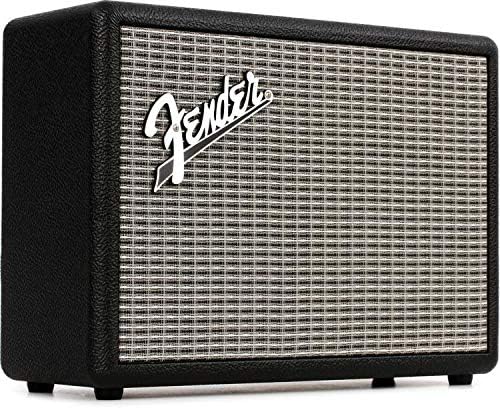
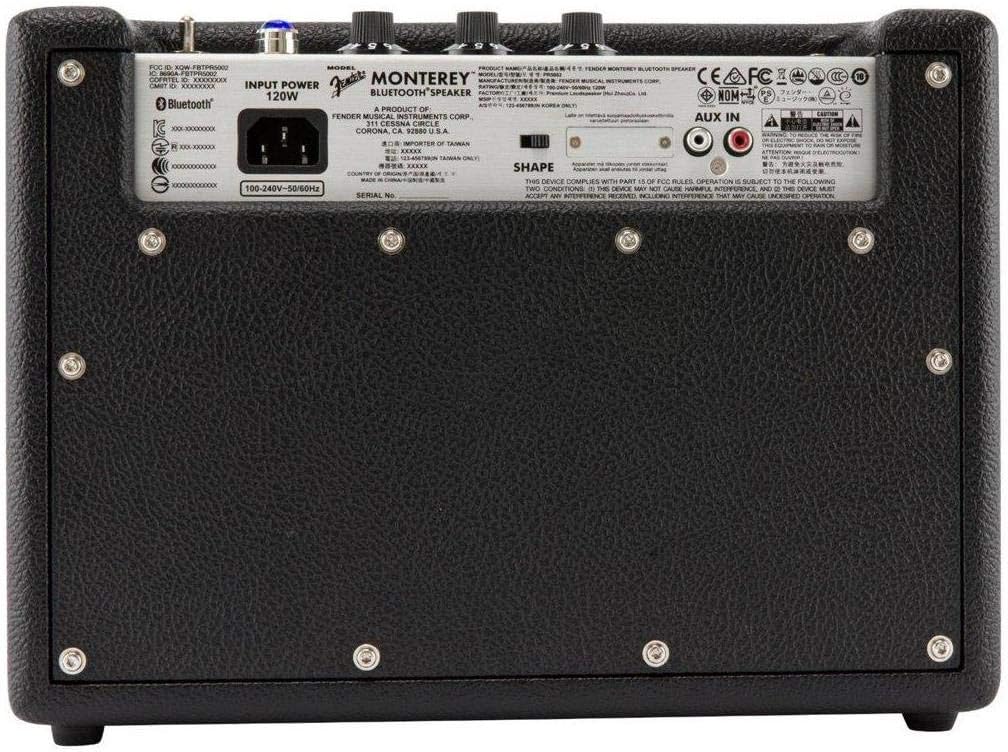
Figure 2: Rear panel of the Fender Monterey speaker, showing the power input and auxiliary connections.
3.2 Блуетоотх упаривање
- With the speaker powered on, press the ПАИР button on the top panel. The Bluetooth indicator light will begin to flash, indicating it is in pairing mode.
- На вашем аудио уређају (паметном телефону, таблету, рачунару) идите на подешавања за Bluetooth.
- Select "Fender Monterey" from the list of available devices.
- Once successfully paired, the Bluetooth indicator light on the speaker will turn solid blue, and a confirmation chime will sound.
3.3 Auxiliary Input Connection
For devices without Bluetooth, use the provided 3.5mm auxiliary cable or RCA cable.
- 3.5mm Aux: Connect one end of the 3.5mm cable to your audio device's headphone jack and the other end to the МИНИ input on the speaker's top panel.
- РЦА: Connect the RCA cable to your audio device's RCA outputs and the other end to the РЦА inputs on the speaker's rear panel.
Select the appropriate source (Блуетоотх, МИНИ, или РЦА) помоћу ИЗВОР дугме на горњој табли.

Figure 3: Top panel controls of the Fender Monterey speaker, including Volume, Treble, Bass, Source, and Pair buttons.
4. Упутство за употребу
4.1 Аудио репродукција
- Ensure your audio source is connected and selected (Bluetooth, Mini, or RCA).
- Почните да репродукујете звук са повезаног уређаја.
- Подесите ВОЛУМЕ knob on the speaker's top panel to your desired listening level.
4.2 Контроле тона
The Fender Monterey speaker features dedicated controls for customizing your sound:
- ТРЕБЛЕ: Adjusts the high-frequency response of the audio. Turn clockwise for brighter sound, counter-clockwise for warmer sound.
- БАСС: Adjusts the low-frequency response of the audio. Turn clockwise for more bass, counter-clockwise for less bass.
- ОБЛИК: A toggle switch located on the rear panel. This control modifies the overall tonal character, offering different sound profiles. Experiment with both positions to find your preferred sound.
5. Одржавање
- Чишћење: Use a soft, dry cloth to clean the speaker's exterior. Avoid abrasive cleaners, solvents, or sprays that may damage the finish.
- Складиштење: Када се звучник не користи дуже време, чувајте га на хладном и сувом месту, даље од директне сунчеве светлости и екстремних температура.
- вентилација: Ensure proper ventilation around the speaker to prevent overheating. Do not block any ventilation openings.
- Изложеност течности: Keep the speaker away from liquids. In case of accidental spills, immediately disconnect power and allow it to dry completely before re-use.
КСНУМКС. Решавање проблема
Но Повер
- Ensure the power cable is securely connected to both the speaker and a working wall outlet.
- Verify the power switch on the top panel is in the "ON" position.
- Проверите да ли зидна утичница функционише тако што ћете укључити други уређај.
Нема звука
- Confirm the correct audio source (Bluetooth, Mini, or RCA) is selected using the ИЗВОР дугме.
- Повећајте ВОЛУМЕ knob on the speaker and the volume on your connected audio device.
- If using Bluetooth, ensure the device is properly paired and connected. Try re-pairing if necessary.
- If using auxiliary inputs, ensure cables are fully inserted and not damaged.
Проблеми са Блуетоотх упаривањем
- Ensure the speaker is in pairing mode (flashing Bluetooth indicator). Press the ПАИР button if it's not flashing.
- Move your audio device closer to the speaker to ensure it's within range.
- Turn off and on the Bluetooth function on your audio device.
- If the speaker was previously paired with another device, disconnect it from that device first.
7. Техничке спецификације
| Број модела | 6960200000 |
| Бранд | Фендер |
| Оутпут Ватtage | 120 Ваттс |
| Конфигурација звучника | Two woofers, two tweeters |
| Повезивање | Bluetooth, 3.5mm Auxiliary Input, RCA Input |
| Димензије производа (Д x Ш x В) | 9.3" x 16.8" x 14.6" (23.6 цм x 42.7 цм x 37.1 цм) |
| Тежина артикла | 18.6 фунте (8.44 кг) |
| Боја | Црно |
| Произвођач | Fender Musical Instruments Corp. |
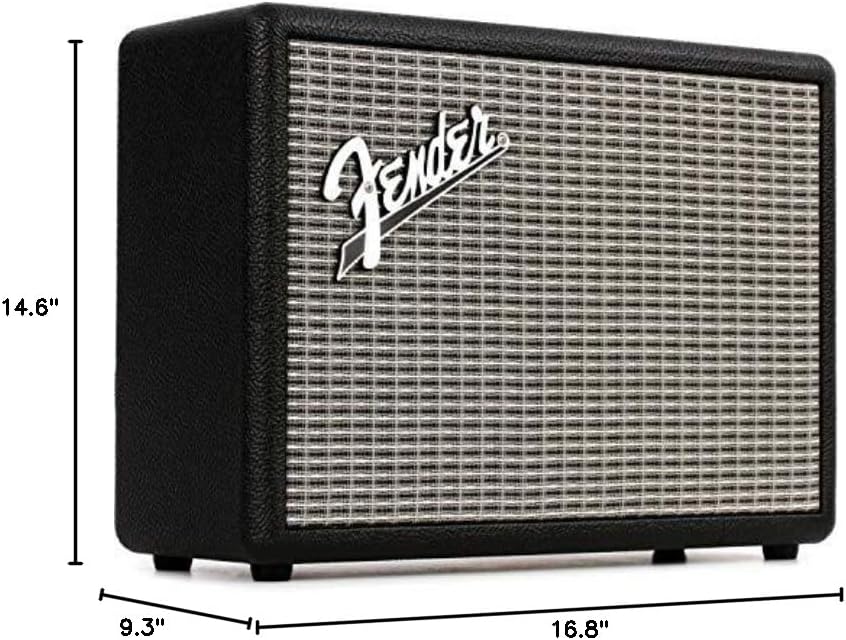
Figure 4: Dimensions of the Fender Monterey Bluetooth Speaker.
8. Гаранција и подршка
For warranty information, product registration, or technical support, please refer to the official Fender website or contact Fender customer service. Keep your proof of purchase for warranty claims.
Онлине ресурси: ввв.фендер.цом


