1. Увод
This manual provides essential information for the proper setup, operation, and maintenance of your SOLIS SO-3000 Bluetooth Wi-Fi Stereo Speaker. Please read this manual thoroughly before using the device to ensure optimal performance and safety.
The SOLIS SO-3000 is a versatile stereo shelf system featuring Bluetooth and Wi-Fi connectivity, Google Chromecast built-in, and Hi-Res audio compatibility. It supports multi-room streaming and voice control for a seamless audio experience.
2. Безбедносне информације
Observe the following safety precautions to prevent damage to the device or personal injury:
- Не излажите уређај киши, влази или екстремним температурама.
- Не отварајте цasinг. Сва сервисирања препустите квалификованом особљу.
- Уверите се да је напајање волtagе одговара захтевима наведеним на јединици.
- Држите јединицу даље од извора топлоте и директне сунчеве светлости.
- Поставите уређај на стабилну, равну површину како бисте спречили његов пад.
- Искључите јединицу из струје током олуја са грмљавином или када се не користи дуже време.
3. Садржај пакета
Проверите да ли су све ставке присутне у пакету:
- SOLIS SO-3000 Stereo Speaker Unit
- Екстерно напајање наизменичном струјом
- Auxiliary Line-in Cord (3.5mm)
- Кориснички приручник (овај документ)
4. Производ је готовview
The SOLIS SO-3000 features a compact design with intuitive controls and multiple connectivity options.
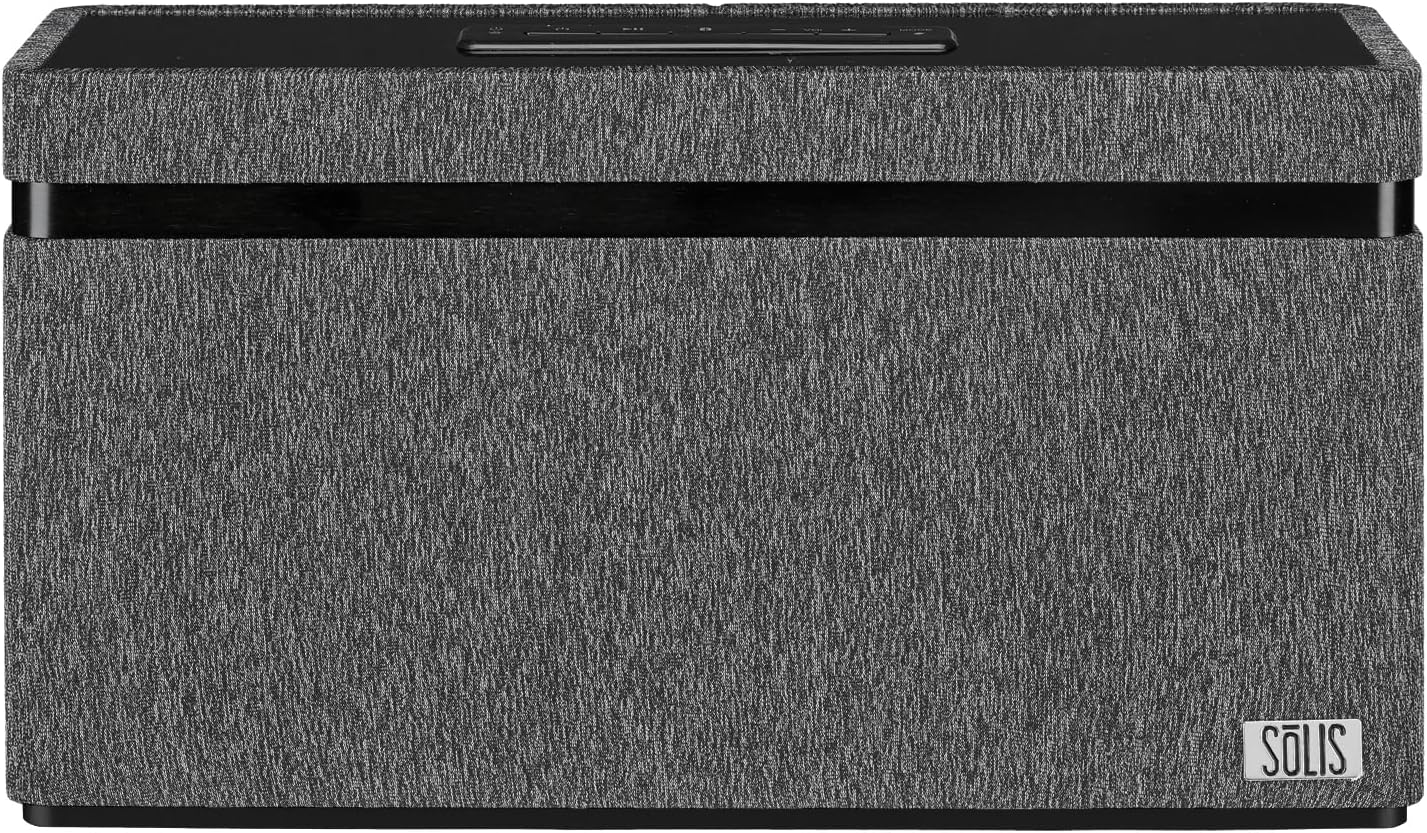
Слика: Фронт view of the SOLIS SO-3000 speaker, showcasing its dark grey fabric finish and the SOLIS logo on the bottom right.

Слика: Под углом view of the SOLIS SO-3000 speaker, highlighting the top-mounted control panel with power, play/pause, volume, and mode buttons.
Top-Mounted Controls:
- Дугме за напајање: Притисните да укључите или искључите јединицу.
- Дугме за репродукцију/паузу: Контролише репродукцију медија.
- Дугмад за јачину звука (+/-): Подешава ниво аудио излаза.
- Дугме за режим: Switches between input sources (Bluetooth, Wi-Fi, Auxiliary).
5. Подешавање
5.1 Прикључак за напајање
- Place the SOLIS SO-3000 on a stable, flat surface.
- Connect the external AC power supply to the DC input port on the back of the speaker.
- Plug the AC power supply into a standard 120V AC, 60Hz wall outlet.
- Притисните дугме за напајање на горњој плочи да бисте укључили звучник.
5.2 Wi-Fi and Google Chromecast Setup
The SOLIS SO-3000 integrates Google Chromecast for Wi-Fi streaming and multi-room audio.
- Ensure your speaker is powered on and within range of your Wi-Fi network.
- Download the Google Home app on your smartphone or tablet (available on iOS and Android).
- Open the Google Home app and follow the on-screen instructions to set up a new device.
- Select the SOLIS SO-3000 from the list of available devices.
- Follow the prompts to connect the speaker to your home Wi-Fi network (2.4 GHz or 5 GHz).
- Once connected, you can stream audio from Chromecast-enabled apps and create speaker groups for multi-room listening.
5.3 Блуетоотх упаривање
- Turn on the SOLIS SO-3000 speaker.
- Press the 'Mode' button on the top panel until the Bluetooth indicator light flashes, indicating pairing mode.
- На свом мобилном уређају (паметном телефону, таблету, лаптопу) омогућите Блутут и потражите доступне уређаје.
- Select "SOLIS SO-3000" from the list.
- Once paired, the Bluetooth indicator light will become solid. You can now stream audio via Bluetooth.
6. Оперативни
6.1 Аудио репродукција
- Блуетоотх: After pairing, play audio from your connected device. Use the device's controls or the speaker's Play/Pause and Volume buttons.
- Wi-Fi (Chromecast): Open a Chromecast-enabled app (e.g., Spotify, Pandora, YouTube Music) on your device. Tap the Cast icon and select your SOLIS SO-3000 speaker.
- Помоћни улаз: Connect an external audio source (e.g., MP3 player, iPod) to the 3.5mm auxiliary input jack on the back of the speaker using the supplied auxiliary line-in cord. Press the 'Mode' button until the auxiliary input is selected.
6.2 Управљање гласом
With Google Chromecast built-in, the SOLIS SO-3000 supports voice commands through Google Assistant. Once set up via the Google Home app, you can use voice commands to play music, control volume, and manage other tasks. Ensure your speaker is connected to Wi-Fi and linked to your Google account.
6.3 Multi-Room Streaming
To enjoy multi-room audio, set up multiple Chromecast-enabled speakers (including additional SOLIS SO-3000 units) within the Google Home app. Create speaker groups to play synchronized audio across different rooms.
7. Одржавање
To maintain the performance and appearance of your SOLIS SO-3000 speaker:
- Чишћење: Wipe the exterior surfaces with a soft, dry cloth. Do not use liquid cleaners or abrasive materials.
- Складиштење: Када се звучник не користи дуже време, чувајте га на хладном и сувом месту, даље од директне сунчеве светлости и екстремних температура.
- вентилација: Ensure proper ventilation around the speaker. Do not block any vents.
КСНУМКС. Решавање проблема
| Проблем | Могући узрок | Решење |
|---|---|---|
| Нема струје | Кабл за напајање није повезан; утичница није активна. | Ensure power cord is securely connected to the speaker and a working outlet. |
| Нема звука | Јачина звука је прениска; погрешан режим уноса; уређај не репродукује звук. | Increase volume on speaker and source device. Select correct input mode. Ensure source device is playing audio. |
| Неуспешно Блуетоотх упаривање | Звучник није у режиму упаривања; уређај је предалеко; сметње. | Ensure speaker is in Bluetooth pairing mode. Move device closer to speaker (within 10 meters). Turn off other Bluetooth devices. |
| Проблеми са Ви-Фи везом | Incorrect Wi-Fi password; out of range; router issues. | Verify Wi-Fi password. Move speaker closer to router. Restart router and speaker. Re-run Google Home app setup. |
| Гласовна контрола не реагује | Not connected to Wi-Fi; Google Home setup incomplete. | Ensure speaker is connected to Wi-Fi and properly configured in the Google Home app. |
9. Спецификације

Image: Diagram showing the dimensions of the SOLIS SO-3000 speaker: 6.3 inches (H) x 11.8 inches (W) x 3.7 inches (D).
| Феатуре | Детаљ |
|---|---|
| Број модела | СО-3000 |
| Бранд | СОЛИС |
| Повезивање | Bluetooth, Wi-Fi (802.11a/b/g/n/ac, Dual Band 2.4 GHz & 5 GHz) |
| Режим аудио излаза | Стерео (2.0 канал) |
| Спеакер Дриверс | Two 3-inch Hi-Fi full-range stereo speakers |
| Излазна снага | 2 x 18W RMS (36 Watts total) |
| Посебне карактеристике | Google Chromecast Built-in, Hi-Res Audio, Bass Boost, Stereo Pairing, Multi-Room Streaming, Voice Control |
| Инпут | Auxiliary input jack (3.5mm) |
| Компатибилни уређаји | Десктоп, лаптоп, паметни телефон, таблет |
| Извор напајања | Corded Electric (120V AC, 60Hz) |
| Димензије производа (В к Ш к Д) | 6.3" x 11.8" x 3.7" (16 цм x 30 цм x 9.4 цм) |
| Тежина артикла | 5.95 фунти (2.7 кг) |
| Блуетоотх домет | До 10 метара (33 стопе) |
| Боја | Black with Grey Accents |
| Тип монтаже | Таблетоп Моунт |
10. Гаранција
The SOLIS SO-3000 speaker comes with a limited warranty. Please refer to the warranty card included in your package or contact customer support for detailed information regarding warranty terms and conditions.
11. Подршка
For technical assistance, troubleshooting, or warranty inquiries, please contact SOLIS customer support. Contact information can typically be found on the manufacturer's webсајту или на паковању производа.
Произвођач: СОЛИС
Webсајт: Visit the SOLIS Store on Amazon


