1. Подешавање
1.1 Распакивање монитора
Пажљиво извадите све компоненте из паковања. Уверите се да су присутне све ставке наведене у наставку:
- BenQ EX3501R Monitor
- Постоље за монитор (база и врат)
- Повер Адаптер
- Повер Цорд
- ХДМИ кабл
- ДисплаиПорт Цабле
- УСБ-Ц кабл
- Кориснички приручник (овај документ)
1.2 Састављање постоља
Пратите ове кораке да бисте причврстили постоље за монитор:
- Поставите монитор лицем надоле на меку, чисту крпу да бисте спречили огреботине.
- Attach the stand neck to the back of the monitor. Ensure it clicks securely into place.
- Connect the stand base to the neck, tightening any screws as indicated in the quick start guide.

Слика 1: Предња страна view of the BenQ EX3501R monitor with its stand.
1.3 Каблови за повезивање
Connect the necessary cables to the monitor and your computer. The monitor supports various input options:
- Снага: Connect the power adapter to the monitor and then to a power outlet.
- Видео улаз: Use either the HDMI, DisplayPort, or USB-C cable to connect your computer to the monitor.
- УСБ-Ц: The USB-C port supports video, data transfer, and power delivery, allowing for a single-cable connection with compatible devices.
- УСБ 3.0 портови: Utilize the integrated USB 3.0 ports for connecting peripherals.
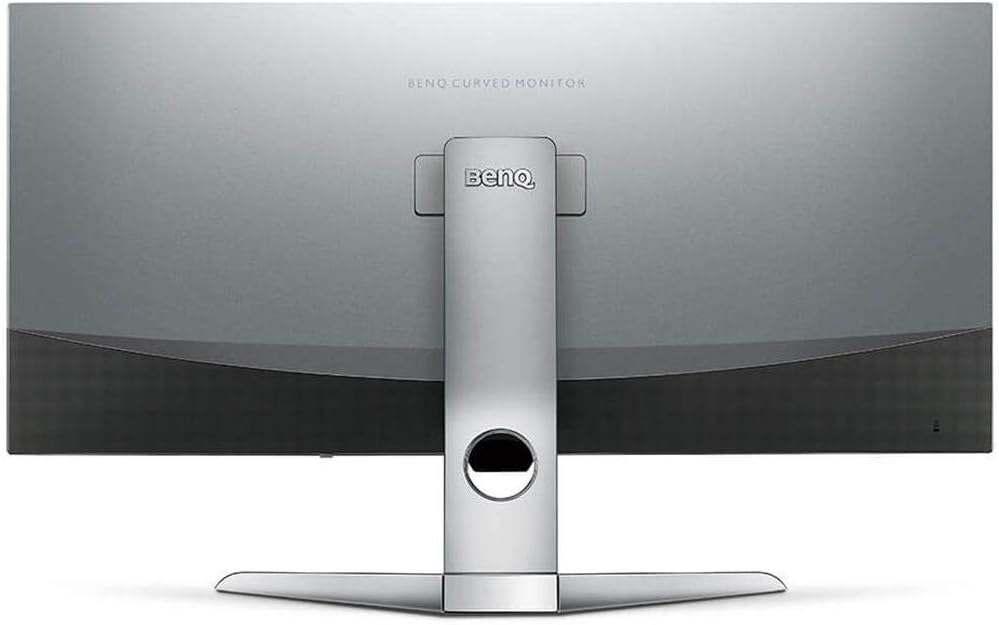
Слика 2: Задња страна view of the monitor displaying the connectivity ports.
2. Руковање монитором
2.1 Укључивање/искључивање
Press the power button, usually located on the bottom right side of the monitor, to turn it on or off. The power indicator light will illuminate when the monitor is active.
2.2 Навигација кроз екрански (OSD) приказ
Use the joystick or buttons located on the monitor's underside to navigate the On-Screen Display (OSD) menu. This menu allows you to adjust various settings such as brightness, contrast, color modes, and input sources.
2.3 Display Features and Eye-Care Technology
The BenQ EX3501R incorporates several technologies designed to enhance viewing experience and reduce eye strain:
- Brightness Intelligence Plus (B.I.+): This patented technology automatically senses ambient lighting conditions and adjusts the screen's brightness and color temperature to provide optimal viewing comfort and protect your eyes during extended use.
- Слабо плаво светло: Filters out harmful blue light emissions to reduce eye fatigue. Multiple levels of blue light reduction are available.
- ZeroFlicker™: Eliminates screen flickering at all brightness levels, further reducing eye strain and discomfort.
- ХДР (високи динамички опсег): Offers enhanced brightness and contrast, bringing greater detail and vibrancy to HDR video content.
Видео 1: Оверview of BenQ's Eye-Care technology, including Low Blue Light, ZeroFlicker, and Brightness Intelligence Plus, demonstrating how these features work to reduce eye strain and adjust screen settings automatically based on ambient light.
2.4 Резолуција и брзина освежавања
The monitor features a QHD (3440x1440) resolution and a 100Hz refresh rate, providing a smooth and detailed visual experience. The 21:9 ultrawide aspect ratio offers ample screen space for multitasking, such as viewing multiple documents side-by-side without needing a second monitor.
2.5 AMD FreeSync
For a fluid gaming experience, the monitor supports AMD FreeSync technology, which synchronizes the monitor's refresh rate with your graphics card's frame rate to eliminate screen tearing and stuttering.
3. Одржавање
3.1 Чишћење монитора
To maintain optimal performance and appearance, regularly clean your monitor:
- Екран: Нежно обришите екран меком крпом која не оставља влакна. За тврдокорне мрље користите средство за чишћење посебно за мониторе нането на крпу, а не директно на екран.
- Екстеријер: Use a soft, dry cloth to wipe dust and debris from the monitor casing and stand.
Избегавајте употребу абразивних средстава за чишћење, воскова или растварача јер могу оштетити површину монитора.
3.2 Општи савети за негу
- Не блокирајте вентилационе отворе на монитору.
- Избегавајте постављање монитора на директну сунчеву светлост или близу извора топлоте.
- Пажљиво рукујте монитором како бисте спречили физичко оштећење.
КСНУМКС. Решавање проблема
If you encounter issues with your BenQ EX3501R monitor, refer to the following common troubleshooting steps:
4.1 No Display or Black Screen
- Уверите се да је кабл за напајање безбедно повезан и са монитором и са утичницом.
- Verify that the video cable (HDMI, DisplayPort, or USB-C) is firmly connected to both the monitor and your computer.
- Проверите да ли је у OSD менију монитора изабран исправан улазни извор.
- Поново покрените рачунар.
4.2 Flickering or Unstable Image
- Ensure the ZeroFlicker™ feature is enabled in the OSD menu.
- Check for loose video cable connections.
- Ажурирајте управљачке програме своје графичке картице на најновију верзију.
- Ако користите AMD FreeSync, уверите се да је правилно конфигурисан у подешавањима ваше графичке картице.
4.3 Color or Brightness Issues
- Подесите осветљеност, контраст и боје преко OSD менија.
- Enable or disable Brightness Intelligence Plus (B.I.+) to see if it resolves the issue.
- Perform a factory reset through the OSD menu.
5. Спецификације
Key technical specifications for the BenQ EX3501R monitor:
| Феатуре | Спецификација |
|---|---|
| Величина екрана | 35 инча |
| Максимална резолуција екрана | 3440 x 1440 Pixels (QHD Ultrawide) |
| Аспецт Ратио | 21:9 |
| Рефресх Рате | 100 Хз |
| Закривљеност | 1800Р |
| Панел Типе | ВА (вертикално поравнање) |
| Повезивање | USB-C, HDMI, DisplayPort |
| Посебне карактеристике | AMD FreeSync, Brightness Intelligence Plus, Low Blue Light, ZeroFlicker |
| Тежина артикла | 21.3 фунти |
| Димензије производа | 6.88 к 3.47 к 12.93 инча |
6. Гаранција и подршка
6.1 Гаранција на производ
The BenQ EX3501R monitor typically comes with a 3-year manufacturer's warranty. Please refer to the warranty card included in your product packaging for specific terms and conditions, or visit the official BenQ webза детаљне информације о гаранцији.
6.2 Корисничка подршка
For further assistance, technical support, or warranty claims, please contact BenQ customer service. You can find contact information and support resources on the official BenQ webсајт: www.benq.com/en-us/support.html


