1. Увод
The Logitech Wireless Mini Mouse M187 is designed for portability and ease of use, making it an ideal companion for your laptop or PC. Its extra-small design allows you to take it anywhere, providing more precision and control than a traditional touchpad. The simple plug-and-play setup ensures you can start working quickly and efficiently.

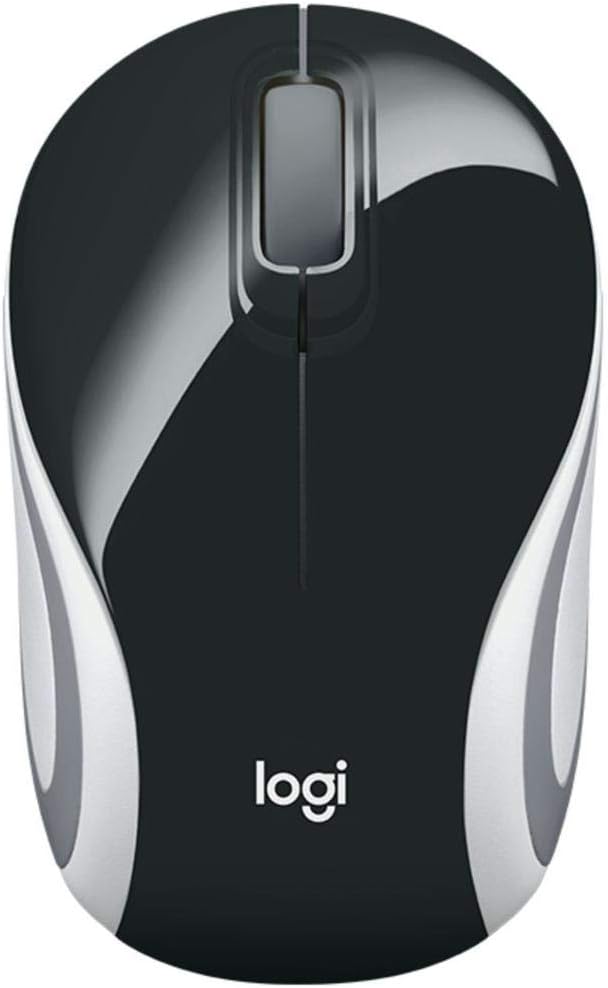
Image: Logitech Wireless Mini Mouse M187 in Palace Blue, top view.
Кључне карактеристике:
- Ултра преносиви дизајн: Pocket-ready and extra-small for easy transport.
- Једноставно подешавање: Plug-and-play functionality with a nano receiver.
- Поуздана бежична веза: Enjoy wireless freedom with the reliability of a wired mouse.
- Convenient Receiver Storage: The nano receiver stores inside the mouse to prevent loss.
- Оптичко праћење: 1000 DPI optical tracking for precise and smooth cursor control.
Видео: Званични производ је завршенview demonstrating the Logitech M170 Wireless Mouse features and setup.
2. Садржај пакета
Уверите се да су све ставке присутне у вашем пакету:
- М187 миш
- УСБ пријемник
- 1 ААА батерија (унапред инсталирана)
- Корисничка документација
3. Упутства за подешавање
Setting up your Logitech Wireless Mini Mouse M187 is quick and easy:
- Уметните батерију: The mouse comes with one AAA battery pre-installed. If you need to replace it, gently slide off the top cover of the mouse to access the battery compartment. Ensure the battery is inserted with the correct polarity.
- Пронађите УСБ пријемник: The nano USB receiver is stored inside the mouse, usually near the battery compartment. Carefully remove it.
- Повежите пријемник: Plug the nano USB receiver into an available USB port on your computer (PC, Mac, or Laptop).
- Power On Mouse: Locate the On/Off switch on the bottom of the mouse and slide it to the 'On' position. A small indicator light may illuminate briefly.
- Аутоматско повезивање: Your computer should automatically detect and connect to the mouse within a few seconds. No additional software installation is typically required.

Слика: Доња страна view of the Logitech Wireless Mini Mouse M187, illustrating the USB receiver storage slot.
Слика: Доња страна view of the Logitech Wireless Mini Mouse M187 with the battery compartment open, showing the AAA battery slot.
4. Упутство за употребу
Once connected, your Logitech Wireless Mini Mouse M187 is ready for use:
- Кретање: Move the mouse across a flat surface to control the cursor on your screen. The 1000 DPI optical tracking provides smooth and precise navigation.
- Леви клик: Press the left button to select items, open applications, or activate functions.
- Десни клик: Притисните десни тастер да бисте отворили контекстне меније или приступили додатним опцијама.
- Точак за померање: Окрећите точкић за скроловање горе или доле да бисте се кретали кроз документе и web pages. The scroll wheel can also be pressed for a middle-click function, depending on your operating system settings.
- Управљање струјом: To conserve battery life, slide the On/Off switch on the bottom of the mouse to the 'Off' position when not in use or when transporting the mouse.
5. Одржавање
Замена батерије:
The Logitech M187 mouse uses one AAA battery with an average life of 6 months. To replace the battery:
- Turn the mouse off using the switch on the bottom.
- Gently slide the top cover of the mouse backward and lift it off.
- Remove the old AAA battery.
- Insert a new AAA battery, ensuring correct polarity (+/-).
- Вратите горњи поклопац тако што ћете га поравнати и померити напред док не кликне на своје место.
- Поново укључите миш.
Чишћење:
Да бисте одржали оптималне перформансе, периодично чистите миш:
- Користите меку крпу која не оставља длачицеampнатопљен водом или благим раствором за чишћење.
- Избегавајте јаке хемикалије или абразивне материјале.
- Do not immerse the mouse in water.
- Clean the optical sensor on the bottom of the mouse with a dry cotton swab to ensure accurate tracking.
КСНУМКС. Решавање проблема
Миш не реагује:
- Проверите батерију: Ensure the AAA battery is correctly inserted and has sufficient charge. Replace if necessary.
- Прекидач: Verify the On/Off switch on the bottom of the mouse is in the 'On' position.
- УСБ пријемник: Ensure the nano USB receiver is securely plugged into a working USB port on your computer. Try a different USB port.
- Поново покрените рачунар: Sometimes restarting your computer can resolve connectivity issues.
Неправилно кретање курсора:
- Очистите сензор: Очистите оптички сензор на дну миша сувим памучним штапићем.
- Површина: Уверите се да користите миш на чистој, нерефлектујућој и уједначеној површини. Избегавајте стакло или површине са високим рефлектујућим ефектом.
- сметње: Move the mouse closer to the USB receiver or away from other wireless devices that might cause interference.
7. Техничке спецификације
| Феатуре | Спецификација |
|---|---|
| Број модела | 910-005360 |
| Вирелесс Типе | 2.4 ГХз радио фреквенција |
| Технологија детекције покрета | Оптицал |
| ДПИ | 1000 ДПИ |
| Број дугмади | 3 (лево, десно, точкић за померање) |
| Извор напајања | Баттери Поверед |
| Тип батерије | 1 ААА батерија (укључена) |
| Просечно трајање батерије | 6 месеци |
| Тежина артикла | 1.83 унци |
| Димензије производа (ДкШкВ) | 1.25 к 1.94 к 3.22 инча |
| Хардверска платформа | Лаптоп, ПЦ |
| Компатибилност оперативног система | Windows 10 or later, Windows 8, Windows 7, Mac OS X 10.10 or later, Chrome OS, Linux Kernel 2.6+ |
| Боја | Палаце Блуе |
8. Гаранција и подршка
За информације о гаранцији и техничку подршку, обратите се званичном Logitech website or the user documentation included in your product package. Logitech provides comprehensive support resources to ensure your satisfaction with their products.
You can visit the Logitech support page for your product model for FAQs, troubleshooting guides, and contact information.


