1. Увод
Thank you for choosing the Vandlion V8 Keychain Voice Recorder. This compact and versatile device is designed for high-quality audio recording in various environments, offering ease of use and portability. It also functions as an MP3 player and a USB storage device. Please read this manual thoroughly to understand the features and proper operation of your new device.
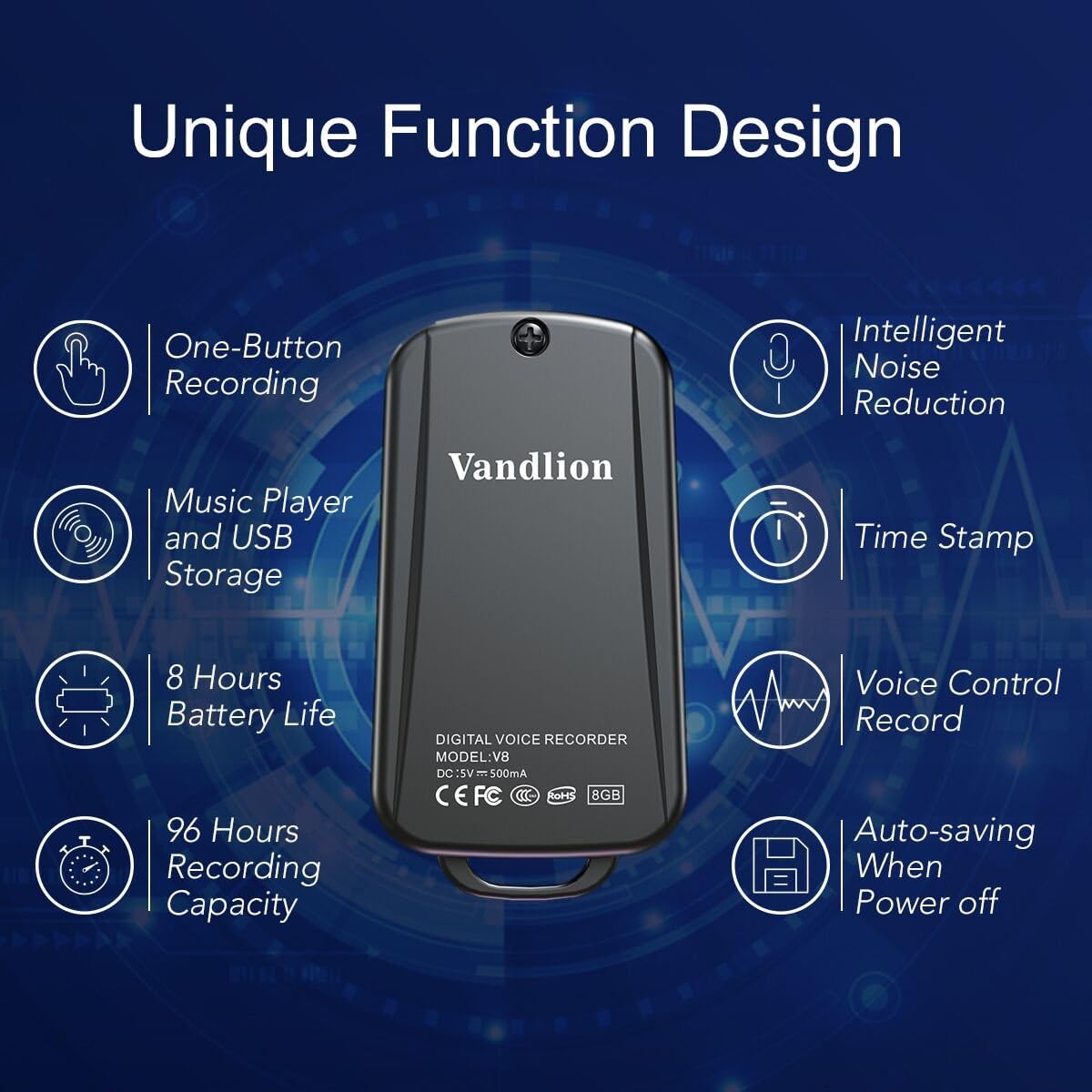
Image 1: Vandlion V8 Keychain Voice Recorder highlighting features like one-button recording, intelligent noise reduction, time stamp, voice control record, auto-saving, music player, USB storage, 8 hours battery life, and 96 hours recording capacity.
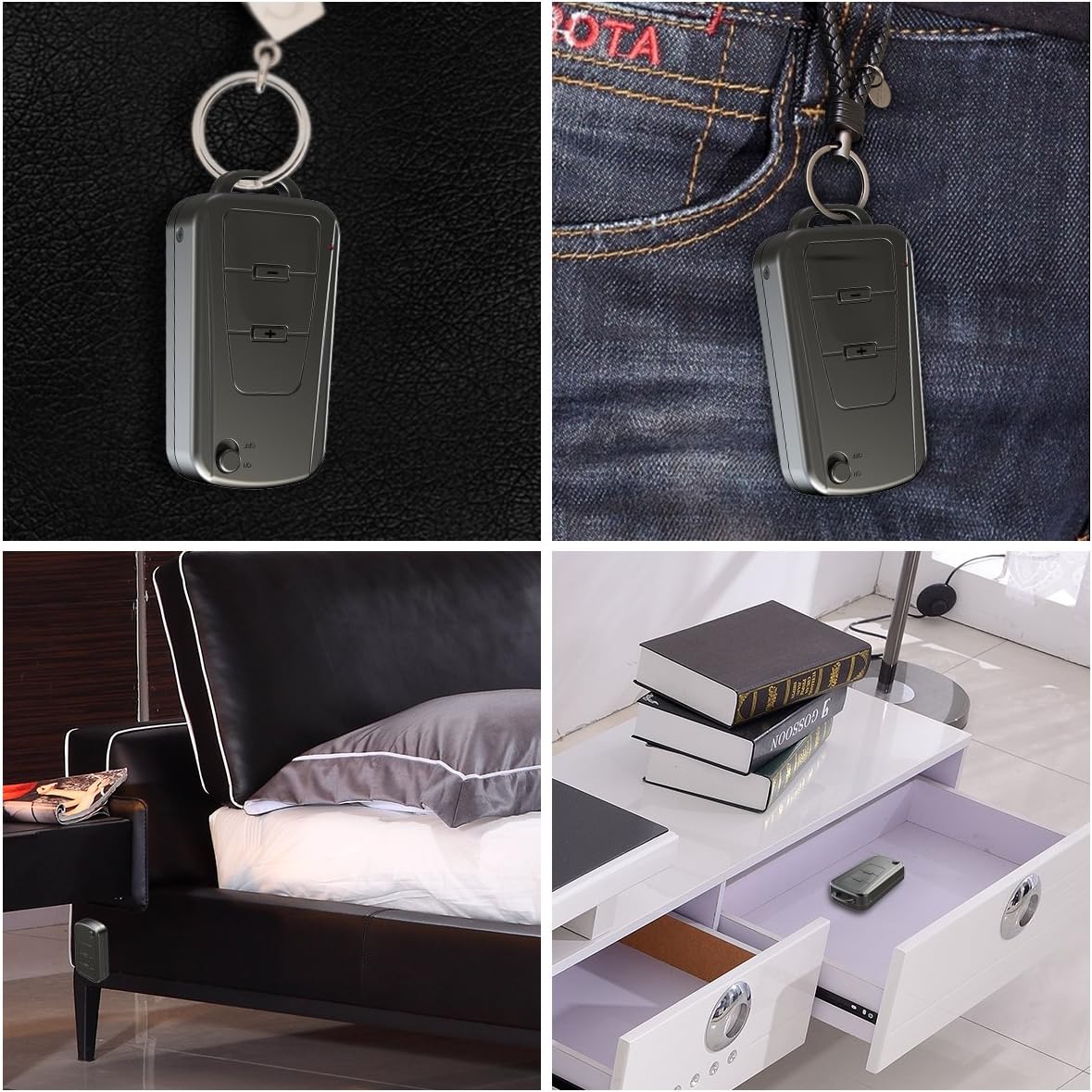
Image 2: The Vandlion V8 recorder shown in various discreet usage scenarios, including attached to a keychain, clipped to trousers, placed beside a bed, and hidden in a drawer.

Image 3: The Vandlion V8 recorder depicted in various application scenarios such as classes, meetings, speeches, concerts, interviews, and for forensic purposes.
2. Садржај пакета
- 1 x Vandlion V8 Voice Recorder
- 1 к УСБ кабл
- 1 x Упутство за употребу (овај документ)
3. Девице Оверview
Familiarize yourself with the physical components of your voice recorder.
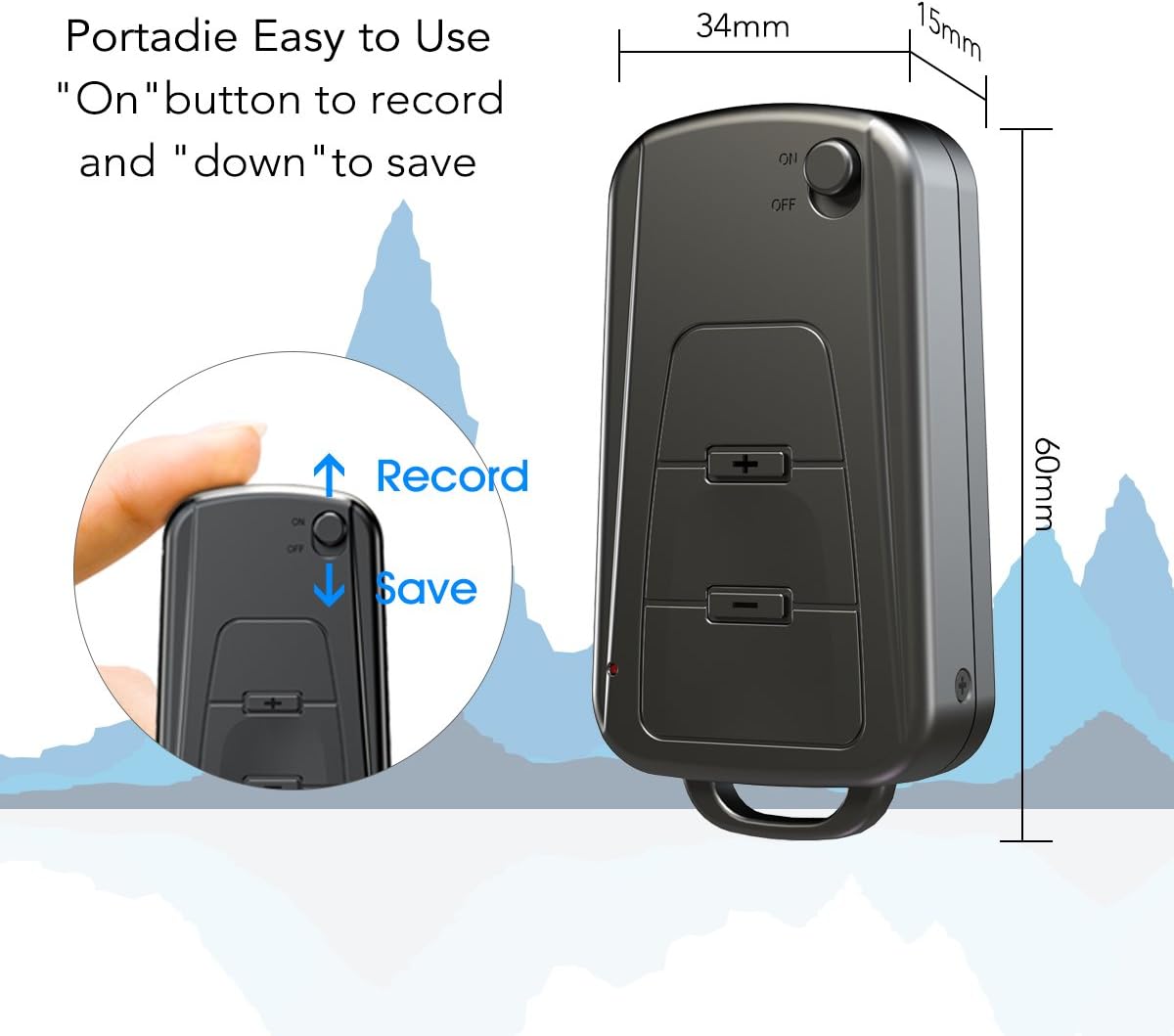
Слика 4: Бочна страна view of the Vandlion V8 recorder, illustrating the ON/OFF switch for recording and saving, along with volume control buttons. Dimensions are also shown: 60mm length, 34mm width, 15mm thickness.
- ОН/ОФФ прекидач: Used to start and stop recording, and to power the device.
- УСБ порт: За пуњење и повезивање са рачунаром.
- Слушалице: За репродукцију звука.
- микрофон: Интегрисано за снимање звука.
- Светло индикатора: Provides status feedback (e.g., recording, charging).
4. Подешавање
4.1. Пуњење уређаја
Before first use, fully charge the voice recorder. Connect the device to a computer's USB port or a USB wall adapter using the provided USB cable. The indicator light will typically show a specific color (e.g., red) during charging and change (e.g., blue or off) when fully charged. A full charge provides approximately 20 hours of operation.
4.2. Прво укључивање
Slide the ON/OFF switch to the "ON" position to power on the device. The indicator light will briefly illuminate.
5. Упутство за употребу
5.1. One-Button Recording
- To start recording, slide the ON/OFF switch to the "ON" position. The device will automatically begin recording. The indicator light will not flicker during recording to ensure discreet operation.
- To save the recording, slide the ON/OFF switch to the "OFF" position. The device will save the current recording and power off.
Image 5: Close-up of the Vandlion V8 recorder demonstrating the simple "ON" to record and "OFF" to save operation.
5.2. Voice Activated Recording (VOR)
The device features a smart voice-activated system. When enabled, the recorder will only record when sound is detected, conserving storage space and battery life. Refer to the full user guide (if available from manufacturer) for detailed instructions on enabling/disabling VOR, as this feature may require specific button presses or software settings not covered by the basic one-button operation.
5.3. Репродукција снимака
- Connect headphones to the headphone jack on the device.
- Power on the device by sliding the ON/OFF switch to "ON".
- Use the volume buttons (if present) to navigate through recordings and adjust playback volume.
Alternatively, connect the device to a computer to play back recordings.
5.4. Преношење Fileс на рачунар
- Ensure the recorder is powered off.
- Connect the recorder to your computer using the supplied USB cable. The device will be recognized as a removable storage drive.
- Open the drive, locate the recording files (typically in WAV format), and drag them to your computer.
- Напомена за кориснике Mac-а: You may need to use VLC Media Player or similar software to play WAV files recorded by this device.
5.5. Using as an MP3 Player
The device supports WAV, WMA, and MP3 audio formats. You can transfer music files to the device's storage via USB connection, similar to transferring recordings. Once music files are on the device, connect headphones and power on the device to listen to your music.
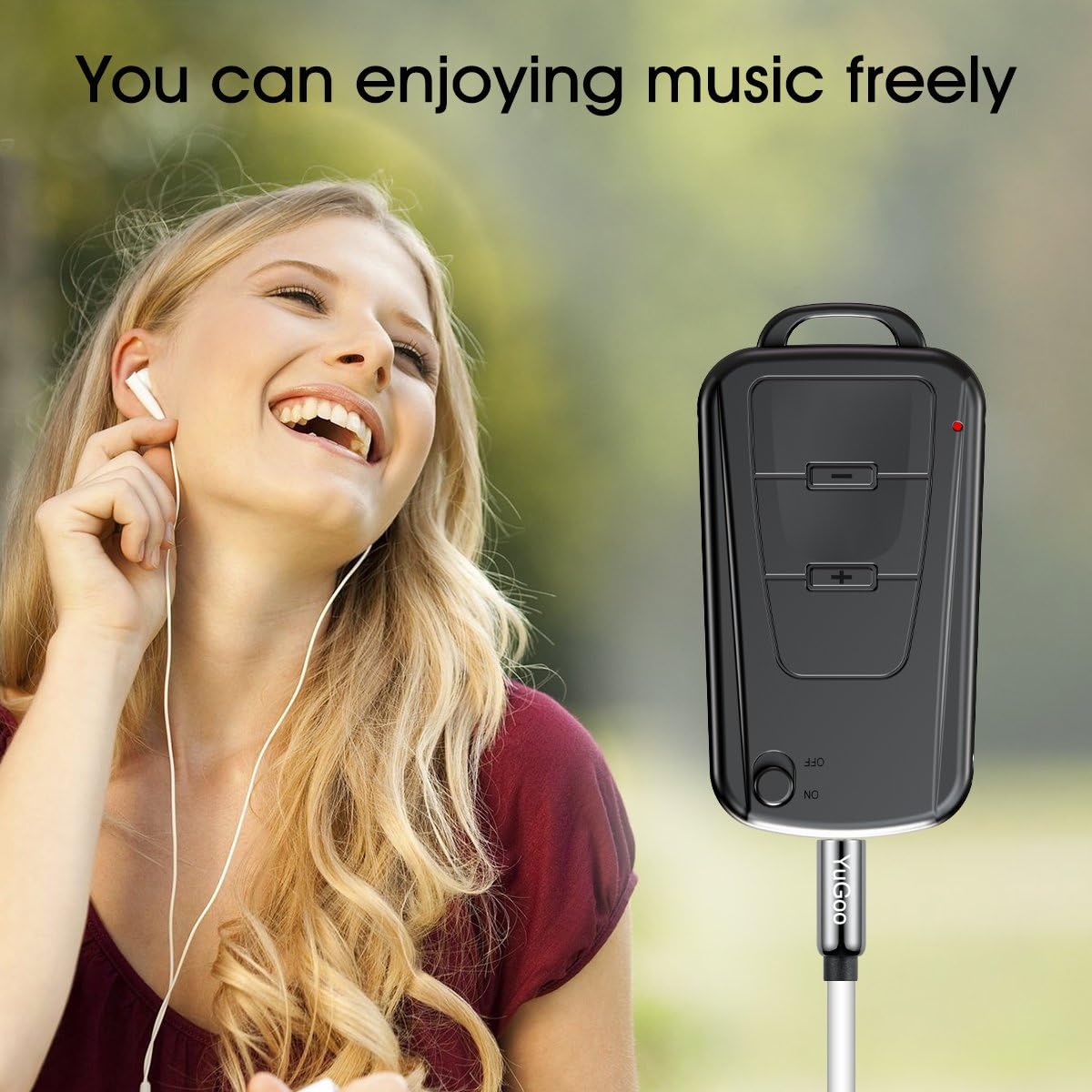
Image 6: The Vandlion V8 recorder connected to earphones, demonstrating its capability as an MP3 player for enjoying music.
6. Одржавање
- Држите уређај сувим. Избегавајте излагање влази или течностима.
- Очистите уређај меком, сувом крпом. Не користите јаке хемикалије или абразивна средства за чишћење.
- Уређај чувајте на хладном и сувом месту, даље од директне сунчеве светлости и екстремних температура.
- Charge the battery regularly, even if not in use, to maintain battery health. Avoid fully discharging the battery for extended periods.
КСНУМКС. Решавање проблема
- Уређај се не укључује:
- Уверите се да је батерија напуњена. Прикључите се на извор напајања и покушајте поново.
- Не може се снимати:
- Check if the device has sufficient storage space. Ensure the ON/OFF switch is in the "ON" position.
- Лош квалитет снимања:
- Ensure the microphone is not obstructed. Record in a quiet environment. The device features DSP noise reduction for clear audio.
- Рачунар не препознаје уређај:
- Try a different USB port or cable. Ensure the device is powered off before connecting. Restart your computer.
- Не могу играти files on Mac:
- Mac users are advised to use VLC Media Player for optimal playback of recorded WAV files.
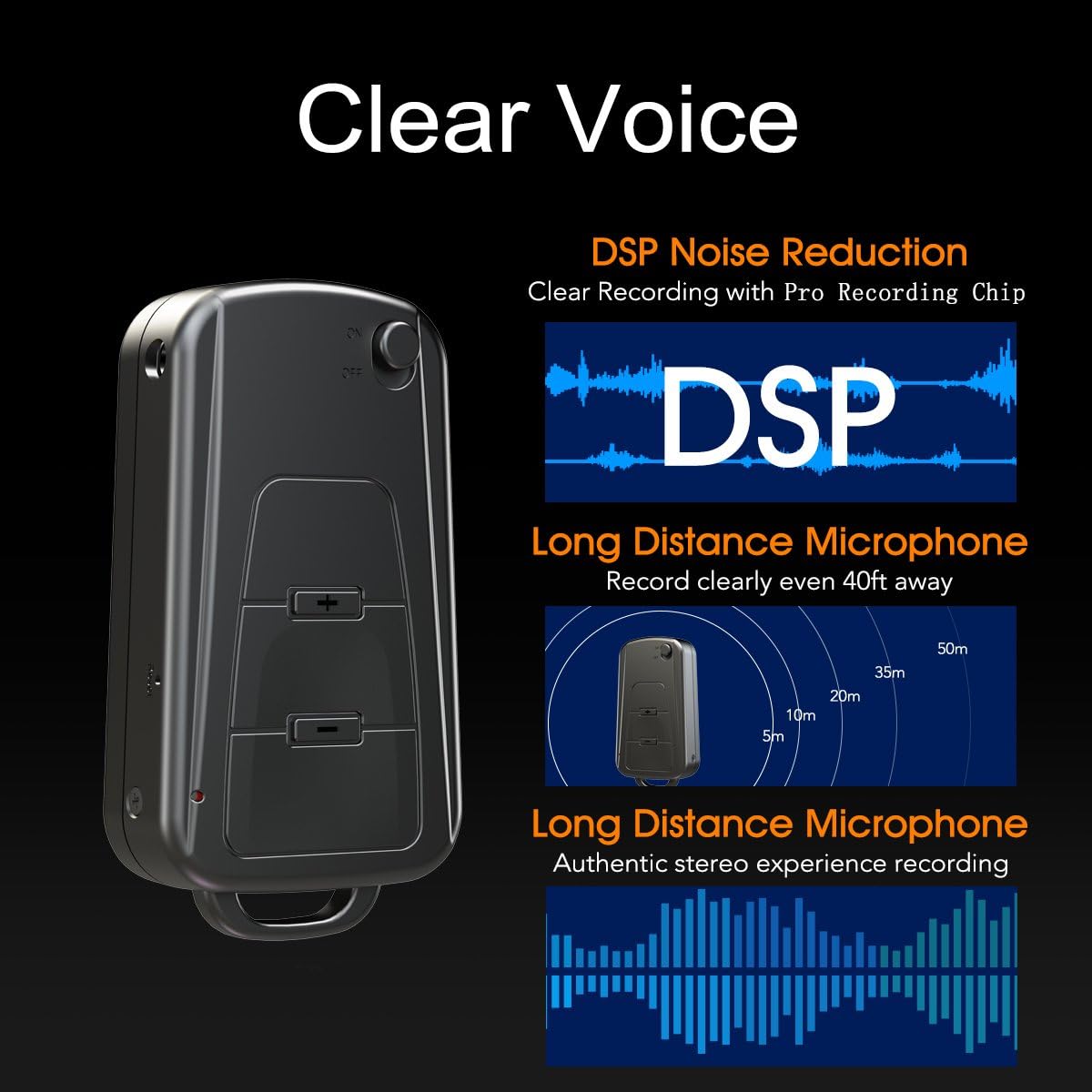
Image 7: Diagram illustrating the Vandlion V8's DSP noise reduction technology for clear recording and its long-distance microphone, capable of capturing sound clearly from up to 40 feet away, providing an authentic stereo experience.
8. Спецификације
| Феатуре | Спецификација |
|---|---|
| Модел | V8 |
| Капацитет складиштења | 8GB (approx. 96 hours recording capacity) |
| Трајање батерије (снимање) | Прибл. 20 сата |
| Формат снимања | ВАВ |
| Мусиц Формат | ВАВ, ВМА, МП3 |
| Sampлинг Рате | КСНУМКСКбпс |
| Димензије | 60 к 34 к 15 мм (2.36 к 1.33 к 0.59 инча) |
| Тежина | 27 г (1.46 унци) |
| Интерфејс | УСБ |
| Компатибилни уређаји | MP3 Player, Personal Computer |
| Режим рада микрофона | Стерео |
9. Гаранција и подршка
9.1. Гаранција произвођача
This Vandlion V8 Keychain Voice Recorder comes with a Six Months Manufacturer's Warranty од датума куповине. Ова гаранција покрива недостатке у материјалу и изради при нормалној употреби. Не покрива штету насталу услед злоупотребе, незгода, неовлашћених модификација или нормалног хабања.
9.2. Корисничка подршка
For further assistance, technical support, or warranty claims, please contact Vandlion customer service through the retailer where the product was purchased or refer to the official Vandlion website for contact information. Additional resources, such as a PDF version of the user manual and updated user guides, may be available for download from the manufacturer's support page.
10. Важне информације о безбедности
- Не покушавајте да раставите или модификујете уређај.
- Чувати ван домашаја деце.
- Одложите уређај и његову батерију одговорно у складу са локалним прописима.
- Избегавајте екстремне температуре и директну сунчеву светлост.


