1. Увод
This manual provides detailed instructions for the setup, operation, and maintenance of your LMP USB Wired Keyboard with Numeric Keypad, Model 17203. This keyboard is designed for use with Mac computers and features a German (QWERTZ) layout.
Садржај пакета:
- LMP USB Wired Keyboard (Model 17203)
- Интегрисани УСБ кабл

2. Подешавање
Follow these steps to connect your LMP USB Wired Keyboard to your Mac computer.
- Повежите тастатуру: Locate an available USB port on your Mac computer. Insert the USB connector of the keyboard's integrated cable into the USB port.
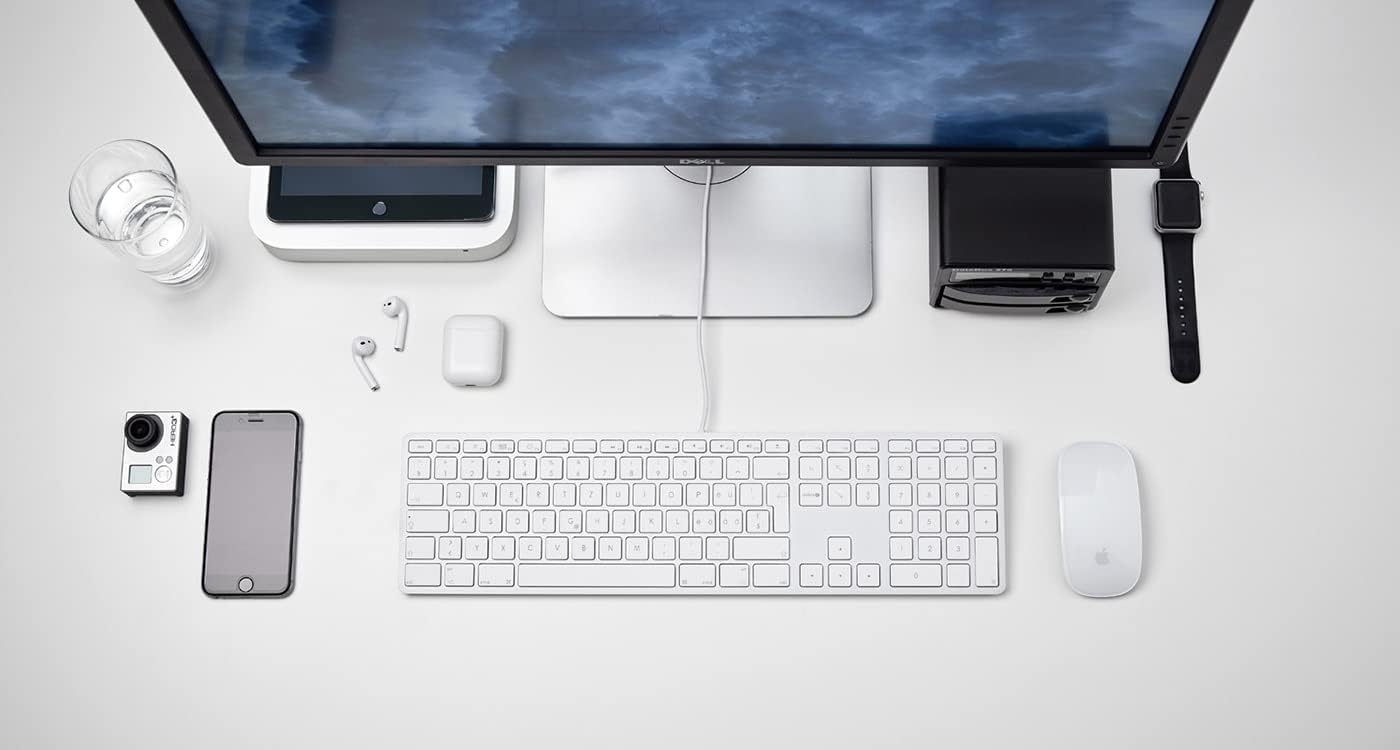
Слика 2.1: The LMP USB Wired Keyboard integrated into a typical Mac desktop setup, demonstrating its connection via USB. - Препознавање система: Your Mac operating system (macOS 10.5 or higher is required) should automatically detect and configure the keyboard. No additional drivers are typically needed.
- Почетни тест: Open a text editor or any application where you can type to confirm the keyboard is functioning correctly.
3. Упутство за употребу
This section details the primary functions and features of your LMP USB Wired Keyboard.
3.1 Standard Typing
The keyboard features a full German (QWERTZ) layout with 110 laser-engraved keys, providing a familiar typing experience. All standard alphanumeric, symbol, and modifier keys function as expected on macOS.
3.2 Функцијски тастери (F1-F12)
The top row of keys includes dedicated function keys (F1-F12) that control various macOS features:
- Контрола осветљења: F1 (decrease), F2 (increase)
- Mission Control/App Exposé: F3
- Лаунцхпад: F4
- Keyboard Backlight (if applicable): F5 (decrease), F6 (increase) - Note: This keyboard does not feature backlighting.
- Контроле медија: F7 (previous track), F8 (play/pause), F9 (next track)
- Контрола јачине звука: F10 (mute), F11 (decrease), F12 (increase)
To use F-keys as standard function keys (e.g., F5 for refresh in a browser), you may need to hold the Fn key simultaneously or adjust settings in System Preferences > Keyboard.
3.3 Нумеричка тастатура
The integrated numeric keypad on the right side of the keyboard allows for efficient data entry and calculations. It includes standard number keys, arithmetic operators, and navigation keys.
3.4 Integrated USB Hubs
The keyboard features two USB 2.0 hubs, one on each side, allowing you to connect low-power USB devices directly to your keyboard. These are suitable for devices such as USB mice, flash drives, or other peripherals that do not require significant power.

Важно: High-power devices (e.g., external hard drives, some webcams) may not function correctly when connected to the keyboard's USB hubs due to power limitations. Connect such devices directly to your Mac's USB ports.
4. Дизајн и карактеристике
The LMP USB Wired Keyboard is crafted with a focus on functionality and aesthetic integration with Mac environments.
- Aluminum Top Cover: The keyboard features a durable aluminum top cover, contributing to its robust construction and sleek appearance.
- Laser-Engraved Keys: All keycaps are laser-engraved, ensuring long-lasting legibility and resistance to wear.
- German (QWERTZ) Layout: Specifically designed for users requiring a German keyboard layout, including special characters and key placements.
- Дизајн пуне величине: Includes a full complement of 110 keys, including a dedicated numeric keypad and a full set of function keys.


5. Одржавање
Proper care will extend the lifespan of your keyboard.
- Чишћење површине: Користите меку крпу која не оставља длачицеampводом или благим, неабразивним раствором за чишћење. Избегавајте прскање течности директно на тастатуру.
- Cleaning Between Keys: Користите компримовани ваздух да бисте уклонили прашину и прљавштину између тастера. Може се користити и мека четка.
- Избегавајте изливање: Држите течности даље од тастатуре како бисте спречили оштећење унутрашњих компоненти.
- Складиштење: When not in use for extended periods, store the keyboard in a clean, dry environment.
КСНУМКС. Решавање проблема
Ако имате проблема са тастатуром, погледајте следећа уобичајена решења:
| Проблем | Могући узрок / решење |
|---|---|
| Тастатура не реагује. |
|
| Тастери се не куцају исправно или су лепљиви. |
|
| Devices connected to the keyboard's USB hubs are not working. |
|
| Function keys (F1-F12) are not performing expected macOS actions. |
|
7. Спецификације
| Феатуре | Детаљ |
|---|---|
| Бранд | ЛМП |
| Назив модела | КБ-КСНУМКС |
| Број модела | 17203 |
| Технологија повезивања | УСБ (жични) |
| Опис тастатуре | QWERTZ (немачки распоред) |
| Број кључева | 110 (ISO) |
| Посебне карактеристике | Integrated Numeric Keypad, 2x USB 2.0 Hubs, Laser-engraved keys |
| Компатибилни уређаји | Mac computers with USB port (macOS 10.5 or higher) |
| Материјал | Aluminum (top cover) |
| Боја | Сребро |
| Укључене компоненте | УСБ кабл |
8. Гаранција и подршка
For warranty information and technical support, please refer to the documentation provided with your purchase or visit the official LMP webсајт. Сачувајте доказ о куповини за потребе гаранције.


