1. Увод
This manual provides instructions for the assembly, operation, and maintenance of your Mount-It! MI-7969 Mobile Standing Desk. This desk is designed to offer a versatile and ergonomic workspace solution, featuring gas spring height adjustment and mobile functionality with locking wheels. It is suitable for various environments including home offices, classrooms, and healthcare settings.

Image 1.1: The Mount-It! MI-7969 Mobile Standing Desk in a standing position.
2. Безбедносне информације
Молимо вас да прочитате и разумете сва безбедносна упутства пре склапања или коришћења овог производа. Непоштовање ових упутстава може довести до повреда или оштећења производа.
- Always keep the desk on a stable surface.
- Use the locking casters to secure the desk in place when stationary.
- Exercise caution when adjusting the height to prevent injury.
- Do not expose the desk to liquids.
- Do not exceed the maximum weight recommendation of 33 pounds on the desktop.
3. Садржај пакета
The Mount-It! MI-7969 Mobile Standing Desk package typically includes all necessary hardware and tools for assembly. Please verify that all components are present and undamaged before beginning assembly. If any parts are missing or damaged, contact customer support.

Image 3.1: An assembled view of the Mount-It! MI-7969 Mobile Standing Desk, illustrating its structural components.
4. Упутство за монтажу
Assembly of the Mount-It! MI-7969 Mobile Standing Desk is designed to be straightforward. All required hardware and an instruction manual are included in the packaging. It is recommended that one person performs the assembly.
- Распакујте све компоненте и проверите их у односу на списак делова у приложеном упутству.
- Attach the base to the main column using the provided hardware.
- Install the four locking casters into the base. Ensure they are securely tightened.
- Mount the desktop to the gas spring mechanism and main column.
- Пре употребе проверите да ли су све везе сигурне.
5. Упутство за употребу
5.1 Подешавање висине
The desk features a gas spring lift mechanism for smooth height adjustment, allowing you to transition between sitting and standing positions. The height can be adjusted from 29 inches to 42 inches.
- To raise the desk: Gently lift the lever located under the desktop and guide the desktop upwards to your desired height. Release the lever to lock it in place.
- To lower the desk: Gently lift the lever located under the desktop and apply downward pressure on the desktop to guide it to your desired height. Release the lever to lock it in place.

Image 5.1: A user demonstrating the gas spring height adjustment feature of the desk.
5.2 Мобилност и стабилност
The desk is equipped with smooth-rolling locking casters for easy movement and secure positioning.
- To move the desk: Ensure all casters are unlocked. Gently push the desk to its new location.
- To secure the desk: Once positioned, press down on the locking mechanism on each caster to prevent movement.

Image 5.2: Detail of a locking wheel, showing the mechanism to secure the desk in place.
5.3 Tablet Notch and Storage Hook
The desktop includes a built-in tablet notch with cable holes and a storage hook on the center post for convenience.
- Tablet Notch: Place your tablet or phone in the integrated slot for hands-free viewing. Use the cable holes for charging or connecting accessories.
- Storage Hook: Utilize the hook to hang bags, cables, or other accessories, keeping your workspace tidy.

Слика 5.3: Детаљан view highlighting the tablet holder, gas spring lever, bag hook, and locking wheels.
5.4 Званични видео производа
Video 5.4: An official video demonstrating the features and height adjustment of the Mount-It! Rolling Laptop Tray (MI-7969).
6. Одржавање
To ensure the longevity and proper functioning of your Mount-It! Mobile Standing Desk, follow these simple maintenance guidelines:
- Чишћење: Обришите радну површину и оквир меком крпомamp крпом. Избегавајте абразивна средства за чишћење или јаке хемикалије које би могле оштетити завршну обраду.
- Инспекције: Периодично проверавајте све завртње и спојеве како бисте били сигурни да су чврсто затегнути. По потреби поново затегните.
- Нега точкова: Држите точкове чистим од остатака како бисте осигурали глатко котрљање.
КСНУМКС. Решавање проблема
If you encounter any issues with your Mount-It! Mobile Standing Desk, refer to the following common troubleshooting tips:
- Померање стола: Ensure all assembly screws are tightened. Verify that the casters are fully locked when stationary. Ensure the desk is on a flat, stable surface.
- Тешкоће са подешавањем висине: Check that the gas spring lever is fully engaged when attempting to adjust. Ensure no objects are obstructing the lifting mechanism. Do not exceed the maximum weight capacity.
- Точкови се не котрљају глатко: Check for debris (hair, dust) caught in the wheels and clean as needed. Ensure the caster locks are disengaged.
For further assistance, please contact Mount-It! customer support.
8. Спецификације
Key specifications for the Mount-It! MI-7969 Mobile Standing Desk:
| Феатуре | Детаљ |
|---|---|
| Број модела | МИ-КСНУМКС |
| Бранд | Монтирај! |
| Димензије радне површине | 27.5 cm Š x 20.25 cm D |
| Опсег подешавања висине | 29" до 41.75" |
| Максимални капацитет тежине | 33 лбс |
| Основни материјал | легирани челик |
| Врх Врста материјала | Енгинееред Воод |
| Боја | Црно |
| Обавезна монтажа | Yes (Tools included) |
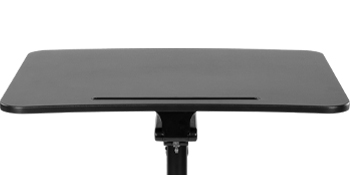
Image 8.1: Diagram illustrating the key dimensions of the Mount-It! Mobile Standing Desk.
9. Гаранција и подршка
Your Mount-It! Mobile Standing Desk is backed by a lifetime warranty, ensuring peace of mind regarding product quality and durability.
- Покриће гаранције: The lifetime warranty covers defects in materials and workmanship under normal use. Please refer to the full warranty details provided with your product or on the Mount-It! webсајту.
- Корисничка подршка: For any installation questions, product support, or warranty claims, responsive US-based product specialists are available to assist you.
Contact information for Mount-It! customer support can typically be found on the product packaging or the official Mount-It! webсајту.


