1. Увод и крајview
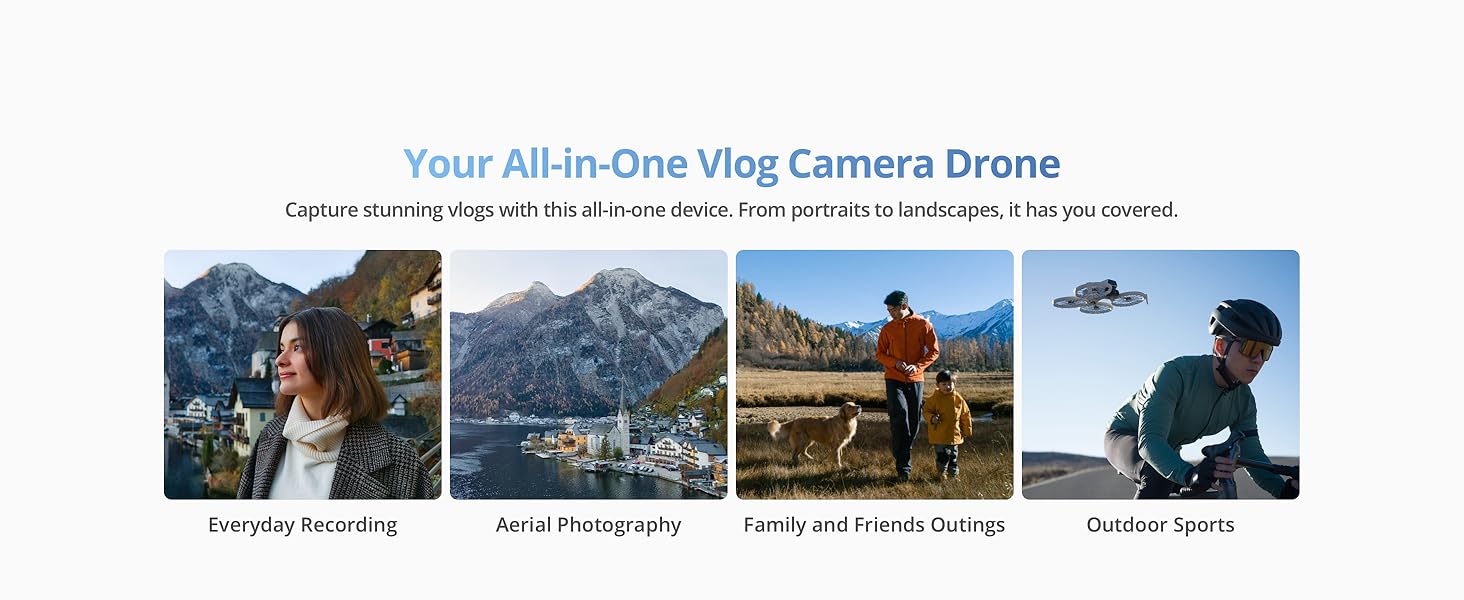
The DJI Flip combines a compact design with exceptional imaging capabilities. It features palm takeoff functionality, eliminating the need for a remote controller for initial launch. Subject tracking ensures your desired subject remains in focus during flight. Foldable propeller guards enhance both portability and safety during operation and transport.
Кључне карактеристике:
- Full-Coverage Propeller Guards: Made from lightweight carbon fiber for comprehensive protection.
- Лагана и прилагођена прописима: Weighs under 249 g, often exempting it from FAA registration or Remote ID requirements in many regions.
- Праћење субјекта: Keeps your subject in focus, acting as a personal cinematographer.
- 1/1.3-inch CMOS Sensor: Captures more light for clearer images with vivid detail.
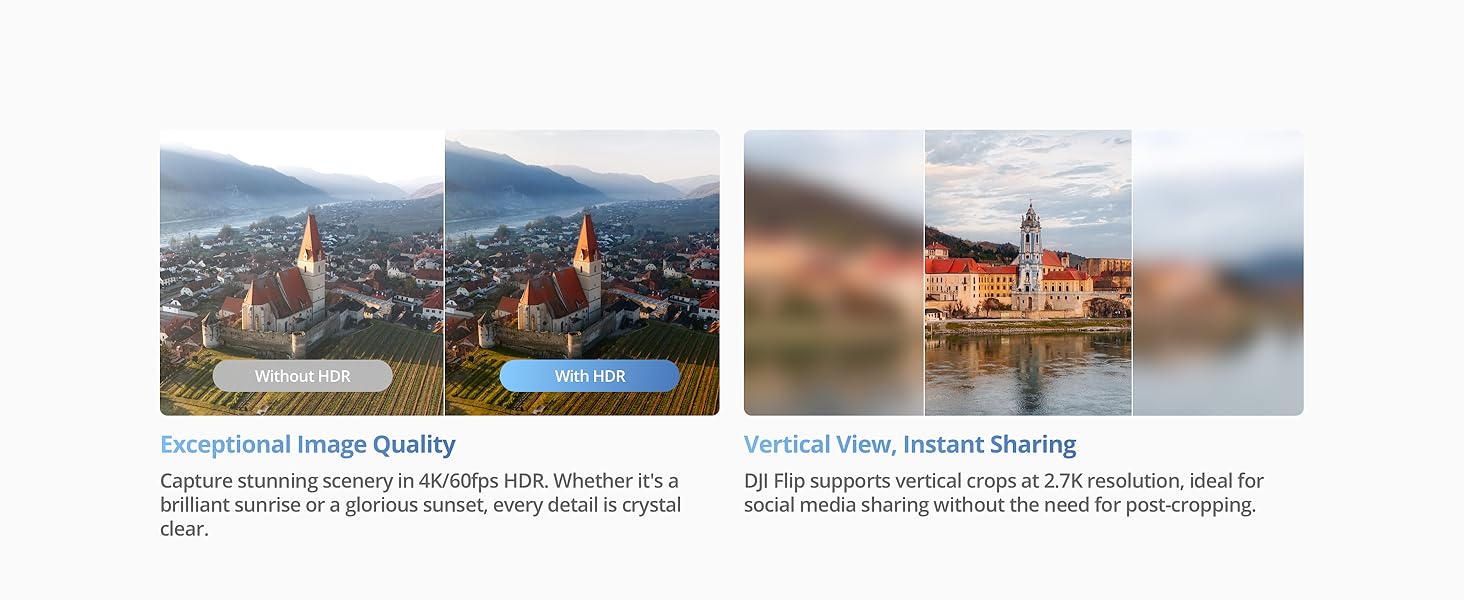
- 4K/60fps HDR Video: Delivers ultra-high-definition video for stunning visuals.
- 31-Min Max Flight Time: Provides extended flight duration for capturing more moments.
- RC 2 Remote Controller: Includes a high-bright screen for an upgraded flying experience.
Опис видеа: Уводни видео приказasing the DJI Flip drone's features, including palm takeoff, quick shots, and its compact design. It highlights the drone's ability to capture dynamic footage in various environments.
2. Шта је у кутији
The DJI Flip (RC 2) package includes the following components:
- DJI Flip x 1
- DJI RC 2 x 1
- DJI Flip интелигентна батерија за летење x 1
- DJI Flip резервни пропелери (пар) (укључени шрафови) x 1
- Одвијач к 1
- DJI Flip Gimbal заштита x 1
- PD кабл типа C на тип C x 1
* Battery charger sold separately. It is recommended to purchase the DJI 30W USB-C Charger/DJI 65W Portable Charger.
Опис слике: A visual representation of the DJI Flip package contents, showing the DJI Flip drone, the DJI RC 2 remote controller, and the DJI Flip Intelligent Flight Battery.
3. Подешавање
3.1 Расклапање дрона
Gently unfold the propeller arms until they lock into place. The drone will automatically power on once fully unfolded.
Опис слике: A three-panel image illustrating the steps to prepare the DJI Flip for flight: 1. Unfold the arms, 2. Select mode, 3. Takeoff and start filming.
3.2 Activating the DJI Flip
To activate your DJI Flip with the RC 2 Remote Controller:
- For first-time use, connect the RC 2 to the internet via Wi-Fi or a smartphone hotspot.
- Follow the on-screen instructions in the DJI Fly app to activate the device.
- After activating the RC 2, connect it with the DJI Flip via the DJI Fly app, and then follow the instructions in the app to activate the aircraft.
For the DJI RC-N3 Remote Controller:
- Connect your mobile device (connected to the internet) with the remote controller.
- Then connect to DJI Flip via the DJI Fly app.
- Follow the instructions in the app to activate DJI Flip.
3.3 DJI Fly App Installation
The DJI Flip can only be used with the DJI Fly app. Due to platform compatibility issues, the DJI Fly app has been removed from Google Play. Visit the official DJI website to download the user manual and the latest DJI Fly app for a better experience.
4. Operating the DJI Flip
4.1 Режими лета и карактеристике
- Полетање са палме: Launch the drone directly from your palm. Ensure your hand does not block the camera and there are no obstacles.
- Праћење субјекта: The drone automatically tracks and keeps a designated subject in focus.
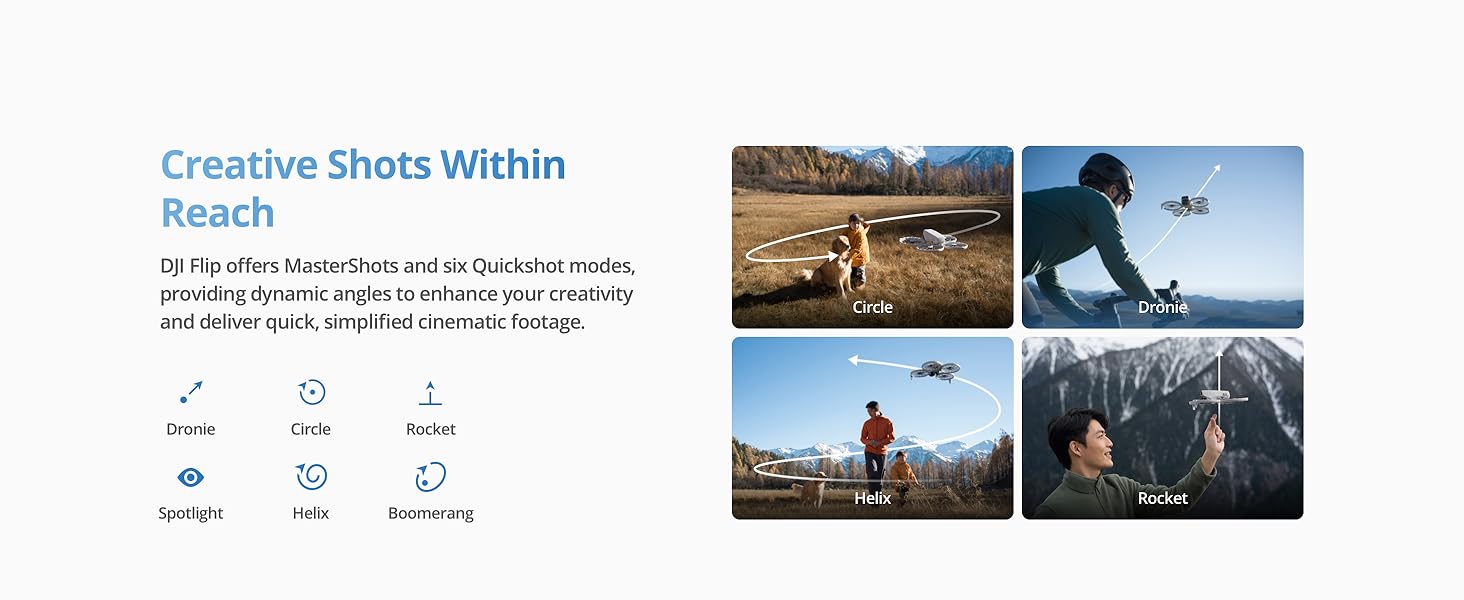
- КуицкСхотс: Offers six dynamic shooting modes (Dronie, Circle, Rocket, Spotlight, Helix, Boomerang) for quick, cinematic footage.
- Аутоматско кочење: Equipped with a 3D Infrared Sensing System for enhanced safety, enabling automatic braking even at night.
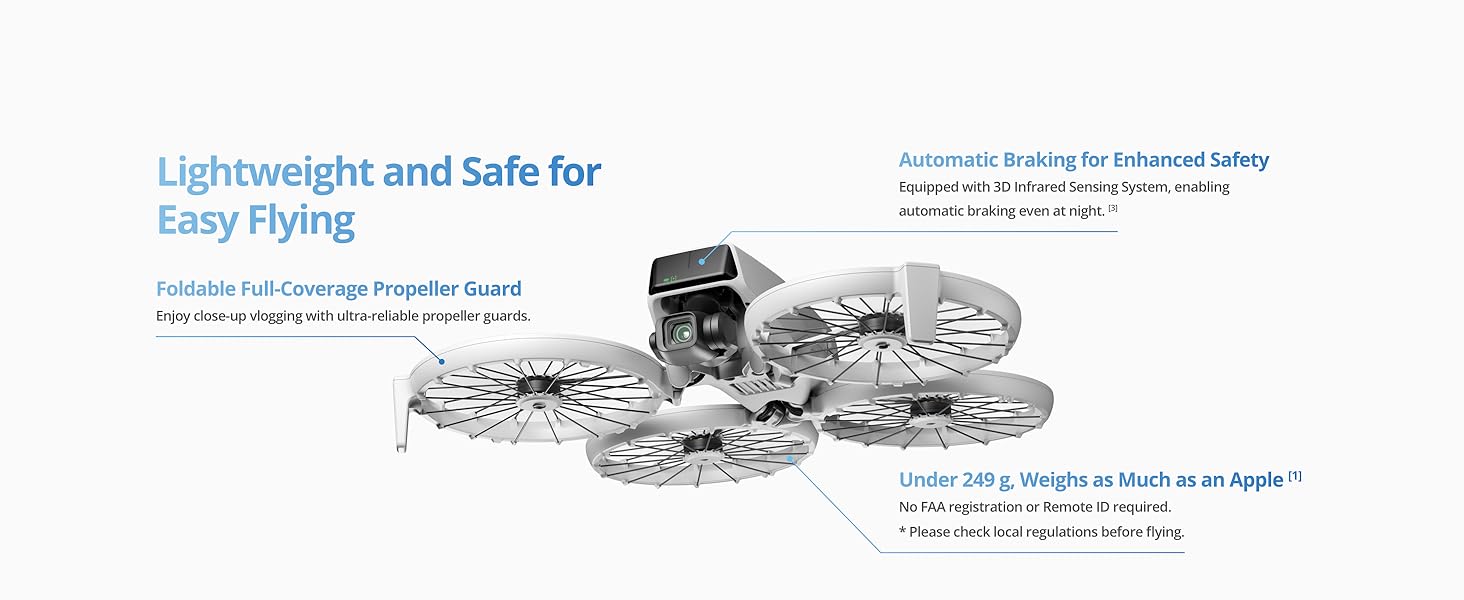
Опис слике: A collage highlighting key ease-of-use features: Foldable Propeller Guard, Under 249g (Regulation Friendly), Palm Takeoff for Easy Capture, and Automatic Braking for Enhanced Safety.
Опис слике: Изложба сликаasing the DJI Flip's Creative Shots Within Reach, illustrating various QuickShot modes like Dronie, Circle, Rocket, Spotlight, Helix, and Boomerang.
4.2 Карактеристике камере
- 48MP Photos: Capture high-resolution photos with the 1/1.3-inch CMOS sensor, featuring Dual Native ISO Fusion, f/1.7 aperture, and 2.4μm 4-in-1 pixels.
- 4K/60fps HDR Video: Record stunning scenery with ultra-high-definition video.
- 2.7K Vertical Shooting: Supports vertical crops at 2.7K resolution, ideal for social media sharing.
- 10-bit D-Log M: Records up to one billion colors, delivering natural color gradations for flexible editing.
- 4K Slow-Motion: Supports 4K slow-motion recording at 100 fps for smooth, detailed highlights.
- 3-осни механички гимбал: Обезбеђује глатко и стабилно стопалоtage, with up to level-5 wind resistance.

Опис слике: A collage illustrating the DJI Flip's imaging capabilities: 1/1.3-inch CMOS Sensor, 4K/60fps HDR Video, 2.7K Vertical Shooting, and 10-bit D-Log M color profile.
Опис слике: A split image demonstrating the effectiveness of the DJI Flip's 3-Axis Stabilization, comparing footage captured without and with stabilization.
4.3 Remote Controller and Transmission
The DJI Flip (RC 2) comes with the RC 2 remote controller, featuring a high-bright screen for clear visibility even in direct sunlight. It utilizes DJI O4 video transmission, supporting up to 44,000 feet (13 km) of 1080p/60fps video transmission with excellent anti-interference capabilities.

Опис слике: An image illustrating the DJI Flip's Next Level Video Transmission, showing the RC 2 controller and the drone with a maximum video transmission distance of 44,000 feet / 13 km.
4.4 Батерија и пуњење
The Intelligent Flight Battery provides up to 31 minutes of flight time. For faster charging, the DJI Flip Parallel Charging Hub (sold separately) can charge two batteries simultaneously.

Опис слике: A split image showing the DJI Flip drone with an indicator of 31 minutes flight time, and a DJI Parallel Charging Hub charging two batteries.
4.5 Data Transfer and Editing
Connect DJI Flip to your phone via Wi-Fi to transfer footage at up to 30MB/s to the DJI Fly app. Edit swiftly with templates in the app, saving phone space and sharing videos easily.

Опис слике: A two-panel image showing efficient and effortless transfer of footage from the DJI Flip to a phone via Wi-Fi, and simple editing within the DJI Fly app.
4.6 Опције контроле
The DJI Flip offers multiple control methods:
- Контрола гласом: Simply wake the DJI Fly app with "Hey Fly" to enable voice commands.
- Контрола апликације: Easily connect DJI Flip to the DJI Fly app using Wi-Fi Direct for single-handed control.
- РЦ контрола: Operate DJI Flip using DJI RC-N3/RC 2 to capture professional-level shots.
Опис слике: A three-panel image demonstrating the various control methods for the DJI Flip: Voice Control, App Control via smartphone, and RC Control using a dedicated remote controller.
5. Одржавање
Regular maintenance ensures optimal performance and longevity of your DJI Flip drone:
- Инспекција пропелера: Regularly check propellers for any cracks, bends, or damage. Replace damaged propellers immediately using the provided screwdriver and spare propellers.
- Заштита гимбала: Always use the DJI Flip Gimbal Protector when the drone is not in use or during transport to prevent damage to the camera and gimbal.
- Одржавање батерије: Store Intelligent Flight Batteries in a cool, dry place. Avoid overcharging or fully discharging batteries. Follow charging recommendations (DJI 30W USB-C Charger/DJI 65W Portable Charger).
- Чишћење: Use a soft, dry cloth to clean the drone body, camera lens, and remote controller. Avoid using harsh chemicals or abrasive materials.
- Ажурирања фирмвера: Keep the drone and remote controller firmware updated via the DJI Fly app to ensure access to the latest features and performance improvements.
6. Troubleshooting (Frequently Asked Questions)
Which remote controllers are compatible with DJI Flip?
The DJI Flip is compatible with the DJI RC 2 Remote Controller, DJI RC-N3 Remote Controller, and DJI RC-N2 Remote Controller.
Да ли је DJI Flip водоотпоран?
Не. Избегавајте контакт са водом током употребе, јер може оштетити уређај. Ако пада киша током лета, вратите се и слетите што је пре могуће и сачекајте да се летелица потпуно осуши изнутра и споља пре него што је поново употребите.
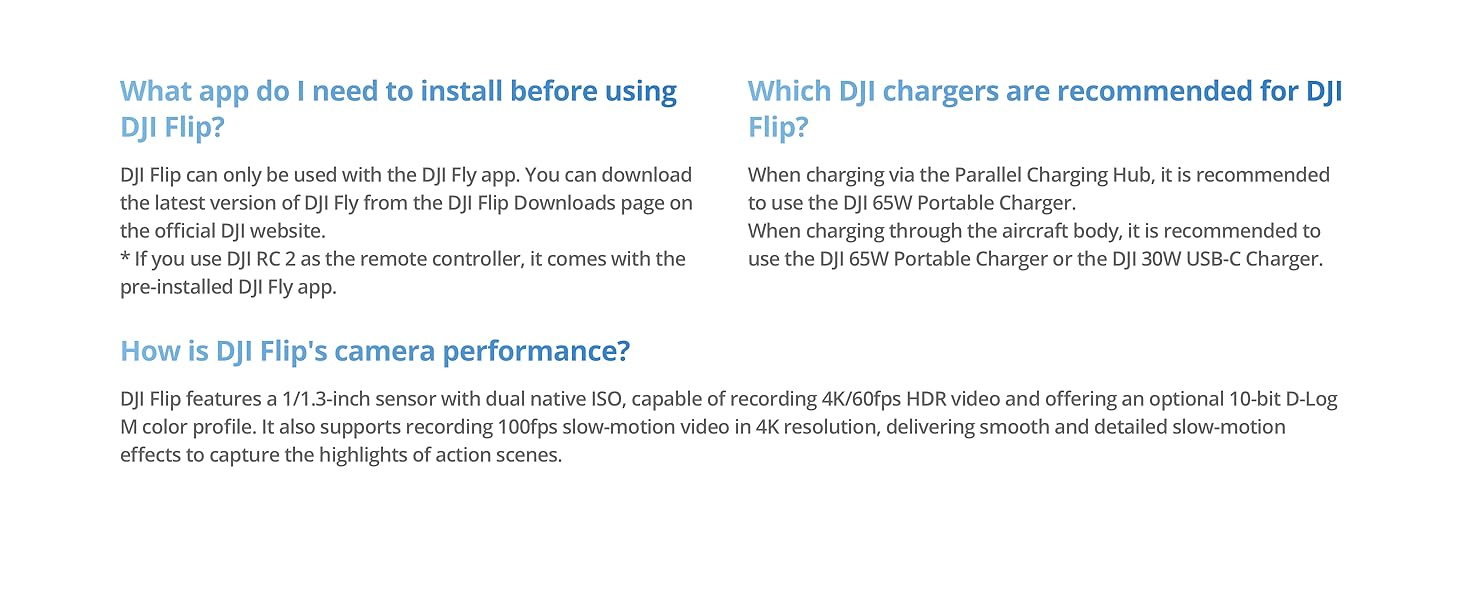
Which DJI chargers are recommended for DJI Flip?
When charging via the Parallel Charging Hub, it is recommended to use the DJI 65W Portable Charger. When charging through the aircraft body, it is recommended to use the DJI 65W Portable Charger or the DJI 30W USB-C Charger.
How is DJI Flip's camera performance?
DJI Flip features a 1/1.3-inch CMOS sensor with dual native ISO, capable of recording 4K/60fps HDR video and offering an optional 10-bit D-Log M color profile. It also supports recording 100fps slow-motion video in 4K resolution, delivering smooth and detailed slow-motion effects to capture the highlights of action scenes.
7. Спецификације
| Феатуре | Спецификација |
|---|---|
| Бранд | ДЈИ |
| Назив модела | ДЈИ Флип |
| Посебне карактеристике | Built-In Full-Coverage Propeller Guards, Extended Flight Time, O4 Transmission with up to 8-Mile Range, Portable, Subject Tracking and Auto Flight Modes |
| Узраст (опис) | Адулт |
| Боја | Греи |
| Резолуција снимања видео записа | 4K |
| Ефективна резолуција мировања | 48 МП |
| Технологија повезивања | Блуетоотх, Ви-Фи |
| Капацитет батерије | 3110 мАх |
| Максимални домет | 13 километра |
| Тежина артикла | 0.74 килограма |
| Димензије артикла Д к Ш к В | 11 cm D x 9.2 cm Š x 3.1 cm V |
| Материјал | Царбон Фибер |
8. Гаранција и подршка
The DJI Flip comes with a standard DJI warranty. For detailed warranty information, service requests, or technical support, please visit the official DJI webсајт. Тамо можете пронаћи и додатне ресурсе, често постављана питања и контакт информације за корисничку подршку.
Званични ДЈИ Webсајт: ввв.дји.цом


