Увод
Хвала вам на куповиниasing the VTech VT1091 Cordless Phone. This manual provides essential information for setting up, operating, and maintaining your new phone. Please read these instructions carefully to ensure proper use and to fully benefit from its features.
Садржај пакета
Пре него што почнете, уверите се да су сви предмети присутни у вашем пакету:
- Бежична слушалица
- Основна јединица
- Адаптер за напајање за основну јединицу
- Кабл за телефонску линију
- Rechargeable Batteries (pre-installed or separate)
- Кориснички приручник (овај документ)
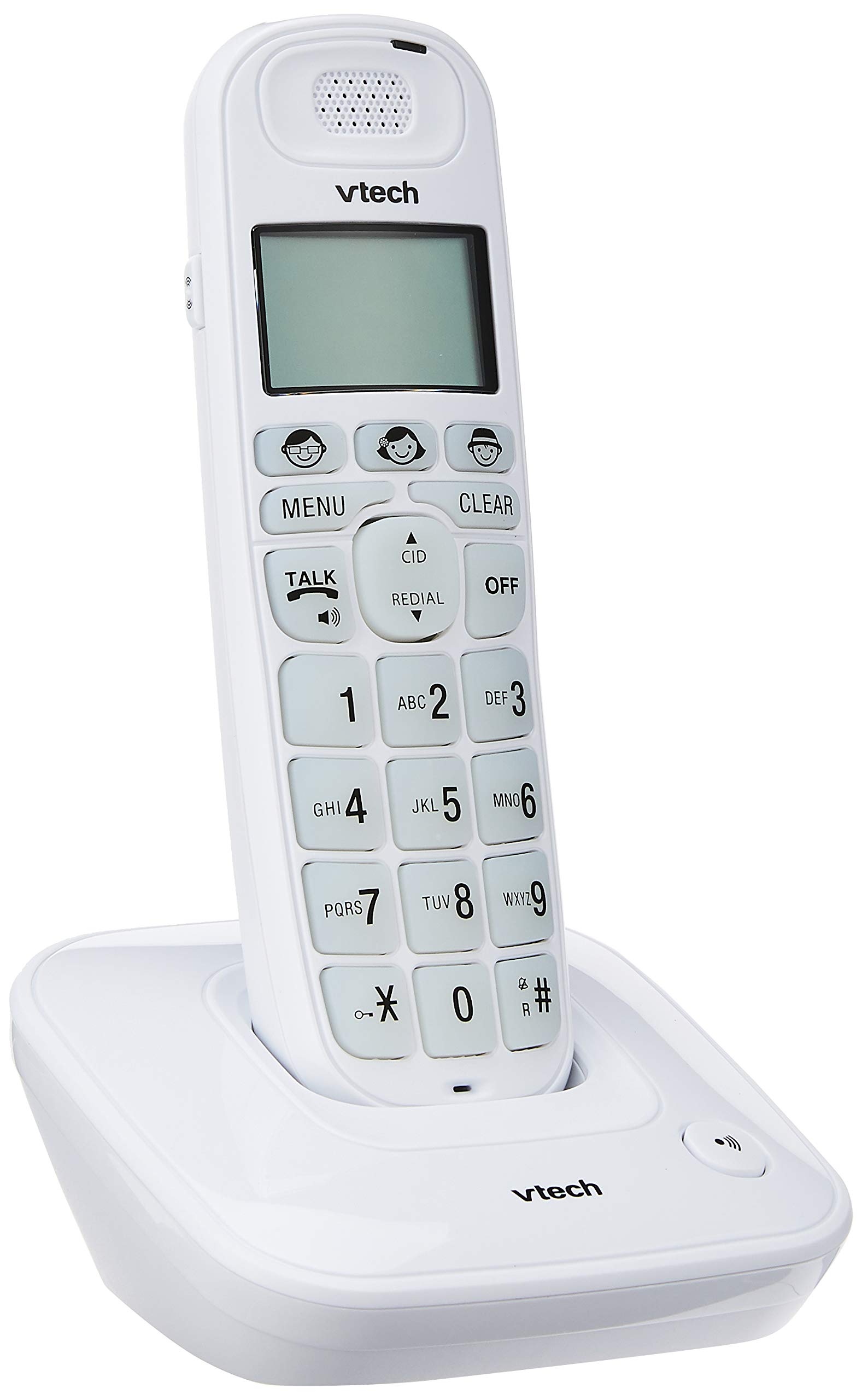
Image: The VTech VT1091 cordless phone handset resting in its base unit, showing the front view of the keypad and screen.
Сетуп
1. Инсталација батерије
- Пронађите поклопац одељка за батерију на задњој страни слушалице.
- Померите поклопац надоле да бисте га отворили.
- Уметните приложене пуњиве батерије, водећи рачуна о исправном поларитету (+ и -).
- Вратите поклопац одељка за батерије.
2. Повезивање основне јединице
- Повежите један крај телефонског кабла са TEL LINE прикључком на задњој страни базне јединице.
- Прикључите други крај телефонског кабла у зидну телефонску утичницу.
- Connect the small end of the power adapter to the DC IN jack on the back of the base unit.
- Укључите већи крај адаптера за напајање у стандардну електричну утичницу.

Слика: Позади view of the VTech VT1091 base unit, showing the ports for the telephone line cord and the power adapter.
3. Пуњење слушалице
Place the handset on the base unit with the display facing forward. The handset will begin charging. For optimal battery performance, allow the handset to charge for at least 16 hours before initial use.

Слика: Са стране view of the VTech VT1091 cordless phone handset securely placed in its charging base.
Кључне карактеристике
- Ampослобођење: Amplification of incoming sounds by up to 30 decibels.
- Ultra-low Radiation Mode: Operates with reduced radiation levels.
- BOOSTER Button: One-touch button for easy sound ampосвешћење.
- Велика тастатура: Big buttons with backlit keypad for improved visibility.
- ЛЦД екран са позадинским осветљењем: Large display with orange backlight.
- Слушалица спикерфон: За комуникацију без употребе руку.
- Page/Handset Locator: Helps locate a misplaced handset.
- Auto Answer/Keypad Lock: Convenient call handling and security features.
- Alarm/Secrecy: Includes alarm function and call secrecy feature.
- GAP Compliant: Compatible with other GAP-enabled DECT devices.
- Именик именика: 20 name and number entries.
- ИД позиваоца: Displays the last 10 caller numbers.
- Поновно бирање: Stores the last 5 numbers dialed.
- Ringer Melodies: 10 selectable ringer melodies (5 polyphonic and 5 standard).
- Трајање батерије: Approximately 10 hours talk time / 100 hours standby time.
- Memory Buttons: 3 one-touch memory buttons.
- Брзо бирање: 8 number (2-9) speed dial memories.
- Компатибилан са слушним апаратима: Designed for use with hearing aids.
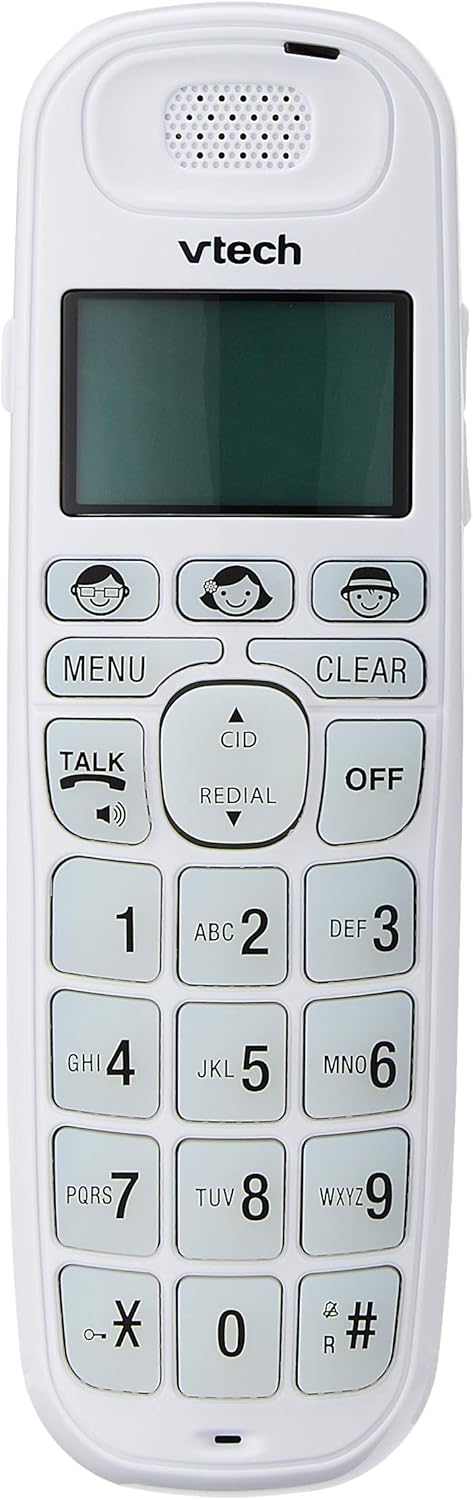
Image: Close-up of the VTech VT1091 handset, highlighting the large backlit keypad, LCD display, and dedicated function buttons.
Упутство за употребу
Упућивање позива
- Притисните тастер ТАЛК button to get a dial tone.
- Позовите жељени број телефона.
- Да бисте прекинули позив, притисните ОФФ дугме или вратите слушалицу на базу.
Одговарање на позив
Када телефон зазвони, притисните тастер ТАЛК дугме да одговорите на позив.
Коришћење спикерфона
Током позива притисните ТАЛК button again (with the speaker icon) to activate the speakerphone function. Press it again to switch back to the earpiece.
Подешавање јачине звука
Током позива користите UP и ДОВН arrow buttons on the side of the handset to adjust the earpiece or speakerphone volume.
Телефонски именик
- Притисните тастер МЕНУ дугме.
- Navigate to "Phonebook" using the arrow buttons and press МЕНУ да изаберете.
- Follow the on-screen prompts to add, edit, or delete entries.
Функција поновног бирања
Притисните тастер РЕДИАЛ дугме за view a list of the last 5 dialed numbers. Use the arrow buttons to select a number and press ТАЛК бирати.
ИД позиваоца
When the phone rings, the caller's number (if available) will be displayed on the screen. Press the ЦИД дугме за поновноview the caller ID list. Use the arrow buttons to scroll through entries.
BOOSTER Function
During a call, press the dedicated БООСТЕР button (if available, often integrated with volume or a specific key) to instantly amplify the incoming audio by up to 30 decibels. Press again to deactivate.
Хандсет Лоцатор
To locate a misplaced handset, press the ПАГЕ button on the base unit. The handset will ring.
Одржавање
Чишћење
Обришите слушалицу и базну јединицу меком,amp cloth. Do not use cleaning sprays or abrasive cleaners, as these can damage the finish or electrical components.
Баттери Царе
- Only use the supplied rechargeable batteries.
- Ако телефон неће бити коришћен дуже време, извадите батерије да бисте спречили цурење.
- Не бацајте батерије у ватру.
Решавање проблема
| Проблем | Решење |
|---|---|
| Нема тона за бирање |
|
| Телефон се не пуни |
|
| Лош квалитет звука |
|
| ИД позиваоца се не приказује |
|
Спецификације
| Бранд | ВТецх |
| Модел | ВТ1091 |
| Тип телефона | Бежични |
| Боја | Бела |
| Материјал | Пластика |
| Извор напајања | Corded Electric (for base unit) |
| Диалер Типе | Једна тастатура |
| Тип система за одговор | Digital (Note: This model's primary features do not highlight an integrated answering machine, but refers to general digital phone capabilities.) |
| Вишелинијски рад | Сингле |
| Време разговора телефоном | 10 сата |
| Време приправности телефона | 100 сата |
| ИД позиваоца | Да |
| УПЦ | 735078026569 |

Image: The VTech VT1091 cordless phone in its base, with a measurement overlay indicating a height of 8.3 inches (21 cm).
Гаранција и подршка
This VTech VT1091 Cordless Phone comes with a Једногодишња гаранција локалног произвођача (Сингапур). For warranty claims or technical support, please refer to the contact information provided with your purchase documentation or visit the official VTech Singapore webсајту.
For further assistance, please contact VTech customer service.