1. Увод
This manual provides essential information for the proper use and maintenance of your Speedlink Competition Pro Extra USB Joystick (Model SL-650212-BKRD). This joystick is designed for use with PCs and Android devices, offering a retro arcade gaming experience. Please read these instructions carefully before using the product.
2. Важна безбедносна упутства
Failure to observe these instructions can cause product damage, explosion, fire, and/or electric shock.
- Use this device only as indicated in the user guide. Do not open or repair it.
- Не излажите уређај течностима, топлоти или хладноћи.
- Не користите уређај у огласуamp животне средине.
- Очистите уређај сувом крпом.
- Држите уређај и све слободне делове даље од деце, кућних љубимаца и неовлашћених особа.
- Use only with the appropriate provided accessories/cables.
- Disconnect the charging cable from the device if it will not be used for a long time. When disconnecting the cable, don't pull on the cable but on the plug.
- Don't use the cables in any way other than mentioned in the user guide; don't bend, cut, extend, or knot up them.
- Не стављајте стране предмете у отворе уређаја.
- Ако је уређај на било који начин оштећен или се превише загреје, одмах престаните да га користите.
- Take caution when using the device if you have a pacemaker or are dependent on other sensitive electronic aids, as the device emits radio signals.
Safety instructions in further languages can be found at ввв.спеедлинк.цом.
3. Садржај пакета
The Speedlink Competition Pro Extra USB Joystick package includes:
- Speedlink Competition Pro Extra USB Joystick (Model SL-650212-BKRD)
- Интегрисани УСБ кабл
- Information on how to download the included 20 retro games
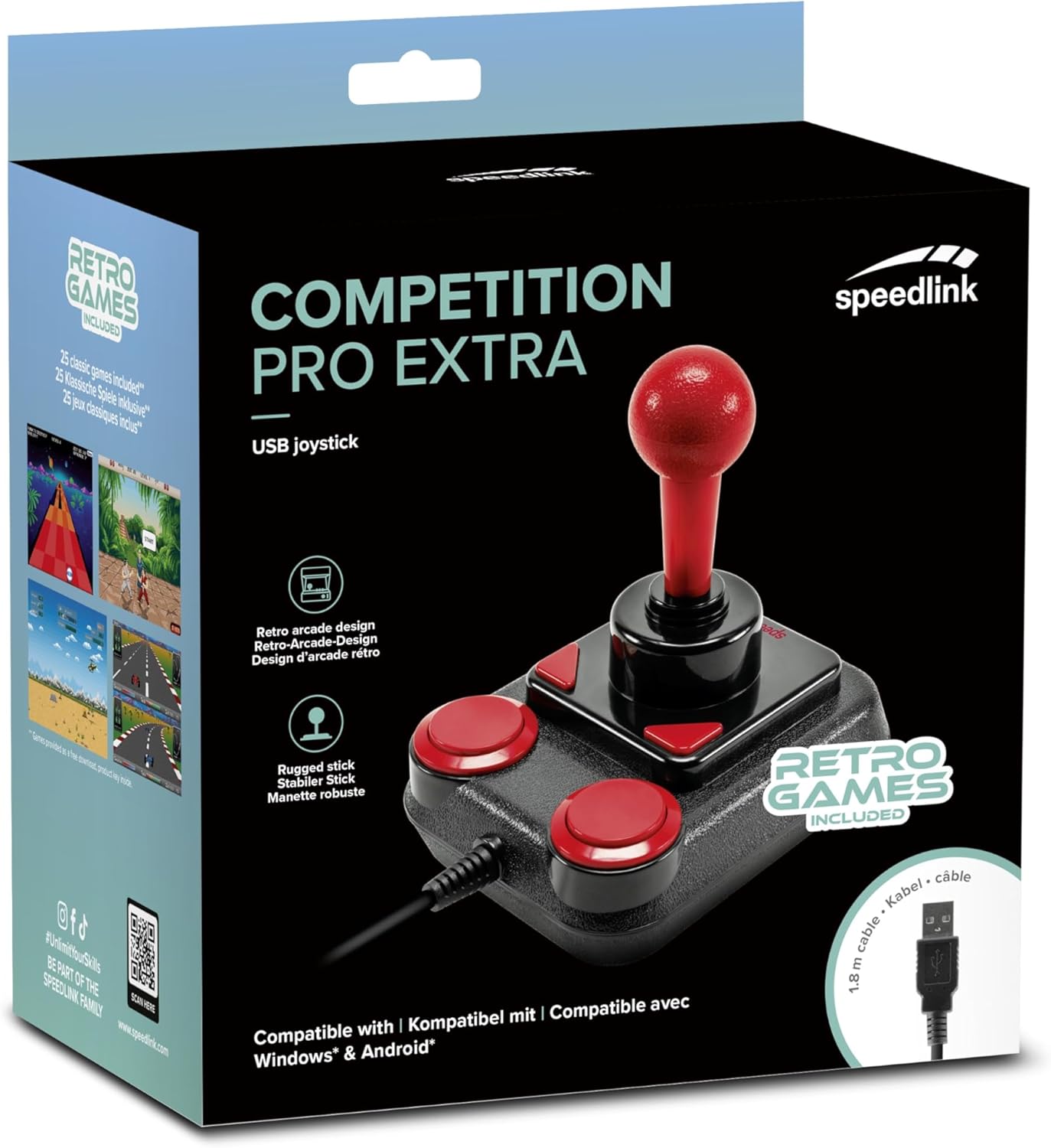
Image: Retail packaging for the Speedlink Competition Pro Extra USB Joystick, showing the product and "Retro Games Included" label.
4. Производ је готовview
The Competition Pro Extra USB Joystick features a classic arcade design with a robust stick and responsive buttons.

Слика: Одозго надоле view of the joystick, highlighting the red ball-top stick and red circular fire buttons.

Слика: Под углом view showing the joystick's main stick, two circular fire buttons, and two triangular fire buttons.
The joystick includes:
- Arcade Stick: A classic red ball-top joystick for directional control.
- Дугмад за паљење: Two large circular red buttons and two smaller triangular red buttons for in-game actions.
- Rapid-Fire Switch: A switch located on the underside of the joystick to enable or disable rapid-fire functionality for the main fire buttons.

Image: Underside of the joystick, showing the "ON" and "OFF" positions for the rapid-fire switch.
5. Подешавање
5.1 Повезивање са рачунаром
- Пронађите слободан УСБ порт на рачунару.
- Plug the USB connector of the Competition Pro Extra joystick into the USB port.
- The operating system (Windows 7 or later) will automatically detect and install the necessary drivers. No manual driver installation is typically required.
- Once installed, the joystick is ready for use with compatible games and emulators. You may need to configure joystick settings within individual game or emulator software.
5.2 Connecting to an Android Device
For Android devices, an OTG (On-The-Go) adapter is required (not included).
- Connect the USB connector of the joystick to an OTG adapter.
- Plug the OTG adapter into the USB port of your Android device.
- The Android device should recognize the joystick. Compatibility may vary depending on the Android device and game/application.
6. Упутство за употребу
6.1 Основна контрола
- Јоистицк: Use the main stick for directional movement (up, down, left, right, and diagonals).
- Дугмад за паљење: Press any of the four red buttons to perform in-game actions such as firing, jumping, or selecting.
6.2 Rapid-Fire Mode
The joystick features a rapid-fire function for enhanced gameplay in certain titles.
- To activate rapid-fire, locate the switch on the underside of the joystick and slide it to the "ON" position.
- To deactivate rapid-fire, slide the switch to the "OFF" position.
6.3 Included Games
The Anniversary Edition includes a collection of 20 retro games available for download. Refer to the instructions provided with your product for details on how to access and download these games.

Image: Screenshot of the game launcher interface, displaying a list of classic games such as Bomberwarrior, Summer Games, and River Attack.
7. Одржавање
- Чишћење: Use a soft, dry cloth to clean the surface of the joystick. Do not use liquid cleaners or abrasive materials.
- Складиштење: Store the joystick in a dry place away from direct sunlight and extreme temperatures.
- Нега каблова: Avoid bending or twisting the USB cable excessively. Do not pull on the cable to disconnect it; always grasp the plug.
КСНУМКС. Решавање проблема
- Joystick not recognized by PC:
- Уверите се да је USB кабл безбедно прикључен у исправан USB порт.
- Pokušajte sa drugim USB portom.
- Поново покрените рачунар.
- Проверите Управитељ уређаја (Windows) да бисте видели да ли је уређај наведен и да ли постоје проблеми са управљачким програмима.
- Joystick not recognized by Android device:
- Ensure your Android device supports USB OTG functionality.
- Verify the OTG adapter is functioning correctly.
- Try a different OTG adapter or Android device if possible.
- Buttons or stick unresponsive:
- Ensure the joystick is properly connected.
- Test the joystick in a different game or application to rule out software-specific issues.
- Calibrate the joystick through your operating system's game controller settings if available.
- Rapid-fire not working:
- Check that the rapid-fire switch on the underside of the joystick is set to "ON".
9. Спецификације
| Феатуре | Детаљ |
|---|---|
| Назив модела | СЛ-650212-БКРД |
| Бранд | Спидлинк |
| Технологија повезивања | УСБ |
| Компатибилни уређаји | PC (Windows 7 or later), Android (via OTG adapter) |
| Тип контролера | Јоистицк |
| Боја | Црни, Црвени |
| Тежина артикла | 3.53 унци (приближно 100 г) |
| Димензије производа (ДкШкВ) | 4.65 x 3.78 x 5.12 инча (приближно 11.8 x 9.6 x 13 цм) |
| Извор напајања | Електрични са каблом (напајање преко УСБ-а) |
| Волtage | 5 Волтс |
10. Информације о усклађености
10.1 ФЦЦ изјава
Овај уређај је у складу са делом 15 ФЦЦ правила. Рад је подложан следећа два услова: (1) Овај уређај не сме да изазове штетне сметње и (2) овај уређај мора да прихвати све примљене сметње, укључујући сметње које могу изазвати нежељени рад.
Ова опрема је тестирана и утврђено је да је у складу са ограничењима за дигиталне уређаје класе Б, у складу са делом 15 ФЦЦ правила. Ова ограничења су дизајнирана да обезбеде разумну заштиту од штетних сметњи у стамбеној инсталацији. Ова опрема генерише, користи и може да емитује радиофреквентну енергију и, ако се не инсталира и не користи у складу са упутствима, може изазвати штетне сметње радио комуникацијама. Међутим, не постоји гаранција да се сметње неће појавити у одређеној инсталацији. Ако ова опрема изазива штетне сметње радио или телевизијском пријему, што се може утврдити искључивањем и укључивањем опреме, корисник се подстиче да покуша да исправи сметње једном или више од следећих мера:
- Преусмерите или преместите пријемну антену.
- Повећајте размак између опреме и пријемника.
- Повежите опрему на утичницу на струјном колу различитом од оног на који је прикључен пријемник.
- За помоћ се обратите продавцу или искусном радио/ТВ техничару.
Note: Modifications to this product will void the user's authority to operate this equipment.
10.2 CE, UKCA, EAC Compliance
Производ је усклађен са следећим директивама:
- ЕМЦ: 2014/30/ЕУ
- РоХС: 2011/65/ЕУ
За потпуну изјаву о усаглашености, најновији кориснички водич, често постављана питања или додатне информације, посетите ввв.спеедлинк.цом.

Image: Excerpt from the product manual showing safety instructions, warnings, FCC statement, and conformity information in multiple languages.
11. Гаранција и подршка
For warranty information, technical support, and frequently asked questions, please visit the official Speedlink webсајт:
Молимо да сачувате ове информације за будућу употребу.


