1. Увод
The Inkbird ITC-308-WIFI is a digital temperature controller designed for precise temperature management in various applications. This device features dual relays for simultaneous heating and cooling control, Wi-Fi connectivity for remote monitoring and parameter setting via a smartphone application, and an NTC stainless steel probe for accurate temperature measurement. It is ideal for environments requiring stable temperature control, such as terrariums, incubators, brewing setups, and plant greenhouses.

The Inkbird ITC-308-WIFI thermostat connected to a terrarium, demonstrating its use as a smart temperature controller.
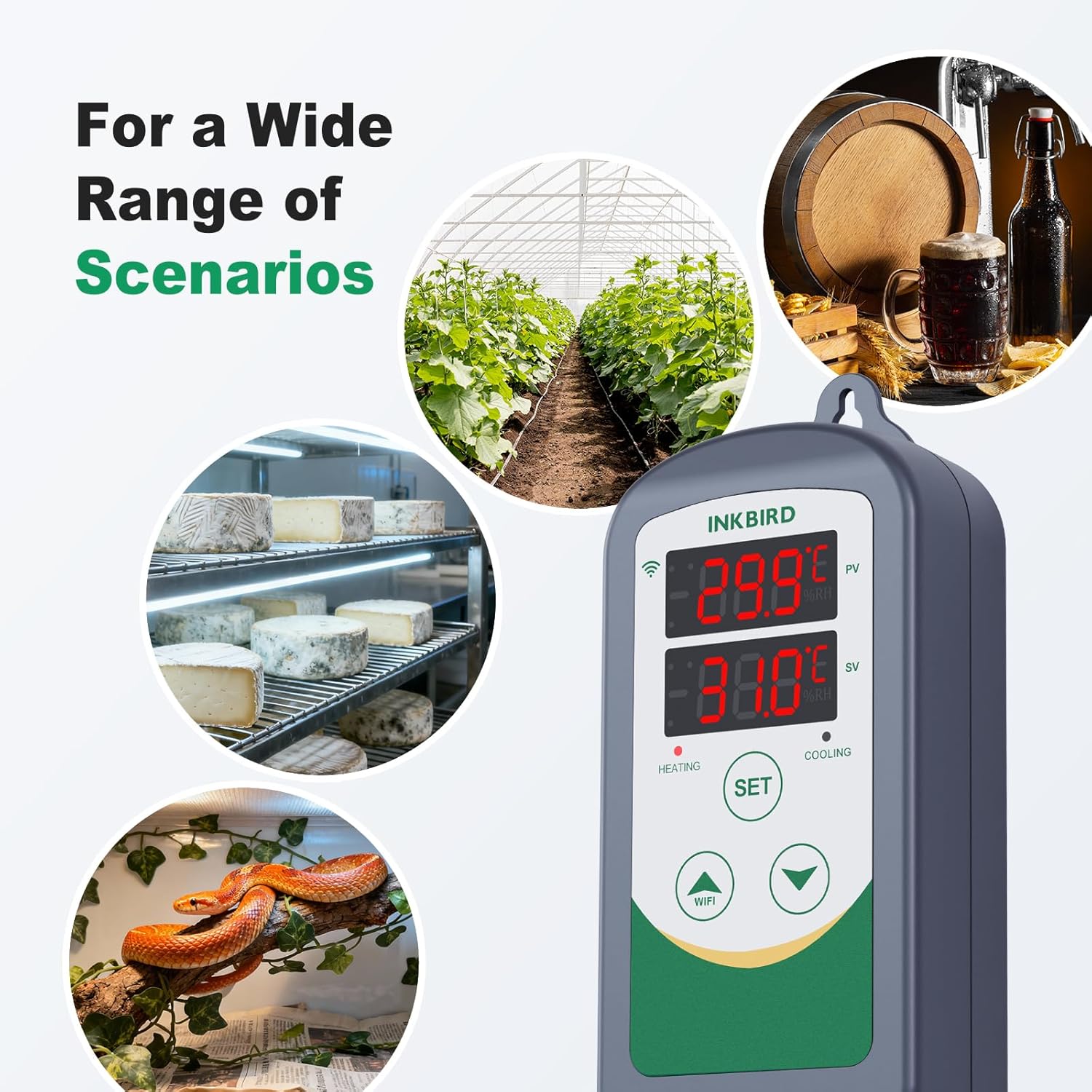
This image illustrates the versatility of the Inkbird ITC-308-WIFI thermostat, showing its application in diverse environments such as greenhouses, brewing setups, cheese aging rooms, and reptile habitats.
2. Безбедносне информације
- Пажљиво прочитајте сва упутства пре употребе.
- Ensure the device is connected to a power source that matches its voltage requirements (100~240VAC, 50Hz/60Hz).
- Do not exceed the maximum total power output of 1100W/110V or 2200W/220V for connected heating and cooling devices.
- Keep the device and probe away from water unless the probe is specifically designed for immersion (IP68 rated NTC probe is water-resistant).
- Не растављајте нити модификујте уређај. Сво сервисирање препустите квалификованом особљу.
- Искључите уређај из утичнице пре чишћења или било каквог одржавања.
3. Садржај пакета
The Inkbird ITC-308-WIFI package typically includes the following items:
- Inkbird ITC-308-WIFI Thermostat
- NTC Temperature Sensor (2m, IP68 Stainless Steel Probe)
- Упутство за употребу
4. Карактеристике производа
- Ви-Фи повезивање: Connects to a 2.4 GHz Wi-Fi network for remote control and monitoring via the InkbirdSmart or Inkbird Pro app.
- Двоструки релејни излаз: Features two outlets for simultaneous connection of heating and cooling devices.
- Температурни опсег: Measures temperatures from -40°C to 100°C (-40°F to 212°F) with 0.1°C accuracy.
- Прекидач јединице температуре: Easily switch between Celsius (°C) and Fahrenheit (°F) display.
- Аларми за високу/ниску температуру: Configurable alarms notify you via the app if the temperature exceeds preset maximum or minimum limits.
- Probe Error Alarm: Alerts you if the temperature probe malfunctions.
- Калибрација температуре: Allows for fine-tuning of temperature readings for enhanced accuracy.
- Refrigeration Compressor Delay Protection: Protects cooling equipment by providing a delay before restarting the compressor.
- Плуг-анд-Плаи дизајн: Једноставан за постављање и употребу.

The thermostat supports both cooling and heating functions simultaneously, as depicted by a refrigerator for cooling and a radiator for heating.

The device provides instant temperature alarms, sending notifications to your smartphone when the temperature exceeds preset limits.
5. Подешавање
5.1 Инсталација апликације
Download the 'InkbirdSmart' or 'Inkbird Pro' application from your smartphone's app store (available for iOS and Android).
5.2 Ви-Фи веза
- Plug the ITC-308-WIFI into a power outlet.
- Open the Inkbird app and follow the on-screen instructions to add a new device.
- On the ITC-308-WIFI, press and hold the 'WiFi' button until the Wi-Fi indicator light blinks rapidly.
- Confirm the indicator light is blinking rapidly in the app and proceed with the connection.
- Enter your 2.4 GHz Wi-Fi network password when prompted. The device will connect to your network.
- Once connected, the device will appear in your app, allowing you to monitor and control it remotely.
This video demonstrates the step-by-step process of connecting the Inkbird ITC-308-WIFI thermostat to your smartphone application via Wi-Fi, including pairing and initial setup.
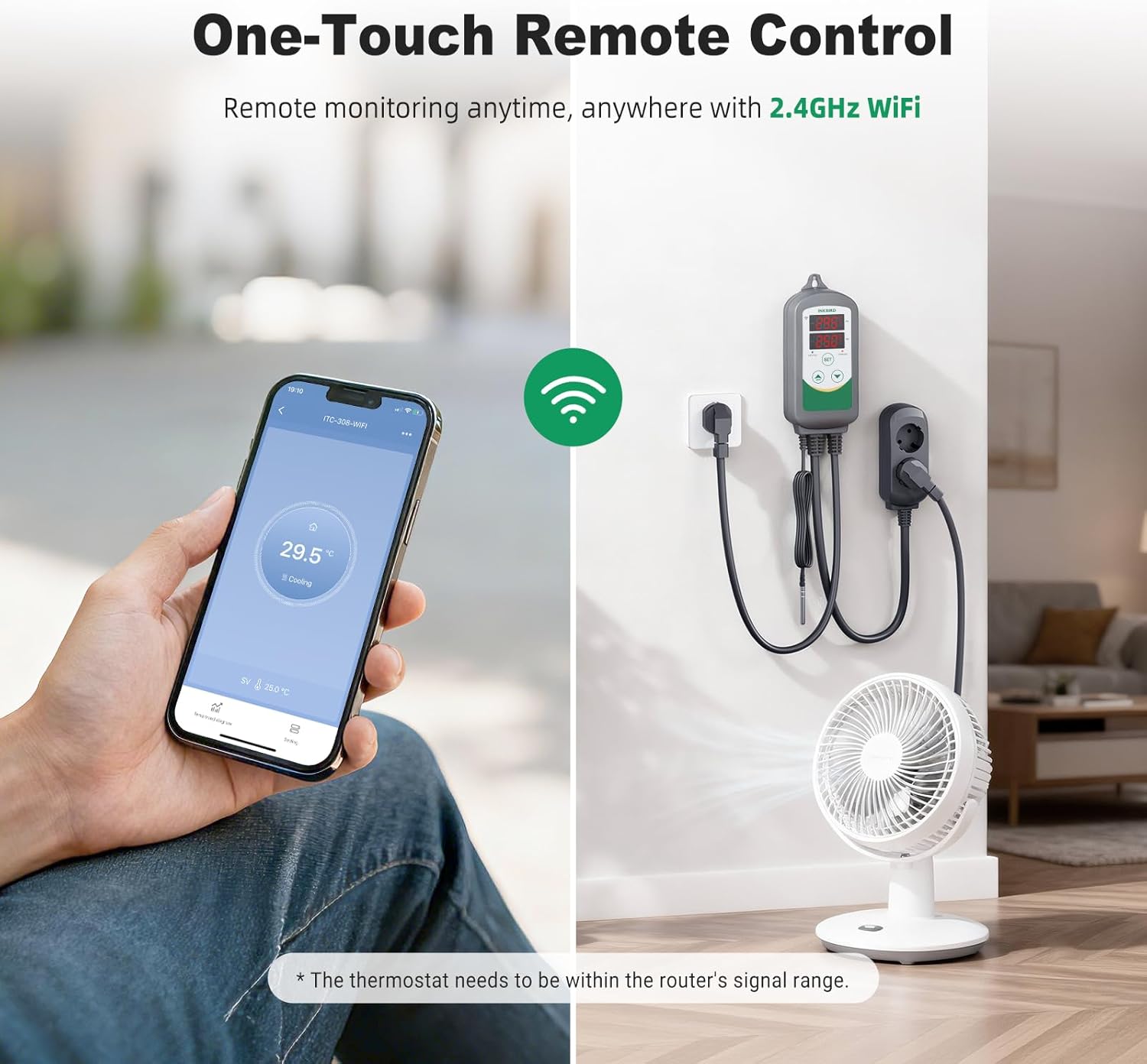
Remote monitoring and control are possible via the Inkbird app on a smartphone, allowing users to check and adjust settings from anywhere with a 2.4GHz Wi-Fi connection.
6. Упутство за употребу
The ITC-308-WIFI allows for precise control of heating and cooling devices. Parameters can be set directly on the device or through the Inkbird app.
6.1 Key Parameters
- TS (Target Temperature): The desired temperature you want to maintain.
- HD (Heating Difference): The temperature difference below TS at which the heating device will activate.
- CD (Cooling Difference): The temperature difference above TS at which the cooling device will activate.
6.2 Подешавање параметара температуре
To set the parameters, use the 'SET' button and arrow keys on the device, or adjust them directly within the Inkbird app. For example, to maintain a target temperature (TS) of 16°C with a heating difference (HD) of 2°C and a cooling difference (CD) of 3°C:
- Set TS = 16°C.
- Set HD = 2°C. The heater will turn on if the temperature drops to 14°C (TS - HD) and turn off when it reaches 16°C.
- Set CD = 3°C. The cooler will turn on if the temperature rises to 19°C (TS + CD) and turn off when it reaches 16°C.

This diagram illustrates how to set the target temperature (TS), heating difference (HD), and cooling difference (CD) to maintain a desired temperature range. For example, to maintain 16°C within a range of 14°C to 19°C, set TS=16, HD=2, and CD=3.
6.3 Остала подешавања
- Прекидач јединице температуре: Change the display unit between Celsius and Fahrenheit in the app settings.
- Калибрација температуре: Adjust the temperature reading if there is a known discrepancy with a reference thermometer.
- Refrigeration Delay: Set a delay time (e.g., 0-10 minutes) to prevent rapid cycling of the compressor, which can extend its lifespan.
- High/Low Temperature Alarm Limits: Define the upper and lower temperature thresholds that will trigger an alarm notification.
7. Одржавање
- Чишћење уређаја: Обришите главну јединицу меком, сувом крпом. Не користите абразивна средства за чишћење нити потапајте јединицу у воду.
- Брига о сонди: Regularly inspect the NTC probe for any signs of damage or corrosion. Clean the probe gently if necessary, ensuring it is free from debris that could affect readings.
- Ажурирања софтвера: Check the Inkbird app periodically for firmware updates to ensure optimal performance and access to new features.
КСНУМКС. Решавање проблема
- Уређај се не укључује: Ensure the device is securely plugged into a functional power outlet. Check the power cord for any damage.
- Нетачна очитавања температуре: Verify the NTC probe is correctly connected and positioned. Check for any physical damage to the probe. Perform a temperature calibration if a consistent offset is observed.
- Проблеми са Ви-Фи везом: Ensure your Wi-Fi network is 2.4 GHz. Check that the device is within range of your Wi-Fi router. Restart the device and attempt to reconnect via the app.
- Heating/Cooling Device Not Activating: Check the power connection of the heating/cooling device to the thermostat. Verify that the TS, HD, and CD parameters are set correctly and that the current temperature is outside the set range.
- Alarm Triggering Frequently: Review your high and low temperature alarm limits (HH/LL) in the app to ensure they are appropriate for your application.
- Probe Error Alarm: If a probe error alarm occurs, check the probe connection. If the issue persists, the probe may need replacement.
9. Спецификације
| Спецификација | Валуе |
|---|---|
| Број модела | ITC-308 WIFI |
| Димензије производа (Д к Ш к В) | 6.6 к 3.05 к 17.02 цм; 560 грама |
| Улазни волtage | 100~240ВАЦ, 50Хз/60Хз |
| Максимална излазна снага | 1100W/110V, 2200W/220V (10A Max 220V) |
| Тип контроле температуре | Грејање и хлађење |
| Температурни опсег | -40°Ц до 100°Ц (-40°Ф до 212°Ф) |
| Прецизност температуре | Ночьу 0.1°Ц |
| Температура складиштења | -20°Ц до 60°Ц |
| Тип сонде | NTC, IP68 Stainless Steel, 2m length |
| Технологија повезивања | Ви-Фи (КСНУМКС ГХз) |
| Тип контролера | Wi-Fi апликација |
| Посебна карактеристика | РоХС Цомплиант |
| Боја | Греи |
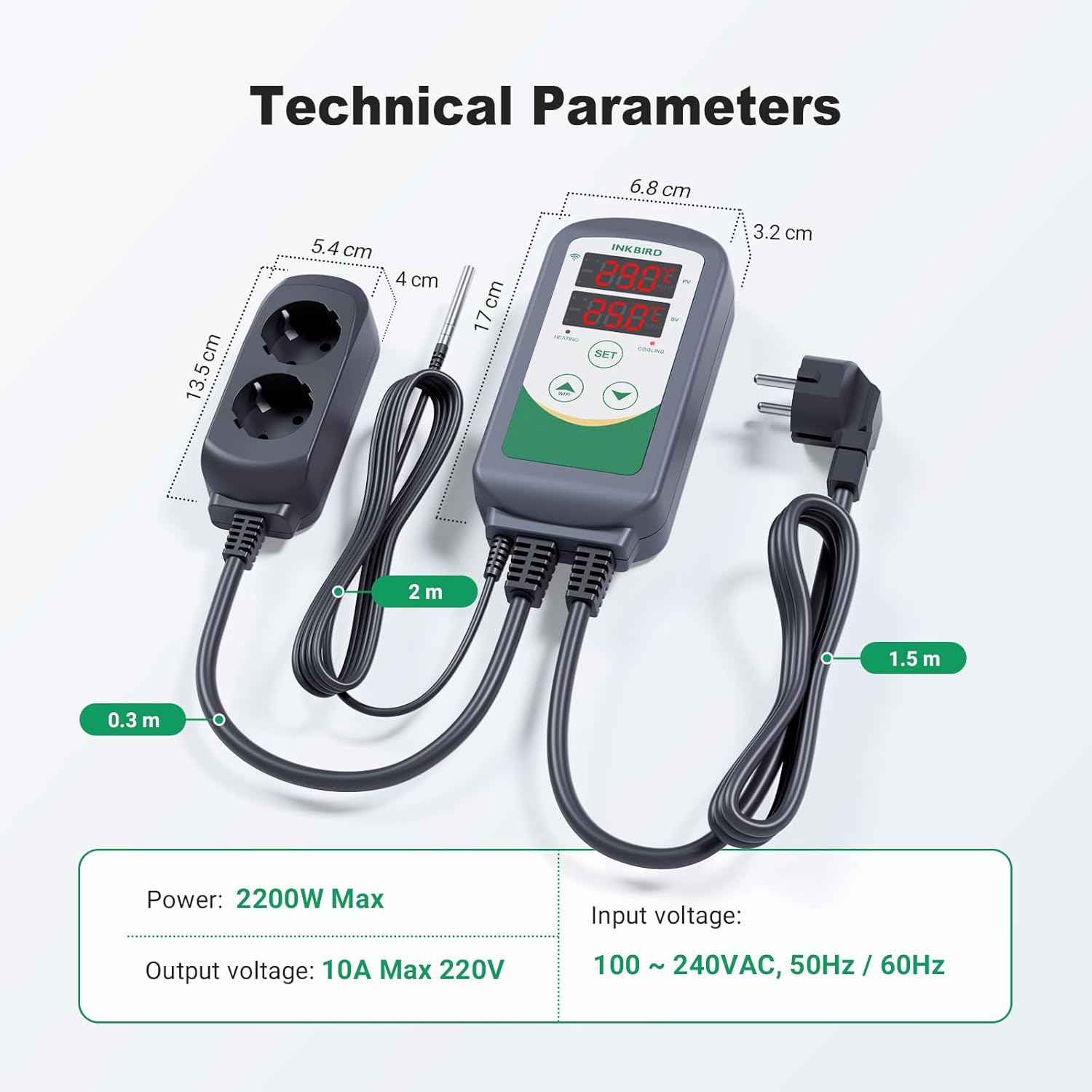
A visual representation of the thermostat's dimensions and electrical specifications, including maximum power (2200W), output voltage (10A Max 220V), and input voltage (100~240VAC, 50Hz/60Hz).
10. Гаранција и подршка
Inkbird products are designed for reliability and performance. For warranty information, technical support, or service inquiries, please refer to the contact details provided in your product packaging or visit the official Inkbird webсајт. Сачувајте рачун као доказ о куповини за потребе гаранције.