1. Увод
The AXIS T8351 Mk II Microphone 3.5 mm is a high-performance analog microphone designed for integration into video surveillance systems. It provides superior audio monitoring and recording capabilities, particularly in environments with low ambient noise. This manual provides essential information for the proper installation, operation, and maintenance of your AXIS T8351 Mk II Microphone.
2. Безбедносне информације
- Пажљиво прочитајте сва упутства пре инсталације и употребе.
- Do not expose the microphone to extreme temperatures, humidity, or corrosive environments.
- Ensure the microphone is securely mounted to prevent accidental falls.
- Only use accessories and power sources specified by Axis Communications.
- Искључите напајање пре чишћења или било каквог одржавања.
3. Садржај пакета
Проверите да ли су све ставке присутне у пакету:
- AXIS T8351 Mk II Microphone 3.5 mm
- Installation Guide (if separate)
Note: Additional mounting accessories may be sold separately.
4. Подешавање и инсталација
4.1 Монтирање микрофона
The AXIS T8351 Mk II Microphone offers flexible mounting options for walls, ceilings, or covert areas. Choose a location that allows optimal sound capture for your surveillance needs.
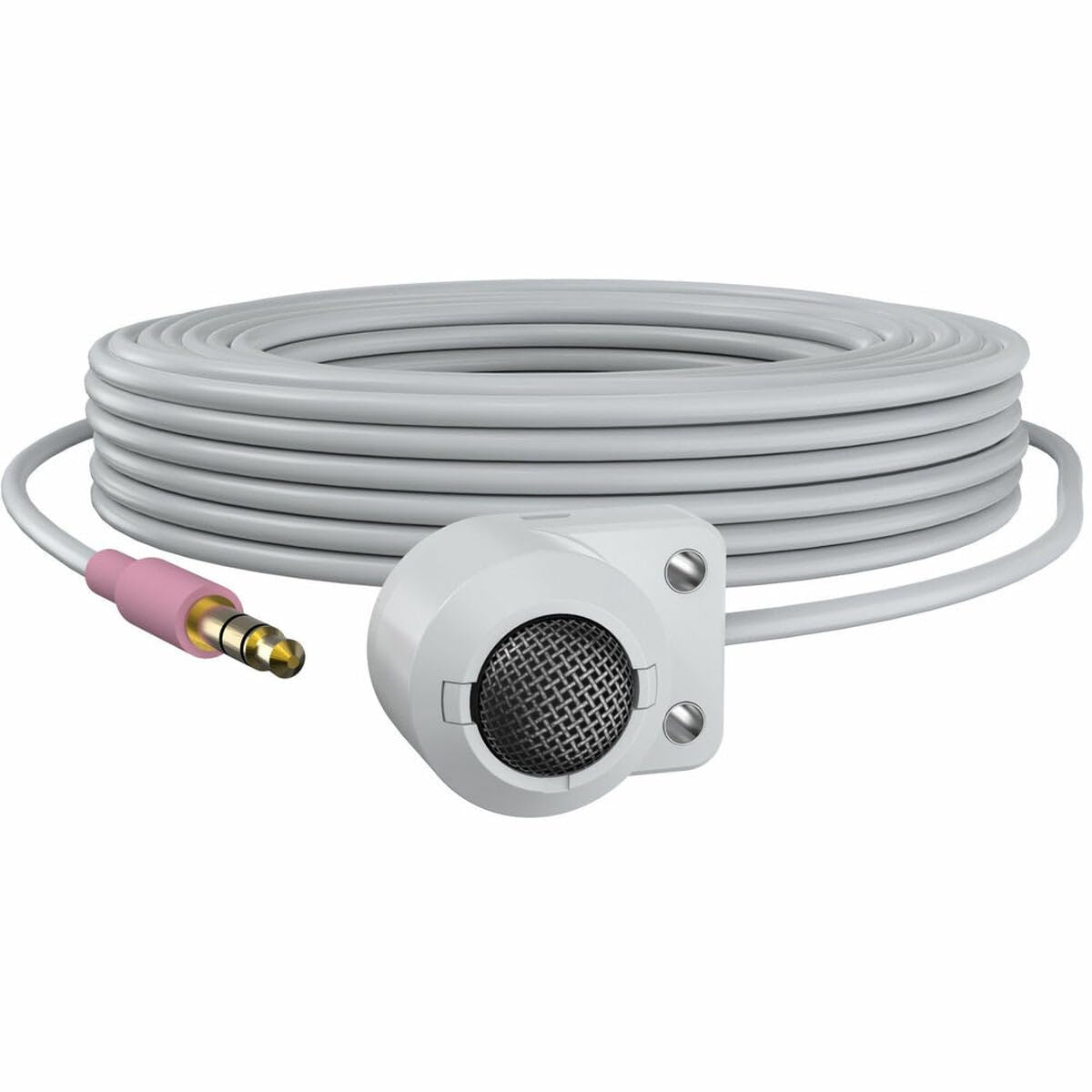
Figure 1: The AXIS T8351 Mk II Microphone, illustrating its compact design and the 3.5 mm connector for integration into surveillance systems. This image highlights the microphone's small form factor, making it suitable for discreet placement.
Consider the following when selecting a mounting location:
- Близина извора звука: For best results, position the microphone close to the intended sound source.
- Амбијентална бука: While designed for low ambient noise environments, avoid placing the microphone near sources of constant noise (e.g., air conditioning vents, loud machinery).
- Дискреција: The compact size allows for subtle concealment if required.
4.2 Повезивање микрофона
The AXIS T8351 Mk II Microphone connects to compatible network products via a 3.5 mm microphone input jack or a 4-pin audio connector.
- Locate the 3.5 mm microphone input jack or 4-pin audio connector on your network product (e.g., IP camera, audio encoder).
- Insert the microphone's connector firmly into the corresponding port.
- Ensure a secure connection. The microphone is powered directly by the network product, eliminating the need for additional power cables.
5. Управљање микрофоном
5.1 Снимање звука
The AXIS T8351 Mk II is a hemispherical, omni-directional microphone, meaning it captures sound from all directions. This characteristic makes it effective for monitoring general ambient sound within a room.
- Once connected, the microphone will begin capturing audio as configured by your network product's settings.
- Adjust audio input levels and sensitivity through the interface of your connected network device to achieve optimal sound quality and prevent distortion.
5.2 Integration with Surveillance Systems
The microphone is designed to complement video surveillance by providing synchronized audio. Refer to your network product's documentation for specific instructions on:
- Enabling audio recording.
- Configuring audio triggers or events.
- Live audio monitoring.
6. Одржавање
6.1 Чишћење
Да бисте одржали оптималне перформансе и изглед:
- Gently wipe the exterior of the microphone with a soft, dry cloth.
- Не користите јаке хемикалије, раствараче или абразивна средства за чишћење.
- Ensure no moisture enters the microphone's openings.
6.2 Разматрања животне средине
The microphone is designed for indoor use. Protect it from:
- Direct sunlight or extreme heat.
- Excessive dust or dirt.
- Strong vibrations or impacts.
КСНУМКС. Решавање проблема
7.1 Нема аудио излаза
- Проверите везу: Ensure the 3.5 mm connector is fully inserted into the network product's audio input.
- Verify Network Product Settings: Confirm that audio input is enabled and configured correctly in your network product's software interface. Check volume levels.
- Снага: Since the microphone is powered by the network product, ensure the network product itself is powered on and functioning correctly.
- Компатибилност: Confirm your network product supports a 3.5 mm microphone input or 4-pin audio connector.
7.2 Poor Audio Quality (Distortion, Low Volume, Noise)
- Положај микрофона: Reposition the microphone closer to the sound source or away from sources of ambient noise.
- Улазни нивои: Adjust the audio input sensitivity and gain settings on your network product. Too high a gain can cause distortion; too low can result in faint audio.
- Еколошка бука: Identify and mitigate external noise sources in the environment.
- Интегритет кабла: Прегледајте кабл да ли има оштећења или прегиба.
8. Спецификације
| Феатуре | Детаљ |
|---|---|
| Назив модела | T8351 Mk II Microphone 3.5 mm |
| Фактор форме микрофона | Мини |
| Полар Паттерн | Hemispherical, Omni-directional |
| Тип конектора | Audio Line Out (3.5mm jack) |
| Технологија повезивања | XLR (Note: Product description mentions 3.5mm, please verify specific model variant if XLR is primary) |
| Извор напајања | Corded Electric (powered by network product) |
| Фреквенцијски одзив | 16 КХз |
| Однос сигнала и шума | 76 дБ |
| Аудио Осетљивост | 22 децибела |
| Димензије артикла (Д к Ш к В) | 1.1 к 0.8 к 0.8 инча |
| Тежина артикла | 3.2 унци |
| Компатибилни уређаји | Camera (with 3.5mm mic input or 4-pin audio connector) |
9. Гаранција и подршка
For information regarding the product warranty, technical support, and additional resources, please visit the official Axis Communications webсајт или контактирајте овлашћеног продавца. Сачувајте рачун за куповину за потребе гаранције.
Axis Communications Official Webсајт: ввв.акис.цом


