1. Увод
This manual provides detailed instructions for the safe and effective use of the Sperry Instruments DM6410 8 Function Digital Multimeter. This device is designed for measuring AC/DC voltage, AC/DC current, resistance, continuity, diode, and battery testing (1.5V, 9V). It features a large LCD display, data hold function, and is built to industry standards for durability and safety.
2. Безбедносне информације
WARNING: To avoid electric shock or personal injury, read and understand all instructions before using this multimeter. Always adhere to local and national safety codes.
- Немојте примењивати више од оцењеног волtagе, како је означено на мерачу, између терминала или између било ког терминала и уземљења.
- Будите опрезни када радите са волtagизнад 30V AC RMS, 42V вршне струје или 60V DC. Ови напониtagпредстављају опасност од удара.
- Увек искључите мерне каблове из кола пре промене функција или опсега.
- Ensure the test leads are in good condition, free from cracks or damaged insulation.
- Не користите мерач ако изгледа оштећено или ако је кућиште отворено.
- This meter is rated CAT III 600V. Adhere to these safety categories for appropriate measurement environments.
- Замените батерију чим се појави индикатор празне батерије како бисте осигурали тачна очитавања.
3. Производ је готовview
The Sperry Instruments DM6410 Digital Multimeter is a compact and robust tool for electrical measurements. Below are the key components and their functions.

Слика 3.1: Фронт view of the DM6410 Multimeter with key features labeled, including the 2000-count LCD screen, SELECT and HOLD buttons, rotary switch, and input jacks. It highlights compliance with ETL listed to UL and CSA standards and CAT III 600V design.
- ЛЦД екран: Large 2000-count digital display for clear readings.
- Ротациони прекидач: Користи се за избор жељене функције мерења и опсега.
- Дугме СЕЛЕЦТ: Toggles between AC/DC functions or other sub-functions within a range.
- Дугме ХОЛД: Замрзава тренутно очитавање на екрану.
- Улазни прикључци: Terminals for connecting test leads (A, COM, mA µA VΩ).

Слика 3.2: The DM6410 Digital Multimeter shown alongside its red and black test leads, which are essential for making electrical measurements.
4. Подешавање
4.1 Инсталација батерије
The DM6410 multimeter requires two AAA batteries for operation. The unit includes an auto-off function to conserve battery life.
- Уверите се да је мултиметар искључен.
- Пронађите одељак за батерије на задњој страни мерача.
- Користите одвијач да бисте одврнули завртањ који причвршћује поклопац батерије.
- Уметните две ААА батерије, водећи рачуна о исправном поларитету (+ и -).
- Вратите поклопац батерије и причврстите га завртњем.
Слика 4.1: The rear of the DM6410 Multimeter, displaying the battery compartment cover and safety warnings. The compartment requires two 1.5V AAA batteries.
4.2 Повезивање мерног кабла
Правилно повезивање мерних каблова је кључно за тачна и безбедна мерења.
- Уметните црни мерни кабл у улазни прикључак „COM“ (заједнички).
- За већину запреминеtage, resistance, continuity, and diode measurements, insert the red test lead into the 'VΩ' input jack.
- За мерења струје (Amps), insert the red test lead into the 'A' or 'mA µA' input jack, depending on the expected current range.

Слика 4.2: The DM6410 Multimeter with the black test lead connected to the 'COM' jack and the red test lead connected to the 'VΩ' jack, ready for voltagе или мерења отпора.
5. Упутство за употребу
Follow these steps for various measurement functions.
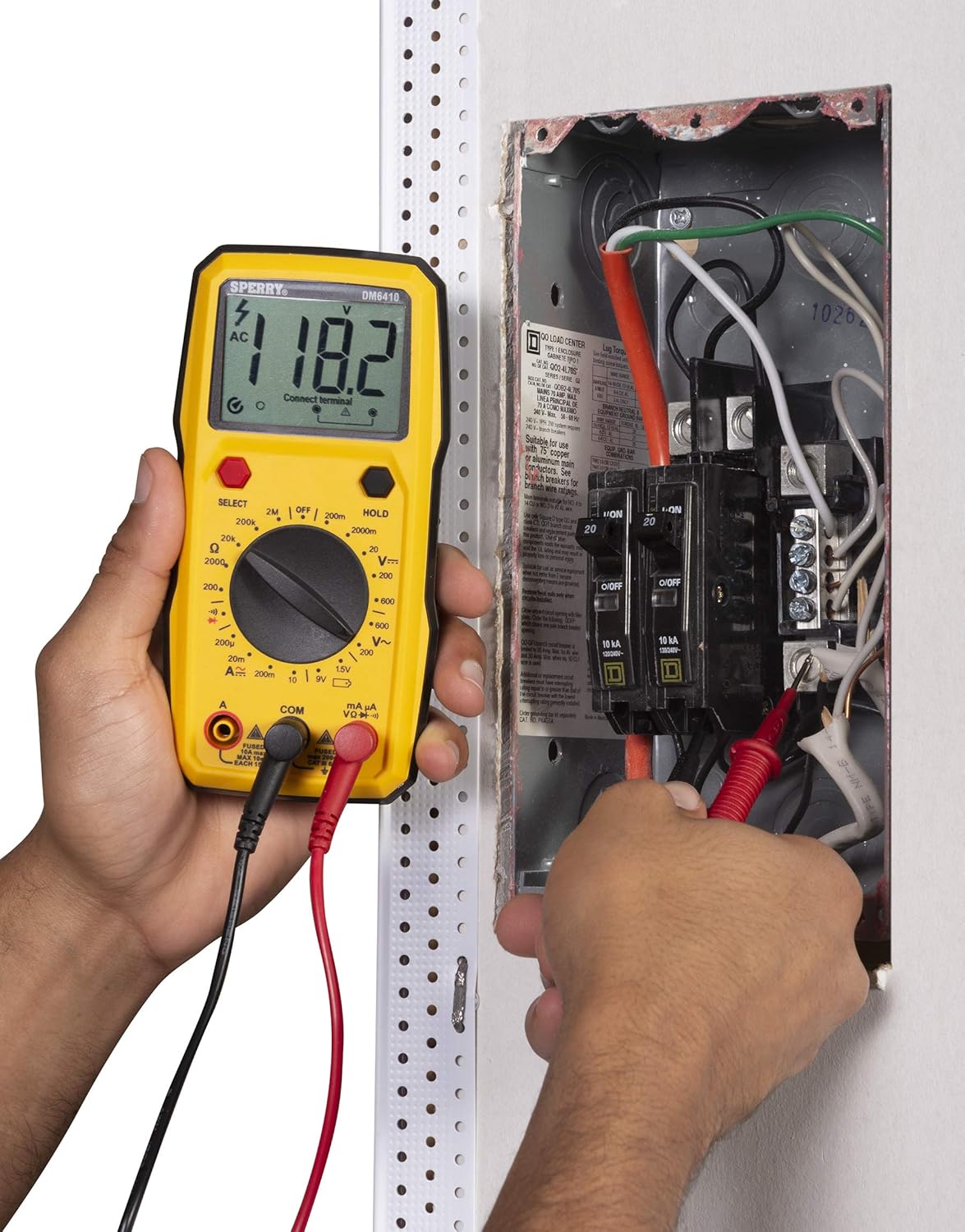
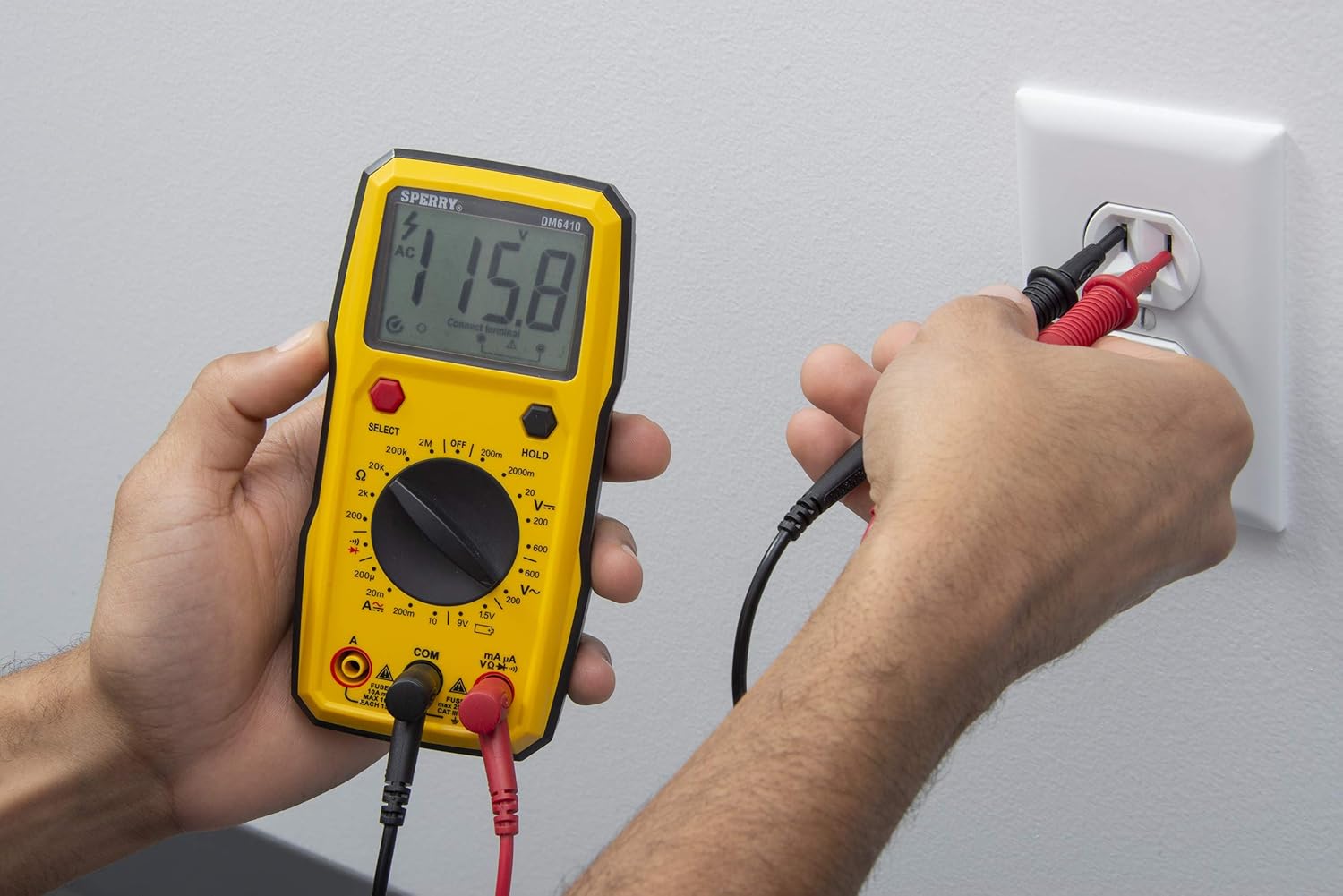
5.1 Мерење АЦ/ДЦ Волtage
- Connect the red test lead to the 'VΩ' jack and the black test lead to the 'COM' jack.
- Turn the rotary switch to the desired 'V~' (AC Voltage) or 'V--' (DC Voltage) range. If the voltagАко је е непознато, почните са највишим опсегом и смањите га по потреби.
- Press the 'SELECT' button if you need to switch between AC and DC voltage within a combined range.
- Connect the test probes in parallel across the circuit or component to be measured.
- Прочитајте књtagе вредност на ЛЦД екрану.

Слика 5.1: A user measuring AC voltage from a standard wall outlet using the DM6410 multimeter. The display shows a reading of 118.1 AC volts.
5.2 Мерење отпора (Ω)
- Connect the red test lead to the 'VΩ' jack and the black test lead to the 'COM' jack.
- Turn the rotary switch to the desired 'Ω' (Resistance) range.
- Уверите се да је коло или компонента без напона пре мерења отпора.
- Повежите тест сонде преко компоненте.
- Очитајте вредност отпора на ЛЦД екрану.
5.3 Тест континуитета
- Connect the red test lead to the 'VΩ' jack and the black test lead to the 'COM' jack.
- Turn the rotary switch to the continuity symbol (speaker icon).
- Уверите се да је коло без напона.
- Connect the test probes across the circuit path. An audible tone indicates continuity (low resistance).
5.4 Тест диоде
- Connect the red test lead to the 'VΩ' jack and the black test lead to the 'COM' jack.
- Turn the rotary switch to the diode symbol.
- Спојите црвену сонду на аноду, а црну сонду на катоду диоде. На дисплеју ће се приказати интензитет струје.tage drop. Reverse the probes; the display should show 'OL' (Open Loop) for a good diode.
5.5 Battery Test (1.5V, 9V)
- Connect the red test lead to the 'VΩ' jack and the black test lead to the 'COM' jack.
- Turn the rotary switch to the '1.5V' or '9V' battery test position.
- Connect the red probe to the positive terminal and the black probe to the negative terminal of the battery.
- Прочитајте запремину батеријеtagе на ЛЦД екрану.
Слика 5.2: A user measuring the voltage of a AA battery with the DM6410 multimeter. The display shows a reading of 1.565 volts DC.
5.6 Функција задржавања података
To freeze the current reading on the display, press the 'HOLD' button. Press it again to release the hold and resume live readings.
6. Одржавање
6.1 Чишћење
Обришите бројило огласомamp крпу и благи детерџент. Не користите абразивна средства или раствараче. Држите екран чистим и сувим.
6.2 Замена батерије
Refer to Section 4.1 for battery installation instructions. Replace batteries when the low battery indicator appears on the display to ensure accurate measurements.
6.3 Замена осигурача
If the current measurement function fails, the fuse may need replacement. Only replace with fuses of the specified type and rating:
- For 'A' input: Fused 10A max, 10 sec EACH 15min.
- For 'mA µA' input: Fused max 200mA CAT II 600V.
WARNING: To prevent electric shock, remove test leads before opening the case or battery cover. Do not operate with the battery cover open.
КСНУМКС. Решавање проблема
If the multimeter is not functioning as expected, consider the following common issues:
- Без приказа: Проверите да ли су батерије инсталиране и уверите се да нису празне. Замените их ако је потребно.
- Нетачна очитавања: Verify that the correct function and range are selected for the measurement. Ensure test leads are properly connected and in good condition. Check battery level.
- Тренутна грешка мерења: Check the fuse for the current input jack being used. Replace if blown.
- Приказ „OL“ (преоптерећење): This indicates the measured value exceeds the selected range. Switch to a higher range or ensure the circuit is within the meter's capabilities.
Ако проблеми и даље постоје, контактирајте корисничку подршку.
8. Спецификације
| Спецификација | Детаљ |
|---|---|
| Бранд | СПЕРРИ |
| Број модела | ДМ6410 |
| Меасуремент Типе | Дигитални мултиметар |
| Функције | 8 Function / 28 Manual Range |
| Волtagе Ратинг | 600В АЦ / 1000В ДЦ |
| Сафети Ратинг | CAT III 600V, cETLus, CE |
| Извор напајања | 2 x AAA Batteries (Alkaline) |
| Дисплаи | ЛЦД са 2000 бројева |
| Димензије (Д к Ш к В) | 2.9 к 1.75 к 3.8 инча |
| Тежина артикла | 13.1 унци |
| Материјал | Пластика |
| УПЦ | 035632201143 |
9. Гаранција
The Sperry Instruments DM6410 Digital Multimeter comes with a limited warranty. For specific details regarding warranty coverage and duration, please refer to the warranty card included with your product or visit the official Sperry Instruments webсајту.
10. Подршка
За додатну помоћ, техничку подршку или view additional product information, please visit the official Sperry Instruments webсајту или се обратите њиховом одељењу за корисничку подршку.
You can find more information about Sperry products at: Sperry Instruments Store


