1. Увод
This manual provides essential information for the safe operation and maintenance of your JJRC H71 Foldable Drone. Please read it thoroughly before operating the drone to ensure proper usage and to prevent damage or injury. Keep this manual for future reference.
1.1 Сигурносне смернице
- Увек користите дрон на отвореном простору, даље од људи, животиња и препрека.
- Не летите близу аеродрома, ограниченог ваздушног простора или осетљивих подручја.
- Ensure the drone batteries are fully charged before each flight.
- Избегавајте летење при јаком ветру или неповољним временским условима.
- Maintain a safe distance from the rotating propellers.
- Children should only operate the drone under adult supervision.
- Не модификујте дрон или његове компоненте.
2. Садржај пакета
Проверите да ли су све ставке наведене у наставку укључене у ваш пакет:
- JJRC H71 Foldable Drone
- Даљински управљач
- Modular Batteries (2 pcs)
- Spare Propellers (1 set)
- Propeller Guards (4 pcs)
- УСБ кабл за пуњење
- Шрафцигер
- Кориснички приручник (овај документ)
- Торбица за ношење

Image: All components of the JJRC H71 Foldable Drone package, including the drone, remote controller, two batteries, spare propellers, propeller guards, USB charging cable, screwdriver, and carrying case.
3. Идентификација компоненте
3.1 Drone Overview

Image: The JJRC H71 Foldable Drone in its unfolded state, alongside its remote controller with a phone holder, a folded drone, and two modular batteries.
The JJRC H71 drone features a foldable design for portability. It includes a 1080P HD camera, LED lights, and modular battery compartments.
3.2 Даљински управљач
The remote controller is equipped with joysticks for flight control, buttons for various functions, and a phone holder for FPV viewинг.
4. Подешавање
4.1 Инсталација и пуњење батерије
- Дроне батерија: Insert a fully charged modular battery into the drone's battery compartment until it clicks into place.
- Батерије даљинског управљача: Open the battery cover on the back of the remote controller and insert 4 AA batteries (not included), ensuring correct polarity. Close the cover.
- Пуњење: Connect the modular drone battery to the USB charging cable. Plug the USB cable into a 5V/1A USB power adapter (not included). The indicator light on the cable will show charging status. Charging typically takes 60-80 minutes.

Image: Illustration showing the modular battery being inserted into the JJRC H71 drone's battery compartment, with a second battery shown separately.
4.2 Propeller and Guard Installation
- Пропелери: Ensure propellers are correctly installed according to their markings (A and B) on the corresponding motor shafts. Use the provided screwdriver to secure them.
- Заштитници пропелера: Attach the propeller guards to the drone's arms for added protection, especially for beginners.
4.3 Преузимање апликације и повезивање
- Download the official JJRC app from your mobile device's app store. Тражи 'JJRC'.
- Укључите дрон и Wi-Fi на свом мобилном уређају.
- Connect your mobile device to the drone's Wi-Fi network (e.g., 'JJRC-H71-XXXX').
- Open the JJRC app to access FPV view and advanced flight features.
5. Упутство за употребу
5.1 Контролна листа пре лета
- Ensure drone and remote batteries are fully charged.
- Check that propellers and guards are securely installed.
- Select an open, safe flying area.
- Укључите дрон и даљински управљач.
5.2 Упаривање и калибрација
- Упаривање: Turn on the drone, then turn on the remote controller. Push the left joystick up and then pull it down. The drone's lights will stop flashing, indicating successful pairing.
- Жиро калибрација: After pairing, place the drone on a flat, level surface. Push both joysticks down and to the right simultaneously. The drone's lights will flash rapidly and then become solid, indicating successful calibration.
5.3 Полетање и слетање
- Полетање једним кључем: Press the one-key take-off button on the remote. The drone will automatically ascend to a stable altitude.
- Ручно полетање: Push both joysticks outwards and downwards to start the motors. Then, gently push the left joystick up to ascend.
- Слетање једним кључем: Притисните дугме за слетање једним тастером. Дрон ће се аутоматски спустити и слетети.
- Ручно слетање: Gently pull the left joystick down to descend. Once landed, pull both joysticks inwards and downwards to stop the motors.
5.4 Flight Controls and Features
- Основне контроле: Use the left joystick for altitude (up/down) and rotation (left/right). Use the right joystick for forward/backward and left/right strafing.
- Задржавање надморске висине: Дрон аутоматски одржава тренутну висину, омогућавајући стабилно лебдење.
- Позиционирање оптичког тока: This feature uses a downward-facing camera to detect patterns on the ground, helping the drone maintain its position and hover steadily, especially at lower altitudes.
- Режим без главе: In Headless Mode, the drone's orientation is relative to the pilot, regardless of the drone's front direction. Press the Headless Mode button to activate/deactivate.
- Пребацивање брзине: The drone offers three speed modes (30%, 60%, 100%) suitable for different skill levels. Press the speed switch button to cycle through modes.
- Flight Planning (App Control): Using the JJRC app, you can draw a flight path on your mobile screen, and the drone will follow the designated route.
- Gravity Sensor (App Control): Tilt your mobile phone to control the drone's direction. Activate this feature within the JJRC app.

Image: Diagram illustrating how Optical Flow Positioning helps the drone hover steadily by analyzing ground patterns, and how Altitude Hold maintains a specific height.

Image: Illustration showing the JJRC H71 drone in flight with three speed modes (30%, 60%, 100%) indicated on the remote controller's display.
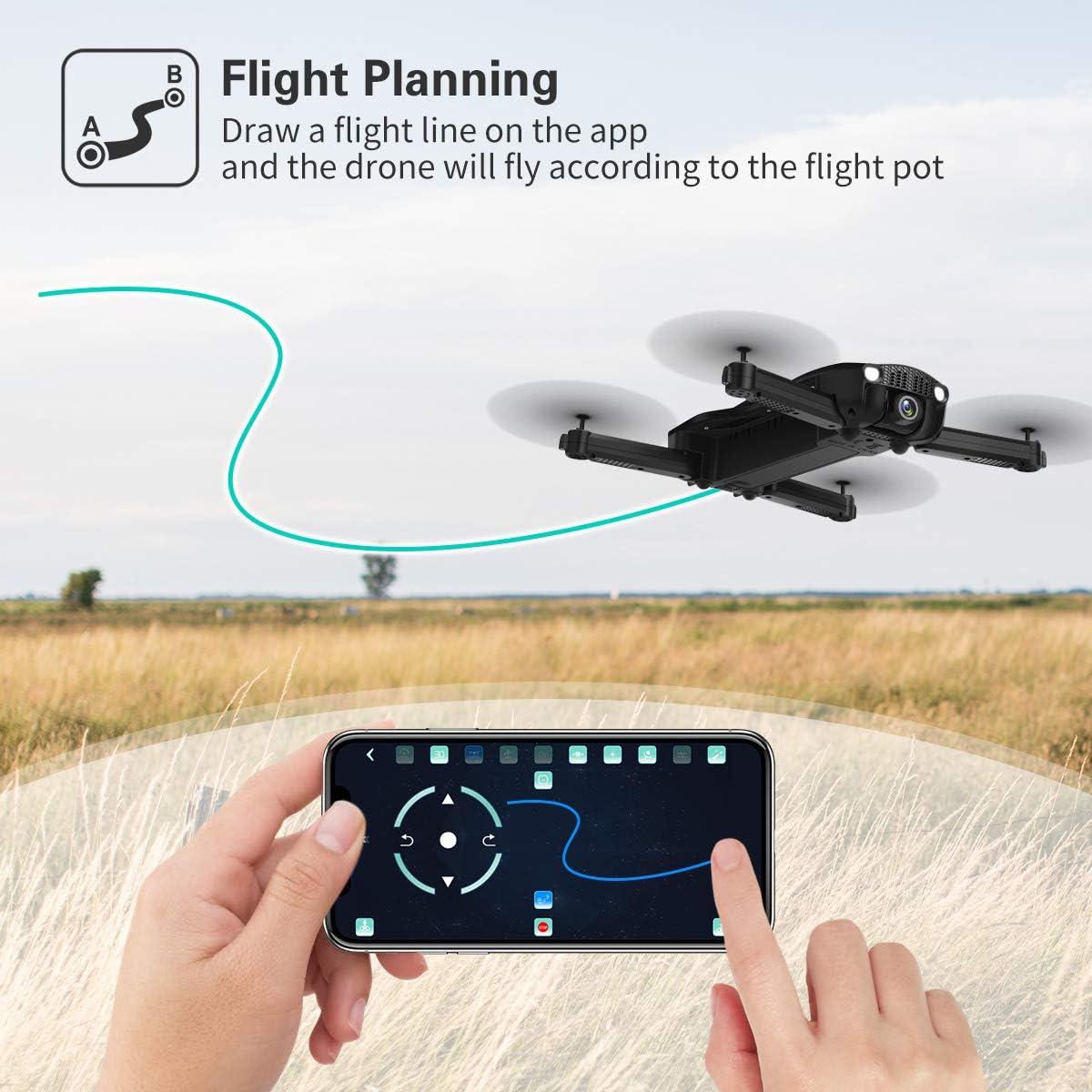
Image: A hand interacting with the JJRC app on a smartphone, demonstrating the flight planning feature where a path is drawn for the drone to follow.
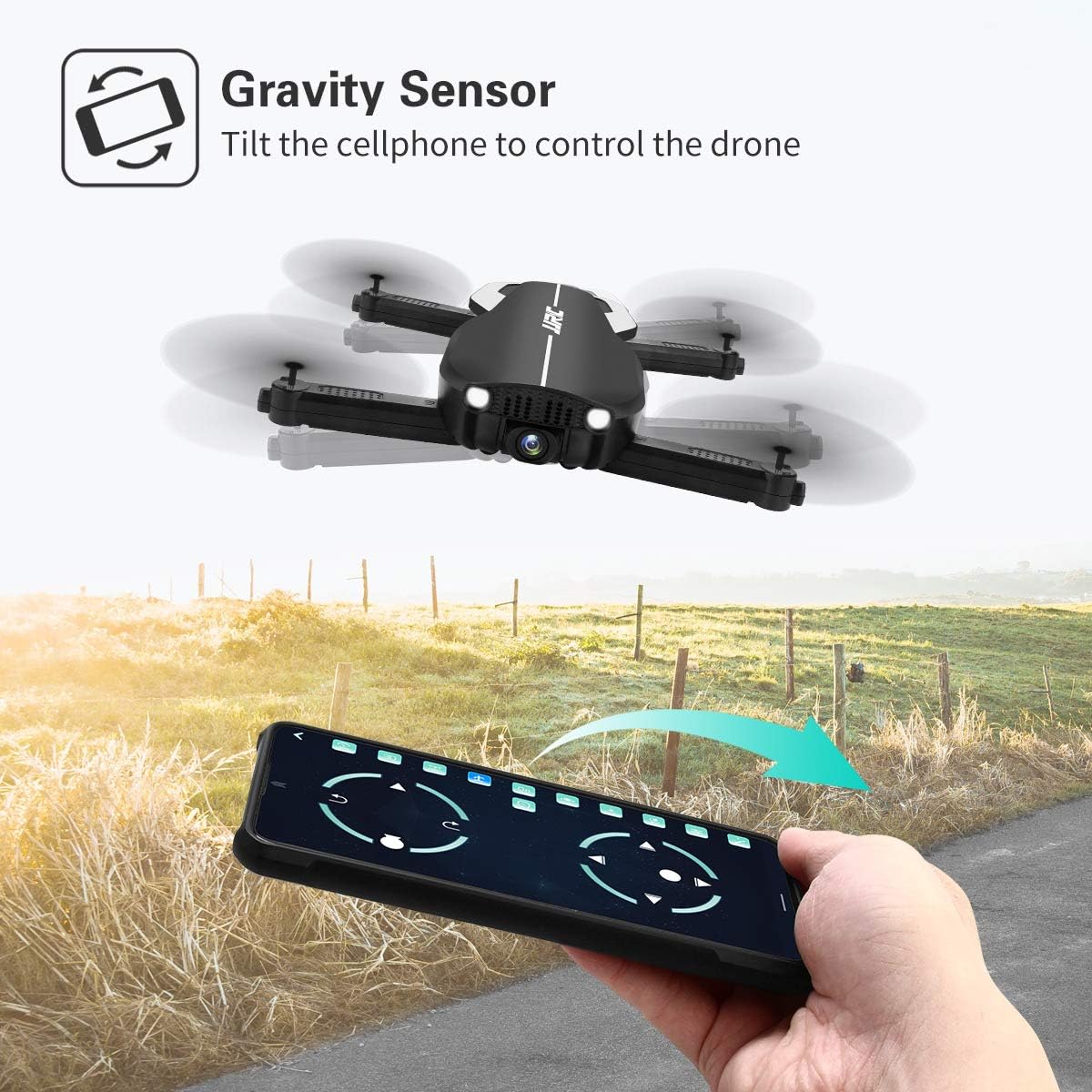
Image: A hand holding a smartphone, demonstrating the Gravity Sensor feature where tilting the phone controls the drone's flight direction.
5.5 Camera Operation and FPV
- КСНУМКСП ХД камера: The drone is equipped with a 90° adjustable 1080P HD camera for capturing high-quality photos and videos.
- FPV Function: Through the Wi-Fi FPV real-time transmission, live images and videos from the drone's camera are streamed directly to your connected mobile device via the JJRC app. The transmission range is up to 50 meters.
- Снимање: Use the dedicated buttons on the remote controller or the controls within the JJRC app to start/stop video recording or take photos.

Слика: Крупни план view of the JJRC H71 drone's 1080P HD camera, highlighting its 90-degree adjustable angle and 120-degree field of view.
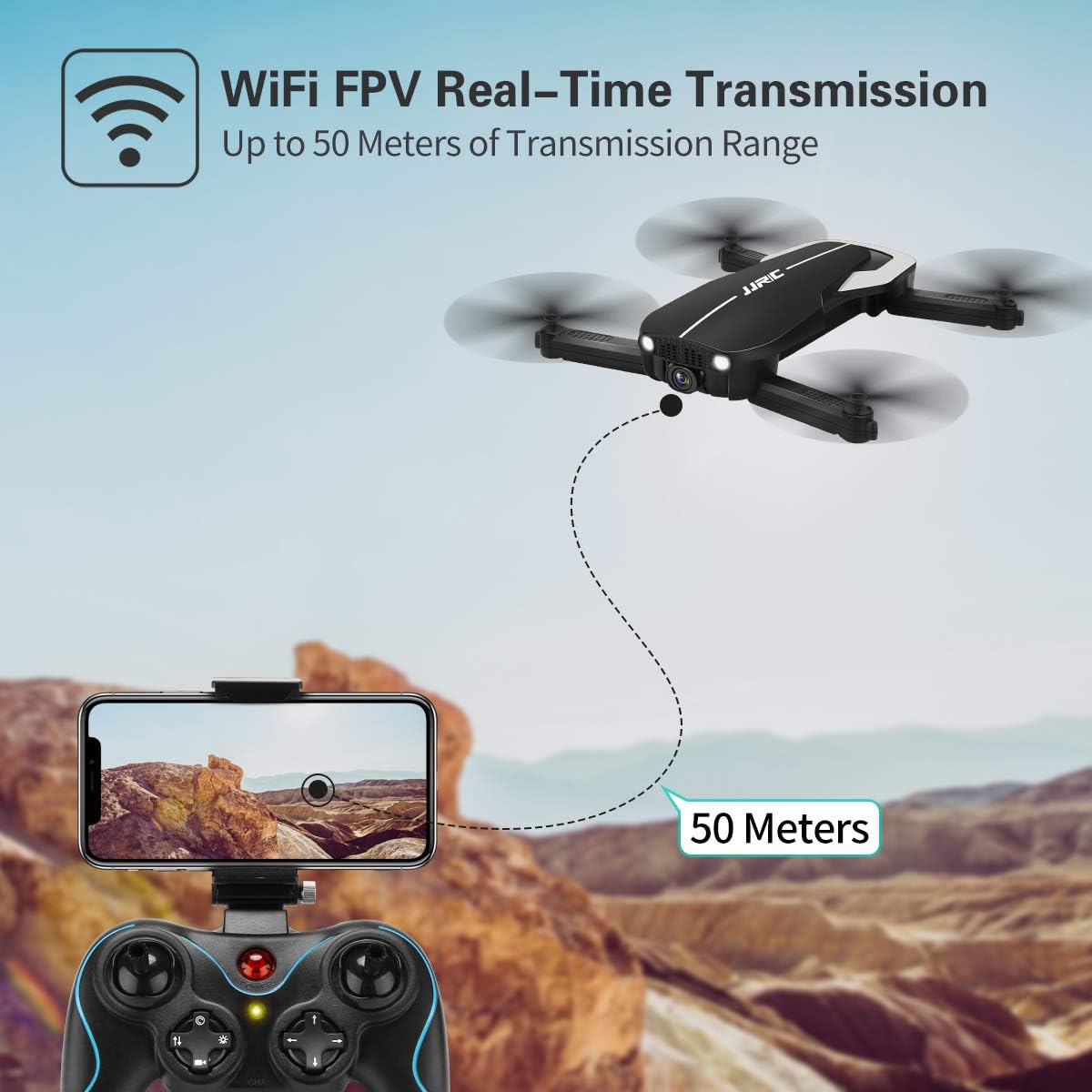
Image: Illustration showing the JJRC H71 drone transmitting live video feed via Wi-Fi to a smartphone mounted on the remote controller, with a transmission range of up to 50 meters.
6. Одржавање
- Чишћење: Користите меку, суву крпу за чишћење дрона и даљинског управљача. Избегавајте употребу воде или растварача.
- Замена пропелера: If a propeller is damaged, replace it with a spare propeller of the correct type (A or B) using the provided screwdriver.
- Складиштење: Store the drone and its components in the carrying case in a cool, dry place, away from direct sunlight and extreme temperatures. Remove batteries from the remote controller if storing for extended periods.
КСНУМКС. Решавање проблема
| Проблем | Могући узрок | Решење |
|---|---|---|
| Дрон не реагује на даљински управљач. | Није упарено или је батерија празна. | Уверите се да су дрон и даљински управљач укључени и правилно упарени. Напуните батерије. |
| Дрон лебди током лета. | Gyro not calibrated or strong wind. | Perform gyro calibration on a flat surface. Avoid flying in windy conditions. |
| FPV image is blurry or disconnected. | Weak Wi-Fi signal or incorrect app. | Ensure drone and phone are within 50m range. Reconnect to drone's Wi-Fi. Use the official JJRC app. |
| Пропелери се не окрећу. | Motors not armed or damaged propellers. | Arm motors (joysticks outwards/downwards). Check for obstructions or replace damaged propellers. |
8. Спецификације
| Феатуре | Детаљ |
|---|---|
| Бранд | ЈЈРЦ |
| Модел | Х71 |
| Резолуција камере | 1080P HD (90° adjustable) |
| Време лета | До 22 минута (са 2 батерије) |
| Капацитет батерије | 900 mAh (по батерији) |
| Систем за позиционирање | Optical Flow Positioning, Altitude Hold |
| Повезивање | Wi-Fi (FPV up to 50m) |
| Контролни режими | Remote Control, App Control (Flight Planning, Gravity Sensor) |
| Посебне карактеристике | Foldable Design, Headless Mode, 3 Speed Modes |
| Материјал | Plastic Carbon Fiber |
| Тежина артикла | 880 г |
9. Гаранција и подршка
For warranty information and technical support, please refer to the official JJRC webсајт или контактирајте продавца. Сачувајте рачун као доказ о куповини.


