Увод
This manual provides essential information for the safe and efficient operation of your LG 32LM620BPUA 32-inch HDR Smart LED HD TV. Please read it thoroughly before using the product and retain it for future reference. This television combines a 32-inch HD display with Smart TV capabilities, powered by WebOS, offering access to various streaming services and enhanced picture quality with Active HDR.
Безбедносне информације
Увек се придржавајте ових основних мера предострожности како бисте смањили ризик од пожара, струјног удара или повреде:
- Не излажите телевизор киши или влази.
- Обезбедите одговарајућу вентилацију; не блокирајте вентилационе отворе.
- Поставите телевизор на стабилну, равну површину како бисте спречили његов пад.
- Користите само кабл за напајање који је испоручен уз телевизор.
- Искључите телевизор из струје током олуја са грмљавином или када га не користите дуже време.
- Do not open the TV cabinet; refer all servicing to qualified personnel.
Садржај пакета
Проверите да ли су све ставке присутне у кутији:
- LG 32LM620BPUA 32-inch HDR Smart LED HD TV
- Ремоте Цонтрол
- Повер Цорд
- ТВ сталак (са шрафовима)
- Кориснички приручник (овај документ)
Сетуп
1. Распакивање
Пажљиво извадите телевизор и сву додатну опрему из паковања. Препоручује се да сачувате оригинално паковање за будући транспорт или сервисирање.
2. Причвршћивање постоља
If you are not wall-mounting the TV, attach the included stand:
- Поставите телевизор екраном надоле на меку, равну површину како бисте спречили огреботине.
- Поравнајте основу постоља са отворима за монтажу на дну телевизора.
- Причврстите постоље помоћу приложених завртња. Уверите се да је постоље чврсто причвршћено.
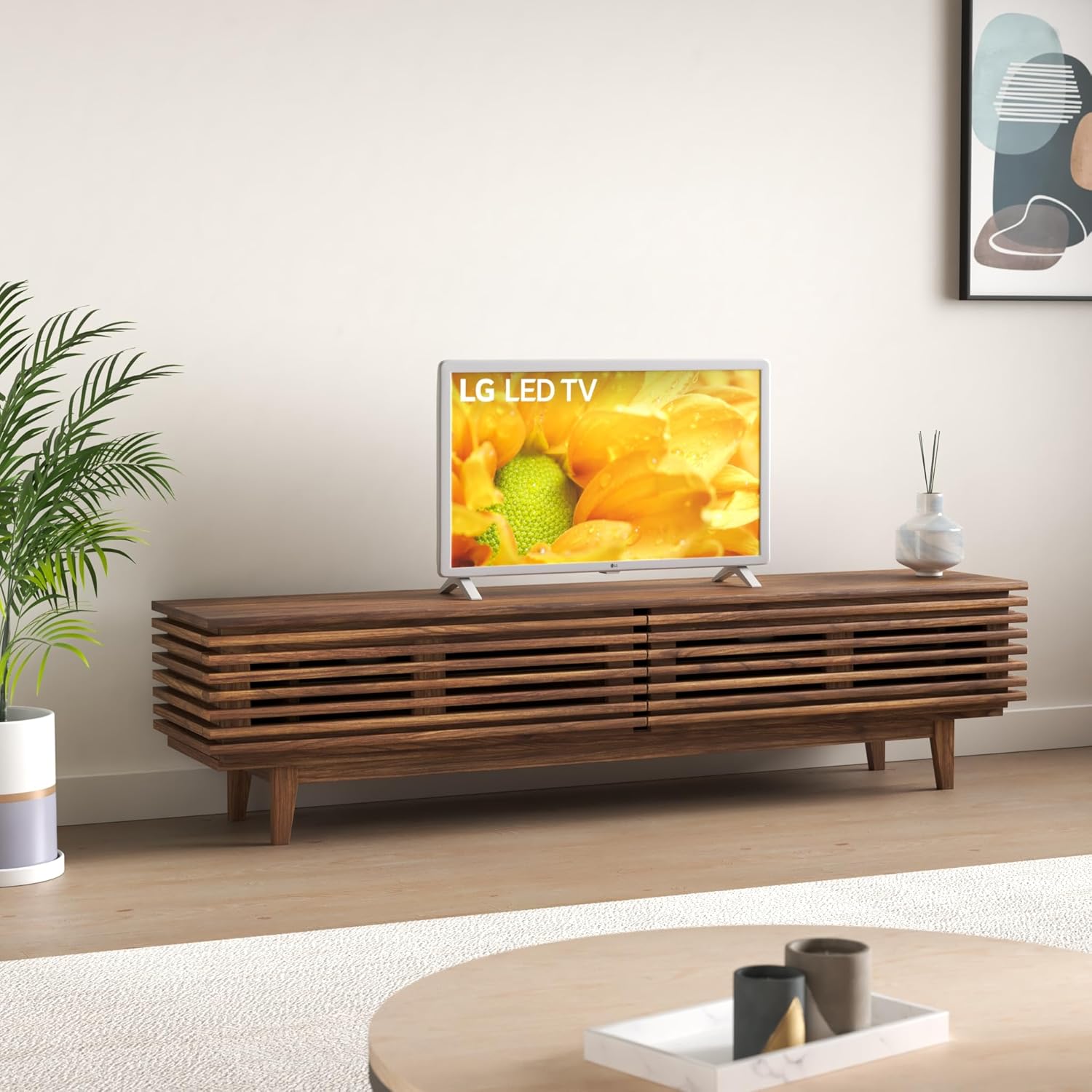
Image: The LG 32LM620BPUA TV, featuring a white bezel, displayed on a wooden media console in a living room setting. This illustrates the TV's appearance when placed on its stand.
3. Монтажа на зид (опционо)
If you choose to wall-mount your TV, use a VESA-compatible wall mount kit (sold separately). Refer to the wall mount kit's instructions for proper installation. Ensure the wall can support the weight of the TV.
4. Повезивање периферних уређаја
Повежите екстерне уређаје са портовима телевизора:
- ДВИ: For Blu-ray players, game consoles, cable/satellite boxes.
- УСБ: For USB drives to view фотографије, видео записе или слушање музике.
- Антена/кабл: Повежите антену или кабловски ТВ пријемник за емитовање канала.
5. Прво укључивање и прво подешавање
Plug the power cord into an electrical outlet. Press the power button on the remote control or the TV. Follow the on-screen instructions to complete the initial setup, including language selection, network connection, and channel scanning.
Оперативни
1. Функције даљинског управљача
The included remote control allows you to navigate the TV's features. Common buttons include Power, Volume Up/Down, Channel Up/Down, Input Selection, Home (for Smart TV menu), and Navigation (arrow keys, OK).
2. Навигација WebОС Смарт ТВ
Ваш LG телевизор ради на WebOS operating system. Press the Home button on your remote to access the Launcher Bar, which displays your installed apps, inputs, and settings. Use the arrow keys to navigate and the OK button to select.

Слика: Крупни план view of the LG 32LM620BPUA TV screen, showcasing its vibrant display with rich colors. This highlights the visual quality of the television.
3. Повезивање на Ви-Фи
To access Smart TV features, connect your TV to a wireless network:
- Press the Home button on the remote.
- Navigate to the Settings icon (gear icon).
- Select 'Network' > 'Wi-Fi Connection'.
- Choose your Wi-Fi network from the list and enter the password.
4. Using Smart Features and Voice Control
Once connected to the internet, you can access pre-installed apps like Netflix and Amazon Prime Video. The TV also supports voice control; press the microphone button on your remote (if available) and speak commands.
5. Подешавања слике и звука
Adjust picture and sound to your preference:
- Режими слике: Select from modes like Standard, Vivid, Cinema, Game, or adjust individual settings (brightness, contrast, color).
- Режими звука: Choose from Standard, Cinema, Music, Sports, or customize equalizer settings.
Одржавање
1. Cleaning the Screen and Exterior
Да бисте очистили екран, нежно га обришите меком, сувом крпом која не оставља влакна. За тврдокорне мрље, благо обришитеampen the cloth with water or a specialized screen cleaner. Avoid harsh chemicals. For the exterior, use a soft, dry cloth.
2. Ажурирања софтвера
Your TV may receive software updates to improve performance and add features. Ensure your TV is connected to the internet. You can check for updates manually via Settings > General > About This TV > Check for Updates.
3. Складиштење
If storing the TV for an extended period, unplug it, remove the stand (if applicable), and pack it in its original packaging in a dry, dust-free environment.
Решавање проблема
За уобичајене проблеме погледајте следеће:
- Нема напајања: Проверите да ли је кабл за напајање добро прикључен у телевизор и зидну утичницу. Покушајте са другом утичницом.
- Нема слике/звука: Уверите се да је изабран исправан улазни извор. Проверите све кабловске везе (HDMI, антена).
- Даљински управљач не ради: Замените батерије. Уверите се да нема препрека између даљинског управљача и сензора телевизора.
- Проблеми са Ви-Фи везом: Restart your router and the TV. Re-enter the Wi-Fi password in the TV's network settings.
- Апликације паметних телевизора се не учитавају: Check your internet connection. Try restarting the TV.
Фацтори Ресет
If problems persist, a factory reset may resolve them. This will erase all personalized settings and data. Navigate to Settings > General > Reset to Initial Settings.
Спецификације
| Феатуре | Спецификација |
|---|---|
| Број модела | 32ЛМ620БПУА |
| Величина екрана | 32 инча |
| Дисплаи Тецхнологи | ЛЦД |
| Резолуција | 720п |
| Рефресх Рате | 60 Хз |
| Оперативни систем | WebOS |
| Подржан ХДР формат | ХДР10, ХЛГ |
| Технологија повезивања | Ви-Фи |
| Аудио улаз | ХДМИ, УСБ |
| Укупно УСБ портова | 2 (УСБ 2.0) |
| Viewинг Англе | 170 степени |
| Тежина артикла | 11.2 фунти |
| Модел Иеар | 2019 |
Информације о гаранцији
Your LG 32LM620BPUA TV comes with a limited manufacturer's warranty. Please refer to the warranty card included in your product packaging or visit the official LG webсајт за детаљне услове и одредбе, укључујући период покрића и процедуре сервисирања. Сачувајте доказ о куповини за потребе гаранције.
Подршка
For technical assistance, product registration, or further inquiries, please contact LG Customer Support:
- Webсајт: Посетите ввв.лг.цом/ус/суппорт за честа питања, преузимања и захтеве за услуге.
- Телефон: Обратите се LG подршци webсајт за најновије контакт бројеве за ваш регион.