Увод
Хвала вам на куповиниasing the iPEGA PG-9129 Wireless Gamepad. This manual provides detailed instructions on how to set up, operate, and maintain your device. Please read this manual carefully before use to ensure proper functionality and a long lifespan for your gamepad.

Figure 1: iPEGA PG-9129 Wireless Gamepad with a smartphone attached, displaying a game scene.
Подешавање и повезивање
Компатибилност
- Андроид компатибилност: Compatible with Android 6.0 and above. This includes models like Samsung Galaxy S9/S9+, S10/S10+, Note 10, Galaxy S20, Galaxy Z, Huawei Mate 20/20plus/P30, OPPO R17, Find X, VIVO X23/X27/X30/X30 PRO, Xiaomi 10/10pro smartphones and tablets. Please ensure your system is Android 6.0 or higher before purchasing.
- иОС компатибилност: Suitable for iOS 11.0 / iOS 12 / iOS 13 systems. Note: Not compatible with iOS 13.4 / 13.5 systems due to recent Apple upgrades. Compatible with iPhone 6 / iPhone 7 / iPhone 8 / iPhone X / iPhone XR / XS / iPhone 11, and iOS tablets. The system must be above 11.0.
- Важна напомена: Phones that do NOT support MediaTek chips are not compatible.
Startup Methods and Pairing
Customers must choose the appropriate startup mode for pairing based on their device. There are three primary startup modes:
- iOS V3 Direct Mode: Притисните и држите Y + ХОМЕ buttons simultaneously for 2 seconds to enter iOS Direct Play Mode.
- Android V3 Direct Mode: Притисните и држите A + ХОМЕ buttons simultaneously for 2 seconds to enter Android Direct Play Mode.
- Стандардни режим игре за Андроид: Притисните и држите X + ХОМЕ buttons simultaneously for 2 seconds to enter Android Standard Game Mode.
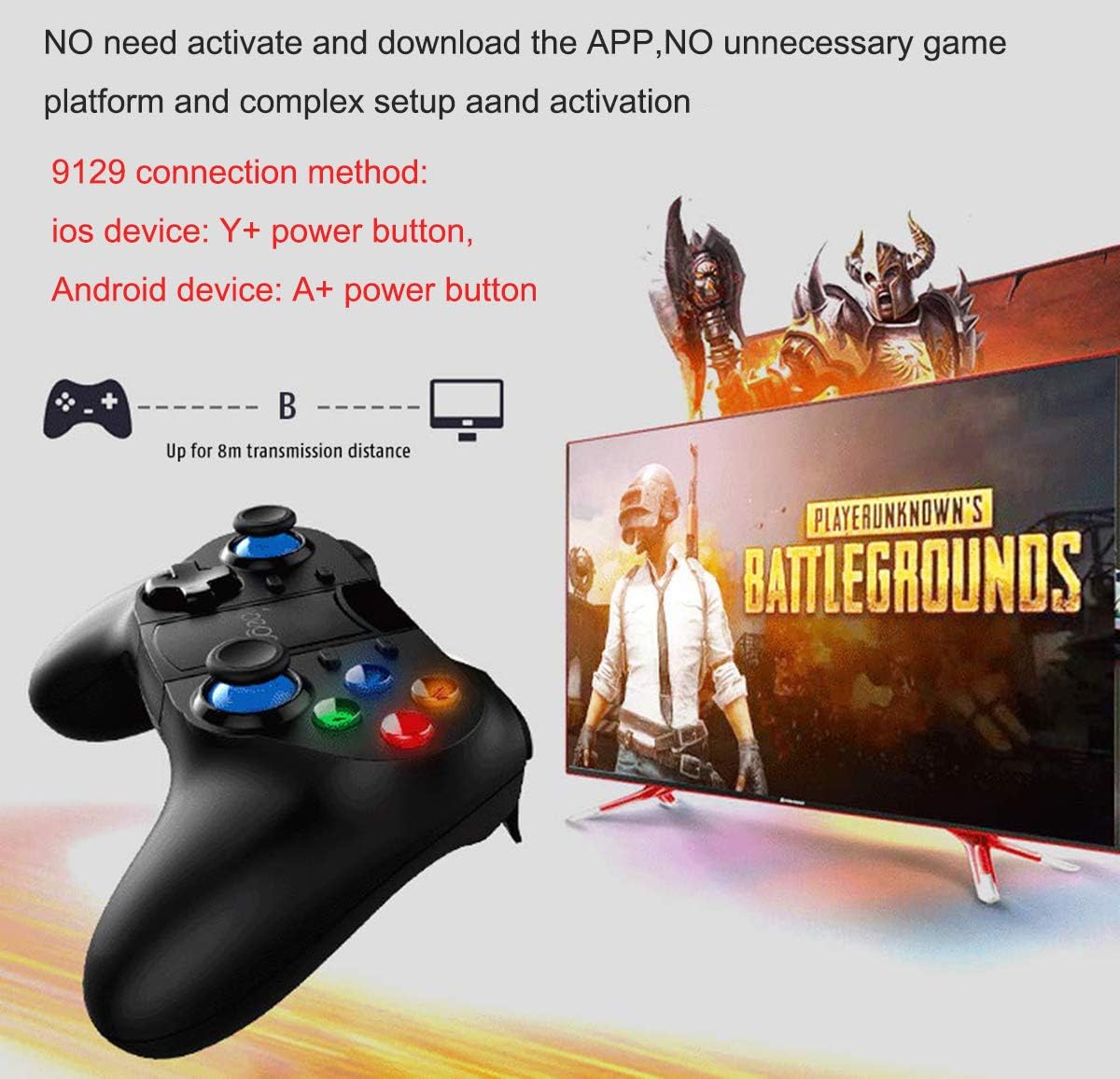
Figure 2: Visual guide for connecting the gamepad to iOS (Y+Power) and Android (A+Power) devices. The gamepad connects wirelessly up to 8 meters.
Бежична веза
The PG-9129 uses wireless 4.0 connection. Once paired using the appropriate startup method, no complicated settings or additional APP downloads are required for basic functionality. The device can be used immediately with compatible games.
ShootingPlus V3 APP
For advanced customization and button mapping, customers need to download the ShootingPlus V3 APP. This application allows you to customize settings according to your preferences and map keys for specific games. Ensure that custom settings do not conflict with game rules or other mapped skills.
For detailed video tutorials on using the ShootingPlus V3 APP and customizing settings, you can search for "PG 9129" on YouTube.

Figure 3: Screenshot prompting users to download the ShootingPlus V3 APP for customizing button settings.
Упутство за употребу
Ergonomics and Precision
The iPEGA PG-9129 gamepad features an ergonomic structure designed for comfortable operation during extended gaming sessions. It adopts high-precision and accurate rockers (joysticks) for precise positioning and control, enhancing your gaming experience.

Figure 4: The gamepad's flexible joysticks are highlighted, indicating high precision and accurate control.
Телескопски држач телефона
The gamepad includes a one-piece telescopic mobile phone stand. This integrated holder can stretch up to 75mm (approximately 3 inches) or 86mm to securely accommodate various smartphone sizes, allowing you to play games directly on your mobile device.

Figure 5: The telescopic mobile phone stand is shown extended, ready to hold a smartphone.
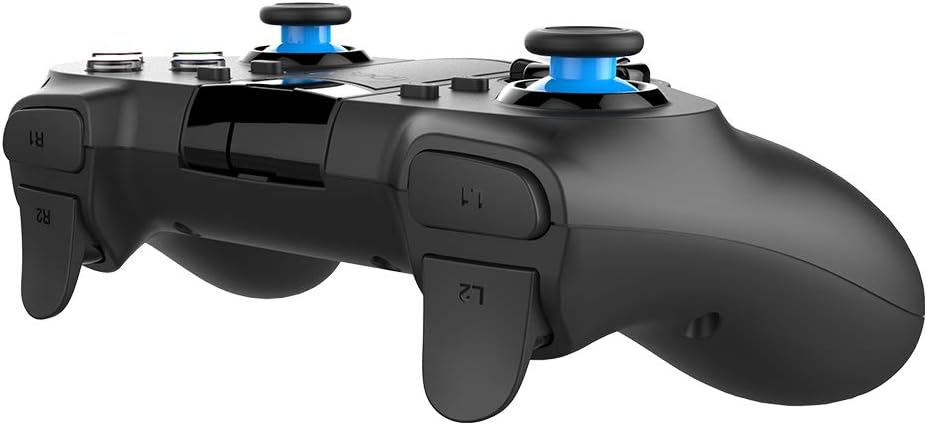
Figure 6: The phone holder mechanism, illustrating its stretchable capacity up to 86mm.
Трајање батерије
The PG-9129 is equipped with a built-in 380mAH high-performance lithium battery. A full charge provides over 15 hours of continuous use and can maintain a charge for up to 30 days in standby mode.
Одржавање
To ensure the longevity and optimal performance of your iPEGA PG-9129 gamepad, please follow these maintenance guidelines:
- Чишћење: Use a soft, dry cloth to wipe the surface of the gamepad. Avoid using abrasive cleaners or solvents, as they may damage the finish.
- Складиштење: Чувајте гејмпад на хладном и сувом месту, даље од директне сунчеве светлости и екстремних температура.
- Одржавање батерије: Да бисте сачували здравље батерије, избегавајте често потпуно пражњење батерије. Ако је складиштите дуже време, напуните је на око 50% пре складиштења.
- Руковање: Avoid dropping the gamepad or subjecting it to strong impacts, which can damage internal components.
Решавање проблема
If you encounter issues with your iPEGA PG-9129 gamepad, please refer to the following common solutions:
- Gamepad not connecting/pairing:
- Уверите се да је гејмпад напуњен.
- Verify you are using the correct startup mode (Y+HOME for iOS, A+HOME for Android V3, X+HOME for Android Standard) for your device.
- Check your device's Bluetooth settings to ensure it's discoverable and try re-pairing.
- Поново покрените и мобилни уређај и гејмпад.
- Incompatibility with MediaTek chips: The gamepad is explicitly stated to not support phones with MediaTek chips. If your phone has a MediaTek chip, the gamepad will not function.
- Issues with iOS 13.4 / 13.5: Due to recent Apple updates, the gamepad is not compatible with iOS versions 13.4 and 13.5. If your device runs these versions, the gamepad will not work. Consider upgrading your iOS version if a newer compatible version is available, or using a device with a compatible iOS version (11.0-13.3).
- Дугмад не реагују исправно у игри:
- Ensure you have downloaded and configured the ShootingPlus V3 APP for custom button settings.
- Check your in-game settings for controller support and button mapping.
- Verify that your custom button settings in ShootingPlus V3 do not conflict with each other or game rules.
- Kratko trajanje baterije:
- Уверите се да је гејмпад потпуно напуњен пре употребе.
- Battery performance can degrade over time with heavy use.
Спецификације
| Феатуре | Детаљ |
|---|---|
| Модел | ПГ-9129 |
| Повезивање | Бежични 4.0 |
| Капацитет батерије | Литијумска батерија КСНУМКСмАХ |
| Време непрекидног коришћења | > 15 сати |
| Време приправности | До 30 дана (потпуно напуњено) |
| Држач за телефон растегљив | Up to 75mm / 3 inches (or 86mm) |
| Андроид компатибилност | Android 6.0 and above (excluding MediaTek chip phones) |
| Компатибилност са iOS-ом | iOS 11.0 / 12 / 13 (excluding iOS 13.4 / 13.5) |
| Димензије пакета | 17.6 к 16.31 к 6.81 цм |
| Тежина | 281 г |
Гаранција и подршка
For warranty information and technical support, please refer to the product packaging or contact your retailer. Keep your purchase receipt as proof of purchase for any warranty claims.
For additional resources, including video tutorials for the ShootingPlus V3 APP, search for "PG 9129" on YouTube.


