DALI IO-6 Premium бежичне ANC слушалице преко уха - упутство за употребу
Model: IO-6
Увод
Welcome to the user manual for your DALI IO-6 Premium Wireless Over-The-Ear ANC Headphones. These headphones are designed to deliver exceptional audio quality with the convenience of wireless connectivity and advanced Active Noise Cancellation (ANC) technology. This manual provides essential information on setup, operation, maintenance, and troubleshooting to ensure you get the most out of your DALI IO-6 headphones.
Садржај пакета
Пре него што почнете, уверите се да су све ставке присутне у пакету:
- ДАЛИ ИО-6 Слушалице
- УСБ кабл за пуњење
- 3.5 мм аудио кабл
- Travel Case (if included)
- Водич за брзи почетак
- Јастучићи за уши
Note: The specific contents may vary slightly based on regional packaging.
Сетуп
1. Пуњење слушалица
Before first use, fully charge your DALI IO-6 headphones. A full charge provides approximately 30 hours of battery life with ANC enabled.
- Connect the supplied USB charging cable to the USB-C port on the headphones.
- Connect the other end of the cable to a USB power adapter (not supplied) or a powered USB port on a computer.
- The LED indicator on the headphones will show charging status. It typically takes about 2 hours for a full charge.

Figure 1: DALI IO-6 headphones, Army Green color, showing the overall design. The USB-C port is located on one of the earcups.
2. Блуетоотх упаривање
Pair your DALI IO-6 headphones with your Bluetooth-enabled device (smartphone, tablet, laptop, etc.).
- Уверите се да су слушалице искључене.
- Press and hold the Power/Bluetooth button on the headphones for approximately 5 seconds until the LED indicator flashes blue and red, indicating pairing mode.
- На свом уређају идите на подешавања Bluetooth-а и омогућите Bluetooth.
- Select "DALI IO-6" from the list of available devices.
- Once paired, the LED indicator on the headphones will turn solid blue.

Слика 2: Предња страна view of the DALI IO-6 headphones, showcasing the earcups and headband. The control buttons are located on the right earcup.
3. Жична веза
For a wired connection, use the supplied 3.5mm audio cable.
- Повежите један крај 3.5 мм аудио кабла са аудио улазом на слушалицама.
- Connect the other end to the 3.5mm audio output jack on your device.
- Слушалице ће се аутоматски пребацити у жични режим.
Упутство за употребу
Укључивање/искључивање
- Да бисте укључили: Притисните и држите дугме за напајање 2 секунде.
- Да бисте искључили напајање: Притисните и држите дугме за напајање 3 секунде.
Репродукција музике и контрола позива
| Функција | Акција |
|---|---|
| Пусти/Паузирај | Притисните вишенаменско дугме једном. |
| Нект Трацк | Притисните вишефункционално дугме два пута. |
| Превиоус Трацк | Притисните вишефункционално дугме три пута. |
| Волуме Уп | Притисните дугме за јачину звука +. |
| Утишавање звука | Притисните дугме за јачину звука. |
| Одговори/Заврши позив | Притисните вишенаменско дугме једном. |
| Одбаци позив | Притисните и држите вишенаменско дугме 2 секунди. |
| Активирајте гласовни помоћник | Притисните и држите вишефункционално дугме 2 секунде (када нисте у току позива). |
Активно поништавање буке (ANC) и режим транспарентности
The DALI IO-6 features Active Noise Cancellation to reduce ambient noise and a Transparency Mode to allow external sounds to pass through.
- To cycle through ANC modes (ANC On, Transparency Mode, ANC Off): Press the ANC button located on the earcup.
- The LED indicator will change color to indicate the current ANC mode.
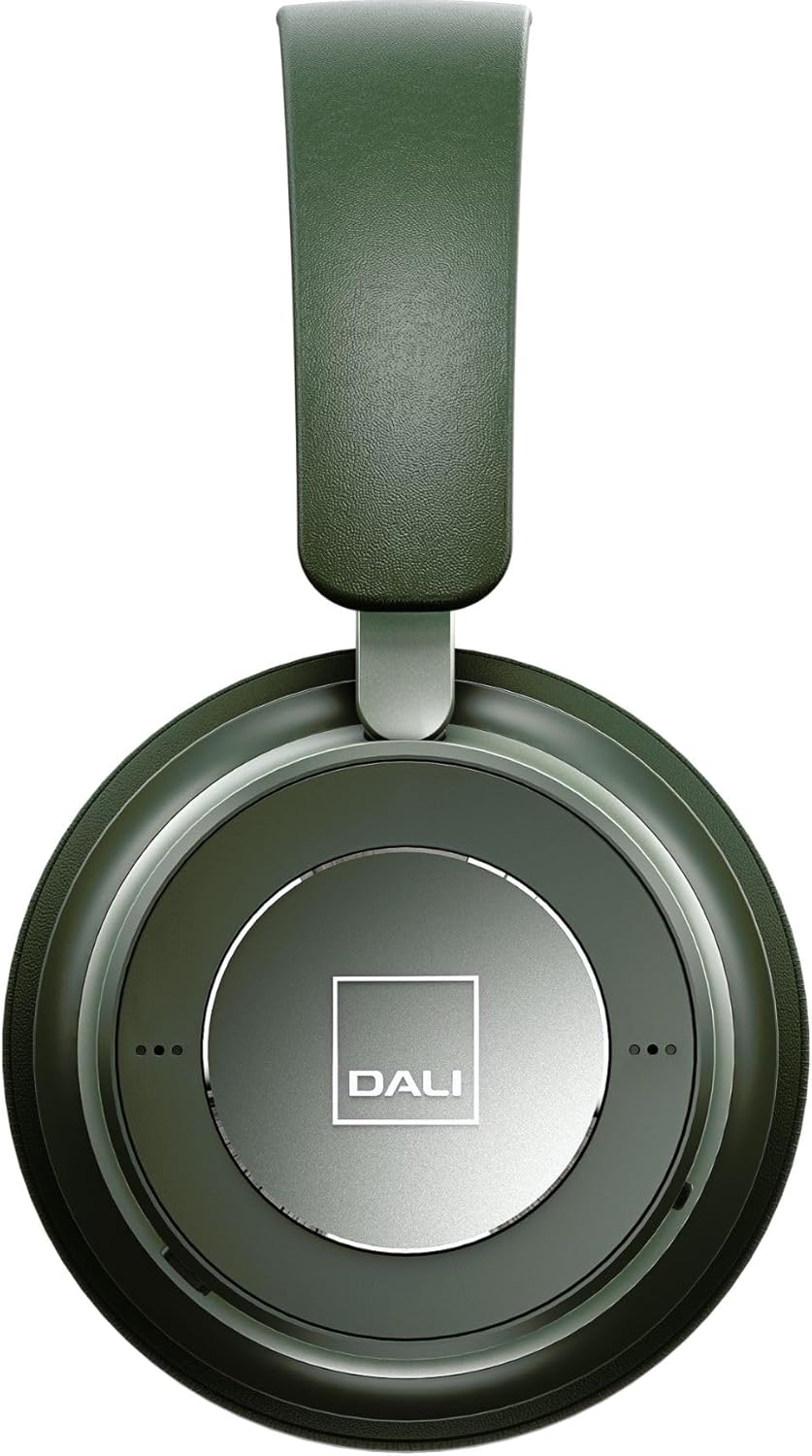
Слика 3: Крупни план view of the DALI IO-6 earcup, highlighting the DALI logo and the subtle design details. The control buttons are integrated into the earcup design.
Одржавање и њега
Proper care will extend the life and performance of your DALI IO-6 headphones.
- Чишћење: Use a soft, dry cloth to clean the headphones. Do not use abrasive cleaners, solvents, or strong chemicals.
- Складиштење: When not in use, store the headphones in their protective travel case to prevent damage.
- температура: Избегавајте излагање слушалица екстремним температурама (врућим или хладним) или високој влажности.
- Изложеност течности: Keep the headphones away from water and other liquids. They are not waterproof.
- Јастучићи за уши: The ear cushions are designed for comfort and can be replaced if worn. Refer to DALI's official webсајт за резервне делове.

Figure 4: DALI IO-6 headphones resting on a concrete surface, demonstrating their robust build and design. This image highlights the durable materials used.
Решавање проблема
If you encounter issues with your DALI IO-6 headphones, try the following solutions:
| Проблем | Могуће решење |
|---|---|
| Но Повер | Уверите се да су слушалице потпуно напуњене. Прикључите их на извор напајања и проверите индикатор пуњења. |
| Упаривање није могуће преко Bluetooth-а |
|
| Нема звука |
|
| АНК не функционише ефикасно |
|
Спецификације
| Феатуре | Детаљ |
|---|---|
| Назив модела | ИО-6 |
| Технологија повезивања | Бежично (Bluetooth 5.0) |
| Контрола буке | Отказивање активне буке (АНЦ) |
| Јацк за слушалице | 3.5 мм прикључак |
| Трајање батерије | Up to 30 hours (with ANC) |
| Време пуњења | Прибл. 2 сата |
| Фреквенцијски опсег | 10 - 20000 Hz |
| Импеданса | 25 Охм |
| Величина аудио драјвера | 50 мм |
| Материјал | Plastic, Memory Foam |
| Димензије производа | 3.11 к 8.86 к 9.65 инча |
| Тежина артикла | 2.4 фунти |
Гаранција и подршка
DALI products are built to high standards and come with a limited warranty. For specific warranty terms and conditions, please refer to the warranty card included with your product or visit the official DALI webсајту.
For technical support, service, or replacement parts, please contact DALI customer support through their official website or authorized service centers. You can find more information and contact details at: ввв.дали-спеакерс.цом