1. Увод
Тхе ViewSonic VP3481 monitor offers an immersive curved screen with stunning UWQHD+ 3440x1440 resolution. Designed for precise color accuracy, it delivers incredible detail and vivid colors across wide viewing angles. This monitor supports HDR10 for a wider dynamic range and richer contrast, making it suitable for video editing, content development, and other color-critical applications. Key features include a 100Hz refresh rate, AMD FreeSync™ technology for smooth playback, and versatile connectivity options including USB 3.1 Type-C, DisplayPort, and HDMI.
2. Подешавање
2.1. Садржај пакета
Пре почетка инсталације, проверите да ли се у вашем пакету налазе све доле наведене ставке:
- ЛЦД монитор
- Повер Цабле
- АЦ/ДЦ адаптер
- УСБ 3.1 тип Ц кабл
- УСБ КСНУМКС кабл
- ДП на ДП кабл
- ХДМИ 2.0 кабл
- Аудио кабл
- Factory Color Calibration Report
2.2. Склоп монитора
Carefully remove the monitor from its packaging. Attach the monitor stand to the back of the display panel. Ensure all connections are secure before placing the monitor on a stable surface.

Figure 2.2.1: Monitor dimensions for proper placement and setup.
2.3. Повезивање
The VP3481 monitor offers flexible connectivity options to integrate with various devices. Connect your computer or other video sources using the appropriate cables.
- УСБ 3.1 Типе-Ц: This single cable solution supports audio, data, video, and charging (up to 60W) for compatible laptops and devices, reducing cable clutter.
- ХДМИ КСНУМКС: Two HDMI ports are available, supporting HDCP 2.2 content protection for secure 4K content playback.
- ДисплаиПорт: One DisplayPort input is provided for high-resolution video and audio transmission.
- УСБ 3.0 чвориште: The monitor features a built-in USB 3.0 hub with three downstream ports and two upstream ports for connecting peripherals.

Figure 2.3.1: USB Type-C provides a single-cable solution for multiple functions.

Слика 2.3.2: Завршеноview of the monitor's input/output ports.
Видео 2.3.1: Оверview of ViewSonic USB-C monitor connectivity features.
3. Руковање монитором
3.1. Укључивање/искључивање
Притисните дугме за напајање које се налази на монитору да бисте га укључили или искључили. Индикаторска лампица напајања ће светлети када је монитор активан.
3.2. Карактеристике екрана
The VP3481 offers advanced display technologies for an optimal viewискуство:
- UWQHD (3440x1440p) Resolution: Experience sharp, detailed images across the expansive 34-inch curved screen.
- Брзина освежавања од 100Хз: Enjoy smooth, tear-free visuals, ideal for fast-paced content and video editing.
- ХДР10 подршка: Delivers a wider dynamic range of vivid colors and richer contrast for a more immersive viewинг искуство.
- AMD FreeSync™ технологија: Synchronizes the monitor's refresh rate with your graphics card to eliminate screen tearing and stuttering.

Figure 3.2.1: HDR10 support enhances color and contrast for stunning visuals.

Figure 3.2.2: The 100Hz refresh rate and AMD FreeSync™ ensure smooth playback.
3.3. Color Accuracy and Calibration
The VP3481 is engineered for ultimate color accuracy, providing 100% sRGB color space coverage and a Delta E<2 accuracy value. An integrated color uniformity function ensures consistent chromaticity across the screen, and a 14-bit 3D look-up table generates a smooth palette of 4.39 trillion colors.
For professional applications, hardware calibration is available with the optional ViewSonic Colorbration Kit (sold separately), allowing for quick and easy monitor calibration.

Figure 3.3.1: Curved viewing experience optimized for color-critical tasks.
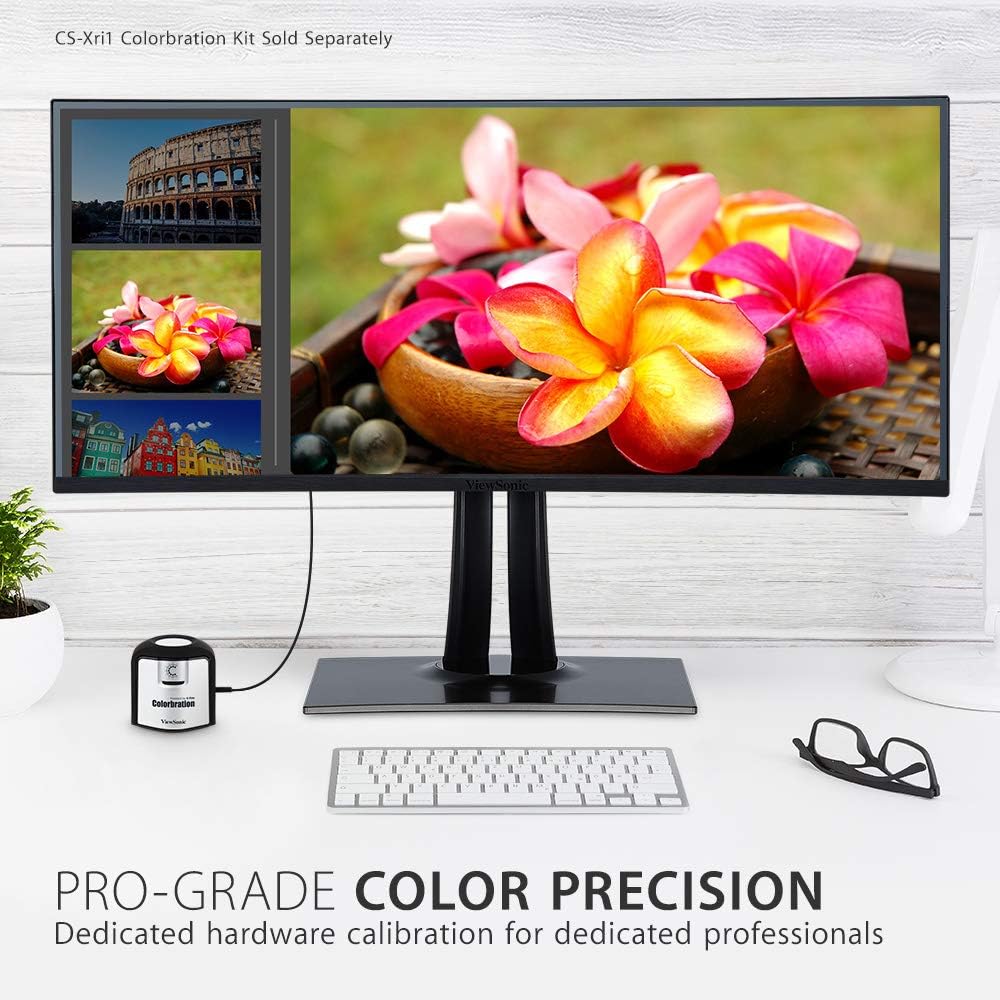
Figure 3.3.2: Dedicated hardware calibration is available for professional color precision.
4. Одржавање
Да бисте обезбедили дуговечност и оптималне перформансе вашег ViewSonic VP3481 monitor, follow these maintenance guidelines:
- Чишћење екрана: Нежно обришите екран меком крпом која не оставља влакна. За тврдокорне мрље, лагано дampОбришите крпу водом или благим, неабразивним средством за чишћење екрана. Избегавајте употребу средстава за чишћење на бази алкохола или јаких хемикалија.
- Чишћење Цasing: Користите меку, суву крпу за чишћење површине монитораasinг. Не користите течна средства за чишћење директно на цasing.
- вентилација: Уверите се да вентилациони отвори монитора нису блокирани како бисте спречили прегревање.
- Управљање струјом: Искључите монитор из утичнице током олуја са грмљавином или када га нећете користити дуже време.
КСНУМКС. Решавање проблема
Ако наиђете на проблеме са својим ViewSonic VP3481 monitor, refer to the following common troubleshooting steps:
- Нема напајања: Ensure the power cable and AC/DC adapter are securely connected to both the monitor and a working power outlet. Check if the power indicator light is on.
- Нема сигнала/Празан екран: Verify that the video cable (USB-C, HDMI, or DisplayPort) is correctly connected to both the monitor and your computer. Ensure the correct input source is selected on the monitor.
- Image Problems (Distorted, Flickering, Incorrect Colors): Check your computer's display settings for correct resolution and refresh rate. Ensure the video cable is not damaged. Perform a factory reset via the monitor's On-Screen Display (OSD) menu.
- Нема звука: If using the monitor's built-in speakers or headphone jack, ensure the audio cable is connected (if applicable) and the volume is not muted or set too low on both the monitor and your computer.
- УСБ портови не раде: Ensure the USB upstream cable is connected from the monitor to your computer. Check device drivers on your computer.
6. Спецификације
| Феатуре | Детаљ |
|---|---|
| Величина екрана на стојећем екрану | 34 инча |
| Резолуција екрана | UWQHD (3440x1440) |
| Максимална резолуција екрана | 3440 к 1440 пиксела |
| Рефресх Рате | 100Хз |
| Аспецт Ратио | 2.33:1 (21:9) |
| Опис површине екрана | Anti-glare, Hard coating (3H) |
| Број УСБ 3.0 портова | 3 |
| Број УСБ 2.0 портова | 2 |
| УСБ 3.1 Тип Ц | Yes (with Power Delivery) |
| ХДМИ улази | 2 (HDMI 2.0 with HDCP 2.2) |
| ДисплаиПорт улази | 1 |
| Тежина артикла | 26.6 фунти |
| Димензије производа (ДкШкВ) | 31.9 к 11.8 к 24 инча |
| Боја | Црно |
| Произвођач | ViewСониц |
| Датум првог доступног | 20. јуна 2019. године |
7. Гаранција и подршка
Тхе ViewSonic VP3481 monitor comes with an industry-leading 3-year limited warranty. This coverage includes access to our US-based customer service team for technical assistance and support. For detailed warranty terms and conditions, please refer to the official ViewСониц webсајт или документацију која је приложена уз ваш производ.
За додатну помоћ, посетите ViewSonic Store или контактирајте корисничку подршку.