1. Увод
The Dual DAB 3A Digital Radio Adapter is designed to upgrade your existing audio system with modern digital radio reception and Bluetooth streaming capabilities. This adapter allows you to enjoy DAB+ and FM radio broadcasts with clear digital quality and stream audio wirelessly from compatible devices. Its user-friendly interface and remote control ensure convenient operation.
2. Безбедносне информације
- Напајање: Use only the provided AC power adapter. Ensure the voltage matches the requirements specified on the adapter.
- Вода и влага: Do not expose the device to rain, moisture, or dripping/splashing liquids. Keep it away from water sources.
- вентилација: Ensure adequate ventilation around the unit. Do not block ventilation openings. Avoid placing the device on soft surfaces that may obstruct airflow.
- Извори топлоте: Држите уређај даље од извора топлоте као што су радијатори, грејни уређаји, шпорети или други уређаји који производе топлоту.
- Чишћење: Disconnect the power before cleaning. Use a soft, dry cloth. Do not use liquid cleaners or aerosol sprays.
- Сервисирање: Не покушавајте сами да сервисирате овај производ. Све сервисирање препустите квалификованом сервисном особљу.
3. Садржај пакета
Молимо вас да проверите да ли су све ставке наведене у наставку укључене у ваш пакет:
- Dual DAB 3A Digital Radio Adapter
- АЦ адаптер
- Ремоте Цонтрол
- Упутство за употребу
- External Wire Antenna
4. Производ је готовview
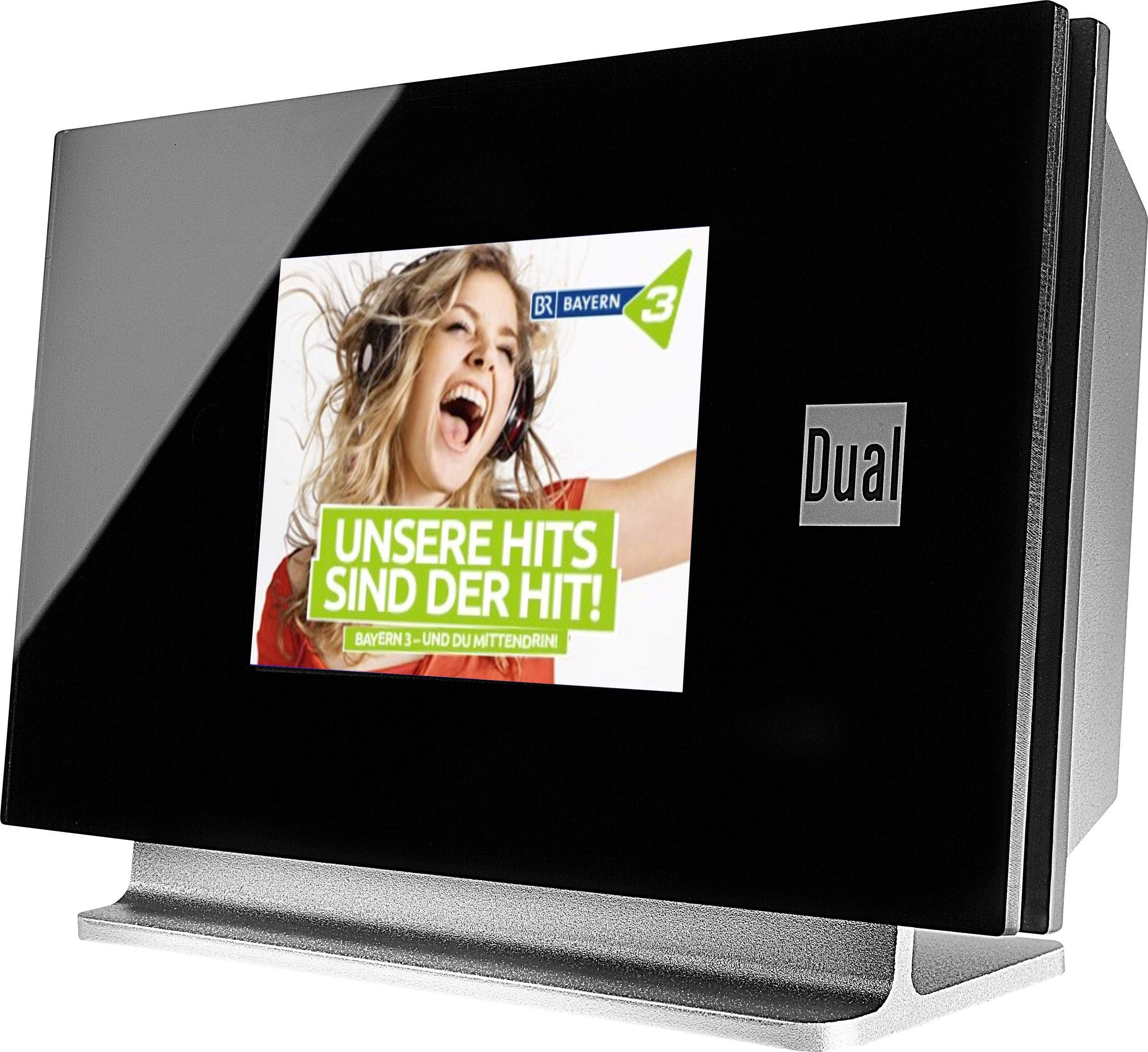
This image displays the Dual DAB 3A Digital Radio Adapter from a front-side angle. The front features a large, black TFT color display showing a radio station's album art and text. The side view indicates the product dimensions: 15 cm (width), 6 cm (depth), and 10.49 cm (height).
Предња плоча
- TFT екран у боји: Shows station information, track details, album art, and menu options.
Прикључци задњег панела
- Антенски улаз: For connecting the external wire antenna or a commercially available antenna.
- АУКС-ОУТ: Audio output for connecting to an external ampлифиер или аудио систем.
- Улазна снага: За повезивање АЦ адаптера за напајање.
Ремоте Цонтрол
The included remote control provides full functionality for navigating menus, changing stations, adjusting volume, and selecting input modes.
5. Подешавање
- Повезивање антене: Connect the supplied external wire antenna to the antenna input on the rear panel of the DAB 3A adapter. For optimal reception, extend the antenna fully.
- Повежите се са аудио системом: Use an appropriate audio cable (not included) to connect the AUX-OUT port on the rear of the DAB 3A to an available audio input (e.g., AUX-IN, Line-IN) on your existing ampлифиер или стерео систем.
- Прикључите напајање: Plug the AC power adapter into the power input on the rear of the DAB 3A, then plug the adapter into a wall outlet.
- Укључено: Press the Power button on the unit or the remote control to turn on the adapter. The display will illuminate.
- Initial Scan (DAB+): Upon first power-on, the unit may automatically perform a scan for available DAB+ stations. Allow this process to complete.
6. Оперативни
Укључивање/искључивање
- Притисните тастер Повер button on the unit or remote control to turn the device on or off.
DAB+ Radio Mode
- Притисните тастер Режим button on the remote control until DAB+ mode is selected.
- If no stations are found or you wish to rescan, navigate to the 'Full Scan' option in the menu and confirm. The adapter will search for available DAB+ stations.
- Користите Горе/Доле navigation buttons on the remote to browse through the list of available stations.
- Притисните ОК/Ентер да бисте изабрали станицу.
- The TFT display will show station name, program information, and potentially album art or weather data.
Режим ФМ радија
- Притисните тастер Режим button on the remote control until FM mode is selected.
- To automatically scan for stations, press and hold the Скенирај button (or equivalent on remote). The adapter will tune to the next strong station.
- За ручно подешавање користите Горе/Доле navigation buttons to adjust the frequency.
Блуетоотх мод
- Притисните тастер Режим button on the remote control until Bluetooth mode is selected. The display will show 'Bluetooth Pairing' or similar.
- На паметном телефону или таблету омогућите Блуетоотх и потражите доступне уређаје.
- Select 'Dual DAB 3A' from the list of devices to pair.
- Once paired, you can stream audio from your device to the DAB 3A adapter.
АУКС-ИН режим
- Connect an external audio source (e.g., MP3 player, CD player) to the AUX-IN port on the rear of the DAB 3A using a 3.5mm audio cable (not included).
- Притисните тастер Режим button on the remote control until AUX-IN mode is selected.
- Audio from the connected external device will now play through your audio system.
7. Одржавање
- Чишћење јединице: Disconnect the power adapter before cleaning. Use a soft, dry, lint-free cloth to wipe the surface of the unit. Do not use abrasive cleaners, waxes, or solvents.
- Чишћење екрана: Gently wipe the TFT display with a soft, dry microfiber cloth. Avoid pressing hard on the screen.
- Складиштење: If storing the unit for an extended period, disconnect it from the power supply and store it in a cool, dry place away from direct sunlight and extreme temperatures.
КСНУМКС. Решавање проблема
| Проблем | Могући узрок | Решење |
|---|---|---|
| Нема струје | Адаптер за напајање није повезан или је утичница неисправна. | Уверите се да је адаптер за напајање безбедно повезан са уређајем и исправном утичницом. |
| Слаб DAB+/FM пријем | Antenna not properly connected or poor signal strength. | Ensure the antenna is fully extended and properly connected. Try repositioning the antenna or the unit. Consider using a stronger external antenna if available. |
| Блуетоотх упаривање није успело | Bluetooth not enabled on source device or adapter is not in pairing mode. | Ensure Bluetooth is enabled on your smartphone/tablet and the DAB 3A is in Bluetooth mode. Try restarting both devices. |
| Нема звука | Volume too low, incorrect input selected on amplifier, or audio cable issue. | Increase the volume on both the DAB 3A and your ampспасилац. Уверите се да је ваш amplifier is set to the correct input (e.g., AUX-IN). Check the audio cable connections. |
9. Спецификације
- Модел: 75862
- Технологија тјунера: DAB Plus, FM
- Повезивање: Блуетоотх
- Подржани радио бендови: ФМ, ДАБ+
- Тип приказа: Дисплеј у боји
- Извор напајања: АЦ адаптер
- Хардверски интерфејс: Блуетоотх
- Компатибилни уређаји: Smartphone, Laptop
- Посебне карактеристике: Bluetooth, Remote Control
- Димензије производа: 15 к 6 к 10.5 цм
- Тежина артикла: 540 г
10. Гаранција и подршка
This product comes with a standard manufacturer's warranty. For detailed warranty information, please refer to the warranty card included in your package or visit the official Dual website. For technical support, troubleshooting assistance, or service inquiries, please contact Dual customer support through their official channels.


