Увод
The Ruko F11PRO is a high-performance 4K UHD camera drone designed for both beginners and experienced pilots. It features GPS auto return, a powerful brushless motor, and extended flight time, ensuring a stable and enjoyable flying experience. This manual provides essential information for safe operation and optimal performance of your Ruko F11PRO drone.
Шта је у кутији
Verify all components are present before proceeding with setup:
- 1 x Ruko F11 Pro Drone
- 2 x 11.1V 2500mAH Battery (1 in the drone)
- 1 к торбица за ношење
- 1 x Предајник (даљински управљач)
- 1 к одвијач
- 2 x Charging Cable (Charger not included)
- 4 к екстра лопатице пропелера
- 1 к Упутство за употребу

This image displays the Ruko F11PRO drone, its remote controller, two batteries, a carrying case, charging cables, a screwdriver, and extra propeller blades, all included in the package.
Спецификације
| Феатуре | Детаљ |
|---|---|
| Бранд | Руко |
| Назив модела | Ф11ПРО |
| Аге Ранге | Адулт |
| Боја | Црно |
| Резолуција снимања видео записа | 2160P, 4K, 30fps |
| Ефективна резолуција мировања | 8.3 МП |
| Технологија повезивања | Ви-Фи |
| Ниво вештине | Бегиннер |
| Тежина артикла | 1.15 фунти (18.34 унци) |
| Капацитет батерије | 2500 Милиamp Сати |
| Формат видео снимања | МП4 |
| Технологија даљинског управљања | Ремоте Цонтрол |
| Тип контроле | Ви-Фи контрола |
| Медиа Типе | Мицро СД |
| Максимални домет | 500 метара |
| Материјал | Алуминијум |
| Састав батерије батерије | литијум |
| Димензије производа | 6.9 cm D x 4.1 cm Š x 3.15 cm V |
| Датум изласка | 1. јул 2019 |
Водич за подешавање
1. Расклапање дрона
Gently unfold the drone arms until they click into place. Ensure all propellers are free from obstruction and securely attached.

The drone is shown with its arms extended and propellers in position, indicating it is ready for pre-flight checks.
2. Инсталација и пуњење батерије
Insert the charged 11.1V 2500mAh battery into the drone's battery compartment. Connect the charging cable to the battery and a suitable USB power source (charger not included). A full charge provides up to 30 minutes of flight time per battery.

Крупни план view of the drone's battery, showing its design and power indicator lights.

The drone battery connected to a charging cable, illustrating the charging process.
3. Подешавање даљинског управљача
Install your smartphone onto the remote controller's phone holder. Connect the remote controller to your smartphone using the provided cable.

The remote controller with a smartphone mounted, ready for app-controlled flight.
4. Инсталација апликације и повезивање
Download the official Ruko Pro app from your device's app store. Power on the drone and the remote controller. Connect your smartphone to the drone's Wi-Fi network (usually named "Ruko-F11PRO-XXXX"). Open the Ruko Pro app to establish connection and view живи феед.

A smartphone screen displaying the Ruko Pro app interface, showing flight data and controls.
5. GPS Calibration
For stable flight and GPS features like Auto Return Home, proper GPS calibration is crucial. Follow the on-screen instructions in the Ruko Pro app to calibrate the drone's compass and GPS before each flight. This typically involves rotating the drone horizontally and vertically.

An illustration showing the drone being rotated for GPS calibration, a critical step for accurate positioning.
Упутство за употребу
Полетање и слетање
Place the drone on a flat, open surface. Press the one-key takeoff button on the remote controller or within the app. The drone will automatically ascend to a safe height. To land, press the one-key landing button, and the drone will descend and land automatically.
Контроле летења
Use the joysticks on the remote controller to maneuver the drone:
- Леви џојстик: Контролише висину (горе/доле) и скретање (ротирање лево/десно).
- Десни џојстик: Контролише кретање напред/назад и лево/десно.

Детаљно view of the remote controller, highlighting the joysticks and control buttons.
Интелигентни режими летења
The Ruko F11PRO offers several intelligent flight modes for enhanced creativity and ease of use:
- Прати ме: The drone automatically follows the remote controller or a designated subject.
- Fly Around (Circle Fly): The drone orbits a specified point of interest.
- Point of Interest: The drone flies around a chosen point, keeping it centered in the camera.
- Hand Gesture Shots: Perform specific hand gestures to trigger photo or video capture.

Visual representations of the drone executing various intelligent flight modes, including following a subject, flying along a set path, and circling a point of interest.
Рад камере
The 4K UHD camera captures stunning photos and 2.9K/30fps videos. The camera features a 90° adjustable tilt and a 120° FOV lens for wide-angle shots.
- Снимање фотографија/видеа: Use the dedicated buttons on the remote controller or the app interface to take photos or start/stop video recording.
- Подешавање угла камере: Adjust the camera's tilt using the scroll wheel on the remote controller.

This image highlights the drone's 4K camera capabilities, including its adjustable angle and wide field of view.
Безбедност и прописи
FAA Compliance and Remote ID
The Ruko F11PRO drone features an integrated Remote ID module, fully compliant with FAA regulations. No additional Remote ID module is required. Ensure you are aware of and comply with all local aviation regulations before flying.

A visual representation of the drone's internal Remote ID module, indicating its FAA compliance.
Окружење лета
Always choose an open area free of magnetic or radio interference, buildings, and other obstructions (maintain a distance greater than 32 feet). Avoid flying in strong winds (the drone can resist up to Level 6 wind).
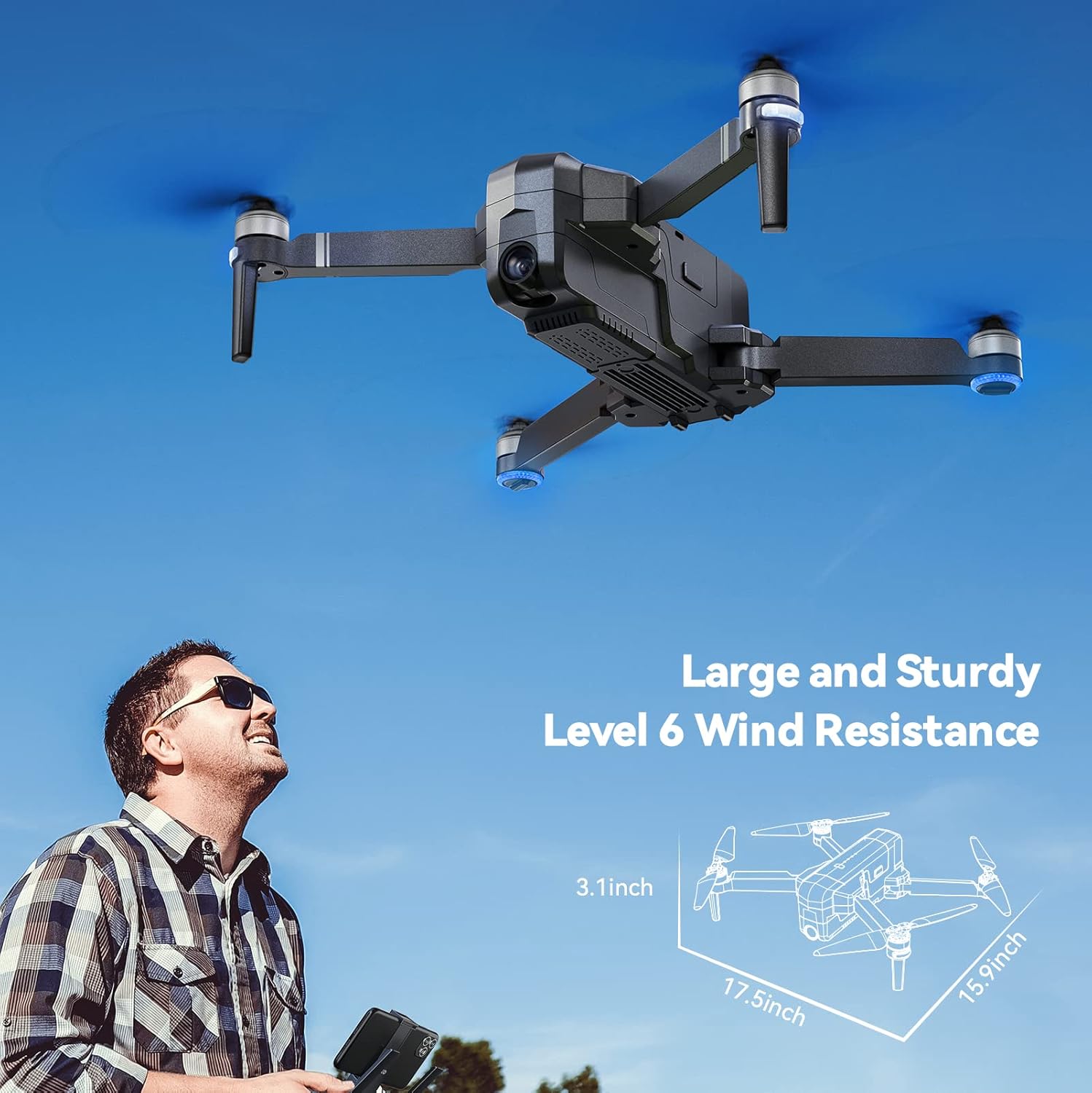
The drone is depicted flying outdoors, emphasizing its ability to withstand Level 6 winds due to its brushless motor.
Режим за почетнике
The default Beginner Mode automatically sets up geofences, limiting flight distance and height to prevent loss. Once familiar with flight skills, you can disable Beginner Mode for extended range.

An illustration showing the drone's flight path restricted by a virtual geofence, a feature of Beginner Mode.
Одржавање
Нега пропелера
Regularly inspect propellers for any damage (cracks, bends, chips). Replace damaged propellers immediately using the provided screwdriver and extra blades.
Чишћење
Use a soft, dry cloth to clean the drone body and camera lens. Avoid using liquid cleaners or solvents.
Складиштење батерије
Store batteries in a cool, dry place away from direct sunlight and extreme temperatures. For long-term storage, charge batteries to approximately 50-60% capacity.
Решавање проблема
Дрон се не укључује
- Уверите се да је батерија потпуно напуњена и правилно уметнута.
- Притисните и држите дугме за напајање неколико секунди.
Unable to Connect to App
- Verify the drone and remote controller are powered on.
- Check that your phone is connected to the drone's Wi-Fi network.
- Поново покрените апликацију и покушајте поново.
GPS Signal Weak or Lost
- Уверите се да летите на отвореном простору, даље од високих зграда или јаких магнетних сметњи.
- Perform GPS calibration as described in the Setup Guide.
- If signal is lost during flight, the drone will auto-return to home (RTH) if GPS was locked at takeoff.

The drone is shown returning to its takeoff point, illustrating the GPS Auto Return Home feature activated by low power or signal loss.
Гаранција и подршка
Ruko offers a 30-day return or exchange policy and a 90-day free warranty for the F11PRO drone.
For any questions regarding product operation, troubleshooting, or warranty claims, please contact Ruko Customer Service:
- Телефон: +1 (888) 892-0155 (Mon-Fri: 8 AM to 2 AM (next day) PST, Sat-Sun: 8 AM to 5 PM (PST))
- Емаил: service@rukotoy.com
This image provides contact details for Ruko customer support, including phone number and email address, along with operating hours.
Званични видео снимци производа
Currently, there are no official product videos from the seller available for embedding in this manual. Please refer to the written instructions and diagrams for guidance.


