Увод
This manual provides instructions for the Speedlink PIAVO Wireless Ergonomic Vertical Mouse (Model SL-630019-BK-01). This ergonomic mouse is designed to promote a natural, relaxed wrist posture, reducing strain on the hand, arm, shoulder, and neck during extended computer use. It features 5 buttons, adjustable DPI settings, and wireless 2.4 GHz connectivity.

Слика 1: Speedlink PIAVO Wireless Ergonomic Vertical Mouse, front view. This image shows the overall ergonomic design of the mouse.
Садржај пакета
Молимо вас да проверите да ли су све ставке присутне у пакету:
- Speedlink PIAVO Wireless Ergonomic Vertical Mouse
- УСБ-А пријемник
- Battery (pre-installed or included separately)
- Упутство за употребу (овај документ)

Слика 2: Packaging of the Speedlink PIAVO Wireless Ergonomic Vertical Mouse. The box indicates "Wireless Vertical Mouse" and "10m Range".
Сетуп
- Уметните батерију: If the battery is not pre-installed, open the battery compartment on the underside of the mouse and insert the included battery, ensuring correct polarity.
- Повежите УСБ пријемник: Locate an available USB-A port on your computer or laptop. Insert the USB-A receiver into the port.
- Power On Mouse: Пронађите прекидач за укључивање/искључивање на доњој страни миша. Померите прекидач у положај „Укључено“.
- Инсталација драјвера: The mouse is designed for plug-and-play operation. Your operating system (e.g., Windows) should automatically detect and install the necessary drivers. This process typically takes a few seconds.
- тестирање: Once installed, move the mouse to test cursor movement. If the cursor does not respond, ensure the mouse is powered on and the USB receiver is securely connected.

Слика 3: Underside of the mouse, illustrating the battery compartment and the On/Off switch. Ensure the switch is in the 'On' position for operation.
Упутство за употребу
The Speedlink PIAVO mouse features 5 buttons and adjustable DPI settings for optimal control.
- Леви клик: Стандардна функција примарног клика.
- Десни клик: Стандардна функција секундарног клика.
- Точак за померање: For scrolling through documents and web странице. Такође се може притиснути за функцију клика средњим тастером миша.
- Дугме за прекидач DPI-ја: Located near the scroll wheel. Press this button to cycle through the available DPI settings (800, 1200, 1600 DPI). This adjusts the cursor speed and sensitivity.
- Дугмад за напред/назад: Located on the side of the mouse, typically used for navigation in web претраживачи или file истраживачи.
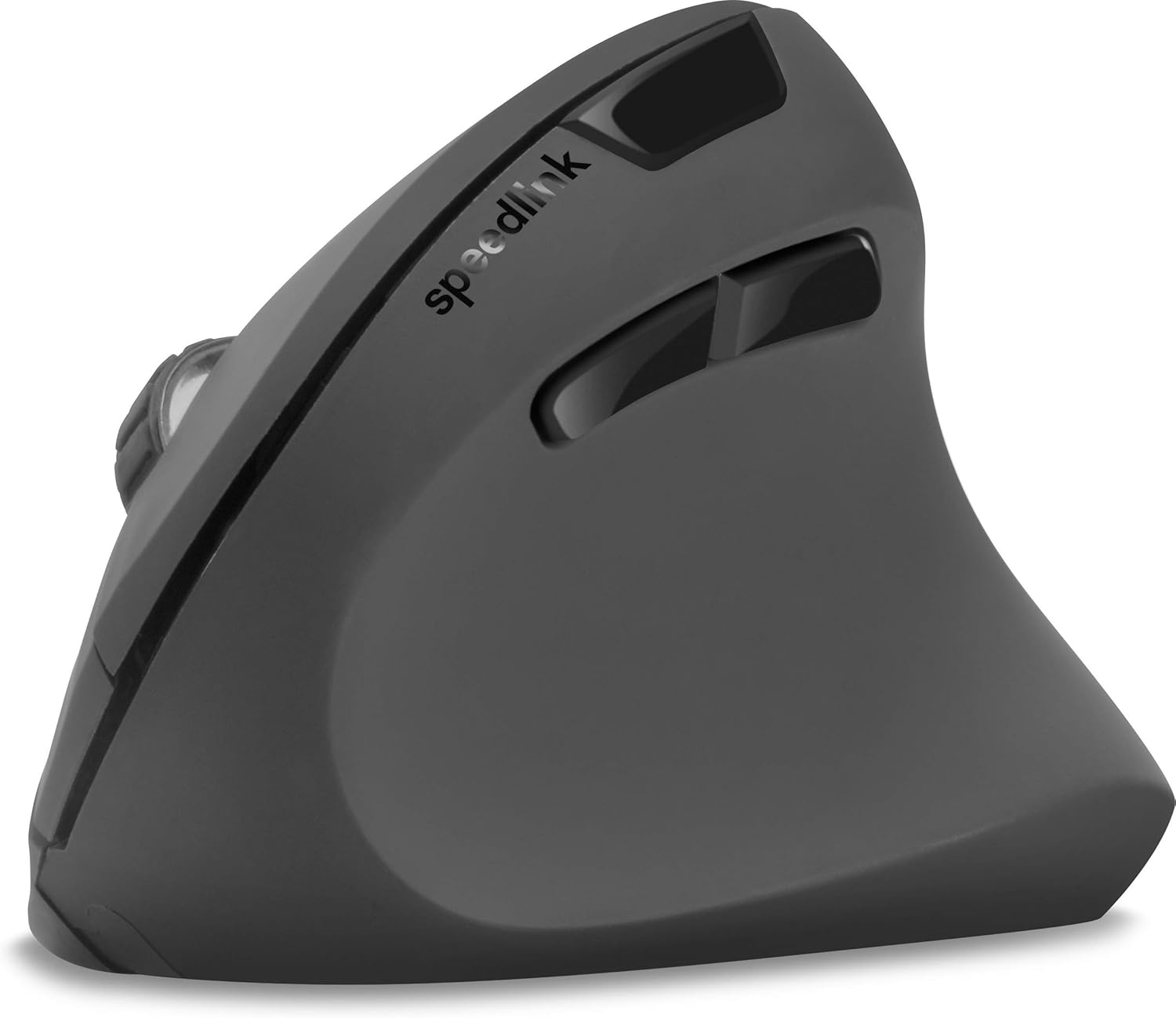
Слика 4: Одозго надоле view of the mouse, highlighting the left/right click buttons, scroll wheel, and DPI switch button.

Слика 5: Сиде view of the mouse, illustrating the ergonomic grip and the forward/backward navigation buttons.
Режим штедње енергије
The mouse features an energy-saving mode to conserve battery life. If the mouse is inactive for a period, it will enter a sleep state. To wake it up, simply move the mouse or press any button.
Одржавање
To ensure the longevity and optimal performance of your Speedlink PIAVO mouse, follow these maintenance guidelines:
- Чишћење: Користите меку, суву крпу за чишћење спољашњости миша. За тврдокорну прљавштину, благо дamp cloth can be used, but ensure no moisture enters the mouse. Avoid using harsh chemicals or abrasive cleaners.
- Чишћење сензора: Occasionally, dust or debris may accumulate around the optical sensor on the underside of the mouse. Use a soft brush or compressed air to gently clean the sensor area.
- Замена батерије: When the mouse performance degrades or it stops responding, it may be time to replace the battery. Open the battery compartment, remove the old battery, and insert a new one of the same type, observing polarity.
- Складиштење: When not in use for extended periods, it is recommended to switch off the mouse using the On/Off switch to conserve battery life. Store the mouse and USB receiver in a dry, dust-free environment.
Решавање проблема
| Проблем | Могући узрок | Решење |
|---|---|---|
| Миш не реагује / Курсор се не помера. |
|
|
| Неправилно кретање курсора. |
|
|
| DPI setting resets after sleep/reboot. | This is a known characteristic for some mice; the DPI setting may revert to default. | Press the DPI switch button to select your preferred sensitivity after waking the mouse or restarting the computer. |
Спецификације
| Број модела | СЛ-630019-БК-01 |
| Повезивање | Wireless 2.4 GHz via USB-A Receiver |
| Откривање покрета | Оптицал |
| Број дугмади | 5 |
| ДПИ подешавања | 800, 1200, 1600 DPI (подесиво) |
| Оријентација руке | Десноруки |
| Домет | До 10 метара |
| Извор напајања | Battery-powered (Battery included) |
| Компатибилни оперативни системи | Виндовс |
| Тежина | 106 грама |
| Боја | Црно |
Гаранција и подршка
Information regarding specific warranty terms and customer support contact details is not available in the provided product data. Please refer to the product packaging or the manufacturer's official webсајт за најновије информације о гаранцији и опцијама подршке.
За додатну помоћ, можете посетити Speedlink official webсајту.


