1. Увод
The Roccat Vulcan 122 is a high-performance mechanical gaming keyboard designed for precision and durability. It features Roccat's unique Titan switches, advanced AIMO RGB lighting, and a robust aluminum construction. This manual provides detailed instructions for setting up, operating, maintaining, and troubleshooting your keyboard.

Image: The Roccat Vulcan 122 keyboard shown with a Roccat mouse and headset, demonstrating its vivid, dynamic lighting synergy with AIMO.
Кључне карактеристике:
- Unique design with lowered keycaps and reduced reaction time.
- RGB lighting with configurable LED effects and adjustable AIMO effects.
- High-quality and resistant design with robust materials and an anodized aluminum surface.
- Advanced anti-ghosting with N-Key Rollover (NKRO).
- Programmable macro keys and ROCCAT Easy-Shift[+].
2. Подешавање
2.1 Повезивање тастатуре
To connect your Roccat Vulcan 122 keyboard:
- Unpack the keyboard and its accessories.
- Plug the USB connector from the keyboard into an available USB port on your computer.
- Оперативни систем ће аутоматски открити и инсталирати потребне драјвере.
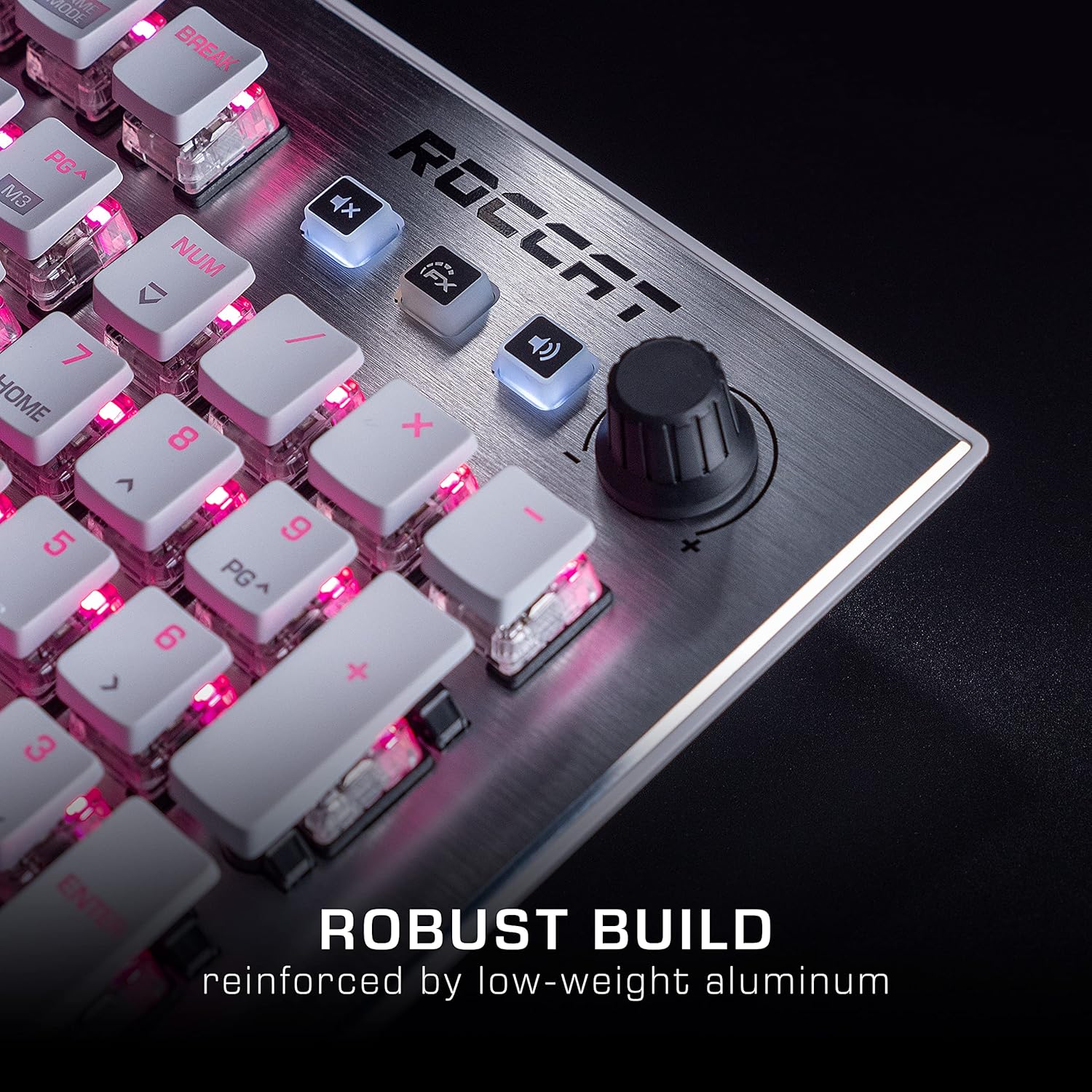
Image: The Roccat Vulcan 122 keyboard shown with its detachable wrist rest, ready for connection.
2.2 Software Installation (ROCCAT Swarm)
For full functionality and customization, install the ROCCAT Swarm software:
- Visit the official ROCCAT webсајт (ввв.роццат.цом) и идите до одељка за подршку.
- Download the latest version of the ROCCAT Swarm software for your operating system.
- Покрените инсталатер и пратите упутства на екрану.
- After installation, launch ROCCAT Swarm to configure your keyboard settings, lighting, and macros.
3. Управљање тастатуром
3.1 Standard Key Functions
The Vulcan 122 functions as a standard QWERTY keyboard. All alphanumeric keys, function keys (F1-F12), navigation keys, and the numeric keypad operate as expected.
3.2 Контроле медија
The keyboard features dedicated media controls for convenient audio management.
- Дугме за јачину звука: Located in the upper right corner, rotate to adjust system volume.
- Дугме за утишавање: Press to mute/unmute audio.
- ФКС дугме: Cycles through lighting effects or other programmable functions.

Слика: Крупни план view of the mixer-style media controls on the Roccat Vulcan 122, including the volume knob and dedicated function keys.
3.3 RGB Lighting Customization (AIMO)
The Vulcan 122 features advanced RGB lighting with Roccat's AIMO intelligent lighting system. Use the ROCCAT Swarm software to:
- Изаберите између различитих унапред подешених светлосних ефеката.
- Customize individual key illumination.
- Подесите осветљеност и брзину ефеката.
- Synchronize lighting with other AIMO-compatible devices.
3.4 Programmable Macro Keys and Easy-Shift[+]
The keyboard includes programmable macro keys and the Easy-Shift[+] function, allowing you to assign secondary functions to keys.
- Use the ROCCAT Swarm software to record and assign macros to designated keys.
- Easy-Shift[+] allows you to double the number of assignable functions by holding down the Easy-Shift[+] key (usually Caps Lock by default, configurable in Swarm) and pressing another key.
3.5 Anti-Ghosting with NKRO
The Vulcan 122 features advanced anti-ghosting technology with N-Key Rollover (NKRO), ensuring that every key press is registered accurately, even when multiple keys are pressed simultaneously.

Image: A hand demonstrating typing on the Roccat Vulcan 122 keyboard, emphasizing the ergonomic design of the keys for comfortable use.
4. Одржавање
4.1 Чишћење тастатуре
To ensure the longevity and optimal performance of your Vulcan 122 keyboard, regular cleaning is recommended.
- Искључите тастатуру из рачунара пре чишћења.
- Користите меку крпу која не оставља длачицеampened with water or a mild cleaning solution to wipe the keycaps and surface. Avoid harsh chemicals.
- For dust and debris between keys, use compressed air. The raised keycap design makes cleaning easier.
- Уверите се да је тастатура потпуно сува пре него што је поново повежете.

Image: A close-up of the Roccat Vulcan 122 keyboard keys, illustrating their design which facilitates easy cleaning and resistance to dust and liquids.
КСНУМКС. Решавање проблема
If you encounter issues with your Roccat Vulcan 122 keyboard, refer to the following common problems and solutions:
- Тастатура не реагује:
- Уверите се да је USB кабл безбедно повезан и са тастатуром и са рачунаром.
- Покушајте да прикључите тастатуру на други УСБ порт.
- Поново покрените рачунар.
- Проверите да ли је тастатура онемогућена у менаџеру уређаја вашег оперативног система.
- RGB осветљење не ради или је неисправно:
- Ensure the ROCCAT Swarm software is installed and up to date.
- Проверите подешавања осветљења у Swarm софтверу.
- Perform a firmware update for the keyboard via Swarm.
- Тастери се не региструју или се појављују као ghosting:
- Clean the affected keys as described in the Maintenance section.
- Уверите се да је фирмвер тастатуре ажуриран.
- Тестирајте тастатуру на другом рачунару да бисте искључили проблеме специфичне за систем.
- ROCCAT Swarm software not detecting keyboard:
- Уверите се да је тастатура правилно повезана.
- Restart the Swarm software and your computer.
- Поново инсталирајте ROCCAT Swarm софтвер.
- Проверите да ли постоје конфликтни софтвери или драјвери.
6. Спецификације
| Феатуре | Детаљ |
|---|---|
| Бранд | РОЦЦАТ |
| Назив модела | Вулкан 122 |
| Број модела | ROC-12-940-BN |
| Опис тастатуре | Механички |
| Тип прекидача | Тактилно |
| Материјал | Алуминијум |
| Посебне карактеристике | Позадинско осветљење |
| Компатибилни уређаји | Laptop (PC) |
| Подршка за оперативни систем | Виндовс 10, Виндовс 7, Виндовс 8 |
| Димензије производа | 46.2 к 23.5 к 3.2 цм |
| Тежина артикла | 1.15 кг |

Слика: Експлодирана view diagram illustrating the components of a Roccat Titan Tactile mechanical switch, highlighting its design for swift and precise response.
7. Гаранција и подршка
7.1 Информације о гаранцији
Your Roccat Vulcan 122 keyboard is covered by a manufacturer's warranty. The specific terms and duration of the warranty may vary by region and retailer. Please retain your proof of purchase for warranty claims. For detailed warranty information, refer to the warranty card included with your product or visit the official ROCCAT webсајту.
7.2 Техничка подршка
For technical assistance, driver updates, or further inquiries, please visit the official ROCCAT support page:
Често постављана питања, водиче за решавање проблема и контакт информације за корисничку подршку можете пронаћи на њиховим webсајту.


