1. Производ је готовview
This manual provides instructions for the JVC KD-TD71BT CD Receiver and the PAC SWI-RC Steering Wheel Control Interface. The JVC KD-TD71BT is a car audio receiver featuring Bluetooth connectivity, front USB and AUX inputs, and Amazon Alexa compatibility. The PAC SWI-RC allows for the retention of factory steering wheel control functions when installing an aftermarket radio.
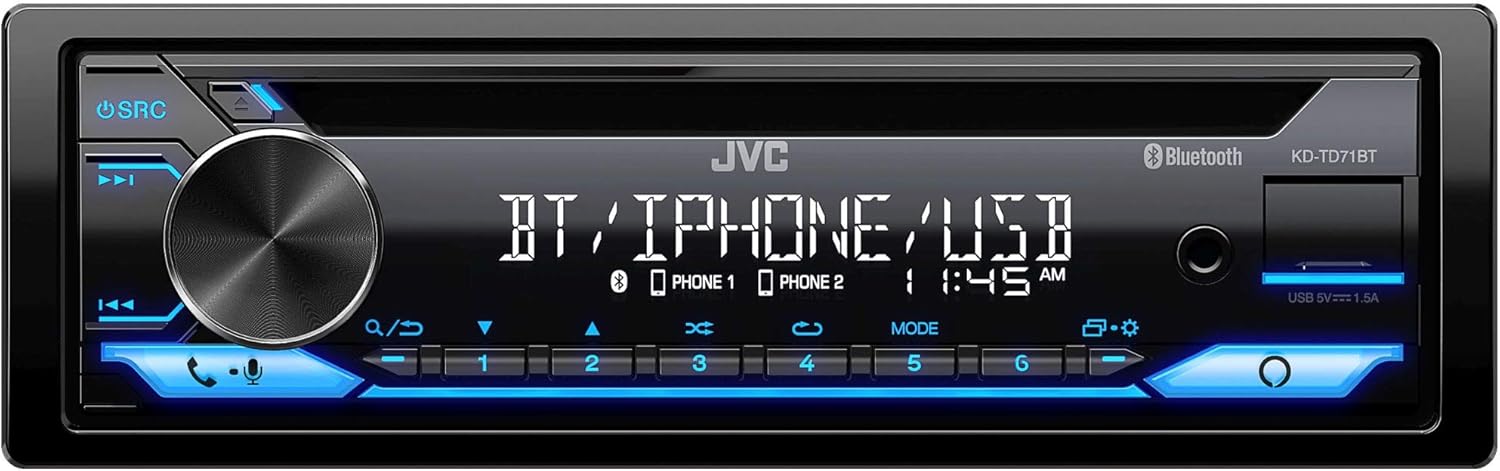
Слика 1: Предња страна view of the JVC KD-TD71BT CD Receiver, showing the display, control knob, and various buttons.
2. Шта је у кутији
Проверите да ли су све компоненте присутне пре почетка инсталације.
- JVC KD-TD71BT CD Receiver
- PAC SWI-RC Steering Wheel Control Interface
- Wired Microphone (for JVC KD-TD71BT)
- Wiring Harnesses and Connectors
- Монтажни хардвер
3. Кључне карактеристике
- Амазон Алека компатибилан: Integrate voice commands for various functions.
- Блуетоотх бежична технологија: Supports hands-free calling (HFP 1.7) and audio streaming (A2DP, AVRCP) with JVC Streaming DJ (up to 5 BT-Audio connections). Includes a wired microphone.
- Предњи УСБ улаз: Provides up to 1.5A charging and supports FLAC (96kHz/24bit), MP3, WMA, WAV, AAC playback.
- Front AUX Input: За повезивање спољних аудио уређаја.
- Контрола звука: 13-Band Graphic EQ with 11 Preset EQ Settings, Time Alignment, Space Enhancement, Sound Lift, K2 Technology, Loudness Control, Bass Boost Control.
- Pre-Outs: 1 Pair 2.5V Pre-Outs (Rear/Subwoofer Selectable) with High-Pass and Low-Pass Filters, and Subwoofer Level Control.
- Приказ: 2-Line VA (Vertical Alignment) LCD Display with Music Sync Illumination Effect.
- Steering Wheel Control Retention: The PAC SWI-RC retains factory steering wheel control functions (volume, mode, track) for compatible radios.
- Трајна меморија: The PAC SWI-RC retains programming even if the vehicle's battery is disconnected.
4. Безбедносне информације
Read all instructions carefully before installation and use. Improper installation or operation can lead to serious injury or damage. Always consult a professional for installation if you are unsure.
- Не користите уређај на начин који вам одвлачи пажњу од вожње.
- Уверите се да су сви каблови правилно повезани како бисте спречили кратки спојеви или оштећења.
- Avoid installing the unit in locations exposed to direct sunlight, high temperatures, or excessive moisture.
- Користите само одређене осигураче.
- Keep the volume at a level where you can still hear outside traffic sounds.
5. Подешавање и инсталација
Professional installation is recommended. Disconnect the vehicle's negative battery terminal before starting any electrical work.
5.1 JVC KD-TD71BT CD Receiver Installation
Follow the wiring diagram provided with your unit. Connect the power, ground, speaker, and accessory wires correctly. Secure the unit in the dashboard opening using the supplied mounting hardware.

Слика 2: Задња страна view of the JVC KD-TD71BT CD Receiver, illustrating the various wiring harness connections and audio output ports.
5.2 PAC SWI-RC Steering Wheel Control Interface Installation
The SWI-RC connects between your vehicle's factory steering wheel control wiring and the JVC KD-TD71BT's wired remote input. Refer to the specific vehicle application guide provided by PAC for detailed wiring instructions for your vehicle model.
- Identify the steering wheel control wires in your vehicle.
- Connect the SWI-RC's wires to the vehicle's wiring and the JVC receiver's wired remote input.
- Program the SWI-RC according to the PAC instructions to map the steering wheel buttons to the desired functions on the JVC receiver.

Figure 3: The PAC SWI-RC Steering Wheel Control Interface packaging and included components, including the main module and wiring harness.
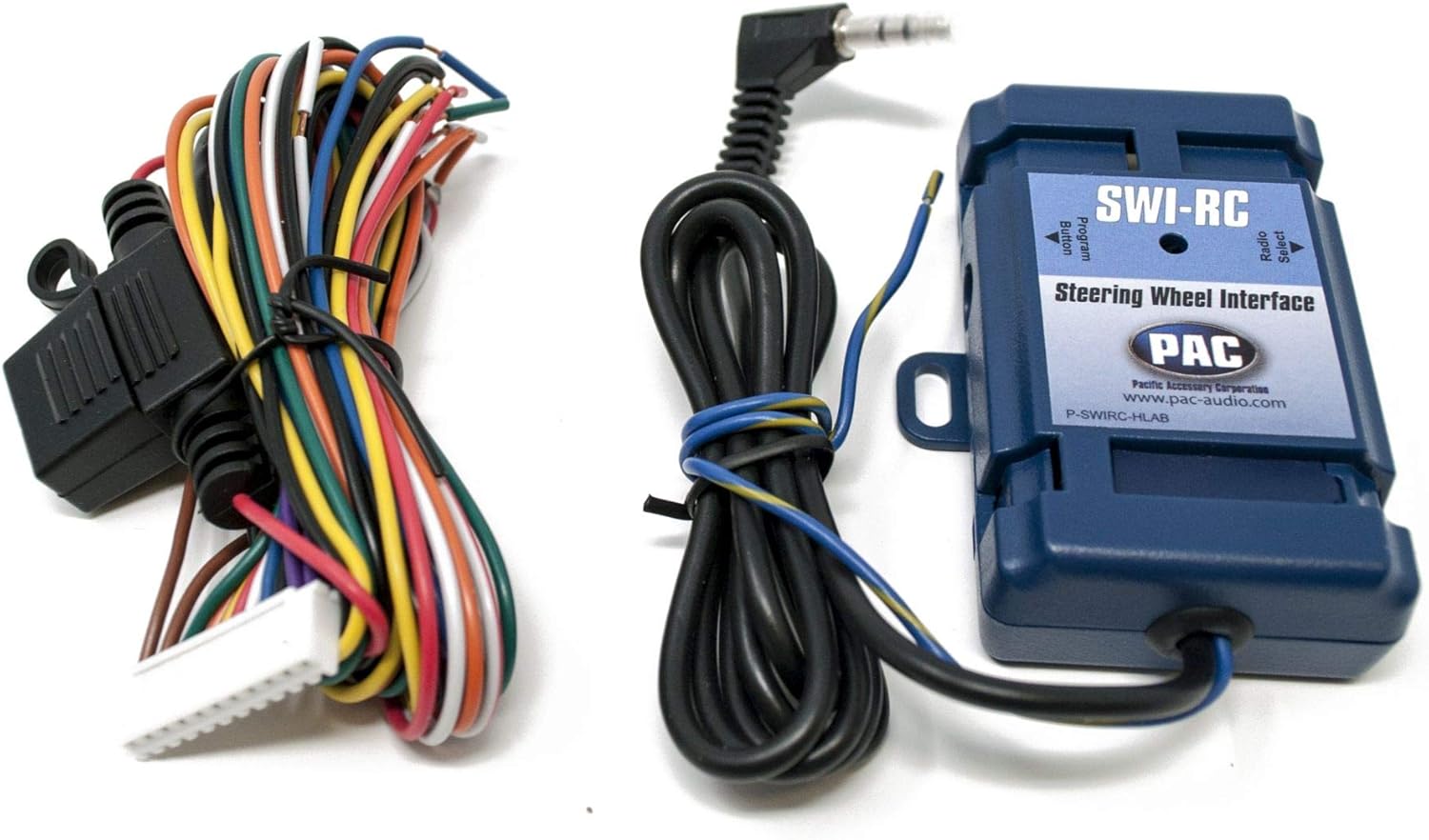
Слика 4: Детаљан view of the PAC SWI-RC module and its multi-colored wiring harness, essential for connecting to the vehicle's electrical system.
6. Упутство за употребу
6.1 JVC KD-TD71BT Basic Operation
- Укључивање/искључивање: Press the SRC button to turn the unit on. Press and hold SRC to turn it off.
- Контрола јачине звука: Окрените велико ротационо дугме да бисте подесили јачину звука.
- Избор извора: Press the SRC button repeatedly to cycle through available sources (CD, Tuner, Bluetooth, USB, AUX, Alexa).
6.2 Блуетоотх рад
- Упаривање: Enable Bluetooth on your smartphone. Select 'KD-TD71BT' from the device list. Confirm the pairing code if prompted.
- Аудио стреаминг: Once paired, select Bluetooth as the source. Play audio from your smartphone, and it will stream to the receiver. Use the receiver's controls or your phone to manage playback (play/pause, skip track).
- Хандс-фрее позивање: When a call comes in, the display will show the caller ID. Press the phone button to answer, or press and hold to reject. Use the wired microphone for clear communication.
- JVC Streaming DJ: Connect up to 5 Bluetooth audio devices simultaneously. Switch between devices for audio playback.
6.3 USB/AUX Operation
- УСБ: Connect a USB storage device to the front USB port. The unit will automatically switch to the USB source and begin playback.
- АУКС: Connect an external audio player to the front AUX input using a 3.5mm stereo cable. Select AUX as the source.
6.4 Интеграција са Амазон Алексом
To use Amazon Alexa, ensure your smartphone is connected via Bluetooth and the JVC Alexa app is installed and configured. Press the dedicated Alexa button on the receiver to activate Alexa and issue voice commands for music, navigation, and more.
6.5 Аудио подешавања
Access the audio menu to adjust sound settings:
- Екуализер: Select from 11 preset EQ settings or customize the 13-band graphic equalizer.
- Временско усклађивање: Adjust the sound output timing for each speaker to create an optimal sound stage.
- Space Enhancement / Sound Lift: Digital sound processing features to enhance the listening experience.
- K2 Technology: JVC's proprietary technology to reproduce the original master sound by expanding the bit rate and frequency range.
- Loudness Control / Bass Boost: Enhance low and high frequencies at lower volumes.
6.6 Steering Wheel Control (via SWI-RC)
Once the PAC SWI-RC is correctly installed and programmed, your vehicle's factory steering wheel buttons will control corresponding functions on the JVC KD-TD71BT, such as:
- Појачавање/утишавање јачине звука
- Трацк Уп/Довн
- Избор режима/извора
- Одговори/Заврши позив
7. Одржавање
- Чишћење: Користите меку, суву крпу за чишћење предње плоче уређаја. За тврдокорну прљавштину, дampкрпу водом. Избегавајте абразивна средства за чишћење или раствараче.
- ЦД слот: Keep the CD slot free of dust and debris. Do not insert foreign objects.
- Везе: Периодично проверавајте све ожичене спојеве како бисте били сигурни да су безбедни.
КСНУМКС. Решавање проблема
| Проблем | Могући узрок | Решење |
|---|---|---|
| Нема струје | Прегорели осигурач; неисправно ожичење; празан акумулатор возила. | Check and replace fuse; verify wiring connections; charge vehicle battery. |
| Нема звука | Volume too low; speaker wires disconnected; incorrect source selected. | Increase volume; check speaker connections; select correct audio source. |
| Блуетоотх упаривање није успело | Bluetooth not enabled on phone; incorrect device selected; interference. | Ensure phone Bluetooth is on; select 'KD-TD71BT'; move closer to unit; restart both devices. |
| Контроле на волану не раде | SWI-RC incorrectly wired; SWI-RC not programmed; radio not compatible. | Verify SWI-RC wiring; reprogram SWI-RC; ensure JVC unit has wired remote input. |
| USB уређај није препознат | Некомпатибилно file format; damaged USB device; device requires too much power. | Провери file formats; try a different USB device; ensure device is self-powered if needed. |
9. Спецификације
| Феатуре | Спецификација |
|---|---|
| Бранд | ЈВЦ |
| Број модела | КД-ТД71БТ |
| Димензије производа | 17 к 15.25 к 9.75 инча |
| Тежина артикла | 5 фунти |
| Технологија повезивања | Помоћни, Блутут, УСБ |
| Тип контролера | Амазон Алекса, Андроид |
| Посебне карактеристике | Equalizer, Pandora, Spotify |
| Компатибилни уређаји | Паметни телефон, звучник |
| Тип конектора | 3.5 мм прикључак, УСБ |
| Режим аудио излаза | Моно, стерео |
| Оутпут Ватtage | 50 Watts (MOS-FET 50W x 4 Power Output, 22W RMS x 4) |
10. Гаранција и подршка
This product is covered by a manufacturer's warranty. Please refer to the warranty card included with your purchase for specific terms and conditions. For technical support, troubleshooting assistance, or warranty claims, please contact JVC customer service or visit the official JVC website. For support regarding the PAC SWI-RC interface, please refer to PAC Audio's official documentation and support channels.


