1. Увод
Thank you for choosing the CREATE NETBOT S15 Robot Vacuum Cleaner. This manual provides essential information for the safe operation, maintenance, and troubleshooting of your device. Please read it thoroughly before first use and retain it for future reference.
Производ је завршенview

The image above displays the CREATE NETBOT S15 Robot Vacuum Cleaner, its dedicated remote control, and a smartphone screen showing the companion application interface. The robot is black with a textured top surface and a central green power button. The remote control features a digital display and various control buttons. The app shows a map of a cleaned area.
The NETBOT S15 is designed to simplify your cleaning routine, offering multiple cleaning modes and smart features for efficient floor maintenance.
2. Безбедносна упутства
Да бисте осигурали безбедан рад и спречили оштећења, молимо вас да се придржавате следећих мера безбедности:
- Прочитајте сва упутства пре употребе уређаја.
- Не дозволите деци да користе роботски усисивач. Надгледајте децу и кућне љубимце док робот ради.
- Ensure the charging base is placed against a wall on a hard, level surface, with adequate clear space around it.
- Држите косу, широку одећу, прсте и све делове тела даље од отвора и покретних делова.
- Do not pick up large objects, sharp objects, liquids, or burning/smoking materials.
- Не користите робота у влажним срединама или на влажним површинама.
- Уклоните каблове за напајање, мале предмете и ломљиве предмете са пода пре рада како бисте спречили њихово запетљавање или оштећење.
- Use only the original charger and battery provided by the manufacturer.
- Do not modify or attempt to repair the robot vacuum yourself. Contact qualified service personnel for repairs.
3. Садржај пакета
Проверите да ли су све компоненте присутне у пакету:

The image shows the retail box for the CREATE NETBOT S15 Robot Vacuum Cleaner, indicating the product and its key features.
- CREATE NETBOT S15 Robot Vacuum Cleaner
- База за пуњење
- Повер Адаптер
- Ремоте Цонтрол
- Dustbin (600 ml capacity)
- Резервоар за воду (капацитет 400 мл)
- Side Brushes (2 + 2 replacements)
- HEPA Filter (1 + 1 replacement)
- Cleaning Mop (1 + 1 replacement)
- Четка за чишћење
- Магнетна трака
- Упутство за употребу
4. Подешавање
4.1 Постављање базе за пуњење

The image shows the CREATE NETBOT S15 Robot Vacuum Cleaner correctly docked on its charging station, indicating proper placement for recharging.
- Place the charging base against a wall in an open area.
- Ensure there is at least 1 meter (3 feet) of clear space on both sides of the charging base and 2 meters (6 feet) in front of it.
- Прикључите адаптер за напајање на базу за пуњење и укључите га у зидну утичницу.
- Ensure the power indicator light on the charging base is illuminated.
4.2 Почетно пуњење

This image depicts the CREATE NETBOT S15 Robot Vacuum Cleaner positioned near its charging dock in a room, ready for or undergoing charging.
Before first use, fully charge the robot vacuum. Place the robot onto the charging base, ensuring the charging contacts align. The indicator light on the robot will show charging status. A full charge typically takes 4-5 hours.
4.3 Инсталација и повезивање апликације
The CREATE NETBOT S15 can be controlled via a smartphone application, compatible with Alexa and Google Home.
- Download the official CREATE app from your smartphone's app store.
- Региструјте налог и пријавите се.
- Follow the in-app instructions to add your NETBOT S15 device. This typically involves putting the robot into pairing mode and connecting it to your home Wi-Fi network.
- Once connected, you can program cleaning schedules, select cleaning modes, and monitor the robot's status from your phone.
- For voice control, link the CREATE app with your Alexa or Google Home account through their respective applications.
5. Упутство за употребу
5.1 Режими чишћења
The NETBOT S15 offers four cleaning functions:
- Свееп: Uses side brushes to gather debris.
- Вакуум: Utilizes suction power to collect dust and dirt. Features up to 1500 Pa suction power with adjustable levels.
- Крпа: Wipes floors with a damp cloth from the water tank.
- опрати: Combines sweeping, vacuuming, and mopping for comprehensive cleaning.

This image illustrates the CREATE NETBOT S15 Robot Vacuum Cleaner actively cleaning under a sofa, demonstrating its ability to reach confined spaces. Two dogs are visible in the foreground, suggesting a pet-friendly environment.
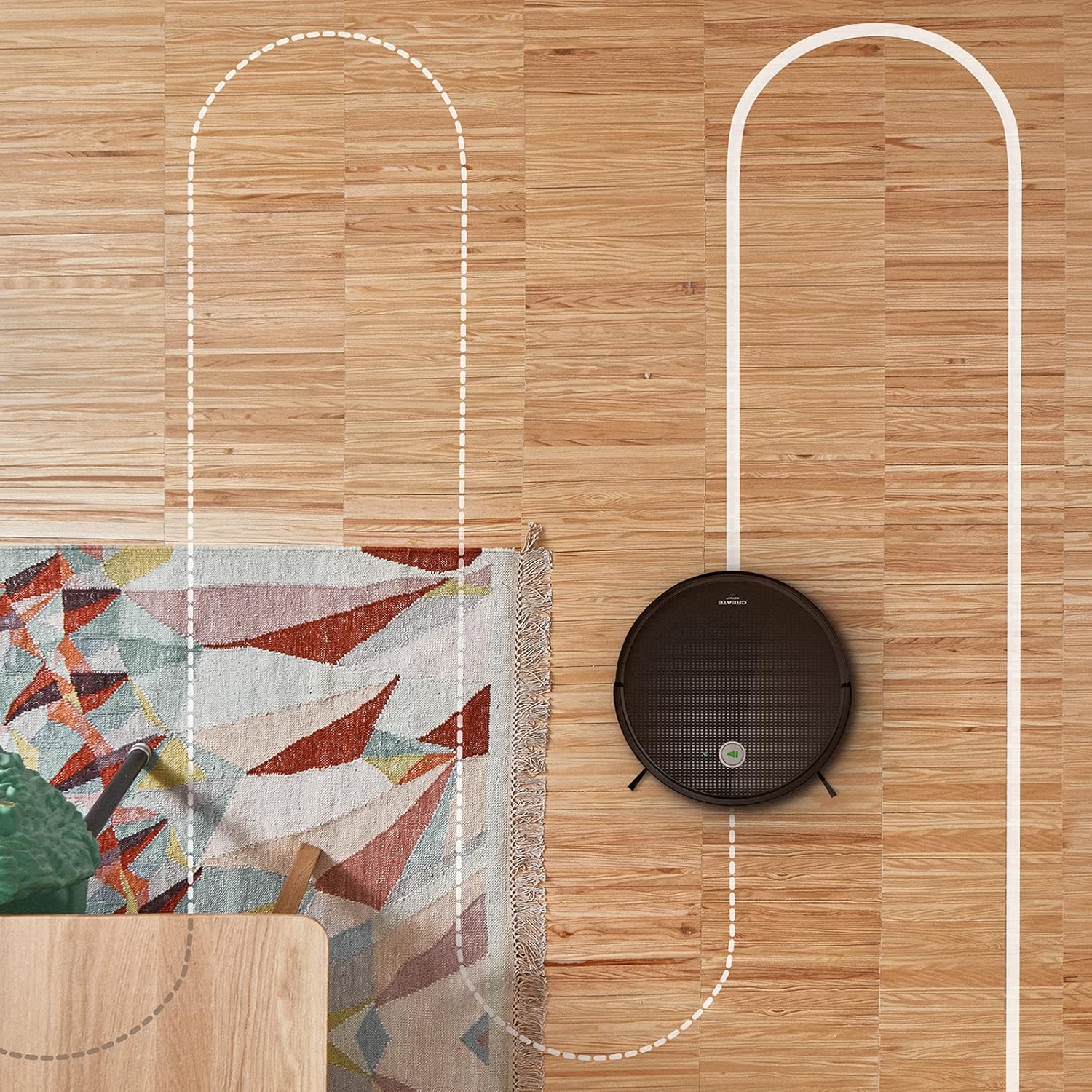
Антена view shows the CREATE NETBOT S15 Robot Vacuum Cleaner moving across a wooden floor, with a dotted line indicating its systematic cleaning path, highlighting its gyroscopic navigation.
5.2 Коришћење даљинског управљача
The included remote control allows for direct operation of the robot vacuum. Refer to the remote control diagram in your quick start guide for button functions. Common functions include:
- Старт / Пауза чишћења
- Вратите се у базу за пуњење
- Directional Control (manual steering)
- Чишћење на месту
- Чишћење рубова
- Подешавање распореда
5.3 Magnetic Strip Usage
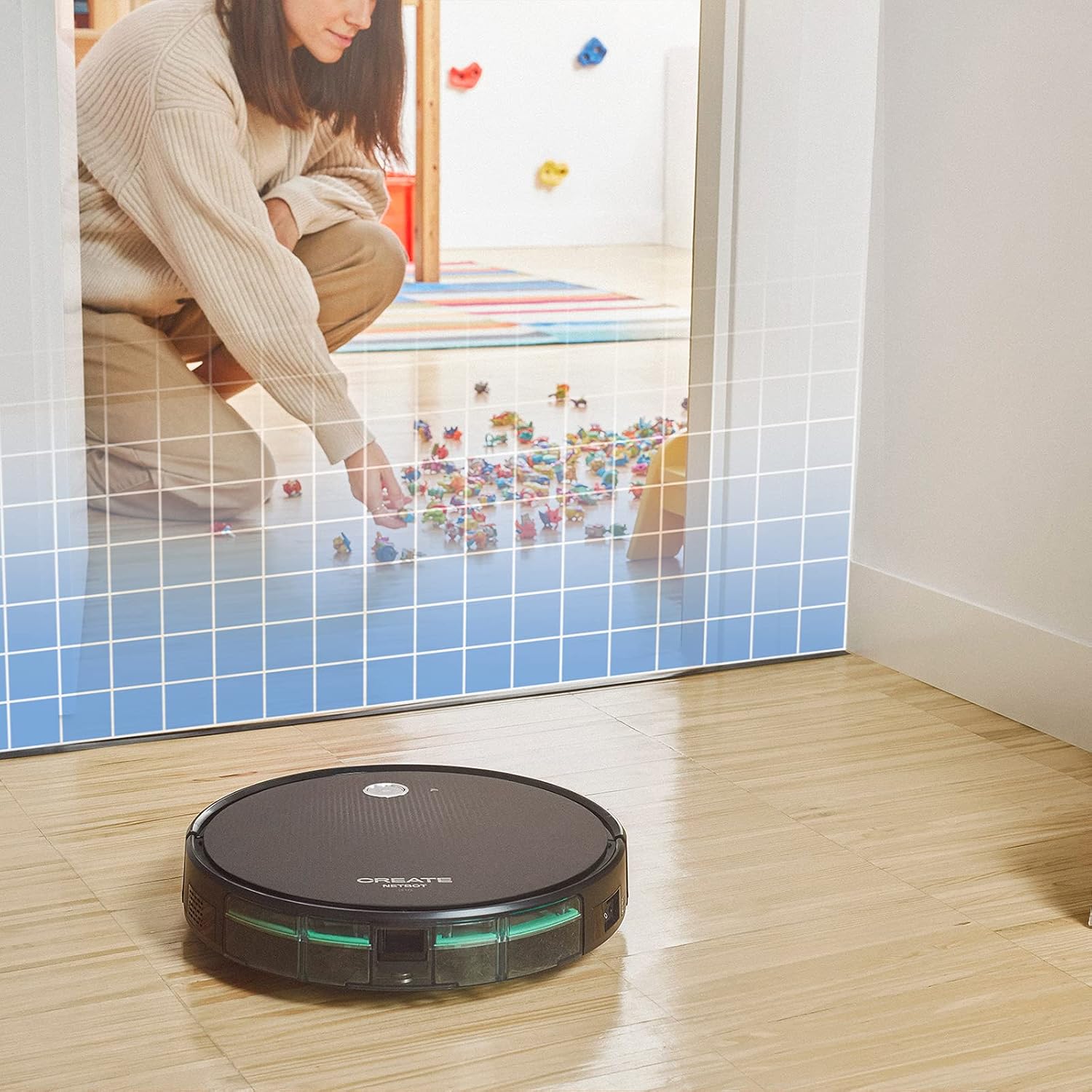
This illustration demonstrates the CREATE NETBOT S15 Robot Vacuum Cleaner approaching a virtual boundary, represented by a grid, which prevents it from entering a specific area, such as where toys are located.
Use the provided magnetic strip to create virtual boundaries that the robot will not cross. Place the strip on the floor to delimit areas where the robot should not enter, such as pet feeding zones or areas with delicate items.
5.4 Трајање батерије
The NETBOT S15 is equipped with a long-lasting LG Lithium battery, providing up to 120 minutes of cleaning autonomy on a single charge, depending on the selected power mode.
6. Одржавање
Редовно одржавање обезбеђује оптималне перформансе и продужава век трајања вашег роботског усисивача.
6.1 Dustbin and Water Tank Cleaning
Empty the dustbin after each use. The 600 ml dustbin is easily removable. If using the mopping function, empty and rinse the 400 ml water tank after each use to prevent mold or odors.
6.2 Чишћење четкица

Крупни план view of the CREATE NETBOT S15 Robot Vacuum Cleaner's side brush, showing its design for sweeping debris into the main suction path.
- Бочне четке: Regularly check for hair or debris entanglement. Remove and clean as needed. Replace worn brushes with the provided spares.
- Главна четка: Скините поклопац главне четке и извадите четку. Користите алат за чишћење да бисте уклонили замршену косу и остатке.
6.3 Чишћење/замена филтера
The robot uses a double filter system: a sponge filter and a HEPA filter. Tap the filters to remove loose dirt. Do not wash HEPA filters with water. Replace filters every 3-6 months, or more frequently with heavy use, to maintain suction performance.
6.4 Чишћење сензора
Wipe the cliff sensors (located on the bottom of the robot) and the bumper sensors (on the front) with a clean, dry cloth to ensure proper navigation and obstacle detection.
КСНУМКС. Решавање проблема
If you encounter issues with your NETBOT S15, refer to the following common problems and solutions:
| Проблем | Могући узрок | Решење |
|---|---|---|
| Робот се не покреће нити реагује. | Слаба батерија; Искључен прекидач; Робот заглављен. | Напуните робота; Уверите се да је прекидач за напајање УКЉУЧЕН; Уклоните све препреке. |
| Слабе перформансе чишћења. | Full dustbin; Clogged brushes/filters; Worn brushes. | Empty dustbin; Clean brushes and filters; Replace brushes/filters. |
| Робот не може да пронађе базу за пуњење. | База за пуњење је блокирана; Робот је предалеко од базе; База није напајана. | Ensure clear space around base; Manually place robot closer; Check power connection to base. |
| Робот се често заглављује. | Cables/small objects on floor; Uneven surfaces; Dark colored carpets. | Clear floor of obstacles; Use magnetic strips for problem areas; Robot may struggle on very dark surfaces. |
| Проблеми са Wi-Fi везом. | Incorrect Wi-Fi password; Router too far; 5GHz network. | Verify password; Move robot closer to router; Ensure connection to a 2.4GHz Wi-Fi network. |
8. Спецификације
Key technical specifications for the CREATE NETBOT S15 Robot Vacuum Cleaner:
- Бренд: ЦРЕАТЕ
- Број модела: Нетбот С15
- Боја: Black - Turquoise
- Димензије (Д к Ш к В): 33 к 33 к 7.5 цм
- Тежина: 3 килограма
- Снага: 25 Ваттс
- Снага усисавања: До 1500 Па
- Ниво буке: 62 дБ
- Тип батерије: Литијум-јонски
- Трајање батерије: До 120 минута
- Капацитет канте за отпатке: 600 мл
- Капацитет резервоара за воду: 400 мл
- Систем филтера: Double sponge Clean + HEPA filter
- Повезивање: Wi-Fi, App Control
- Компатибилност гласовног помоћника: Гугл Хоум, Алекса
- Посебне карактеристике: Gyroscopic navigation, Magnetic strip boundary, 4 cleaning modes (sweep, vacuum, mop, wash)
9. Гаранција и подршка
For warranty information, technical support, or service inquiries, please refer to the warranty card included with your product or visit the official CREATE webсајт. Сачувајте рачун као доказ о куповини.


