Увод
This manual provides instructions for the installation, operation, and maintenance of your Feit Electric Smart A19 LED Bulbs. These bulbs are designed for ease of use, offering smart control features through Wi-Fi connectivity without requiring a separate hub. Please read this manual thoroughly before use to ensure proper functionality and safety.

Image: Packaging for the Feit Electric Smart A19 LED Bulbs, showing three bulbs and compatibility with Alexa and Google Assistant.
Безбедносне информације
- Ensure power is turned off at the switch before installing or removing the bulb.
- Do not use with standard dimmer switches; dimming is controlled via the app or voice assistant.
- Suitable for use in enclosed fixtures.
- Само за унутрашњу употребу.
Садржај пакета
- 3 x Feit Electric Smart A19 LED Bulbs (Model OM60/950CA/AG/3)
Сетуп
Захтеви пре инсталације
- A 2.4 GHz Wi-Fi network is required. These bulbs are not compatible with 5 GHz networks.
- Download the Feit Electric app from your device's app store (available for iOS and Android).
- Ensure your mobile device's Bluetooth is enabled for easier pairing.
Кораци инсталације
- Screw the smart LED bulb into the desired light fixture.
- Turn on the power switch. The bulb will begin to blink continuously, indicating it is in pairing mode.
- Open the Feit Electric app on your smartphone. The app should automatically detect the new device. If not, tap the '+' icon to add a device.
- Follow the in-app instructions to connect the bulb to your 2.4 GHz Wi-Fi network.
- Once connected, you can rename the bulb within the app for easy identification (e.g., "Living Room Lamp").
- For voice control, integrate the Feit Electric app with your Alexa or Google Home Assistant by following the instructions in their respective apps.
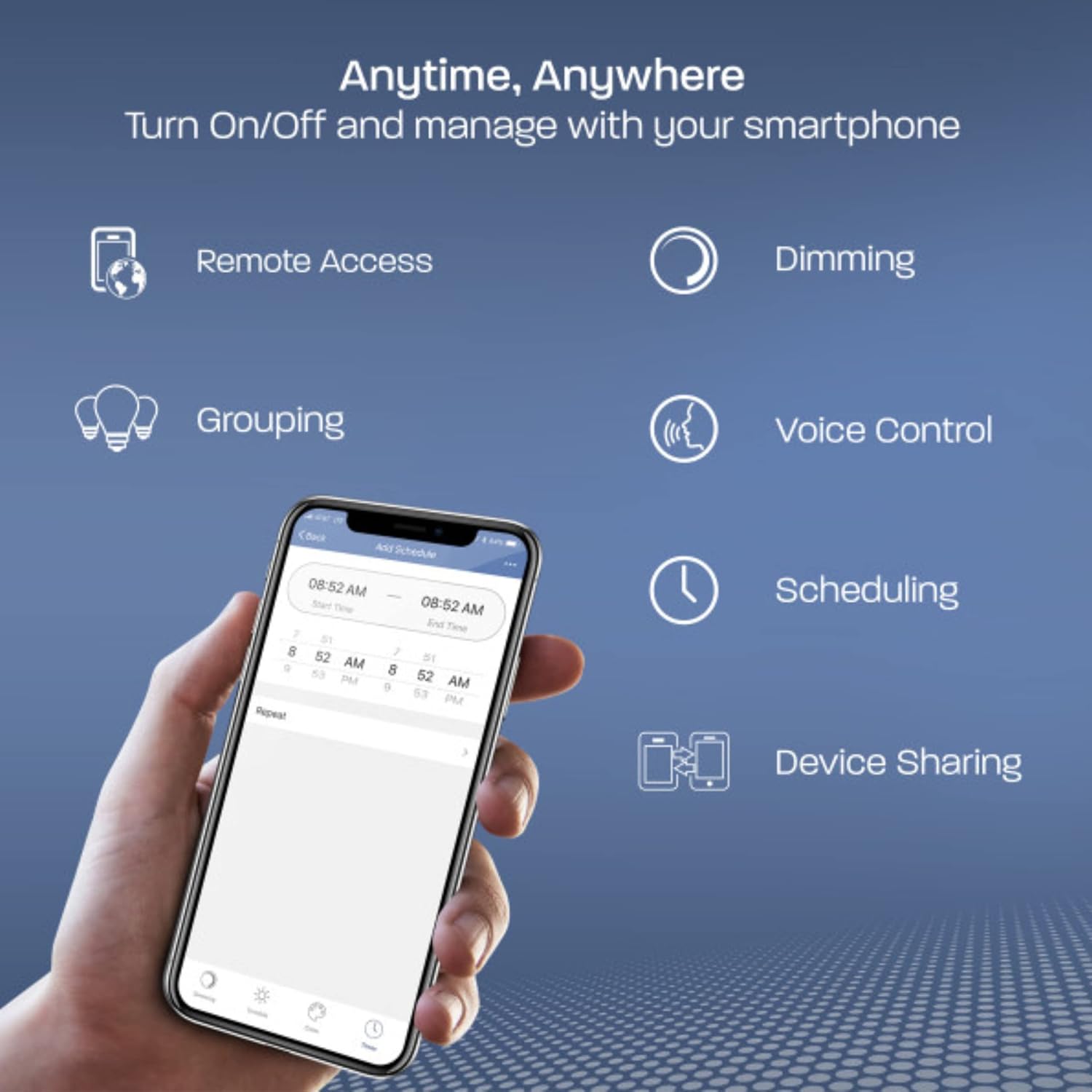
Image: A smartphone displaying the Feit Electric app interface, highlighting features like remote access, dimming, grouping, voice control, scheduling, and device sharing.
Операција
Контрола апликација
The Feit Electric app provides comprehensive control over your smart bulbs:
- Он/Офф: Instantly turn lights on or off from anywhere.
- Затамњење: Adjust brightness levels to suit your preference. The bulb remembers the last dimness setting after 5 seconds and applies it the next time it's turned on.
- Груписање: Control multiple bulbs simultaneously by creating groups (e.g., "Kitchen Lights").
- Заказивање: Set custom schedules for your lights to turn on/off at specific times.
- Даљински приступ: Control your lights even when you are away from home.
- Дељење уређаја: Share control of your smart bulbs with family members through the app.

Image: A kitchen interior with multiple smart bulbs, and a smartphone displaying the Feit Electric app's grouping function, allowing control of multiple lights together.
Воице Цонтрол
Your Feit Electric Smart Bulbs are compatible with Amazon Alexa and Google Home Assistant. Once integrated, use simple voice commands to manage your lighting:
- „Алекса, упали светло у дневној соби.“
- "Hey Google, dim the kitchen lights to 50%."
- "Alexa, set the bedroom light to daylight."

Image: A white Google Home smart speaker, indicating compatibility with both Amazon Alexa and Google Assistant for voice control of the smart bulbs.
Одржавање
Feit Electric Smart A19 LED Bulbs are designed for long-lasting performance with an average life of 25,000 hours. Minimal maintenance is required.
- Чишћење: Ensure the bulb is cool and the power is off before cleaning. Wipe with a soft, dry cloth. Do not use liquid or abrasive cleaners.
- Замена: Replace the bulb when it reaches the end of its operational life.
Решавање проблема
If you encounter issues with your Feit Electric Smart A19 LED Bulbs, refer to the following common solutions:
- Проблеми са повезивањем: Ensure your Wi-Fi network is 2.4 GHz. Older routers may have difficulty auto-selecting between 2.4 GHz and 5 GHz bands. Try moving closer to the router during the initial pairing process.
- Треперење: These smart bulbs are not designed for use with traditional fader (dimmer) switches. Ensure the bulb is installed in a fixture controlled by a standard on/off switch. Using a fader switch can cause flickering and connectivity problems.
- Сијалица не реагује: If a bulb becomes unresponsive, try turning the power off at the switch for 10 seconds, then turn it back on. If the issue persists, you may need to reset the bulb and re-pair it with the app.
- Resetting the Bulb: To reset, turn the bulb off for 2 seconds, then on for 2 seconds, repeating this cycle 5 times. The bulb will then flash rapidly, indicating it is in pairing mode.
За детаљније решавање проблема, погледајте званичне Водич за решавање проблема (PDF).
Спецификације
| Феатуре | Спецификација |
|---|---|
| Бранд | Феит Елецтриц |
| Број модела | OM60/950CA/AG/3 |
| Лигхт Типе | ЛЕД |
| Величина облика сијалице | А19 |
| Булб Басе | Е26 Средњи |
| Ватtage | 9 вати (еквивалентно 60 вати) |
| Осветљеност | 800 лумена |
| Лигхт Цолор | Даилигхт |
| Температура боје | 5000 Келвина |
| Волtage | 120 Volts (100 to 120 Volts and 60 Hertz) |
| Контролни метод | Апликација, управљање гласом |
| Повезивање | Ви-Фи од 2.4 ГХз |
| Просечан живот | 25,000 сата |
| Унутрашња/спољна употреба | Индоор |
| Материјал | Пластика |
| Димензије производа | 2.4" Ш x 4.4" В |
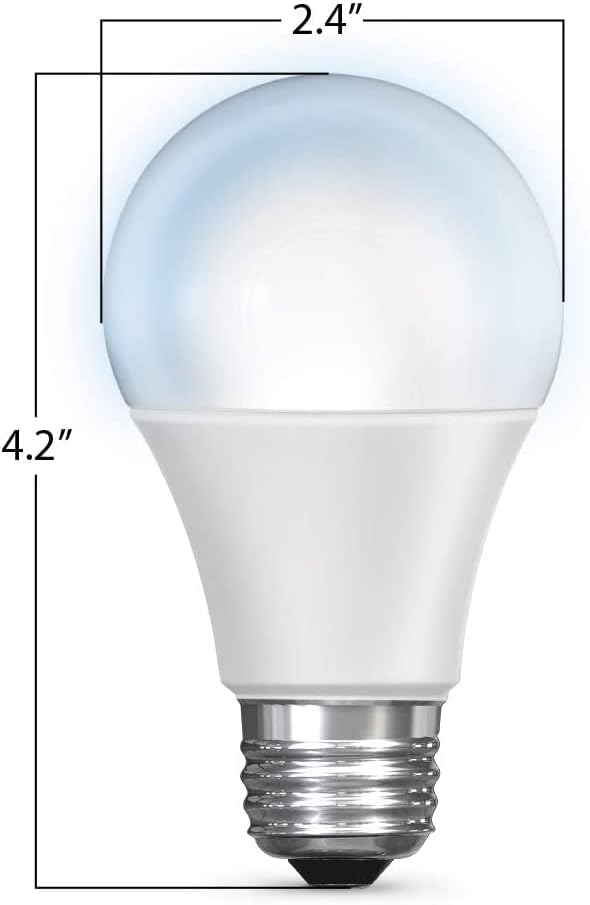
Image: A diagram illustrating the physical dimensions of the A19 LED bulb, measuring 2.4 inches in width and 4.2 inches in height.
Гаранција и подршка
Информације о гаранцији
This Feit Electric Smart A19 LED Bulb comes with a one-year warranty from the date of purchase. This warranty covers defects in materials and workmanship under normal use.
Служба за кориснике
For customer service, technical support, or warranty claims, please contact Feit Electric:
- Емаил: инфо@феит.цом
- Телефон: 1-866-326-BULB (toll-free)
Additional resources, including the full user guide, can be found here: Упутство за употребу (ПДФ).


