1. Увод
Thank you for choosing the Hom-io HOM-Mod-Switch 1-Channel WiFi Smart Switch Module. This device allows you to transform traditional lighting points or electrical appliances into smart, wirelessly controlled devices. With its versatile features, you can enhance the control and management of your home appliances, integrating them seamlessly into your smart home ecosystem.
This manual provides detailed instructions for the safe installation, setup, and operation of your smart switch module. Please read it thoroughly before use and retain it for future reference.
2. Безбедносне информације
УПОЗОРЕЊЕ: Опасност од струјног удара!
- Installation must be performed by a qualified electrician or a person with a thorough understanding of electrical systems.
- Always disconnect power at the circuit breaker before installing or servicing the module.
- Уверите се да су сви прикључци ожичења безбедни и да су у складу са локалним електричним прописима.
- Do not exceed the maximum load rating of 10A / 2300W.
- This device is designed for indoor use in dry locations (IP20). Do not expose to moisture or extreme temperatures.
- Чувати ван домашаја деце.
3. Производ је готовview
The Hom-io HOM-Mod-Switch is a compact, embedded WiFi switch module designed to convert traditional switches and appliances into smart devices. It supports both high and low voltage loads up to 10 Ampерес.

Слика 3.1: Предња страна view of the Hom-io HOM-Mod-Switch module, showing its compact design and terminals.
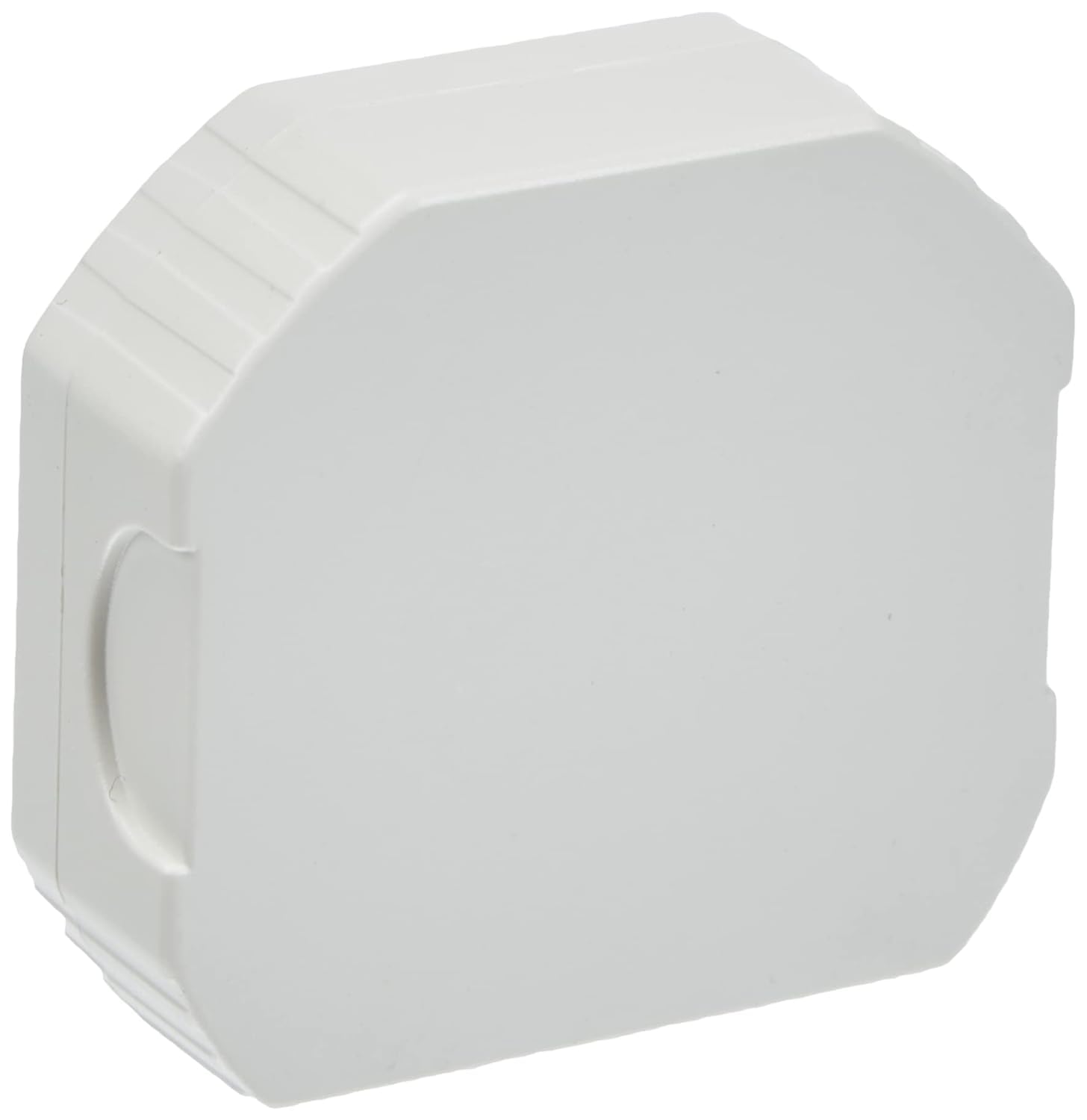
Figure 3.2: Diagram illustrating key features of the Hom-io Smart Switch Module, including remote control, adjustable timer, operating temperature, and electrical ratings.
Кључне карактеристике:
- Смарт Цонтрол: Control lighting and electrical appliances via smartphone app or traditional switch.
- Висока компатибилност: Works with Amazon Alexa and Google Home for voice control.
- Даљински приступ: Control devices from anywhere using the Smart Life app (or Hom-io app).
- Advanced Scheduling: Create custom scenarios, countdown timers, circular timers, and step-by-step modes.
- Меморија за искључење: Configurable behavior after a power outage.
- Компактан дизајн: Fits into standard embedded junction boxes (Ø60 mm).
4. Спецификације
| Број модела | HOM-Mod-Switch |
| Улазни волtage | 230 В ~ / 50 Хз |
| Макс. Струја | 10 А |
| Мак Повер | 2300 В |
| Бежично повезивање | Ви-Фи 2.4 ГХз 802.11 б/г/н |
| Радна температура | 0°Ц до 40°Ц |
| Радна влажност | ≤ 80% |
| ИП Ратинг | ИП20 (само за унутрашњу употребу) |
| Димензије (Д к Ш к В) | 51 x 17 x 47 mm (приближно 2 x 5 x 5 cm) |
| Тежина | 50 грама |
| Материјал | Бакар (унутрашње компоненте) |
| Тип прекидача | 1-way, Embedded |
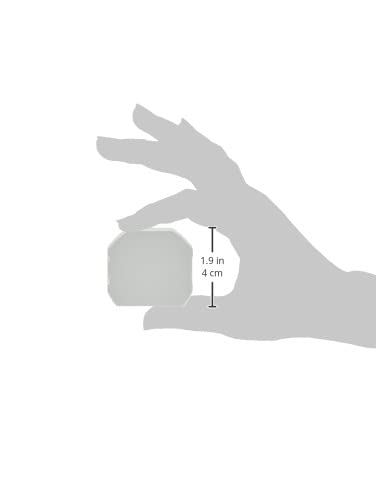
Figure 4.1: Visual representation of the module's dimensions.
5. Инсталација (Подешавање)
Before proceeding with installation, ensure you have read and understood the safety information in Section 2. This module is designed to be installed inside a standard electrical junction box (e.g., Ø60 mm).
Дијаграм ожичења:
The module has terminals for Line (L), Neutral (N), Switch Input (L1), and Output (OUT). Refer to the diagram below for typical wiring configurations.

Слика 5.1: Позади view of the module, highlighting the wiring terminals (L, N, L1, OUT).
- Искључите напајање: Locate the circuit breaker controlling the light or appliance you wish to automate and turn off the power. Verify that the power is off using a voltagе тестер.
- Приступна разводна кутија: Open the electrical junction box where the traditional switch or appliance wiring is located.
- Повежите жице:
- Повежите уживо (Л) wire from your mains supply to the 'L' terminal on the module.
- Повежите неутрално (Н) wire from your mains supply to the 'N' terminal on the module.
- Повежите Load (OUT) wire (going to your light or appliance) to the 'OUT' terminal on the module.
- If using a traditional wall switch, connect one terminal of the switch to the 'L1' terminal on the module and the other terminal of the switch to the 'L' terminal (Live). This allows for both smart and manual control.
- Безбедносни модул: Carefully place the module inside the junction box, ensuring no wires are pinched.
- Врати снагу: Close the junction box cover and turn the power back on at the circuit breaker.
After installation, the module is ready for app setup and pairing.
6. Подешавање и упаривање апликације
The Hom-io HOM-Mod-Switch module is compatible with the Hom-io app, which is based on the Smart Life platform. No separate hub is required.

Figure 6.1: The Hom-io app interface, demonstrating compatibility with Amazon Alexa and Google Home.
- Преузмите апликацију: Download the "Hom-io" app from the Apple App Store (for iOS) or Google Play Store (for Android). Alternatively, you can use the "Smart Life" app.
- Региструј се/Пријави се: Отворите апликацију и региструјте се за нови налог или се пријавите ако га већ имате.
- Додај уређај:
- Ensure your smartphone is connected to a 2.4 GHz Wi-Fi network. The module does not support 5 GHz Wi-Fi.
- In the app, tap the "+" icon (usually in the top right corner) to add a new device.
- Select "Electrical Switch" or "Switch (Wi-Fi)" from the device list.
- Уђите у режим упаривања:
- With the power on, press and hold the traditional wall switch connected to the module for approximately 5-10 seconds until the indicator light on the module starts blinking rapidly. This indicates it's in pairing mode.
- Alternatively, if there's a physical button on the module, press and hold it.
- Потврдите трептање: У апликацији потврдите да индикаторска лампица брзо трепери.
- Унесите детаље о Wi-Fi мрежи: Enter your 2.4 GHz Wi-Fi network name and password.
- Повежите се: The app will begin searching for and connecting to the module. Once connected, you can rename the device and assign it to a room.
If pairing fails, ensure your Wi-Fi network is 2.4 GHz, the password is correct, and the module is within Wi-Fi range. You may need to reset the module by turning off and on the power three times (on-off-on-off-on) to force it into pairing mode.
7. Операција
7.1 Ручна контрола
You can continue to control the connected light or appliance using the traditional wall switch, even after the smart module is installed and paired. The module maintains synchronization between manual and app control.
7.2 Контрола апликација
Open the Hom-io (or Smart Life) app on your smartphone. Tap on the device name to access its control interface. From here, you can:
- Укључи/искључи: Toggle the power of the connected device.
- Подесите тајмере: Schedule specific times for the device to turn on or off (countdown, circular timer).
- Креирајте сценарије: Automate actions based on conditions like time of day, weather, or other smart devices.
- Step-by-Step Mode: Manually force an impulsive mode via the app for specific applications (e.g., gate openers).
- Меморија за искључење: Configure the device's state after a power outage (e.g., remain off, turn on, or restore last state).

Figure 7.1: Remote control of a smart gate using the Hom-io app on a smartphone.
7.3 Гласовна контрола (Alexa и Google Home)
To enable voice control, you need to link your Hom-io (or Smart Life) account with your Amazon Alexa or Google Home account.
- Open Voice Assistant App: Open the Amazon Alexa app or Google Home app.
- Add Skill/Service:
- For Alexa: Go to "Skills & Games" and search for "Smart Life" or "Hom-io". Enable the skill.
- For Google Home: Go to "Works with Google" and search for "Smart Life" or "Hom-io". Link the service.
- Повежи налог: You will be prompted to log in with your Hom-io/Smart Life app credentials.
- Откријте уређаје: Once linked, ask your voice assistant to discover devices (e.g., "Alexa, discover my devices" or "Hey Google, sync my devices").
- Гласовне команде: You can now control your module using voice commands, such as:
- „Алекса, укључи [Назив уређаја]“
- „Хеј Google, искључи [Назив уређаја]“
КСНУМКС. Решавање проблема
| Проблем | Могући узрок | Решење |
|---|---|---|
| Module not pairing with app. | Incorrect Wi-Fi band (5GHz), wrong password, module not in pairing mode, weak signal. | Ensure 2.4 GHz Wi-Fi. Check password. Reset module (power cycle 3 times) to enter pairing mode. Move router closer or use a Wi-Fi extender. |
| Device not responding to app/voice commands. | No internet connection, module offline, voice assistant not linked. | Check home internet connection. Verify module status in app. Relink Smart Life/Hom-io skill/service in Alexa/Google Home app. |
| Traditional switch not working. | Incorrect wiring of the L1 terminal. | Review Section 5 (Installation) and check wiring connections, especially for the L1 terminal. Ensure power is off before checking wiring. |
| Модул се често искључује. | Слаб Wi-Fi сигнал, мрежне сметње, проблеми са рутером. | Improve Wi-Fi signal strength. Reduce interference from other devices. Restart your Wi-Fi router. |
9. Одржавање
The Hom-io HOM-Mod-Switch module requires minimal maintenance.
- Чишћење: Ensure the power is off before cleaning. Use a soft, dry cloth to wipe the exterior of the module if it becomes dusty. Do not use liquid cleaners or sprays.
- Ажурирања фирмвера: Periodically check the Hom-io (or Smart Life) app for available firmware updates. Updates can improve performance and add new features.
- Услови животне средине: Ensure the module remains in a dry environment within the specified operating temperature and humidity ranges.
10. Гаранција и подршка
This product is manufactured by Melchioni under the Hom-io brand.
For warranty information and technical support, please refer to the documentation provided with your purchase or contact your retailer. Keep your proof of purchase for warranty claims.
Произвођач: Мелцхиони СпА
Адреса: Via P. Colletta 37, 20135 Milano, Italy
Телефон: +39 02 49488000


