Увод
This manual provides detailed instructions for the setup, operation, maintenance, and troubleshooting of your EasySMX Wireless Controller, model SP5226-R-EU. This controller is designed for use with Nintendo Switch, Nintendo Switch Lite, and Windows PC. Please read this manual thoroughly before use to ensure proper functionality and to maximize your gaming experience.
Садржај пакета
Проверите да ли су све ставке присутне у вашем пакету:
- 1 x EasySMX Wireless Pro Controller for Nintendo Switch
- 1 x 1.2 Meter USB-C Charging Cable
- 1 x Упутство за употребу (овај документ)
Производ је завршенview
The EasySMX Wireless Controller features an ergonomic design for comfortable use and includes various buttons and functions for an enhanced gaming experience. Below are images illustrating the controller's layout and key features.

слика: Фронт view of the EasySMX Wireless Controller. This image highlights the controller's main buttons, dual analog sticks, D-pad, and action buttons (A, B, X, Y). Icons above the controller indicate key features such as 6-Axis Gyro, Bluetooth connectivity, Vibration feedback, Switch Host compatibility, and Screenshot functionality.

слика: Назад view of the EasySMX Wireless Controller. This image displays the rear of the controller, including the R and L triggers, and regulatory markings such as "SWITCH Wireless Controller," "Input: DC 5V 500mA," and "Made in China."
Пуњење контролера
The controller is equipped with a built-in 500mAh rechargeable lithium battery. To charge the controller:
- Connect the provided USB-C charging cable to the USB-C port on the controller.
- Connect the other end of the cable to a USB power source (e.g., a Nintendo Switch dock, a computer USB port, or a USB wall adapter).
- The indicator lights on the controller will show the charging status.
A full charge typically takes approximately 2-3 hours. Once fully charged, the controller provides approximately 8 hours of operating time.
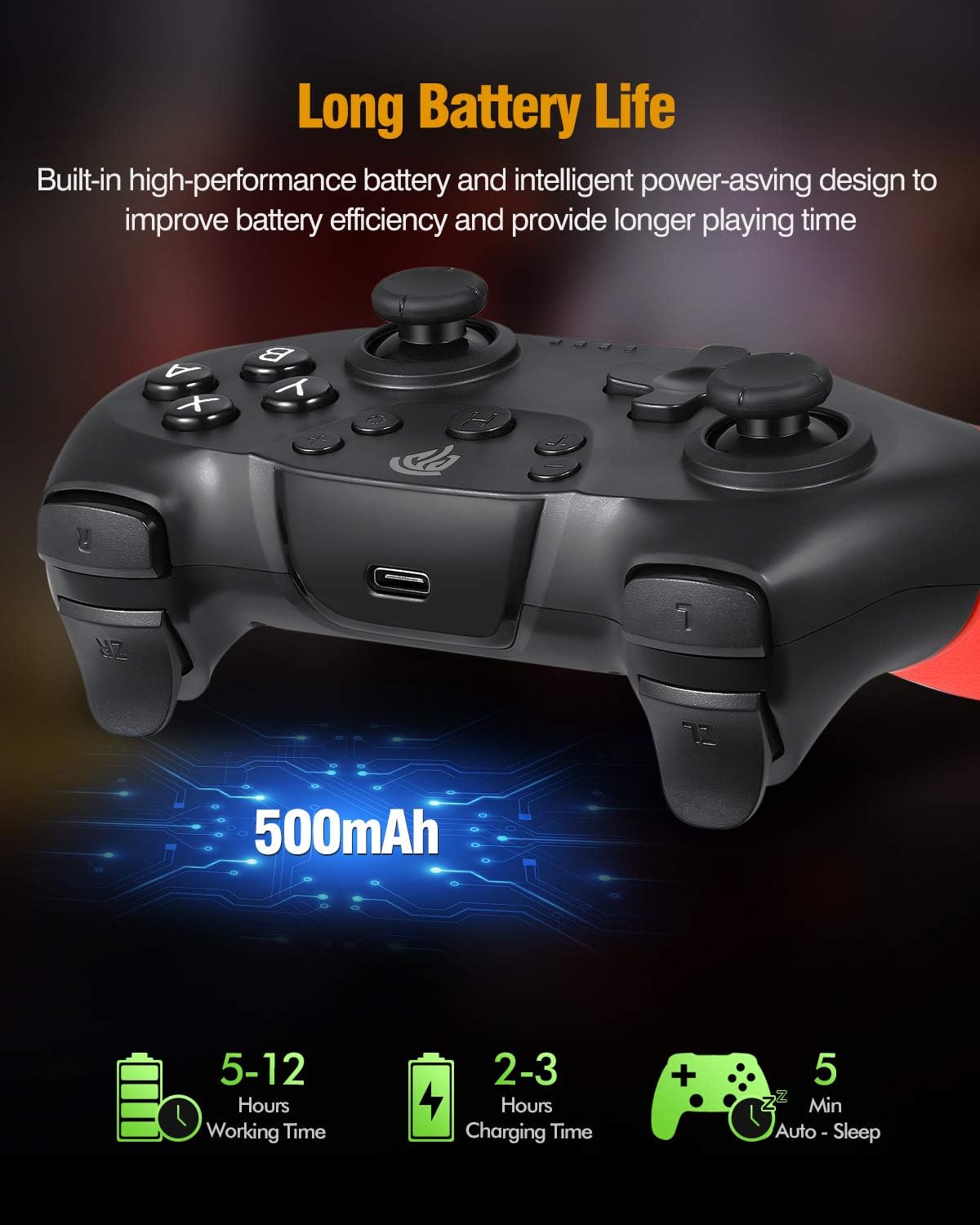
слика: Illustration of the controller's battery life and charging. The image shows the controller with a USB-C port, indicating a 500mAh battery. Text overlays specify a working time of 5-12 hours (note: actual working time is approximately 8 hours as per product features), a charging time of 2-3 hours, and an auto-sleep function after 5 minutes of inactivity.
Повезивање са Нинтендо Свитчем
Follow these steps to pair your EasySMX Wireless Controller with your Nintendo Switch console:
- From the Nintendo Switch HOME Menu, select "Controllers" > "Change Grip/Order."
- On the controller, press and hold the SYNC button (usually a small button on the top or back) for a few seconds until the LED indicators begin to flash rapidly.
- Када се контролер успешно упари, ЛЕД диоде плејера које одговарају броју контролера ће остати упаљене.
- The controller will automatically connect to the Switch console when powered on if it has been paired previously.
Connecting to PC (Windows)
The controller can be connected to a Windows PC via Bluetooth or a USB cable.
Блуетоотх веза:
- Уверите се да је на вашем рачунару омогућен Bluetooth.
- On your PC, go to "Settings" > "Devices" > "Bluetooth & other devices."
- Select "Add Bluetooth or other device" > "Bluetooth."
- Press and hold the SYNC button on the controller until the LED indicators flash rapidly.
- Select the controller from the list of available Bluetooth devices on your PC.
- Пратите сва упутства на екрану да бисте довршили процес упаривања.
Жична веза:
- Повежите USB-C крај кабла за пуњење са контролером.
- Повежите USB-A крај кабла са доступним USB портом на рачунару.
- The PC should automatically detect and install the necessary drivers. The controller will be recognized as a standard gamepad.
Operativne karakteristike
Турбо функција
The controller supports a Turbo function for rapid firing of buttons. To activate Turbo:
- Press and hold the button you wish to set to Turbo (e.g., A, B, X, Y, L, R, ZL, ZR).
- While holding the button, press the Turbo button once. The button will now continuously register input when held down.
- To deactivate Turbo for that button, repeat the process: hold the button and press the Turbo button again.
Повратне информације о вибрацијама
The controller features dual motors for vibration feedback, providing a more immersive gaming experience. Vibration intensity is typically controlled by the game itself.

слика: Illustration of the controller's vibration feedback. The image shows the controller with visual effects emanating from the grips, symbolizing the dual motor vibration. A gaming scene is depicted in the background, suggesting an immersive experience.
Gyro Axis / 6-Axis Somatosensory
The built-in 6-axis gyro provides somatosensory assistance, allowing for subtle and precise aiming movements in compatible games.

слика: Demonstration of the 6-axis somatosensory feature. The image shows hands holding the controller, with a game displayed on a screen in the background. Text indicates that the built-in 6-axis gyro assists subtle aiming with high precision, making aiming movements smoother and faster.
Sleep Function / Automatic Power Off
To conserve battery life, the controller will automatically enter sleep mode after approximately 5 minutes of inactivity. To wake the controller, press any button.
Одржавање
Да бисте осигурали дуготрајност и оптималне перформансе вашег контролера, пратите ова упутства за одржавање:
- Чишћење: Користите меку, суву крпу за чишћење контролера. Избегавајте употребу јаких хемикалија или абразивних материјала.
- Складиштење: Чувајте контролер на хладном и сувом месту, даље од директне сунчеве светлости и екстремних температура.
- Избегавајте капи: Do not drop or subject the controller to strong impacts, as this can damage internal components.
- Изложеност течности: Keep the controller away from liquids. If it comes into contact with liquid, power it off immediately and allow it to dry completely before attempting to use it again.
Решавање проблема
If you encounter issues with your EasySMX Wireless Controller, refer to the following common problems and solutions:
- Контролер се не укључује:
- Ensure the controller is fully charged. Connect it to a power source using the provided USB-C cable.
- Controller does not pair with Nintendo Switch/PC:
- Ensure the controller is in pairing mode (LEDs flashing rapidly).
- For Switch: Confirm you are in the "Change Grip/Order" menu.
- For PC: Ensure Bluetooth is enabled on your PC and the controller is discoverable.
- Try restarting the controller and the console/PC.
- Уверите се да ниједан други бежични уређај не изазива сметње.
- Кашњење или прекид везе на улазу:
- Ensure the controller is within the 10-meter operating range of the console/PC.
- Check for potential wireless interference from other devices.
- Уверите се да контролер има довољно напуњену батерију.
- Buttons or analog sticks are unresponsive:
- Поново покрените контролер и конзолу/рачунар.
- Ensure the controller's firmware is up to date (check EasySMX official website for updates if available).
- Ако проблем и даље постоји, контактирајте корисничку подршку.
Спецификације
| Број модела | SP5226-R-EU |
| Произвођач | ЕасиСМКС |
| Повезивање | Блуетоотх бежични |
| Домет | До 10 метара |
| Капацитет батерије | 500мАх литијумска батерија |
| Време пуњења | 2-3 сати |
| Оперативно време | Отприлике 8 сата |
| Улазни волtage | ДЦ 5В 500мА |
| Компатибилност | Nintendo Switch, Switch Lite, Windows PC (Not compatible with Xbox 360/One, Mac, iOS) |
| Карактеристике | 6-Axis Gyro, Dual Vibration Motors, Turbo Function, Automatic Sleep Mode |
| Димензије (пакет) | 16.61 к 16.31 к 7.19 цм |
| Тежина (пакет) | 340 г |
Гаранција и подршка
EasySMX products are designed for reliability and performance. For warranty information, technical support, or further assistance, please refer to the warranty card included with your product or visit the official EasySMX webсајт. Молимо вас да сачувате доказ о куповини за евентуалне рекламације по гаранцији.


