1. Увод
The FreedConn TCOM-SC is a Bluetooth communication system designed for motorcycle helmets. It allows for wireless communication, music streaming, FM radio, and GPS voice instructions, enhancing safety and convenience during rides. This manual provides detailed instructions for installation, operation, and maintenance of your TCOM-SC unit.
2. Карактеристике производа
- Блуетоотх 3.0 повезивање: For stable wireless connections.
- Функција интерфона: Supports pairing of up to 3 riders, with 2 riders communicating simultaneously over a range of up to 800 meters.
- ЛЦД екран: Provides clear visual information on status, battery, and FM radio frequency.
- Водоотпорни дизајн: Обезбеђује поуздан рад у различитим временским условима.
- ФМ радио: Уграђени ФМ радио за забаву.
- Напредна контрола буке: Reduces background noise for clear audio.
- Репродукција музике: Stereo music streaming with playback control.
- Пуњива батерија: Long standby time and usage duration.
- Универзална компатибилност: Suitable for full-face and flip-up helmets.

Слика: Прекоview of FreedConn TCOM-SC product features, including 3-rider connection, 800m duplex intercom, phone connectivity, last number redial, FM radio, advanced noise control, stereo music, playback control, individual volume control, rechargeable battery, waterproof, sunproof, dustproof, and hard & soft microphone options.
3. Садржај пакета
Молимо вас да проверите пакет како бисте били сигурни да су сви састојци присутни:
- 1 x Intercom Host
- 1 x Headset (Soft Mic/Hard Mic options)
- 1 к УСБ кабл
- 1 x 3M Clip
- 1 к Клип
- 1 к одвијач
- 1 к Упутство за употребу
- 6 x Headset Velcro Pads

Image: Visual representation of the FreedConn TCOM-SC package contents, including the intercom host, headset with microphone, USB cable, mounting clips, screwdriver, user manual, and headset velcro pads.
4. Производ је готовview и компоненте
Familiarize yourself with the main components of the TCOM-SC unit:
- ЛЦД екран: Показује оперативни статус.
- Јог Вхеел: Multi-function control for volume, track skipping, and menu navigation.
- Вишенаменско дугме: For power, intercom, and phone calls.
- Charger and Headset Socket: For connecting the charging cable and headset.
- Stereo Ear Speakers: За аудио излаз.
- Микрофон за поништавање буке: Available in hard cable (boom mic) and soft cable (flexible mic) versions.

Image: Diagram illustrating the components of the FreedConn TCOM-SC headset, including stereo ear speakers, power on/off and intercom button, LCD display screen, jog wheel, multi-function button, charger and headset socket, noise canceling microphone (hard and soft cable options), and slot cable.
5. Инсталација
Follow these steps to install the TCOM-SC unit on your helmet:
- Изаберите начин монтаже: Decide between the clamp mount (for helmets with an edge) or the adhesive mount (for helmets without a suitable edge).
- Причврстите носач: Securely attach the chosen mount to the left side of your helmet.
- Insert Intercom Unit: Slide the TCOM-SC unit onto the mount until it clicks into place.
- Инсталирајте звучнике: Attach the Velcro pads to the inside of your helmet, then place the stereo speakers over the Velcro pads, aligning them with your ears.
- Инсталирајте микрофон: For full-face helmets, use the soft cable microphone and position it inside the chin bar. For open-face or flip-up helmets, use the hard cable boom microphone and position it in front of your mouth.
- Повежите слушалице: Plug the headset cable into the headset socket on the TCOM-SC unit.
- Путни каблови: Neatly tuck all cables under the helmet padding to avoid obstruction and ensure comfort.
6. Пуњење батерије
The TCOM-SC unit is powered by a rechargeable battery. Ensure it is fully charged before first use.
- Connect the provided USB cable to the charging port on the TCOM-SC unit.
- Connect the other end of the USB cable to a USB power adapter (not included) or a computer USB port.
- The LCD display will indicate charging status.
- Пуњење обично траје око 2.5 сата.
- A full charge provides up to 10 hours of phone calling time, 8 hours of intercom time, and up to 300 hours of standby time.
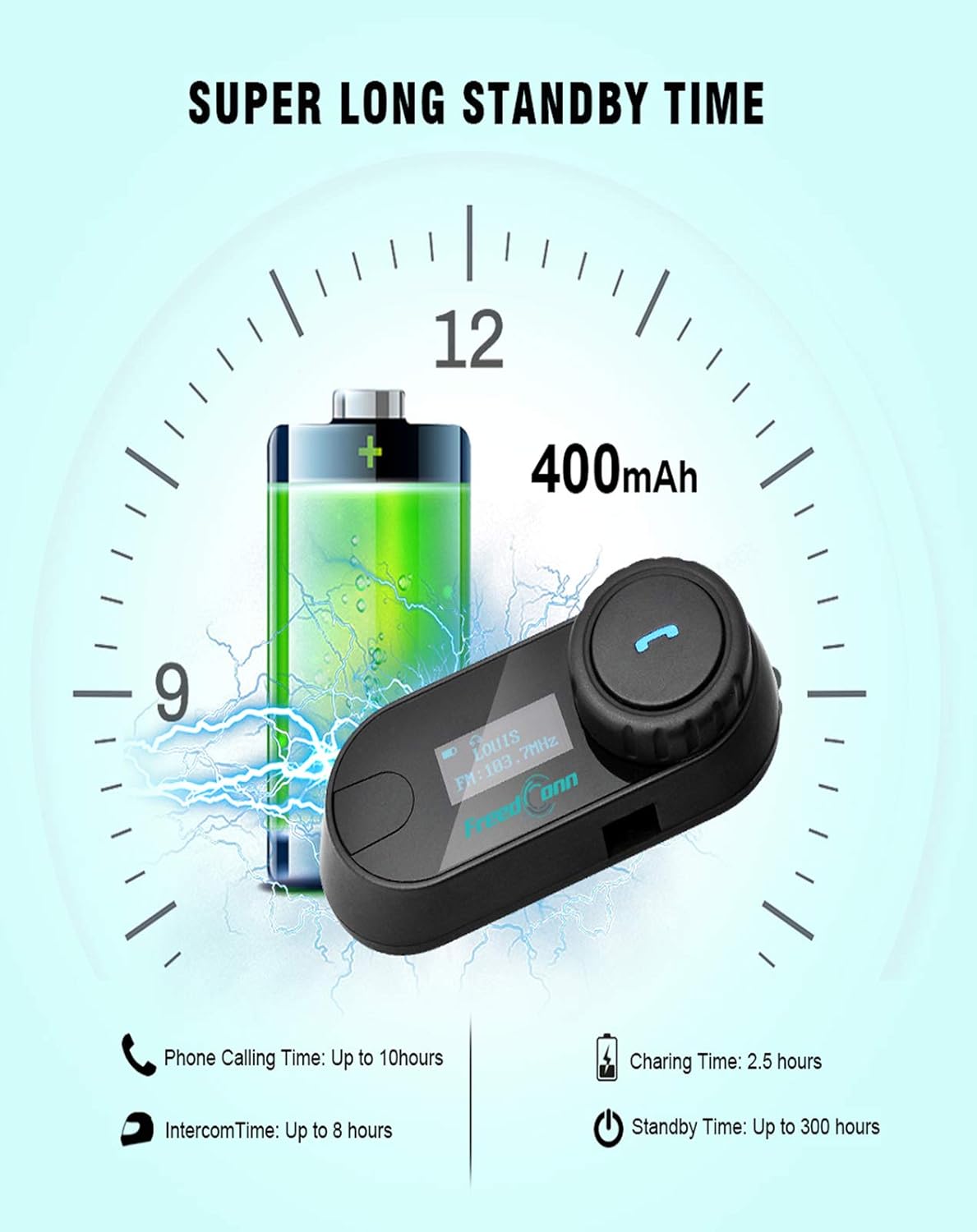
Image: Illustration of FreedConn TCOM-SC battery life and charging details, showing a 400mAh battery, 2.5 hours charging time, up to 10 hours phone calling time, up to 8 hours intercom time, and up to 300 hours standby time.
7. Основне операције
7.1 Укључивање/искључивање
- Укључено: Press and hold the Multi-function Button for approximately 3 seconds until you hear a voice prompt and the LCD screen illuminates.
- Искључивање: Press and hold the Multi-function Button for approximately 5 seconds until you hear a voice prompt and the LCD screen turns off.
7.2 Подешавање јачине звука
- Rotate the Jog Wheel forward to increase volume.
- Rotate the Jog Wheel backward to decrease volume.
8. Блуетоотх упаривање
8.1 Упаривање са мобилним телефоном
- Ensure the TCOM-SC unit is powered off.
- Press and hold the Multi-function Button for approximately 5-7 seconds until the LCD screen shows "Pairing" and the indicator light flashes red and blue alternately.
- На мобилном телефону омогућите Блуетоотх и потражите уређаје.
- Select "FreedConn TCOM-SC" from the list of available devices.
- If prompted, enter the PIN code "0000".
- Once paired, the LCD will show "Connected" and the indicator light will flash blue slowly.
8.2 Pairing with Another TCOM-SC Unit (Intercom)
To establish intercom communication between two TCOM-SC units:
- Ensure both TCOM-SC units are powered off.
- On both units, press and hold the Multi-function Button for approximately 5-7 seconds until they enter pairing mode (red and blue indicator lights flashing alternately).
- Briefly press the Multi-function Button on један of the units. It will search for the other unit.
- Once connected, both units will show "Intercom" on their LCD screens and the indicator lights will flash blue slowly.
For multi-rider intercom (up to 3 units), repeat the pairing process with the third unit, ensuring only two units are actively communicating at any given time.
9. Оперативне функције
9.1 Телефонски позиви
- Одговори на позив: Briefly press the Multi-function Button.
- Заврши позив: Briefly press the Multi-function Button.
- Одбиј позив: Притисните и држите вишенаменско дугме 2 секунде.
- Поновно бирање последњег броја: Двапут притисните вишефункционално дугме.
9.2 Репродукција музике
- Пусти/паузирај: Briefly press the Multi-function Button.
- Следећа нумера: Rotate the Jog Wheel forward and hold for 2 seconds.
- Претходни запис: Rotate the Jog Wheel backward and hold for 2 seconds.
9.3 ФМ Радио
- Укључивање/искључивање ФМ-а: Double-press the Multi-function Button to switch between music/intercom and FM radio.
- Скенирајуће станице: Rotate the Jog Wheel forward or backward to change stations.
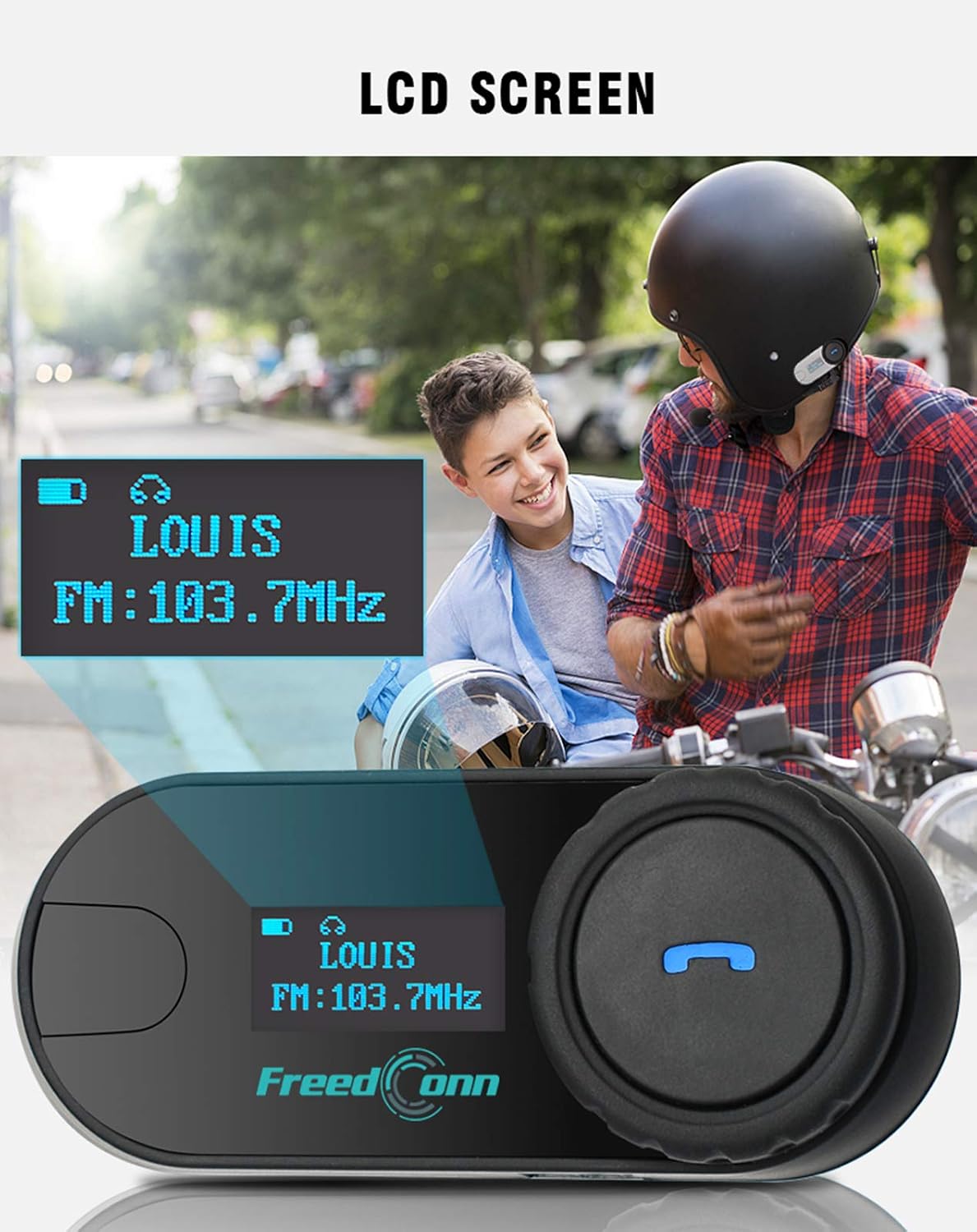
Слика: Крупни план view of the FreedConn TCOM-SC LCD screen, displaying information such as connected device name (e.g., LOUIS) and FM radio frequency (e.g., FM: 103.7MHz).
10. Одржавање
- Очистите јединицу меком, дamp тканина. Не користите јаке хемикалије или раствараче.
- Уверите се да је поклопац порта за пуњење добро затворен када се не пуни како би се одржала водоотпорност.
- Чувајте јединицу на хладном и сувом месту када се не користи.
- Избегавајте излагање јединице екстремним температурама.

Image: The FreedConn TCOM-SC unit shown with water splashing around it, illustrating its waterproof, sun protection, and dust-proof capabilities, highlighting its durable and protective design.
КСНУМКС. Решавање проблема
- Нема напајања: Уверите се да је батерија напуњена. Прикључите пуњач и покушајте поново.
- Не може се упарити: Make sure both devices are in pairing mode. Turn off and restart both devices, then try pairing again. Ensure no other Bluetooth devices are interfering.
- Нема звука: Check volume levels on both the TCOM-SC and the connected device. Ensure the headset is properly plugged into the unit.
- Интерфонске везе се прекидају: Ensure units are within the 800m range and there are no major obstructions. Re-establish the intercom connection.
- Лош квалитет звука: Check microphone placement. Ensure speakers are correctly positioned over your ears. Reduce background noise if possible.
12. Спецификације
| Број модела | ТЦОМ-СЦ |
| Блуетоотх верзија | 3.0 |
| Интерцом Ранге | До 800 метара (2 јахача) |
| Капацитет батерије | 400мАх |
| Phone Calling Time | До 10 сати |
| Интерцом Тиме | До 8 сати |
| Време приправности | До 300 сати |
| Време пуњења | Отприлике 2.5 сата |
| Ниво отпорности на воду | Водоотпоран |
| Димензије производа | 1.22 к 0.98 к 3.19 инча |
| Тежина артикла | 10.2 унци |
13. Гаранција и подршка
For warranty information and technical support, please refer to the official FreedConn webсајт или контактирајте продавца. Сачувајте рачун као доказ о куповини.


