Weiser SmartCode 5 Lever Electronic Lock
Модел: 9GED14550-005
1. Увод
This manual provides comprehensive instructions for the Weiser 9GED14550-005 SmartCode 5 Lever Electronic Lock with Z-Wave technology. This electronic lever lock offers keyless entry, enhanced security, and smart home integration capabilities. Please read this guide thoroughly before installation and operation to ensure proper function and longevity of your lock.
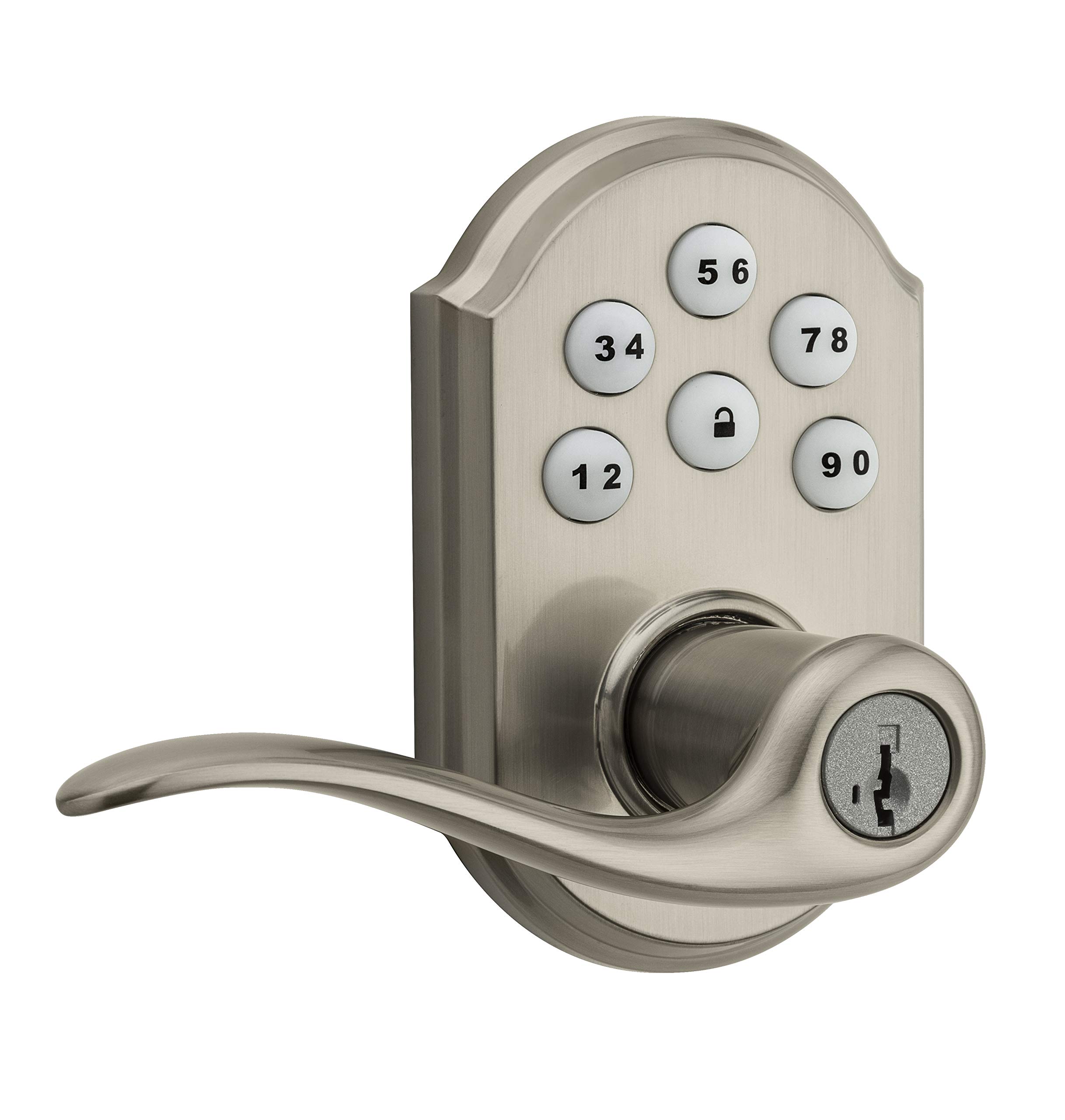
Image 1: Weiser SmartCode 5 Lever Electronic Lock in Satin Nickel finish. This image displays the complete lock assembly, including the exterior keypad and interior lever components.
2. Карактеристике производа
- Улаз без кључа: Backlit keypad for convenient code access.
- Z-Wave 500 Home Connect Technology: Enables wireless communication with other smart home devices.
- Даљински приступ: Remotely check lock status, lock/unlock, and receive notifications via web-enabled devices.
- Компатибилност паметног дома: Works with Z-Wave certified controllers, including Samsung SmartThings and Wink for Amazon Alexa integration.
- Технологија поновног кључања SmartKey: Allows re-keying the lock to a new key in seconds.
- Закључавање једним додиром: Motorized locking with a single touch.
- Аутоматско закључавање: Customizable automatic re-locking after 30 seconds for added security.
- Кориснички кодови: Supports up to 30 unique user access codes and 1 master code.
- Трајност: ANSI/BHMA Grade 2 certified.
- Једноставна инсталација: Designed to fit most standard residential door preparations (1-3/8" to 1-3/4" door thickness, adjustable 2-3/8" or 2-3/4" backset, 2-1/8" cross bore).
- безбедност: Full 128-bit encryption.
3. Садржај пакета
Before beginning installation, verify that all components are present. The package typically includes:
- Склоп спољашње тастатуре
- Склоп унутрашње полуге
- Латцх
- Стрике Плате
- Монтажни хардвер
- Installation Guide / Drilling Template
Note: 4 AA alkaline batteries are required and sold separately.
4. Водич за инсталацију
Installation of the SmartCode 5 Lever lock is designed to be straightforward, typically requiring only a Phillips head screwdriver. Ensure your door meets the following specifications:
- Дебљина врата: 1-3/8" to 1-3/4" (35 mm - 44 mm)
- Попречни отвор: 2-1/8" (54 мм)
- Latch Backset: Adjustable 2-3/8" or 2-3/4" (60 mm or 70 mm)
- Руковање врата: Universal (can be installed on left or right-handed doors)
Кораци инсталације:
- Припремите врата: If necessary, use the provided template to drill holes. Ensure the door is properly aligned and the existing latch bore is clear.
- Инсталирајте браву: Insert the latch into the door edge and secure it with screws. Ensure the latch bolt faces the door frame.
- Инсталирајте склоп спољашње тастатуре: Route the cable through the cross bore and position the exterior keypad assembly on the door.
- Инсталирајте унутрашњи склоп: Connect the cable from the exterior assembly to the interior assembly. Secure the interior assembly to the door using the provided mounting screws.
- Инсталирајте полуге: Attach the interior and exterior levers according to the instructions, ensuring they operate smoothly.
- Инсталирајте батерије: Insert 4 new AA alkaline batteries into the battery pack.
- Извршите процес руковања вратима: This step is crucial for the lock to learn the orientation of your door. Follow the specific instructions in your physical installation guide to ensure correct operation.
5. Initial Setup & Programming
After installation, the lock requires initial setup, including setting the Master Code and User Codes.
Мастер код:
The Master Code is a critical security feature. It is used to add, delete, and modify User Codes and other lock settings. It does not unlock the door. It is highly recommended to create a Master Code immediately after installation.
Кориснички кодови:
The lock supports up to 30 unique 4-8 digit User Codes for family members, guests, or service personnel.
Programming Steps (General):
- Поставите главни код: Refer to your specific programming guide for the sequence to establish your Master Code.
- Додај кориснички код:
- Унесите свој главни код.
- Press the Program button (usually located on the interior assembly).
- Унесите нови кориснички код од 4-8 цифара.
- Притисните дугме за закључавање.
- Test the new User Code to ensure it unlocks the door.
- Избриши кориснички код: Follow the specific instructions in your programming guide, typically involving the Master Code and the User Code to be deleted.
6. Z-Wave интеграција
The SmartCode 5 Lever lock features Z-Wave 500 Home Connect Technology, allowing it to integrate with compatible smart home systems.
Enrollment (Adding to Z-Wave Network):
To add the lock to your Z-Wave network, initiate the 'Add Device' or 'Inclusion' process on your Z-Wave controller/hub. Then, follow the lock's specific instructions to put it into inclusion mode (often by pressing the Program button once). The lock will communicate with the controller to join the network.
Exclusion (Removing from Z-Wave Network):
To remove the lock from a Z-Wave network, initiate the 'Remove Device' or 'Exclusion' process on your Z-Wave controller/hub. Then, follow the lock's specific instructions to put it into exclusion mode.
Functionality with Z-Wave:
- Remotely lock and unlock the door.
- Check the current lock status (locked/unlocked).
- Receive notifications for lock activity (e.g., door locked/unlocked, low battery).
The lock is compatible with Z-Wave certified controllers, including those that support Amazon Alexa integration via Samsung SmartThings and Wink.
7. Операција
Operating your SmartCode 5 Lever lock is simple and intuitive.
Закључавање врата:
- Споља: Press the Lock button on the keypad. The motorized deadbolt will extend.
- Из унутрашњости: Rotate the interior thumb turn to the locked position.
Откључавање врата:
- Споља: Enter a valid 4-8 digit User Code on the keypad. The motorized deadbolt will retract.
- Из унутрашњости: Rotate the interior thumb turn to the unlocked position.
Аутоматско закључавање:
If enabled, the lock will automatically re-lock approximately 30 seconds after being unlocked from the exterior. This feature provides peace of mind, ensuring your door is always secured.
8. Одржавање
Proper maintenance ensures the longevity and reliable operation of your electronic lock.
Замена батерије:
The lock requires 4 AA alkaline batteries. When the batteries are low, the lock will typically provide an audible and/or visual low battery warning. Replace all four batteries simultaneously with new, high-quality alkaline batteries. Avoid using rechargeable batteries, as they may not provide sufficient voltage.
Чишћење:
Clean the keypad and lock body with a soft, damp крпа. Избегавајте употребу абразивних средстава за чишћење, растварача или хемијских спрејева, јер они могу оштетити завршну обраду и електронске компоненте.
Поновно кодирање SmartKey-а:
If you need to re-key your lock to a new key, follow the specific instructions provided with your SmartKey tool. This process allows you to re-key the lock yourself in seconds without removing it from the door.
КСНУМКС. Решавање проблема
If you encounter issues with your lock, refer to the following common troubleshooting steps:
- Брава не реагује: Check that the batteries are correctly installed and fully charged. Replace batteries if necessary. Ensure all cables are securely connected inside the interior assembly.
- Кодови не раде: Verify that the Master Code is set. Ensure User Codes are entered correctly and are active. Try deleting and re-adding the User Code.
- Проблеми са повезивањем са Z-Wave-ом: Ensure your Z-Wave controller/hub is powered on and within range of the lock. Try performing a Z-Wave exclusion and then re-inclusion process.
- Grinding Noise / Latch Not Extending: This can indicate door misalignment or an obstruction. Check that the door frame and strike plate are properly aligned with the latch. Ensure the latch operates freely without resistance.
- Тастатура се не пали: Check battery power. If batteries are new, ensure they are inserted with correct polarity.
For more detailed troubleshooting, consult the full product manual or contact Weiser customer support.
10. Спецификације
| Број модела | 9ГЕД14550-005 |
| Бранд | Веисер |
| Материјал | Никл |
| Заврши | Полирано |
| Боја | Сатин Ницкел |
| Стиле | Модерна |
| Тип закључавања | Тастатура |
| Посебна карактеристика | Без кључа |
| Дебљина врата | 1-3/8" to 1-3/4" (35 mm - 44 mm) |
| Латцх Бацксет | Adjustable 2-3/8" or 2-3/4" (60 mm or 70 mm) |
| Попречна руптура | 2-1/8" (54 мм) |
| Извор напајања | 4 АА алкалних батерија (нису укључене) |
| Цертификати | АНСИ/БХМА разред 2 |
| Тежина артикла | 1.51 кг |
| Approximate Dimensions (Parcel) | 25.3 к 14.1 к 9.2 цм |
| Компатибилност контролера | Amazon Alexa, SmartThings, Wink (via Z-Wave hub) |
11. Гаранција и подршка
Weiser stands behind the quality of its products.
Информације о гаранцији:
- Mechanical & Finish Warranty: Животни вијек
- Гаранција за електронику: Једна година
These warranties apply to the original residential user of the product. Please retain your proof of purchase for warranty claims.
Корисничка подршка:
For detailed warranty terms, technical assistance, or further support, please visit the official Weiser website or contact their customer service department. Contact information can typically be found on the Weiser webсајту или у материјалима за паковање.