1. Важна безбедносна упутства
Please read all instructions carefully before using this fan and retain them for future reference. Failure to follow these instructions may result in electric shock, fire, or serious injury.
- Увек искључите вентилатор из струје пре чишћења или било каквог одржавања.
- Немојте користити вентилатор са оштећеним каблом или утикачем.
- Keep fingers and other objects away from the fan blades and openings.
- Не користите вентилатор на мокром или дamp локацијама.
- Уверите се да је вентилатор постављен на стабилну, равну површину како бисте спречили превртање.
- Овај вентилатор је намењен само за употребу у затвореном простору.
2. Садржај пакета
Проверите да ли су све компоненте присутне пре склапања:
- Fan Head Assembly (Motor, Blades, Front and Rear Grills)
- Подесиви сталак
- Роунд Басе
- Ремоте Цонтрол
- Упутство за употребу
3. Подешавање и монтажа
Пратите ове кораке да бисте саставили свој PELONIS постоље вентилатора:
- Причврстите базу: Secure the adjustable stand pole to the round base. Ensure it is firmly tightened for stability.
- Подесите висину: Loosen the height adjustment knob on the stand pole, extend the pole to your desired height, and then tighten the knob securely.
- Mount Fan Head: Attach the fan head assembly to the top of the adjustable stand pole. Ensure it clicks into place or is securely fastened according to the specific model's mechanism.
- Secure Grills: Ensure both the front and rear fan grills are properly aligned and securely fastened to prevent access to the blades during operation.

Figure 3.1: Step-by-step assembly guide for the Pelonis 16-inch Pedestal Fan.

Figure 3.2: The fan features a sturdy, weighted base for enhanced stability.
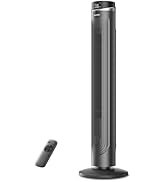
Figure 3.3: The fan's height can be adjusted to suit various needs, ranging from 3.5 feet to 4 feet.
4. Упутство за употребу
Your PELONIS Pedestal Fan offers multiple settings for personalized comfort.
4.1 Укључивање/искључивање
- Притисните тастер Дугме за напајање on the control panel or remote control to turn the fan on or off.
4.2 Подешавања брзине
- The fan features 12 speed settings. Use the Дугмад за брзину (usually '+' and '-') on the control panel or remote to adjust the airflow intensity.

Figure 4.1: The fan offers 12 customizable speed settings for varied airflow.
4.3 Функција осцилације
- Притисните тастер Дугме за осциловање (often an icon with arrows) on the control panel or remote to activate or deactivate the oscillation feature. This allows the fan head to sweep from side to side, distributing air across a wider area.

Figure 4.2: The fan provides 90-degree widespread oscillation for comprehensive air circulation.
4.4 Подешавање тајмера
- The fan includes a 12-hour timer. Press the Дугме тајмера to set the fan to automatically turn off after a specified duration. Each press typically increases the timer by one hour.
4.5 Даљински управљач
- The included remote control allows convenient operation of all fan functions from a distance. Ensure the remote has working batteries.

Figure 4.3: Operate all fan functions conveniently with the included remote control.
5. Одржавање
Редовно чишћење осигурава оптималне перформансе и дуготрајност вашег вентилатора.
5.1 Чишћење вентилатора
- Увек искључите вентилатор из утичнице пре чишћења.
- Користите меку, дamp крпу за брисање спољашњих површина вентилатора. Не користите абразивна средства за чишћење или раствараче.
- To clean the fan blades, carefully remove the front grill. Wipe the blades with a soft, damp cloth. Ensure the blades are completely dry before reattaching the grill.
- Не урањајте вентилатор у воду нити дозволите да вода капне у кућиште мотора.

Figure 5.1: The fan features an intensive fence design for safety, which can be disassembled for cleaning.
КСНУМКС. Решавање проблема
Ако наиђете на проблеме са вентилатором, погледајте следеће уобичајене проблеме и решења:
- Вентилатор се не укључује: Уверите се да је кабл за напајање безбедно прикључен у исправну електричну утичницу. Проверите да ли је дугме за напајање притиснуто.
- Слаб проток ваздуха: Verify that the fan speed is set to a higher level. Check for any obstructions around the fan grills.
- Вентилатор је бучан: Ensure all parts are securely assembled. Check for any loose components or debris caught in the blades.
- Осцилација не ради: Confirm the oscillation button has been pressed. Check for any obstructions preventing the fan head from rotating.
- Даљински управљач не ради: Replace the batteries in the remote control. Ensure there are no obstructions between the remote and the fan's receiver.
7. Спецификације
| Феатуре | Спецификација |
|---|---|
| Назив модела | PFS40D6ABB |
| Бранд | ПЕЛОНИС |
| Дизајн електричног вентилатора | Подни вентилатор |
| Извор напајања | Цордед Елецтриц |
| Димензије производа | 15.75"Д к 15.75"Ш к 51.18"В |
| Посебна карактеристика | Adjustable Height, Oscillating, Remote Control |
| Ниво буке | 38 децибела |
| Ватtage | 2.7 вати |
| Број оштрица | 5 |
| Капацитет протока ваздуха | 2520 кубних стопа у минути |
| Бладе Ленгтх | 16 инча |
| Волtage | 110 Волтс |
| Број нивоа снаге | 12 |
| Тип мотора | DC |
| Унутрашња/спољна употреба | Индоор |

Figure 7.1: Illustration of the fan's powerful and energy-efficient DC motor.
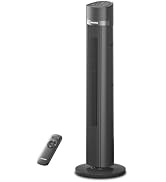
Figure 7.2: The fan operates at a low noise level of 38 dB, making it suitable for quiet environments like bedrooms.
8. Гаранција и подршка
PELONIS products are designed for reliability and performance. This product comes with a 1-year limited warranty from the date of purchase. For warranty claims or technical support, please contact PELONIS customer service.
- Служба за кориснике: Refer to the contact information provided on the PELONIS official webсајт или паковање вашег производа.
- Онлине ресурси: Посетите PELONIS продавница на Амазону за додатне информације о производу и подршку.


