1. Производ је готовview
The j5create JCT425 is a wooden monitor stand designed to elevate your display to an ergonomic viewing height while providing integrated USB-C and HDMI docking capabilities. This device helps organize your workspace and expand connectivity for your computer or laptop.

Image 1.1: The j5create JCT425 monitor stand with a monitor, keyboard, and mouse, showcasing its ergonomic design and integrated hub.
2. Садржај пакета
Проверите да ли су све ставке присутне у пакету:
- Wooden Monitor Stand Top Panel
- Aluminum Legs (2 units)
- УСБ-Ц на УСБ-Ц кабл
- Assembly Screws and Hex Key
- Кратки водич за инсталацију (овај приручник)
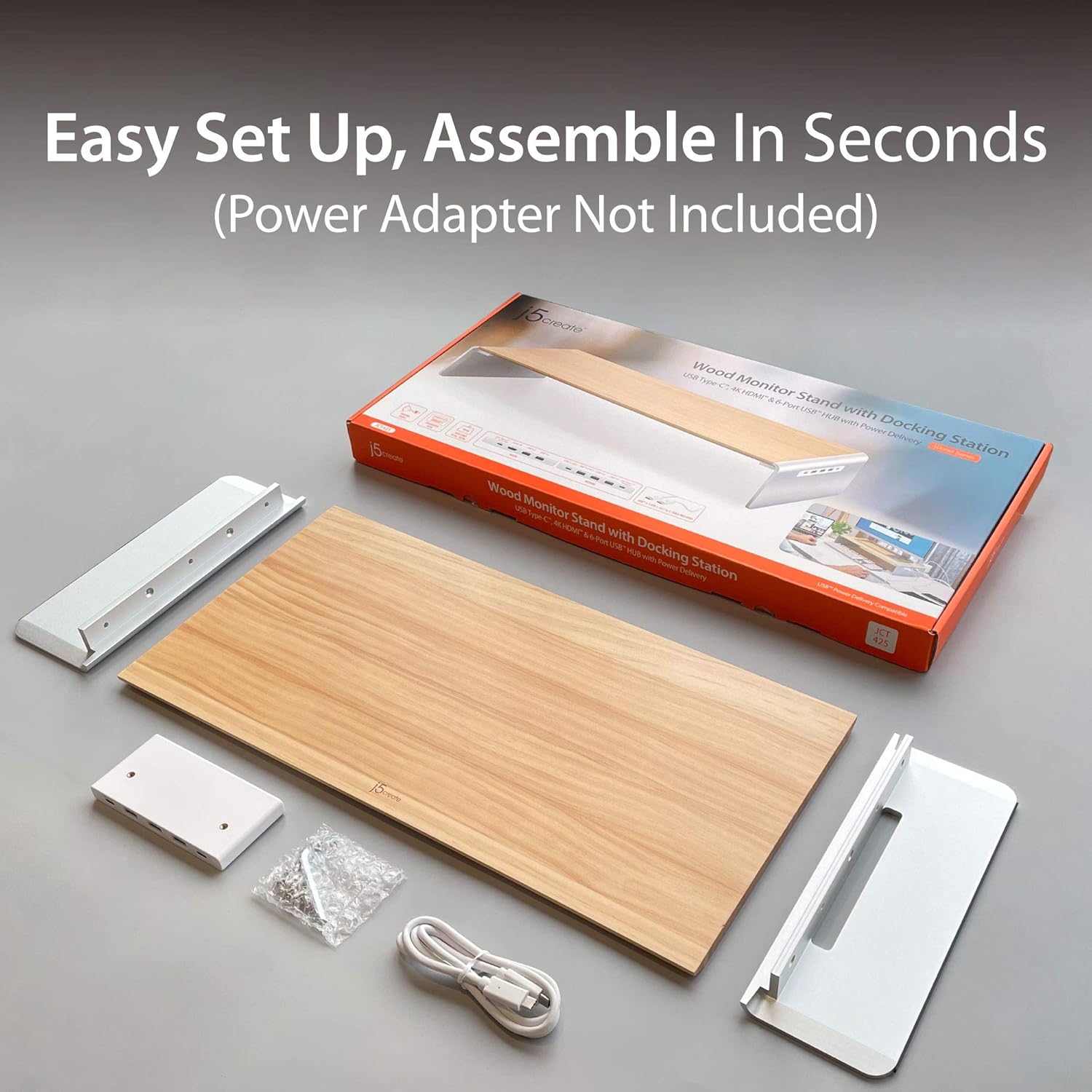
Image 2.1: Contents of the j5create JCT425 package, including the wooden top, aluminum legs, USB-C cable, and assembly hardware.
3. Подешавање и инсталација
Follow these steps to assemble and connect your monitor stand:
- Саставите штанд: Attach the two aluminum legs to the wooden top panel using the provided screws and hex key. Ensure the screws are tightened securely to prevent wobbling.
- Поставите постоље: Place the assembled monitor stand on a stable, flat surface on your desk.
- Place Your Monitor: Carefully place your monitor, laptop, or TV on the wooden top panel of the stand. Ensure it is centered and stable. The stand supports up to 88 lbs (40 kg).
- Повежите се са хост уређајем: Use the included USB-C to USB-C cable to connect the monitor stand's USB-C upstream port (located on the back or side of the integrated hub) to a USB-C port on your computer or laptop. This connection enables the docking station features.
- Повежите периферне уређаје: Connect your USB devices (keyboard, mouse, external drives) to the available USB 3.0 ports on the stand.
- Connect External Display (Optional): If using an external monitor, connect an HDMI cable from the stand's HDMI port to your external display.
- Напајање (опционо): If your host device supports USB-C Power Delivery, connect your laptop's USB-C power adapter to the stand's USB-C Power In port (if available and required for charging through the stand).
4. Упутство за употребу
The j5create JCT425 functions as both an ergonomic monitor riser and a multi-port docking station.
4.1. Ergonomic Monitor Riser
The stand elevates your monitor to a comfortable viewing height, which can help reduce neck and eye strain. The space underneath the stand can be used for keyboard, mouse, or other desk accessories, promoting a clutter-free workspace.

Image 4.1: The monitor stand in use, demonstrating its ability to organize a desk setup with a laptop, external monitor, and peripherals.
4.2. USB-C/HDMI Docking Station
The integrated hub provides various ports for expanded connectivity:
- УСБ 3.0 портови: Connect USB peripherals such as keyboards, mice, external hard drives, or USB flash drives. These ports offer high-speed data transfer.
- УСБ-Ц 3.1 порт: For connecting newer USB-C devices.
- 4К ХДМИ порт: Connect an external display to extend or mirror your computer's screen. Supports resolutions up to 4K.
- USB-C to PC/NB (Upstream Port): This port connects the stand to your computer, enabling all docking station functionalities.
- Up To PD 100W Power In (Optional): If your laptop requires power, connect your laptop's USB-C power adapter here to charge your laptop through the stand while using the hub.

Слика 4.2: Детаљно view of the USB-C hub ports on the j5create JCT425, labeling USB 3.0, USB-C 3.1, 4K HDMI, USB-C to PC/NB, and Power In ports.
5. Одржавање и њега
To ensure the longevity and appearance of your j5create JCT425 monitor stand, follow these care guidelines:
- Чишћење: Use a soft, dry cloth to wipe down the wooden and aluminum surfaces. For stubborn marks, a slightly damp Може се користити крпа са благим сапуном, а затим одмах осушити. Избегавајте абразивна средства за чишћење или јаке хемикалије.
- Нега дрвета: The wooden panel is handmade solid wood. Avoid prolonged exposure to direct sunlight or extreme humidity, which can cause warping or discoloration.
- Aluminum Care: The aluminum components have a polished finish. Avoid scratching the surface with sharp objects.
- Брига о лукама: Keep the USB and HDMI ports free of dust and debris. Use compressed air if necessary to clear any blockages.
КСНУМКС. Решавање проблема
If you encounter issues with your j5create JCT425, refer to the following common problems and solutions:
- Нема излаза за екран преко HDMI-ја:
- Ensure the USB-C cable from the stand is securely connected to your computer's USB-C port.
- Verify the HDMI cable is properly connected between the stand and your external display.
- Check your computer's display settings to ensure the external monitor is detected and configured (e.g., extended or mirrored).
- Try a different HDMI cable or external display to rule out component issues.
- USB Devices Not Recognized or Disconnecting:
- Ensure the USB-C cable connecting the stand to your computer is firmly seated.
- Try connecting the USB device to a different port on the stand.
- Connect the USB device directly to your computer to confirm it functions independently.
- If using high-power USB devices (e.g., external hard drives), ensure your computer's USB-C port provides sufficient power, or connect a power adapter to the stand's Power In port if applicable.
- Поново покрените рачунар.
- Stand is Wobbly After Assembly:
- Re-check all assembly screws to ensure they are fully tightened.
- Уверите се да је сталак постављен на потпуно равној и стабилној површини.
- Нема напајања лаптопа:
- Verify that your laptop's USB-C power adapter is connected to the stand's 'Up To PD 100W Power In' port.
- Ensure your laptop supports USB-C Power Delivery through its connected USB-C port.
7. Спецификације
| Феатуре | Спецификација |
|---|---|
| Број модела | ЈЦТ425 |
| Материјал | Алуминијум, дрво |
| Димензије производа (Д к Ш к В) | 22.83 к 11.02 к 1.57 инча (58 к 28 к 4 цм) |
| Тежина артикла | 4.69 фунте (2.13 кг) |
| Капацитет оптерећења | 88.2 фунте (40 кг) |
| УСБ портови | Multiple USB 3.0, 1x USB-C 3.1 |
| Видео Оутпут | 1x HDMI (up to 4K resolution) |
| Повер Деливери | Up to 100W via USB-C Power In port (optional) |
| УПЦ | 847626003097 |
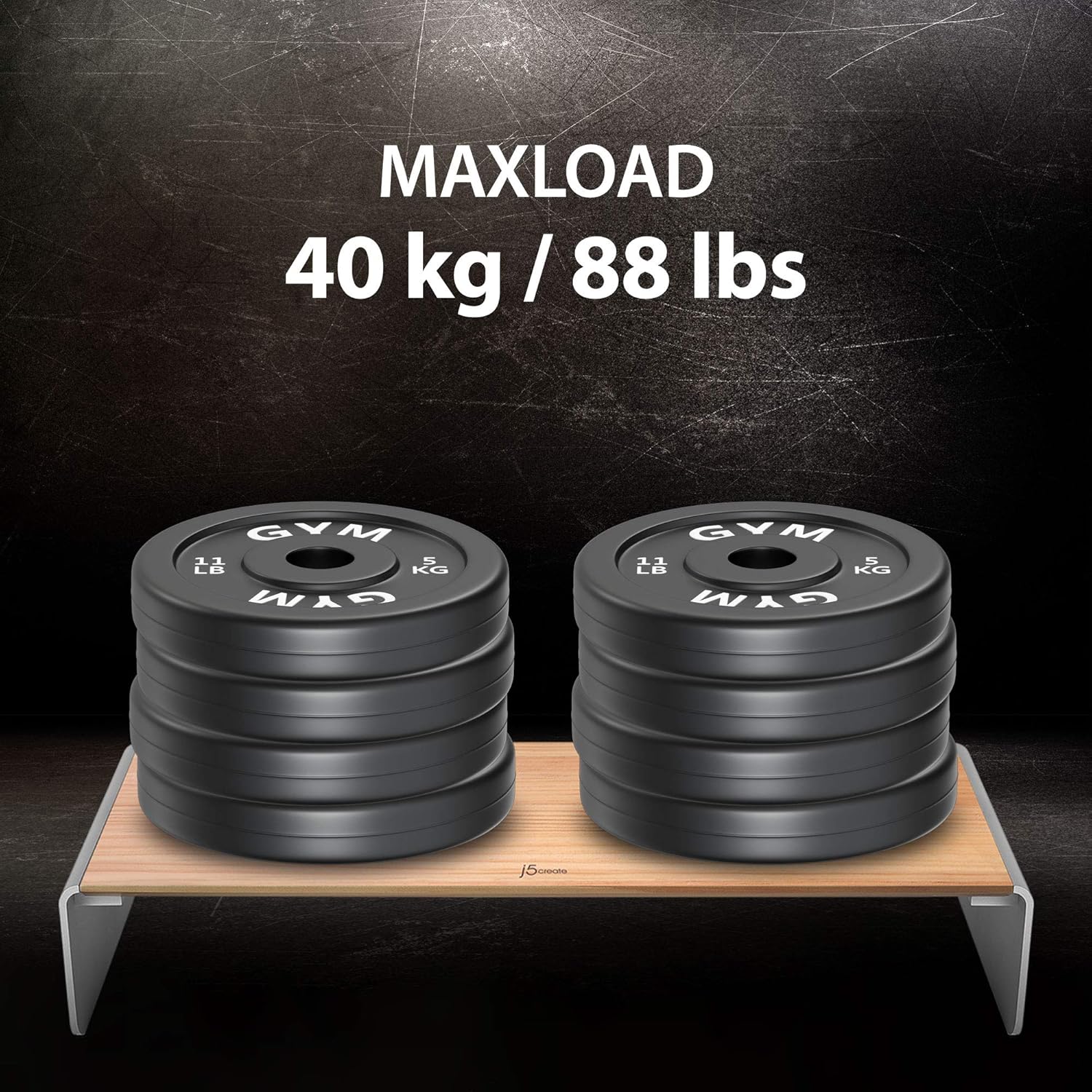
Image 7.1: Visual representation of the j5create JCT425's maximum load capacity of 40 kg / 88 lbs.
8. Гаранција и подршка
j5create products are designed for reliability and performance. For warranty information and technical support, please refer to the official j5create webсајт или директно контактирајте њихову корисничку службу. Сачувајте рачун за куповину за потребе гаранције.
Подршка на мрежи: Посетите j5create Store on Amazon за информације о производу и ресурсе за подршку.


