1. Увод
This manual provides comprehensive instructions for setting up, operating, and maintaining your Microsoft Surface Go 2 tablet. The Surface Go 2 is a versatile 10.5-inch touch-screen device, powered by an Intel Pentium processor, 8GB of RAM, and a 128GB SSD, running Windows 10. It is designed for portability and efficiency, suitable for various tasks from productivity to entertainment.
2. Компоненте и портови
Familiarize yourself with the physical components and connection ports of your Surface Go 2.
2.1 Уређај је завршенview
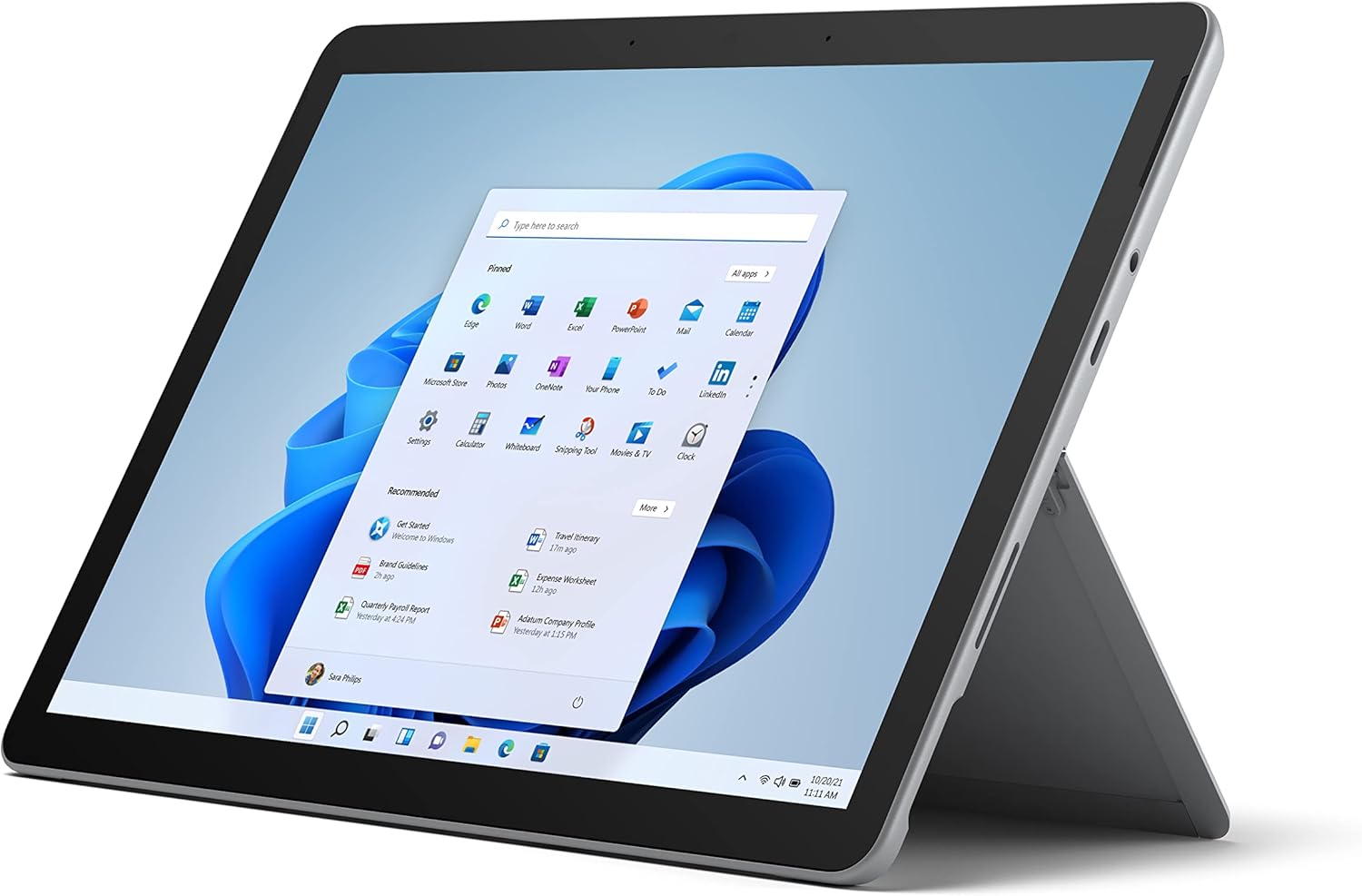
Figure 2.1: Microsoft Surface Go 2 tablet in landscape orientation, showcasing the Windows desktop interface.
2.2 Side Ports and Buttons
- УСБ Типе-Ц порт: За пренос података, видео излаз и пуњење.
- 3.5 мм прикључак за слушалице: За повезивање слушалица или екстерних аудио уређаја.
- Сурфаце Цоннецт порт: Magnetic port for charging and connecting to Surface Dock (sold separately).
- Читач микроСД картица: For expanding storage with a microSD card.
- Дугмад за јачину звука: Да бисте подесили јачину звука.
- Дугме за напајање: Да бисте укључили/искључили уређај или га stavili у стање спавања.

Figure 2.2: A side profile of the Surface Go 2, illustrating the various ports and buttons along its edge.
2.3 Integrated Kickstand
The Surface Go 2 features an integrated kickstand on the back, allowing for multiple viewing angles. This enables comfortable use in various modes, such as tablet, laptop (with Type Cover), or studio mode.

Figure 2.3: The Surface Go 2 with its Type Cover keyboard attached and the kickstand deployed, demonstrating its laptop-like configuration.
3. Почетно подешавање
Follow these steps to set up your Surface Go 2 for the first time.
3.1 Укључивање и основна конфигурација
- Напуните уређај: Connect the included power adapter to the Surface Connect port on your device and plug it into a power outlet.
- Укључено: Притисните и држите дугме за напајање које се налази на горњој ивици уређаја док се на екрану не појави Microsoft лого.
- Пратите упутства на екрану: The device will guide you through selecting your region, language, and connecting to a Wi-Fi network.
- Microsoft Account Setup: Sign in with an existing Microsoft account or create a new one. This is essential for accessing Microsoft services and applications.
- Подешавања приватности: Review and adjust your privacy settings as prompted.
- Windows Hello: Set up facial recognition for faster and more secure sign-in (optional).
4. Упутство за употребу
The Surface Go 2 offers flexible interaction methods.
4.1 Навигација преко екрана осетљивог на додир
The 10.5-inch PixelSense display supports 10-point multi-touch. You can navigate Windows 10 using gestures similar to a smartphone or tablet:
- Додирните: Изаберите ставке или отворите апликације.
- Превуците: Померајте се кроз садржај или се крећите између екрана.
- Зумирање штипкањем прстију: Повећајте или смањите величину садржаја.
- Притисните и држите: Access context menus (right-click equivalent).
4.2 Using the Type Cover Keyboard (Sold Separately)
Attach the Type Cover keyboard to transform your Surface Go 2 into a laptop. The keyboard connects magnetically to the bottom edge of the tablet.
- Прилог: Align the Type Cover with the magnetic connector at the bottom of the Surface Go 2 until it snaps into place.
- куцање: Use the physical keys for efficient text input.
- Трекпед: The integrated trackpad allows for precise cursor control and multi-touch gestures.

Figure 4.1: The Surface Go 2 tablet separated from its Type Cover keyboard, illustrating the modular design.
4.3 Using the Surface Pen (Sold Separately)
The Surface Pen (sold separately) enhances creativity and productivity, allowing for natural writing and drawing directly on the screen.

Figure 4.2: The Surface Go 2 tablet displayed with a compatible Surface Pen, highlighting its digital inking capabilities.
5. Одржавање
Proper care ensures the longevity and performance of your Surface Go 2.
- Чишћење екрана: Користите меку крпу која не оставља длачицеampИсперите водом или одобреним средством за чишћење екрана. Избегавајте јаке хемикалије.
- Чишћење тела уређаја: Обришите спољашњост меком, сувом крпом.
- Ажурирања софтвера: Редовно проверавајте и инсталирајте ажурирања за Windows како бисте осигурали оптималне перформансе и безбедност. Идите на Подешавања > Ажурирање и безбедност > Windows Update.
- Одржавање батерије: Да бисте максимално продужили век трајања батерије, избегавајте екстремне температуре и покушајте да је одржите напуњеном између 20% и 80% кад год је то могуће.
- Управљање складиштем: Периодично чистите привремено files and unnecessary data to free up storage space. Go to Подешавања > Систем > Складиштење.
КСНУМКС. Решавање проблема
Уобичајени проблеми и њихова решења.
- Уређај се не укључује: Уверите се да је уређај напуњен. Прикључите адаптер за напајање и сачекајте неколико минута пре него што покушате поново да га укључите.
- Екран осетљив на додир не реагује: Restart the device. If the issue persists, check for pending Windows updates or consider a system restore.
- Проблеми са Ви-Фи везом: Verify your Wi-Fi network is active. Restart your router and the Surface Go 2. Check Wi-Fi settings on the device.
- Споре перформансе: Close unnecessary applications. Check for background processes consuming high resources (Task Manager). Ensure sufficient free storage space.
- Батерија се брзо празни: Adjust screen brightness, disable unnecessary background apps, and ensure all software is up to date.
7. Спецификације
| Феатуре | Детаљ |
|---|---|
| Дисплаи | 10.5" PixelSense 10-Point Touch Display |
| Резолуција | 1920 x 1280 (216 ppi) |
| Процесор | 1.6 GHz Intel Pentium 4425Y Dual-Core Processor |
| РАМ | 8ГБ |
| Складиштење | 128 ГБ ССД |
| Графика | Интегрисана Интел ХД Грапхицс 615 |
| Бежични | Wi-Fi 5 (802.11ac) | Bluetooth 4.1 |
| камере | 8MP Rear Camera | 5MP Front Camera |
| Портс | USB Type-C, 3.5 mm Headphone Jack, Surface Connect, MicroSD Card Reader |
| Трајање батерије | До 9 сати (типична употреба) |
| Оперативни систем | Виндовс 10 |
| Тежина | 1.15 лбс (приближно) |
| Димензије | 6.8 к 9.64 к 0.32 инча |
8. Гаранција и подршка
This Microsoft Surface Go 2 is a renewed product. Renewed products are eligible for replacement or refund under the Amazon Renewed Guarantee if you are not satisfied with your purchase. For specific terms and conditions, please refer to the Amazon Renewed program details.
For further technical support or inquiries, please visit the official Microsoft Surface support webсајту или контактирајте њихову корисничку службу.


