Увод
The POLY Voyager Focus UC is a stereo Bluetooth headset designed for professionals. It offers seamless connectivity between PC/Mac and smartphones, featuring active noise canceling to enhance focus in various environments.
Кључне карактеристике:
- Wireless connectivity to PC/Mac via USB-A Bluetooth adapter and mobile phones via Bluetooth.
- Certified for Microsoft Teams and compatible with other leading collaboration platforms.
- Active Noise Canceling (ANC) for reduced background distractions.
- Three noise-canceling microphones for clear voice transmission.
- Up to 12 hours talk time (10 hours with ANC) and 15 hours listening time (12 hours with ANC).
- Roaming range of up to 98 feet (30 meters).
- Plush ear cushions for extended comfort.
Шта је у кутији
- POLY Voyager Focus UC Headset
- УСБ-А Блуетоотх адаптер
- Кабл за пуњење (USB)
- Carrying Case (if included with specific variant)
Note: Specific contents may vary based on product variant and region.
Сетуп
1. Почетна наплата
Before first use, fully charge your headset. Connect the included USB charging cable to the headset's charging port and to a powered USB port on your computer or a USB wall adapter. The LED indicator on the headset will show charging status.
2. Укључивање/искључивање
To power on the headset, slide the Power switch located on the right earcup. To power off, slide the switch back to the off position.
3. Connecting to PC/Mac (USB-A Adapter)
- Insert the USB-A Bluetooth adapter into an available USB port on your computer.
- The adapter's LED will flash blue, then turn solid blue when connected to the headset.
- Ensure the headset is powered on and in pairing mode (if not already paired).
- Your computer should automatically recognize the headset. Select "POLY Voyager Focus UC" as your audio device in your system settings and communication applications (e.g., Microsoft Teams, Zoom).
4. Connecting to Mobile Phone (Bluetooth)
- With the headset powered on, slide and hold the Power switch towards the Bluetooth icon until the LED flashes red and blue.
- On your mobile phone, go to Bluetooth settings and select "POLY Voyager Focus UC" from the list of available devices.
- Once paired, the headset LED will stop flashing and you will hear a voice prompt confirming the connection.
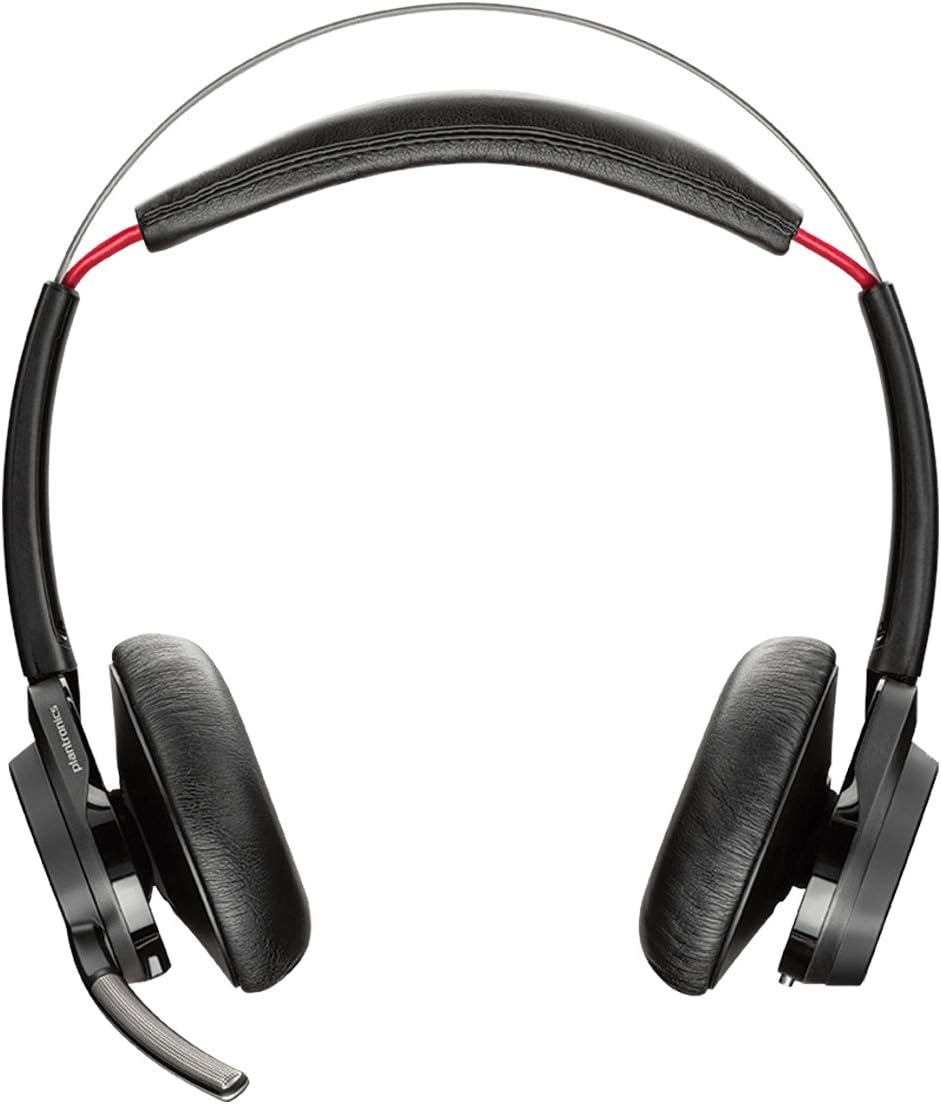
Слика 1: Предња страна view of the POLY Voyager Focus UC Headset, showing the dual earcups and adjustable boom microphone.
Упутство за употребу
1. Управљање позивима
- Одговори/заврши позив: Press the Call button on the right earcup.
- Искључи/Укључи звук: Press the Mute button on the boom microphone or lift/lower the boom mic.
- Контрола јачине звука: Rotate the volume wheel on the right earcup up or down.
2. Active Noise Canceling (ANC)
To activate or deactivate Active Noise Canceling, slide the ANC switch located on the left earcup. ANC helps reduce ambient background noise for improved focus.
3. Репродукција медија
- Пусти/паузирај: Press the Play/Pause button on the right earcup.
- Следећа нумера: Притисните дугме Напред.
- Претходни запис: Press the Backward button.
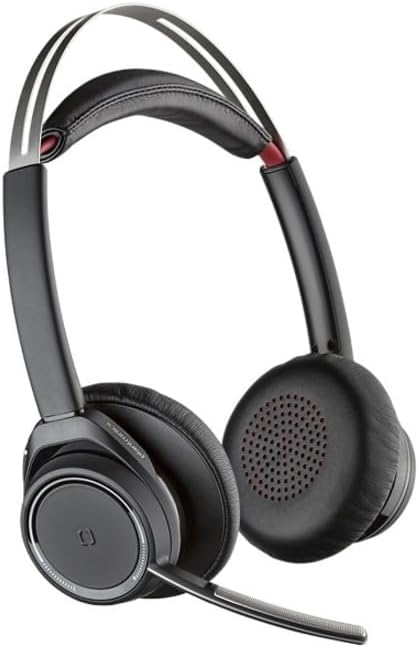
Figure 2: Close-up of the right earcup, illustrating the call, media, and volume controls.
Одржавање
- Чишћење: Користите меку, суву крпу за чишћење слушалица. Избегавајте употребу абразивних средстава за чишћење или растварача.
- Складиштење: Store the headset in its carrying case when not in use to protect it from dust and damage.
- Одржавање батерије: Да бисте продужили век трајања батерије, избегавајте често потпуно пражњење батерије. Редовно пуните слушалице, чак и ако их не користите стално.
Решавање проблема
Нема звука / Лош квалитет звука
- Уверите се да су слушалице укључене и потпуно напуњене.
- Verify the headset is correctly paired and connected to your device (PC/Mac or mobile phone).
- Check your device's audio settings to ensure the "POLY Voyager Focus UC" is selected as the output and input device.
- If using the USB-A adapter, try plugging it into a different USB port.
- Поново покрените рачунар или мобилни уређај.
Микрофон не ради
- Ensure the microphone boom is lowered and not muted.
- Check your application's (e.g., Teams, Zoom) microphone settings to confirm the headset is selected.
- Adjust the microphone position closer to your mouth.
Проблеми са Блуетоотх везом
- Ensure the headset is within the 98 feet (30 meters) operating range of your device.
- Clear previous Bluetooth pairings on your device and re-pair the headset.
- Avoid sources of interference such as Wi-Fi routers, microwaves, or other Bluetooth devices.
Спецификације
| Феатуре | Детаљ |
|---|---|
| Назив модела | Воиагер Фоцус УЦ |
| Технологија повезивања | бежични (Блуетоотх) |
| Бежична комуникациона технологија | Блуетоотх 4.0 |
| Контрола буке | Активно поништавање буке |
| Талк Тиме | Up to 12 hours (10 hours with ANC on) |
| Време слушања | Up to 15 hours (12 hours with ANC on) |
| Блуетоотх домет | До 30 метара (98 стопе) |
| Компатибилни уређаји | PCs, Macs, Mobile Phones, VoIP and Conferencing Applications |
| Тежина артикла | 0.634 унци |
| Димензије производа | 8.4 к 7.3 к 2.3 инча |
| Материјал | Пластика |
Гаранција и подршка
Овај производ долази са а Једногодишња глобална гаранција. For warranty claims or technical support, please visit the official POLY support webсајт или контактирајте њихову корисничку службу. Сачувајте доказ о куповини ради потврде гаранције.
For further assistance, refer to the official POLY webсајт: ввв.поли.цом


