Увод
Хвала вам на куповиниasing the TENMIYA A13 Portable Bluetooth Speaker. This manual provides detailed instructions for the proper use, setup, and maintenance of your speaker. Please read this manual thoroughly before operating the device to ensure optimal performance and longevity.
Безбедносне информације
- Не излажите звучник екстремним температурама, влази или директној сунчевој светлости.
- Избегавајте испуштање или излагање звучника јаким ударима.
- Не растављајте, не поправљајте или не модификујте звучник сами. Обратите се квалификованом сервисеру.
- Држите звучник даље од воде и других течности.
- Користите само назначени кабл за пуњење и адаптер за напајање.
- Очистите звучник меком, сувом крпом. Не користите абразивна средства за чишћење или раствараче.
Садржај пакета
Молимо вас да проверите пакет за следеће ставке:
- 1 к А13 Блуетоотх звучник
- 1 x Remote control (requires 2*AAA batteries, not included)
- КСНУМКС к АУКС кабл
- 1 к УСБ кабл
- 1 к Упутство за употребу
Производ је завршенview
The TENMIYA A13 is a portable Bluetooth speaker designed for versatile audio playback. It features a powerful subwoofer, two tweeters, and a rear heavy bass guide tube for rich sound. Key features include Bluetooth 5.0 connectivity, FM radio, TF/SD card support, USB playback, AUX input, a 3.5mm microphone jack, intelligent remote control, digital display, and colorful RGB lights.
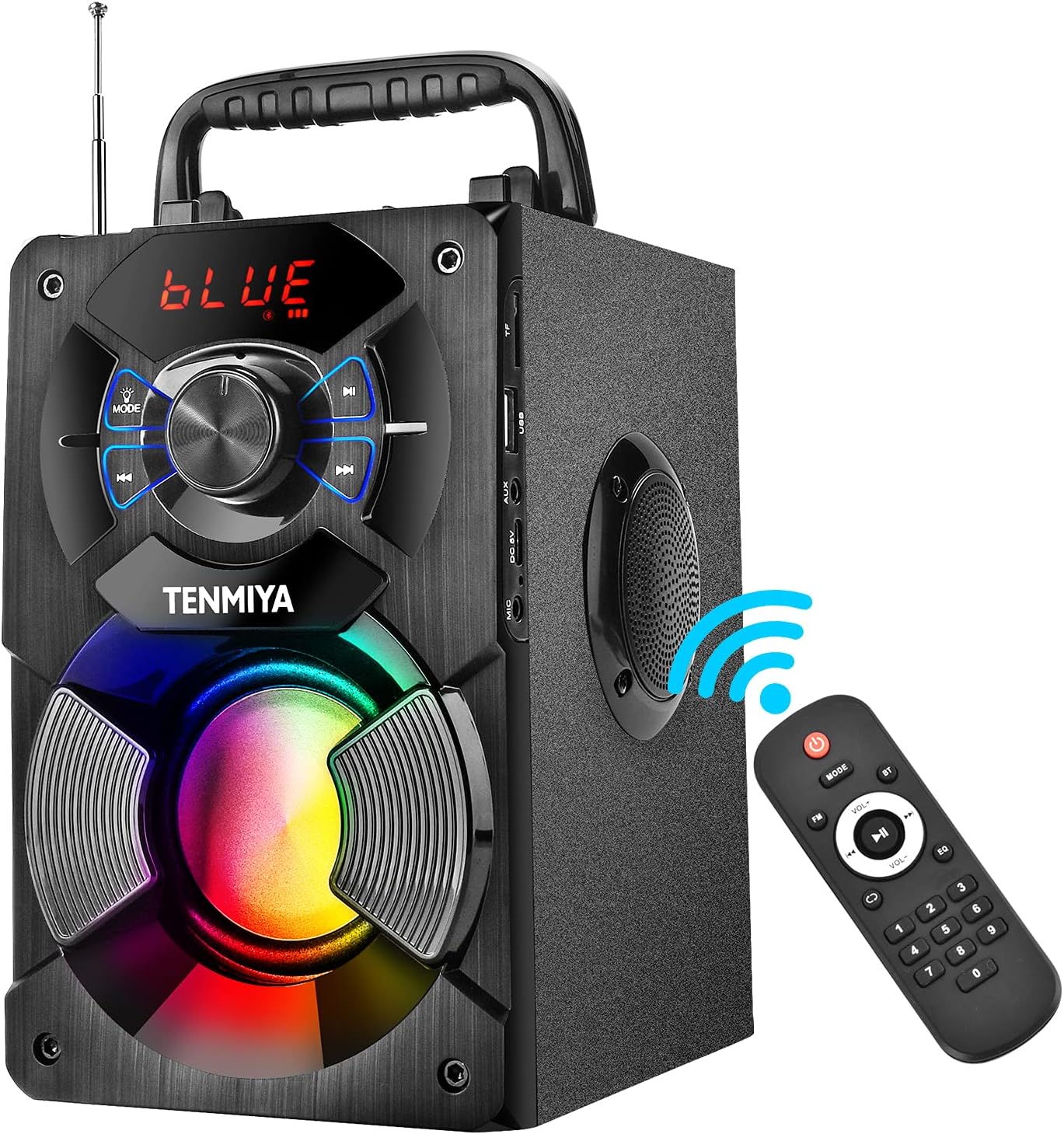
Figure 1: TENMIYA A13 Portable Bluetooth Speaker with included remote control, highlighting wireless connectivity.
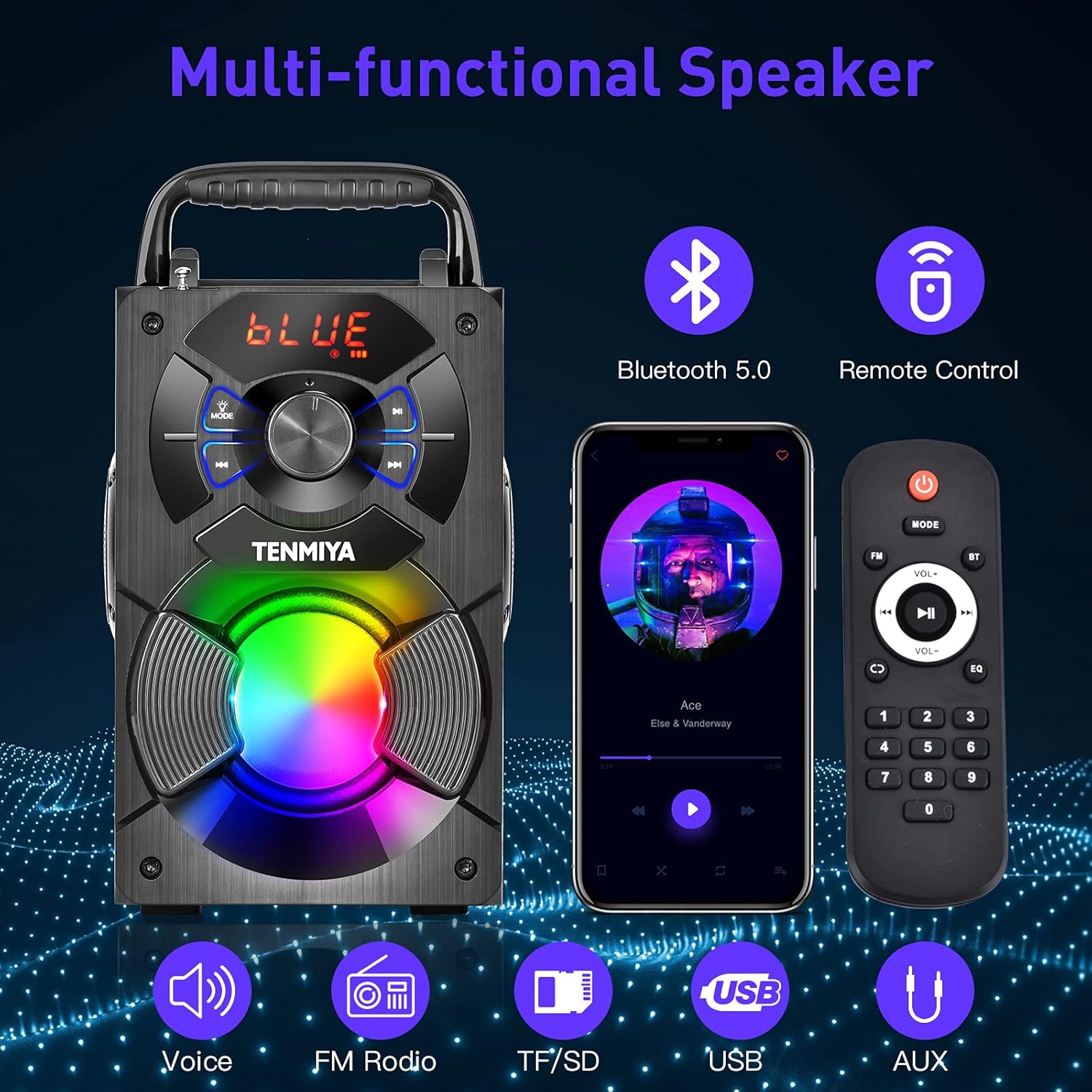
Слика 2: Завршеноview of the speaker's multi-functional capabilities including Bluetooth 5.0, remote control, voice prompts, FM radio, TF/SD card, USB, and AUX input.

Figure 3: Dimensions of the TENMIYA A13 Portable Bluetooth Speaker, showing its compact size and portability with a handle.
Сетуп
Пуњење звучника
Before first use, fully charge the speaker. Connect the supplied USB cable to the speaker's DC 5V input port and the other end to a USB power adapter (not included) or a computer's USB port. The charging indicator will illuminate during charging and turn off when fully charged.
Укључивање/искључивање
To power on the speaker, press and hold the Power button until the digital display illuminates. To power off, press and hold the Power button again until the display turns off.
Упутство за употребу
Блуетоотх упаривање
- Turn on the speaker. It will automatically enter Bluetooth pairing mode, indicated by a flashing "BLUE" on the digital display.
- Enable Bluetooth on your smartphone, tablet, or other Bluetooth device.
- Тражи "A13" in the list of available devices and select it to connect.
- Once successfully paired, the speaker will emit a confirmation tone, and "BLUE" on the display will stop flashing.
- Сада можете да репродукујете звук са свог уређаја преко звучника.
Операција ФМ радија
- Press the "MODE" button on the speaker or remote control to switch to FM radio mode.
- Продужите антену за бољи пријем.
- To automatically search and save available stations, long press the "Play/Pause" button. The speaker will scan and store stations.
- Use the "Previous/Next" buttons to navigate between saved stations.
- Alternatively, use the remote control to manually input a station frequency.

Figure 4: The TENMIYA A13 speaker supporting FM radio, shown in an outdoor setting.
TF/SD Card Music Playback
Insert a TF (Micro SD) card into the TF card slot. The speaker will automatically switch to TF card mode and begin playing audio files (MP3, WAV, etc.) from the card.
USB Flash Drive Music Playback
Insert a USB flash drive into the USB port. The speaker will automatically switch to USB mode and begin playing audio files (MP3, WAV, etc.) from the drive.
AUX Line-in Connection
Connect one end of the supplied AUX cable to the speaker's AUX input port and the other end to the audio output jack of your external device (e.g., MP3 player, computer). Press the "MODE" button to switch to AUX mode.
Употреба микрофона
Connect a 3.5mm microphone (not included) to the speaker's microphone jack. The speaker will amplify the microphone input, allowing for karaoke or public speaking.
Функције даљинског управљача
The included remote control allows for convenient operation of the speaker from a distance. Ensure 2*AAA batteries are inserted correctly. Functions include:
- Снага: Укључите/искључите звучник.
- НАЧИН: Switch between Bluetooth, FM, TF/SD, USB, and AUX modes.
- Волуме +/-: Подесите главну јачину звука.
- Претходна Следећа: Skip tracks or navigate FM stations.
- Пусти/паузирај: Play or pause audio. Long press for FM auto-scan.
- ЕК: Cycle through various equalizer presets (Jazz, Rock, Classical, Pop, etc.).
- Тастатура са бројевима: For direct input of FM frequencies.

Figure 5: User operating the TENMIYA A13 speaker with the remote control for convenient audio playback.
РГБ шарена светла
The speaker features built-in RGB colorful lights that enhance the listening experience. These lights typically activate automatically when the speaker is on. Specific controls for light modes may be available via the remote control or a dedicated button on the speaker (refer to the speaker's control panel for details).
Еквилајзер звучни ефекти
The speaker includes various EQ sound effects to customize your audio experience. Press the "EQ" button on the remote control to cycle through presets such as Jazz, Rock, Classical, Pop, and more, adjusting the audio output to suit different music genres.
Одржавање
- Чишћење: Користите меку, суву крпу која не оставља влакна да бисте очистили површину звучника. Не користите течна средства за чишћење, аеросоле или раствараче.
- Складиштење: Када се звучник не користи дуже време, чувајте га на хладном и сувом месту, даље од директне сунчеве светлости и екстремних температура.
- Одржавање батерије: Да бисте продужили век трајања батерије, избегавајте често потпуно пражњење батерије. Редовно пуните звучник, чак и ако га не користите.
Решавање проблема
| Проблем | Могући узрок | Решење |
|---|---|---|
| Звучник се не укључује. | Ниска батерија. | Потпуно напуните звучник. |
| Нема звука. | Јачина звука је прениска; погрешан режим; уређај није повезан. | Increase volume; switch to correct mode (Bluetooth, AUX, etc.); ensure device is paired/connected. |
| Блуетоотх упаривање није успело. | Звучник није у режиму упаривања; уређај је предалеко; сметње. | Ensure speaker is in Bluetooth mode and flashing; move device closer; restart both devices. |
| Статични сигнал ФМ радија. | Слаб сигнал; антена није извучена. | Extend the antenna fully; try auto-scanning for stations again; move to a location with better reception. |
| Даљински управљач не ради. | Batteries low or incorrectly inserted; remote out of range. | Replace AAA batteries; ensure correct polarity; point remote directly at the speaker; reduce distance. |
Спецификације
| Феатуре | Детаљ |
|---|---|
| Врста производа | А13 Блуетоотх звучник |
| Излазна снага звучника | 5W + 3W x 2 (Total 11W) |
| Спеакер Унит | 3" (Subwoofer) + 2" x 2 (Tweeters) |
| Фреквенцијски одзив | 80Хз-20КХз |
| Инпут Импеданце | КСНУМКС кΩ |
| Улазни волtage | ДЦ 5В |
| Димензије производа | 6.1 к 4.72 к 7.48 инча (18.52 к 11.51 к 22.5 цм) |
| Време играња | Approx. 6-8 hours (depends on playing volume) |
| Капацитет батерије | 2500мАх (литијум-јонски) |
| Блуетоотх верзија | 5.0 |
| Домет | Up to 100 feet (barrier-free environment) |
| Подржане функције | Bluetooth, MP3 music player, FM radio, TF Card, AUX, USB music player, Remote control, EQ, Karaoke |
| Компатибилни уређаји | Computer, MP3, MP4, Smart Phone, Tablet, Laptop |
| Врста материјала | Дрво |
Гаранција и подршка
TENMIYA products are designed and manufactured to the highest quality standards. For information regarding warranty coverage, please refer to the warranty card included with your purchase or visit the official TENMIYA website. If you encounter any issues or have questions about your A13 speaker, please contact our customer service team. Our dedicated support staff will respond to your inquiries within 12 hours to assist you.
For customer service, please refer to the contact information provided on the product packaging or the official TENMIYA webсајту.


