1. Увод
This manual provides instructions for the Amazon Echo Buds (newest model), wireless earbuds featuring Active Noise Cancellation (ANC) and integrated Alexa voice control. Please read this manual thoroughly to ensure proper setup, operation, and maintenance of your device.

Image: Amazon Echo Buds, their charging case, and a compatible wireless charging pad.
2. Садржај пакета
Verify that all items are present in your Echo Buds package:
- Echo Buds (Left and Right earbuds)
- Футрола за пуњење
- 4 pairs of ear tips (various sizes)
- 2 pairs of wing tips (various sizes)
- УСБ-Ц кабл
- Водич за брзи почетак
3. Подешавање
3.1 Charging the Echo Buds
Before first use, fully charge your Echo Buds and their charging case.
- Place the Echo Buds into the charging case. Ensure they are seated correctly.
- Connect the USB-C cable to the charging case and a power adapter (not included).
- Alternatively, if you have a wireless charging case, place the case on a Qi-certified wireless charging pad.
- The LED indicator on the case will show charging status. A full charge typically takes a few hours.

Image: Amazon Echo Buds inside their open charging case, next to a wireless charging pad.
3.2 Упаривање са вашим уређајем
To pair your Echo Buds with a smartphone or tablet:
- Open the charging case with the Echo Buds inside. The LED on the case should pulse blue, indicating pairing mode.
- On your smartphone, go to Bluetooth settings and select 'Echo Buds' from the list of available devices.
- Пратите сва упутства на екрану да бисте довршили процес упаривања.
3.3 Alexa App Setup and Fit Test
For full functionality, install the Alexa app on your smartphone.
- Преузмите и отворите апликацију Алека.
- Follow the in-app instructions to add your Echo Buds as a new device.
- The app will guide you through a fit test to help you choose the best ear tips and wing tips for optimal sound and Active Noise Cancellation.
4. Operating the Echo Buds
4.1 Контроле на додир
The Echo Buds feature customizable touch controls:
- Једнократни додир: Репродукција/паузирање звука, одговарање/завршавање позива.
- Двапут додирните: Skip track, Decline call, Toggle Active Noise Cancellation/Passthrough.
- Трипле Тап: Иди на претходну нумеру.
- Притисните и држите: Access voice assistant (Alexa, Siri, Google Assistant).
Customize these controls within the Alexa app.
4.2 Active Noise Cancellation (ANC) and Passthrough Mode
Echo Buds utilize Active Noise Cancellation to reduce background noise and Passthrough Mode to allow ambient sounds to be heard.
- АНЦ: Смањује спољашњу буку за импресивно аудио искуство.
- Пролаз: Омогућава вам да чујете околину без скидања слушалица.
Toggle between ANC and Passthrough mode using the touch controls or the Alexa app.

Image: An Echo Bud with a visual representation of sound waves, illustrating the effect of active noise cancellation.
4.3 Коришћење Алека
With the Alexa app installed and Echo Buds connected, you can use Alexa hands-free.
- Simply say "Alexa" followed by your command.
- Examples: "Alexa, play music," "Alexa, what's the weather?" "Alexa, call Sara."

Image: A smartphone displaying an active call screen, with an Echo Bud and its charging case on a table, demonstrating the 'Alexa, call Sara' feature.
4.4 Audio Personalization
The Alexa app offers Audio Personalization to fine-tune sound output to your hearing preferences. This feature is for enhancing audio enjoyment and is not intended for diagnosing or treating hearing conditions.
5. Одржавање
5.1 Чишћење
Regular cleaning helps maintain sound quality and device longevity.
- Нежно обришите слушалице и кућиште за пуњење меком, сувом крпом која не оставља влакна.
- Уклоните врхове ушију и очистите их рекламомamp cloth and mild soap if necessary, then dry thoroughly before reattaching.
- Не користите абразивне материјале или јаке хемикалије.
5.2 Отпорност на воду
The Echo Buds (earbuds only) have an IPX4 rating, meaning they are tested to withstand water splashing from any direction. They are not designed for submersion in water or exposure to pressurized water jets. The charging case is not water-resistant.
5.3 Одржавање батерије
Да бисте максимално продужили век трајања батерије:
- Избегавајте екстремне температуре.
- Чувајте слушалице у њиховој кутији за пуњење када их не користите.
- Charge the case regularly.
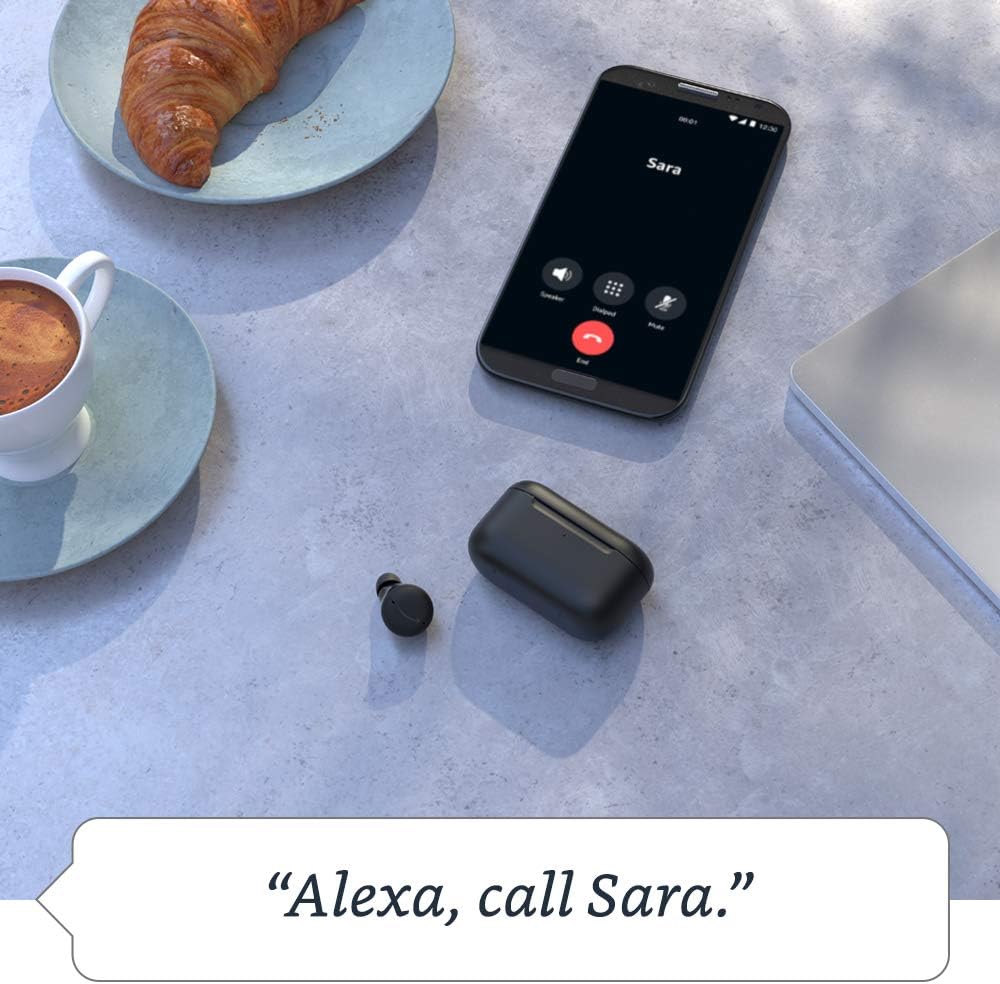
Image: An Echo Buds charging case resting on a wireless charging pad, positioned on a wooden desk alongside an Echo Show device, illustrating charging capabilities.
КСНУМКС. Решавање проблема
6.1 Уобичајена питања и решења
- Нема звука: Ensure earbuds are charged, properly seated in ears, and connected via Bluetooth. Check volume levels on your device.
- Проблеми упаривања: Ensure earbuds are in pairing mode (blue pulsing light). Turn Bluetooth off and on again on your device. Try forgetting the device and re-pairing.
- Активно поништавање буке не ради: Ensure a proper seal with the correct ear tips. Verify ANC is enabled in the Alexa app or via touch controls.
- Проблеми са микрофоном: Ensure earbuds are clean and not obstructed. Check microphone settings in the Alexa app.
6.2 Resetting Echo Buds
If issues persist, you may need to reset your Echo Buds. Refer to the Alexa app for specific instructions on how to perform a factory reset, as the process may vary slightly.

Image: A smartphone displaying the Alexa app interface, showing the battery percentage of the left and right Echo Buds and the charging case, along with options for ANC and muting microphones.
7. Спецификације
| Феатуре | Спецификација |
|---|---|
| Димензије слушалица | 20.0 x 19.1 x 19.1 mm (without ear tip or wing tip) |
| Димензије кућишта | 66.8 к 28.6 к 39.1 мм |
| Тежина слушалице | 5.7 g (without ear tip or wing tip) |
| Тежина случаја | 44.4 g (47.6 g for wireless charging case) |
| Повезивање | Bluetooth 5.0, Wi-Fi or mobile data via Alexa app |
| Процесори | Realtek RTL8763C Bluetooth System on Chip, NXP Digital Signal Processor |
| Звучници | 5.7 мм динамички драјвер |
| Микрофони | 3 per earbud (2 external beamforming, 1 internal) |
| Отпорност на воду | ИПКС4 (само слушалице) |
| Сензори | Accelerometer, proximity, touch, hall (case) |
| Трајање батерије (са укљученим ANC-ом) | Up to 5 hours music playback (15 hours total with case) |
| Трајање батерије (ANC искључен) | Up to 6.5 hours music playback (19.5 hours total with case) |
| Куицк Цхарге | 15-min charge provides up to 2 hours music playback |
| Бежично пуњење | Qi-certified wireless charging pads compatible (with wireless charging case) |
| Функције приватности | Wake word technology, streaming indicator, mute button in Alexa app, voice recording management |
8. Гаранција и подршка
8.1 Ограничена гаранција
Your Amazon Echo Buds come with a 1-year limited warranty and service. Optional extended warranties (1-year, 2-year, and 3-year) may be available for purchase separately in the U.S. Use of Echo Buds is subject to these terms.
8.2 Корисничка подршка
За додатну помоћ, решавање проблема или рекламације у вези са гаранцијом, посетите подршку компаније Amazon. website or contact Amazon customer service directly. The Alexa app also provides resources and diagnostic tools.


