Увод
The Amazon Echo Show 5 (2nd Gen, 2021 release) is a smart display designed to simplify your daily routines and enhance your connected home experience. This certified refurbished device has been tested and certified to function like new, offering all the features of a new unit.
With Alexa built-in, you can manage your day, stay entertained, and connect with others using just your voice. The compact 5.5-inch screen provides visual feedback for alarms, timers, news, video calls, and more.

Image: The Echo Show 5 on a nightstand, illustrating its use as a smart display for time and daily information.
Сетуп
Setting up your Echo Show 5 is a straightforward process. The device is designed for simple setup, allowing you to connect to your Wi-Fi network with ease.
Шта је у кутији:
- Echo Show 5 device
- Адаптер за напајање у боји ледничко беле боје (15W) са каблом (4.9 м)
- Водич за брзи почетак
Почетни кораци подешавања:
- Прикључак: Connect the power adapter to your Echo Show 5 and plug it into a wall outlet.
- Пратите упутства на екрану: The device will power on and guide you through the initial setup process on its touch screen.
- Повежите се на Ви-Фи: Select your Wi-Fi network from the list and enter the password. The Echo Show 5 supports dual-band 802.11a/b/g/n/ac Wi-Fi networks.
- Sign In to Amazon Account: Log in with your Amazon account credentials.
- Персонализуј подешавања: Customize settings such as time zone, device name, and privacy preferences.
- Преузмите апликацију Alexa: For full functionality and advanced controls, download the Alexa app on your Fire OS, Android, or iOS device. The app is also accessible via a web претраживач.
Amazon's Wi-Fi simple setup technology helps streamline the connection process, making it easier to get your device up and running quickly.
Управљање вашим Echo Show 5
The Echo Show 5 offers a wide range of functionalities, primarily controlled by voice commands to Alexa and through its interactive touch screen.
Daily Assistance:
- Аларми и тајмери: Set alarms and timers with voice commands.
- Calendar & News: Check your calendar, get news updates, and view временске прогнозе.
- Рутине: Create routines to automate actions, such as gradually turning on compatible lights in the morning.
Контрола паметне куће:
Manage compatible smart home devices using the interactive display, your voice, or motion detection.
- Уграђена камера: Use the 2 MP camera to look in on your home when you're away.
- Контрола уређаја: Control lights, cameras, and other smart devices.

Image: A man carrying a laundry basket, with an Echo Show 5 in the foreground, demonstrating how the device can be used to control smart home devices, possibly through motion detection.
Комуникација:
- Видео позив: Make video calls to friends and family who have the Alexa app or an Echo device with a screen using the 2 MP camera.
- Најаве: Send announcements to other compatible devices in your home.

Image: The Echo Show 5 displaying an active video call, highlighting its communication capabilities.
Забава:
- стриминг: Play TV shows and movies from services like Prime Video and Netflix on the 5.5-inch screen.
- Музика и аудио: Stream music from Amazon Music, Apple Music, Spotify, and others.
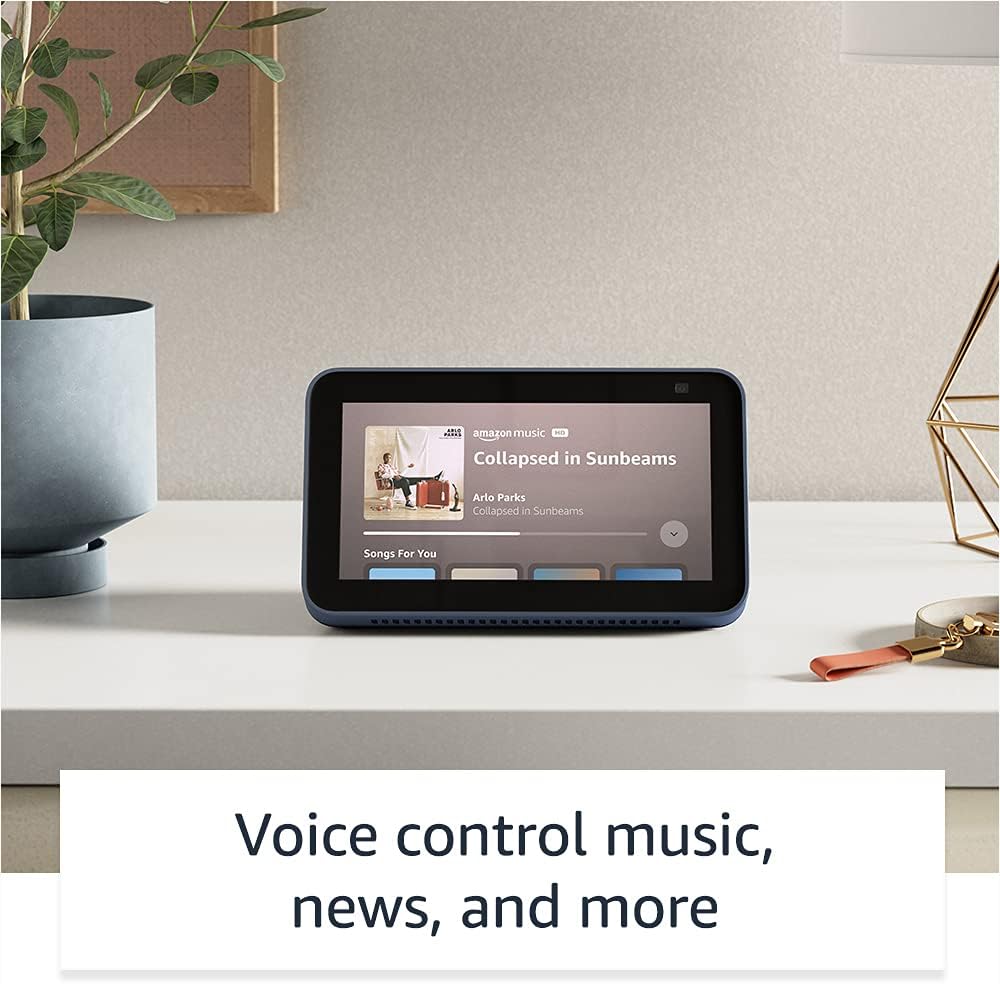
Image: The Echo Show 5 displaying a music playback screen, demonstrating its entertainment features.
Персонализација:
- Дигитални фото рам: Use Amazon Photos to turn your home screen into a digital photo frame.

Image: The Echo Show 5 displaying a personal photo, illustrating its use as a digital photo frame.
Карактеристике приватности:
Echo Show 5 је дизајниран са више слојева контроле приватности:
- Mic/Camera Off Button: A physical button to electronically disconnect the microphones and camera.
- Уграђени затварач камере: A physical shutter to cover the camera lens.
- Voice Recording Controls: Способност да view и обришите своје гласовне снимке.
- Технологија речи за будност: The device only begins listening after detecting your chosen wake word.
- Индикатори стримовања: Визуелни индикатори показују када се аудио или видео преносе у облак.

Слика: Крупни план view of the Echo Show 5's top, highlighting the physical camera shutter button for privacy control.
Карактеристике приступачности:
The Echo Show 5 includes various accessibility features to personalize Alexa to your abilities. These can be accessed via Подешавања → Приступачност на свом уређају.
- Додирните за Алексу: Интеракција са Алексом се врти додиром преко плочица на екрану или тастатуре.
- Адаптивно слушање: Пружа више времена за завршетак говора пре него што Алекса одговори.
- Жељена брзина говора: Контролишите колико брзо или споро Алекса говори.
- Титловање: Алекса титлови, титлови за позиве и скривени титлови пружају текст за подржани садржај.
- Покажи и испричај: Helps identify products for users who are blind or visually impaired.
- ГласView Читач екрана: Enables access for blind or visually impaired users.
- Увећавач екрана: Увећајте/умањите и померите се по екрану.
- Обавести када је у близини: Plays notification sounds when detected near the device.
- Киндл Читање наглас: Алекса може да чита ваше Киндл књиге наглас.
- Текст у реалном времену: Куцајте текст уживо током видео позива.
- Additional settings for Color Inversion, Color Correction, Request Sound, and more.
Одржавање
The Certified Refurbished Echo Show 5 has undergone rigorous testing and certification to ensure it looks and works like new. Regular maintenance is minimal.
- Чишћење: Нежно обришите екран и спољашњост уређаја меком крпом која не оставља влакна. Избегавајте абразивна средства за чишћење или спрејеве.
- Ажурирања софтвера: Ensure your device is connected to Wi-Fi to receive automatic software security updates, which are guaranteed for at least four years after the device is last available for purchase as a new unit.
Решавање проблема
If you encounter issues with your Echo Show 5, consider the following general troubleshooting steps:
- Циклус напајања: Unplug the device from the power outlet, wait for 30 seconds, and then plug it back in.
- Проверите Ви-Фи везу: Ensure your Wi-Fi network is active and the device is connected. You can check network status in the device settings.
- Verify Internet Connectivity: Confirm your internet service is working by testing other devices on the same network.
- Check Microphone/Camera: Ensure the mic/camera off button is not activated and the camera shutter is open if you are trying to use these features.
- Алека апликација: Use the Alexa app on your smartphone or tablet to manage device settings, check for updates, and access further support resources.
- Гласовне команде: Speak clearly and ensure you are within range of the device's microphones.
For more detailed troubleshooting or specific issues, refer to the help section within the Alexa app or visit the official Amazon support webсајту.
Спецификације
| Феатуре | Детаљ |
|---|---|
| Величина | 5.8" к 3.4" к 2.9" (148 мм к 86 мм к 73 мм) |
| Тежина | 14.5 оз (410 грама) |
| Дисплаи | 5.5 ”екран осетљив на додир |
| Камера | 2 MP camera with built-in shutter |
| ВиФи конекција | Dual-band wifi (802.11a/b/g/n/ac). Does not support ad-hoc networks. |
| Блуетоотх повезивање | A2DP support for audio streaming; AVRCP for voice control of connected mobile devices. PIN-code speakers not supported. |
| Аудио | Full range 1.65” built-in speaker |
| Процесор | МедијаТек МТ 8163 |
| Генератион | Echo Show 5 (2. генерација) - издање 2021. |
| Језик | Алекса говори енглески и шпански |
Гаранција и подршка
Your Certified Refurbished Echo Show 5 comes with the same limited warranty as a new device. For specific details regarding your warranty, please refer to the documentation included with your device or visit the official Amazon website for Certified Refurbished Amazon devices.
For customer support, troubleshooting, and to manage your device settings, utilize the Alexa app on your compatible smartphone or tablet. You can also find extensive support resources and FAQs on the Amazon support webсајту.
Безбедносна ажурирања софтвера: Овај уређај добија гарантована безбедносна ажурирања софтвера најмање четири године након што је уређај последњи пут доступан за куповину као нова јединица на Амазоновим... webсајтовима.
Повезани документи - Ецхо Схов 5 (2. генерација, издање 2021.)
 |
Кратки водич за Amazon Echo Show 8 (2. генерација) Водич за почетак рада са вашим Amazon Echo Show 8 (2. генерације), који обухвата подешавање, функције и приватност. |
 |
Упутство за коришћење за Amazon Echo Show 8 (2. генерација) Свеобухватни водич за коришћење за Amazon Echo Show 8 (2. генерација), који детаљно описује подешавање, функције приватности, гласовне команде и савете за коришћење Алексе. |
 |
Смернице за коришћење брендова Amazon Echo и Alexa за спољне партнере Званичне смернице за екстерне партнере о правилном коришћењу брендова Amazon Echo и Alexa, укључујући логотипе, типографију, боје и представљање у маркетиншким материјалима. Обезбедите доследност и интегритет бренда. |
 |
Кратки водич за Amazon Echo Show 8 (2. генерација): Подешавање и функције Научите како да подесите и користите свој Amazon Echo Show 8 (2. генерација). Овај водич покрива функције уређаја, контроле приватности и основне Alexa команде за свакодневне задатке. |
 |
Кратки водич за Amazon Echo Show 5 (2. генерација) Кратки водич за Amazon Echo Show 5 (2. генерација), који покрива подешавање, функције приватности и основну употребу са Алексом. |
 |
Amazon Echo Show 11 User Manual and Guide Comprehensive guide to setting up, operating, and troubleshooting the Amazon Echo Show 11 smart display with Alexa+. Learn about its features, smart home control, privacy, and accessibility. |