This instruction manual provides essential information for setting up, operating, maintaining, and troubleshooting your new CyberpowerPC Gamer Master Gaming PC, model GMA2130CC. Please read this manual thoroughly before using your computer to ensure proper function and longevity. The Gamer Master series is designed for high-performance computing, featuring an AMD Ryzen 5 3600 processor and NVIDIA GeForce RTX 2060 graphics for an optimal gaming experience.
Шта је у кутији
Проверите да ли су све ставке наведене у наставку укључене у ваш пакет:
Desktop PC (CyberpowerPC Gamer Master GMA2130CC)
Тастатура
Миш
Повер Цорд
Image: The CyberpowerPC Gamer Master Gaming PC tower, accompanied by the included keyboard and mouse, ready for setup.
Водич за подешавање
Распакивање и постављање
Carefully remove the PC and all accessories from the packaging. Place the PC on a stable, flat surface with adequate ventilation. Ensure there is enough space around the PC for airflow, especially at the rear and top vents.
Повезивање периферних уређаја
Монитор: Connect your monitor to the graphics card (NVIDIA GeForce RTX 2060) ports located at the lower rear of the PC. Use either the HDMI or DisplayPort connection.
Тастатура и миш: Connect the included keyboard and mouse to any available USB ports on the rear or top of the PC.
Снага: Connect the power cord to the power supply unit (PSU) at the rear of the PC, then plug the other end into a wall outlet or surge protector.
Мрежа (опционо): For a wired internet connection, connect an Ethernet cable to the RJ-45 network port on the rear of the PC.
Слика: Крупни план view of the top panel ports, including USB and audio jacks, for convenient peripheral connection.
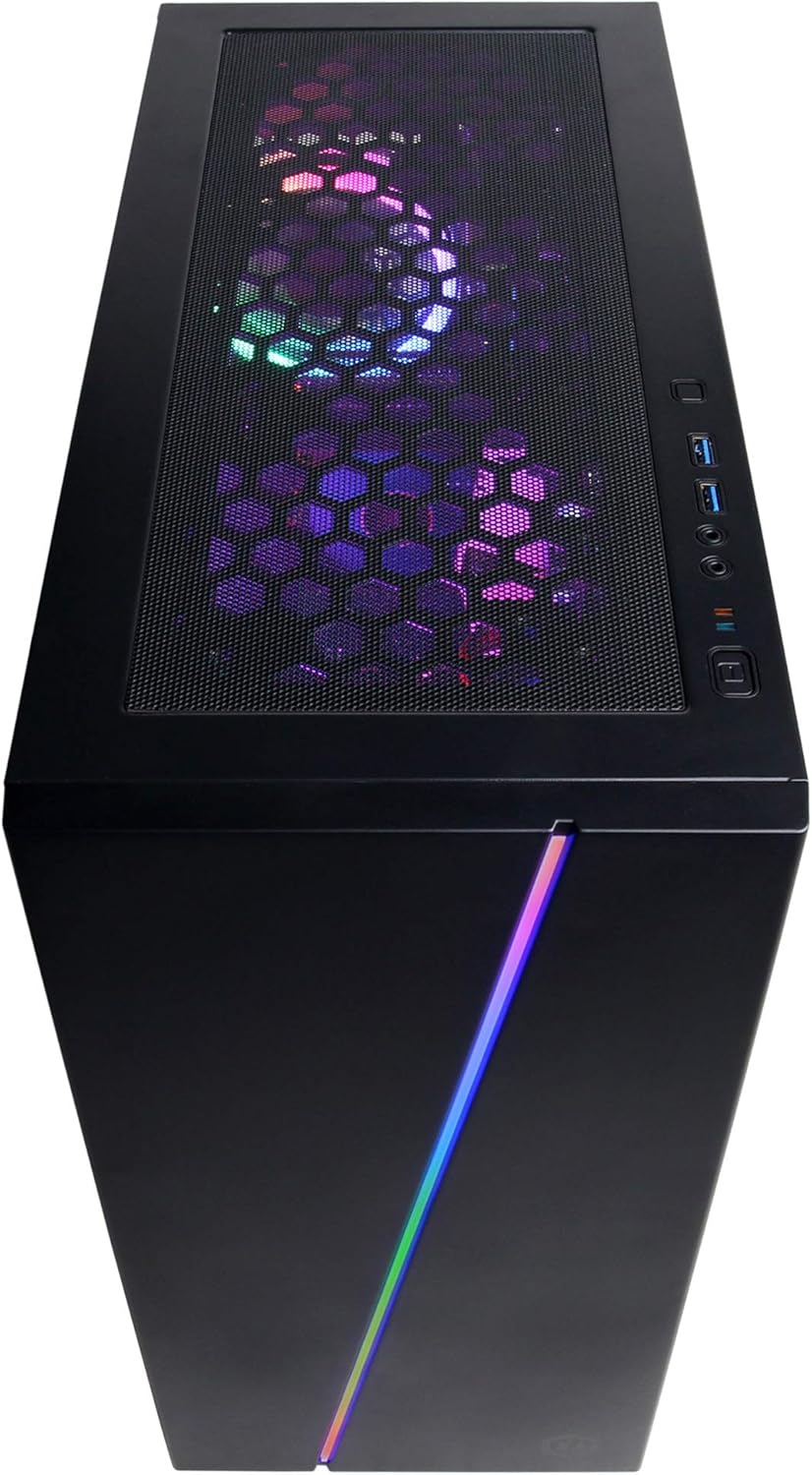
Слика: Изнад главе view of the PC case, showing the top mesh panel for ventilation and accessible front I/O ports.
Почетно укључивање
Press the power button located on the top front of the PC. The system will boot up, and you should see the CyberpowerPC logo on your monitor.
Подешавање оперативног система
Follow the on-screen instructions to complete the Windows 10 Home setup process. This typically involves selecting your region, language, creating a user account, and accepting the license agreement.
Управљање рачунаром
Виндовс 10 Хоме
Your CyberpowerPC comes pre-installed with genuine Windows 10 Home 64-bit. Familiarize yourself with the Windows interface, Start Menu, and taskbar for efficient navigation.
Connecting to the Internet (Wi-Fi)
Да бисте се повезали на бежичну мрежу:
Кликните на икону Wi-Fi мреже у системској палети (доле десно од екрана).
Изаберите жељену мрежу са листе.
Кликните на „Повежи се“ и унесите безбедносни кључ мреже (лозинку) ако се то од вас затражи.
Аудио Сетуп
Connect your speakers or headphones to the appropriate audio jacks on the rear or top of the PC. Windows 10 will typically detect and configure the audio device automatically. You can adjust volume and sound settings via the sound icon in the system tray.
РГБ контрола осветљења
Your PC features custom RGB case lighting and RGB fans. Control software for these features may be pre-installed or available for download from the CyberpowerPC website. Refer to the software's documentation for specific instructions on customizing lighting effects.
Image: The sleek front panel of the PC case, featuring a vibrant RGB light strip that can be customized.
Слика: Интерна view рачунара, емисијаasing the illuminated RGB cooling fans and the neatly arranged internal components.
Одржавање
Генерал Цлеанинг
Екстеријер: Користите меку, дamp крпом обришите спољашњост кућишта. Избегавајте абразивна средства за чишћење.
Филтери за прашину: Periodically clean the dust filters (if present) on the case to maintain optimal airflow. These are typically located on the top, front, or bottom of the case and can be removed for cleaning.
Унутрашње компоненте: For internal cleaning, power off and unplug the PC. Use compressed air to gently remove dust from fans, heatsinks, and other components. Exercise caution to avoid damaging sensitive parts.
Ажурирања софтвера
Regularly update your Windows operating system, graphics drivers (NVIDIA GeForce), and other software to ensure system stability, security, and optimal performance. Windows Update can be accessed via Settings > Update & Security.
Решавање проблема
This section addresses common issues you might encounter. For more complex problems, refer to the CyberpowerPC support webсајту.
Нема напајања:
Уверите се да је кабл за напајање безбедно повезан и са рачунаром и са зидном утичницом.
Check if the power switch on the back of the PSU is in the 'ON' position.
Проверите да ли зидна утичница функционише тако што ћете укључити други уређај.
Нема приказа на монитору:
Confirm the monitor's power cable is connected and the monitor is turned on.
Ensure the video cable (HDMI/DisplayPort) is securely connected to the graphics card ports on the PC and the monitor.
Verify the monitor input source is correctly selected (e.g., HDMI 1, DisplayPort).
System is Slow or Unresponsive:
Затворите непотребне програме који раде у позадини.
Проверите да ли постоји злонамерни софтвер или вируси помоћу антивирусног софтвера.
Уверите се да су Windows и драјвери ажурирани.
Пратите температуру система како бисте спречили прегревање.
Peripherals (Keyboard/Mouse) Not Working:
Покушајте да повежете периферни уређај са другим УСБ портом.
Поново покрените рачунар.
Проверите управљачке програме уређаја у Windows Device Manager-у.
Техничке спецификације
Компонента
Спецификација
Процесор
AMD Ryzen 5 3600 3.6GHz (6-core)
графичка картица
НВИДИА ГеФорце РТКС 2060 6ГБ
РАМ
8ГБ ДДР4
Складиштење
240GB SSD, 1TB HDD
Оперативни систем
Виндовс 10 Хоме 64-бит
Чипсет
АМД Б450
Повезивање
802.11ac Wi-Fi, 10/100/1000 Ethernet
УСБ портови
6 к УСБ 3.1, 2 к УСБ 2.0
Аудио
7.1-канални аудио
Димензије (ДкШкВ)
17.91 к 8.5 к 19.29 инча
Тежина
36 фунти
Слика: Страна А view of the PC case, highlighting the mesh panel design for enhanced airflow and cooling.
Гаранција и подршка
Your CyberpowerPC Gamer Master Gaming PC (GMA2130CC) includes a 1 године гаранције на делове и рад. Additionally, CyberpowerPC provides free lifetime technical support за овај производ.
For technical assistance, warranty claims, or further inquiries, please visit the official CyberpowerPC support website or contact their customer service. Keep your purchase receipt and product serial number readily available when contacting support.
Note: Opening the PC case may void the warranty if not performed by authorized personnel or according to specific instructions. Consult CyberpowerPC support before attempting internal modifications.
Повезани документи - GMA2130CC
CyberpowerPC подршка за рачунаре и често постављана питања Пронађите основне информације о подршци, контакт податке и одговоре на честа питања за ваш CyberpowerPC рачунарски систем. Сазнајте више о подешавању, решавању проблема и још много тога.
Гуиа де Иницио Рапидо ЦиберповерПЦ: Конфигурација Пасо а Пасо Брзи почетак за конфигурисање на ЦиберповерПЦ Гамер Кстреме ВР Гаминг ПЦ. Апренда а десемпакуетар, цонецтар панталла и периферицос, енцендер ел система и енцонтрар су цлаве де Виндовс.
Водич за брзи почетак рада са CyberPowerPC-јем: Подешавање вашег рачунара за игре Кратак водич за подешавање вашег CyberPowerPC гејмерског рачунара, који обухвата распакивање, повезивање екрана и периферних уређаја, као и почетне процедуре укључивања. Садржи контакт информације за подршку и детаље о усклађености са FCC прописима.