1. Увод
This manual provides essential information for the safe and efficient operation of your iFFALCON 32F2A 32-inch HD Ready Android Smart LED TV. Please read these instructions thoroughly before using the television and retain them for future reference.
The iFFALCON 32F2A is an 80 cm (32 inches) HD Ready Android Smart LED TV designed to offer a comprehensive entertainment experience. It features a 720p resolution display, integrated Android operating system, and smart functionalities like Google Assistant and Chromecast built-in.
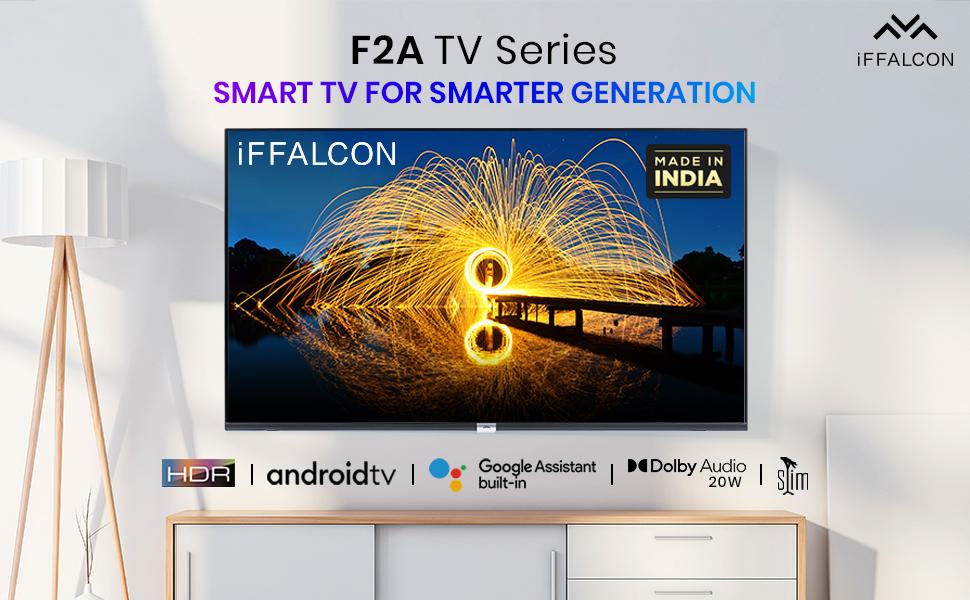
Слика 1.1: Предња страна view of the iFFALCON 32F2A Smart LED TV displaying the Android TV interface, alongside icons representing key features such as HDR, Android TV, Google Assistant, Micro Dimming, IPQ Engine, Chromecast built-in, AI, and Dolby Audio with 20W speakers.
2. Шта је у кутији
Verify that all components are present and undamaged upon unpacking your new television.
- 1 x iFFALCON 32F2A LED TV
- 1 x Постоље за сто
- 1 к Упутство за употребу
- 1 к Гарантни лист
- 1 к даљински управљач
- 2 x AAA батерије (за даљински управљач)
3. Подешавање
3.1 Распакивање и постављање
Carefully remove the TV from its packaging. It is recommended to have two people for this process. Place the TV on a stable, flat surface or mount it securely on a wall.
3.2 Причвршћивање постоља за сто
- Поставите телевизор екраном надоле на меку, чисту површину како бисте спречили огреботине.
- Поравнајте основе постоља са одговарајућим отворима на дну телевизора.
- Secure the stand bases using the provided screws. Ensure they are tightened firmly.
3.3 Монтажа на зид (опционо)
If you choose to wall mount your TV, please note that the wall mount bracket is not included and must be purchased separately. Follow the instructions provided with your wall mount kit and ensure professional installation for safety.
3.4 Повезивање екстерних уређаја
Your iFFALCON 32F2A TV offers various connectivity options:
- ХДМИ портови: Connect Blu-ray players, gaming consoles, or set-top boxes.
- УСБ порт: Повежите УСБ уређаје за складиштење података за репродукцију медија.
- Етхернет порт: За жичану интернет везу.
- Слушалице: За приватно слушање.
3.5 Прикључак за напајање
Connect the power cord to the TV's power input and then to a suitable AC power outlet (240 Volts, 50 Watts). Ensure the power cable is securely connected.
3.6 Почетно укључивање и чаробњак за подешавање
After connecting power, press the power button on the TV or remote control. The TV will guide you through the initial setup wizard, including language selection, network connection (Wi-Fi or Ethernet), Google account sign-in, and channel scanning.

Image 3.1: A diagram illustrating the physical dimensions of the iFFALCON 32F2A TV, including screen size (32 inches / 79.97 cm diagonal), width (73.20 cm / 29 inch), height (48.20 cm / 19 inch), and depth (17.30 cm / 6.9 inch).
4. Упутство за употребу
4.1 Даљински управљач
The provided remote control allows you to navigate the TV's interface and access various functions. Insert the two AAA batteries (included) into the remote control, ensuring correct polarity.
- Дугме за напајање: Укључује или искључује ТВ.
- Дугмад за навигацију: Користите смерну таблу и дугме OK за кретање кроз меније.
- Волуме +/-: Подешава ниво јачине звука.
- Канал +/-: Мења ТВ канале.
- Хоме дугме: Враћа се на почетни екран Андроид ТВ-а.
- Дугме за назад: Враћа се на претходни екран.
- Дугме за Google асистент: Активира гласовну контролу.
- Нетфлик дугме: Direct access to Netflix.
- Amazon Prime Video Button: Direct access to Amazon Prime Video.
- Zee5 Button: Direct access to Zee5.
- TCL Channel Button: Direct access to TCL channel.

Image 4.1: The smart remote control for the iFFALCON TV, highlighting the Google Assistant button and a dedicated hotkey for Netflix for quick access.
4.2 Интерфејс за Андроид ТВ
Your TV runs on Android 9, providing access to a wide range of apps and services. The home screen displays recommended content, installed applications, and input sources.
- апликације: Access pre-installed applications like Netflix, YouTube, Prime Video, Disney+Hotstar, Sun NXT, and Zee5. Download more from the Google Play Store.
- Улази: Switch between HDMI inputs, USB, and other connected devices.
- Подешавања: Customize TV settings such as picture, sound, network, and system preferences.

Image 4.2: The iFFALCON Smart LED TV showcasing its Android TV home screen, featuring prominent app icons for Netflix, YouTube, Prime Video, and other streaming services.

Image 4.3: The iFFALCON Smart LED TV interface, illustrating the availability of popular streaming platforms such as YouTube, Prime Video, Disney+ Hotstar, SonyLIV, Zee5, ALTBalaji, Voot Select, and Eros Now.
4.3 Гоогле помоћник
The built-in Google Assistant allows you to control your TV and smart home devices using voice commands. Press the Google Assistant button on your remote and speak into the microphone.
- Search Content: Say "Play a cartoon movie" or "Тражи action films."
- Control TV: Say "Turn up the volume" or "Switch to HDMI 1."
- Get Information: Ask "What's the weather today?" or "How long is Moonlight?"
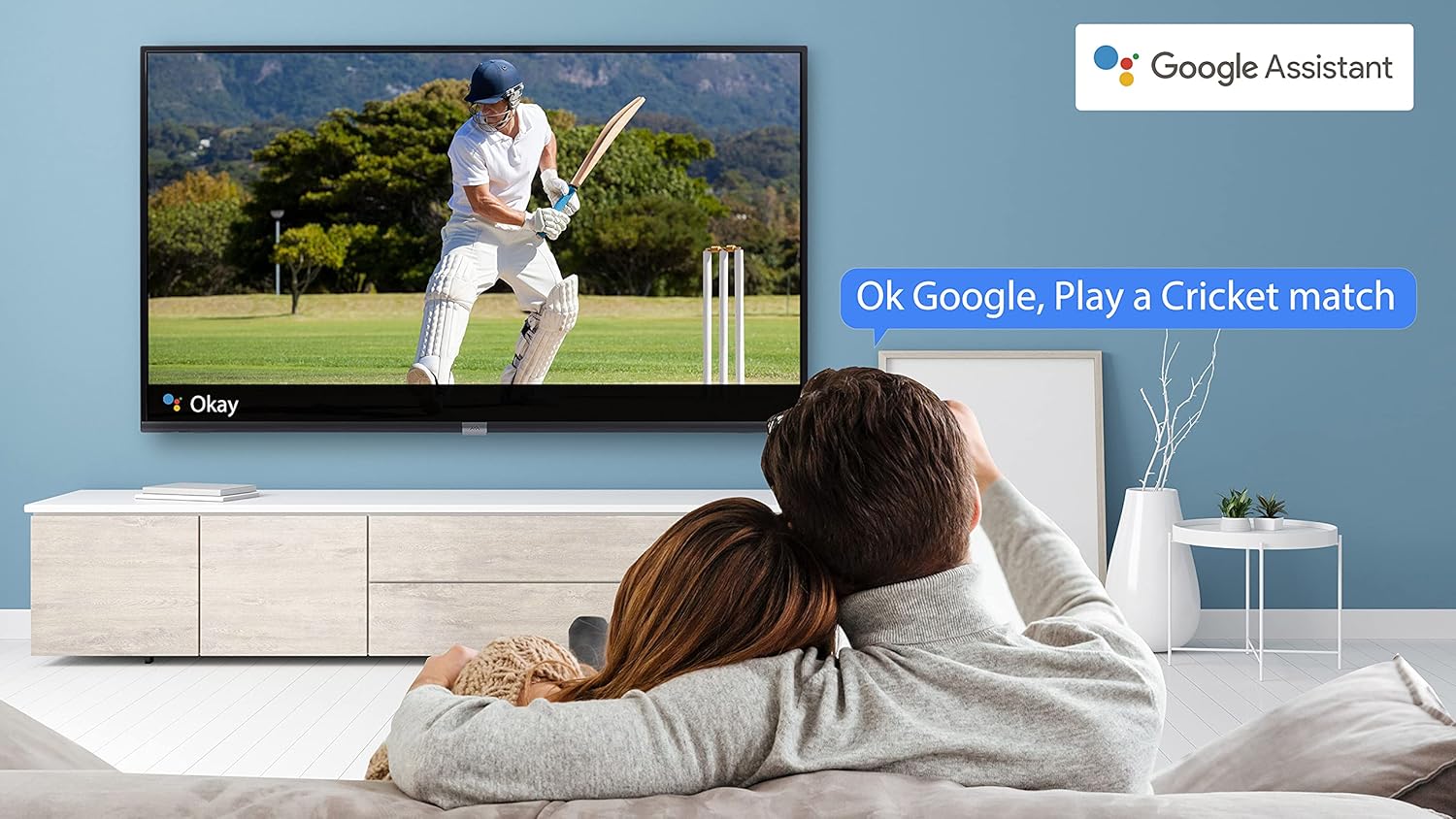
Image 4.4: A couple watching a cricket match on the iFFALCON TV, with a Google Assistant prompt bubble showing "Ok Google, Play a Cricket match," demonstrating voice control functionality.
Image 4.5: The Google Assistant logo, indicating the TV's integrated voice control capabilities.
4.4 Уграђен Цхромецаст
Use Chromecast built-in to cast content from your compatible smartphone, tablet, or computer directly to your TV screen. Ensure your device and TV are connected to the same Wi-Fi network.

Image 4.6: A smartphone displaying a car image, with a casting icon indicating that the content is being mirrored to a larger TV screen, demonstrating the Chromecast built-in feature.
5. Кључне карактеристике
5.1 HDR (High Dynamic Range)
HDR technology enhances contrast, color accuracy, and brightness, delivering a more lifelike and immersive viewing experience with greater detail in both dark and bright scenes.

Image 5.1: A split-screen comparison showing the visual difference between an image without HDR 10 (left, darker, less vibrant) and with HDR 10 (right, brighter, more detailed, and richer colors).
5.2 Микро затамњивање
Micro Dimming analyzes the TV content in hundreds of separate zones to adjust brightness and darkness independently. This results in improved contrast and picture quality, especially in scenes with mixed light levels.

Image 5.2: A split-screen comparison demonstrating the effect of Micro Dimming, with the 'Without Micro Dimming' side appearing less vibrant and the 'With Micro Dimming' side showing enhanced contrast and color saturation in a city night scene.
5.3 IPQ Engine
The IPQ Engine (Image Quality Processing Engine) optimizes picture quality by intelligently adjusting brightness, color range, and contrast, ensuring a more vivid and accurate display.

Image 5.3: A visual representation of the IPQ Engine, highlighting its 'High Brightness Precision Control Technology' and 'Intelligent Color Range Control Technology' for optimized picture quality.
5.4 Долби Аудио
Experience rich, clear, and powerful sound with Dolby Audio. This technology enhances the audio output, providing an immersive listening experience for movies, music, and games.

Image 5.4: The Dolby Audio logo, signifying enhanced sound quality and an immersive audio experience.
5.5 Smart Volume
Smart Volume automatically adjusts the sound level to prevent sudden changes in volume, such as during commercials or when switching channels, ensuring a consistent listening experience.

Image 5.5: An illustration of the Smart Volume feature, showing how it maintains consistent audio levels across different content types, represented by varying sound wave patterns.
5.6 Спортски режим
Sports Mode optimizes picture and sound settings for sports content, enhancing motion clarity and audio to provide a more engaging viewing experience for live sports.

Image 5.6: A split-screen comparison of a cricket player, showing the 'Without Sports Mode' side with standard clarity and the 'With Sports Mode' side with enhanced motion and detail, indicated by a playback bar.
5.7 Танки дизајн
The iFFALCON 32F2A features a slim design, allowing it to blend seamlessly into various living spaces and offering a modern aesthetic.

Image 5.7: An illustration emphasizing the slim profile of the iFFALCON TV, with a hand demonstrating its thinness.
6. Одржавање
6.1 Чишћење екрана
Нежно обришите екран меком крпом која не оставља влакна. За тврдокорне мрље, лагано дampОбришите крпу водом или специјализованим средством за чишћење екрана. Избегавајте употребу јаких хемикалија или абразивних материјала.
6.2 Чишћење кабинета
Обришите кућиште телевизора меком, сувом крпом. Не користите течна средства за чишћење директно на кућишту.
6.3 Power Cord Care
Редовно проверавајте кабл за напајање да ли има оштећења. Не стављајте тешке предмете на кабл или га излажите прекомерној топлоти.
КСНУМКС. Решавање проблема
Ако наиђете на проблеме са телевизором, погледајте следеће уобичајене проблеме и решења:
| Проблем | Могући узрок | Решење |
|---|---|---|
| Нема струје | Кабл за напајање је искључен, проблем са утичницом | Ensure power cord is securely plugged in. Check if the power outlet is working. |
| Нема слике, али је звук присутан | Неисправан улазни извор, неисправан кабл | Проверите да ли је изабран исправан улазни извор. Проверите везе HDMI/AV кабла. |
| Нема звука, али је слика присутна | Volume muted or too low, audio settings issue | Increase volume. Check audio output settings in the TV menu. |
| Даљински управљач не ради | Празне батерије, препрека, даљински управљач ван домета | Замените батерије. Уклоните препреке између даљинског управљача и телевизора. Уверите се да је даљински управљач у радном домету. |
| Повезивање на Ви-Фи није могуће | Incorrect password, router issue, TV too far from router | Re-enter Wi-Fi password. Restart router. Move TV closer to router or use Ethernet. |
Ако проблем и даље постоји након што сте испробали ова решења, обратите се корисничкој подршци.
8. Спецификације
Детаљне техничке спецификације за iFFALCON 32F2A Smart LED телевизор:
| Феатуре | Спецификација |
|---|---|
| Бранд | iFFALCON |
| Назив модела | 32Ф2А |
| Величина екрана | 32 инча (80 цм) |
| Дисплаи Тецхнологи | ЛЕД, панел А+ класе |
| Резолуција | HD Ready (1366 x 768 пиксела) |
| Рефресх Рате | 60 Хз |
| Viewинг Англе | 178 степени |
| Омјер слике | 16:9 |
| Однос контраста слике | 3000:1 |
| Оперативни систем | Андроид |
| Величина инсталиране РАМ меморије | 1 ГБ |
| Капацитет дигиталног складиштења | 8 ГБ |
| Грапхицс Цопроцессор | Мали470x2 |
| Аудио Ватtage | 16 Ваттс |
| Спеакер Сурроунд Соунд | Долби Аудио |
| Технологија повезивања | Ви-Фи, Етхернет, ХДМИ, УСБ |
| Укупно УСБ портова | 1 |
| Извор напајања | AC |
| Волtage | 240 Волтс |
| Ватtage | 50 Ваттс |
| Димензије производа | 48.2 к 73.2 к 18.3 цм |
| Тежина артикла | 3.9 кг |
9. Гаранција и подршка
Your iFFALCON 32F2A TV comes with a warranty. Please refer to the included Warranty Card for detailed terms and conditions, including the warranty period and coverage.
For technical assistance, service requests, or further inquiries, please visit the official iFFALCON support website or contact their customer service helpline. Contact information can typically be found on the Warranty Card or the manufacturer's official webсајту.


