1. Увод
This manual provides instructions for the Xgody Mate10+ smartphone. It covers device setup, operation, features, and maintenance to ensure optimal performance and user experience. The Mate10+ operates on Android 8.1, features a 5.5-inch HD display, dual 5MP cameras, and supports dual SIM functionality.
2. Садржај пакета
Проверите да ли су све ставке присутне у паковању производа:
- 1 x Xgody Mate10+ Smartphone
- 1 к адаптер за пуњач
- 1 к УСБ кабл
- КСНУМКС к телефонска торбица
- 1 к упутство за употребу на енглеском
- 1 x HD фолија (заштита екрана)
- 1 x каљена фолија (заштита екрана)

Image: Contents of the Xgody Mate10+ smartphone package.
3. Први кораци
3.1. Инсталација SIM картице и меморијске картице
The Xgody Mate10+ supports dual SIM dual standby, allowing the use of two SIM cards simultaneously. It has two independent card slots: one for a Nano SIM and one for a Micro SIM or a TF (microSD) card for expandable storage.
- Пронађите лежиште за SIM/TF картицу са стране уређаја.
- Користите приложени алат за избацивање СИМ картице да бисте отворили лежиште.
- Carefully place your Nano SIM card, Micro SIM card, and/or TF card into the designated slots. Ensure correct orientation.
- Пажљиво гурните лежиште назад у уређај док се не уклопи у равнину.
3.2. Пуњење уређаја
Before first use, fully charge the smartphone using the provided charger and USB cable.
- Connect the USB cable to the charger adapter.
- Укључите адаптер за пуњач у утичницу.
- Прикључите USB кабл на порт за пуњење на телефону.
- Икона батерије на екрану ће показати статус пуњења.
3.3. Укључивање/искључивање
- Да бисте укључили: Притисните и држите дугме за напајање док се екран не упали.
- Да бисте искључили напајање: Притисните и држите дугме за напајање, а затим изаберите „Искључи напајање“ из опција на екрану.
3.4. Почетно подешавање
Upon first power-on, follow the on-screen prompts to complete the initial setup, including language selection, Wi-Fi connection, Google account setup, and security settings.
4. Кључне карактеристике и рад
4.1. Дисплеј
The Xgody Mate10+ features a 5.5-inch HD full-view display, providing a wide visual experience for viewинг садржаја.

Image: The 5.5-inch full-view display of the Xgody Mate10+.

Image: The compact design of the Xgody Mate10+ for easy portability.
4.2. Оперативни систем (Android 8.1)
The device runs on Android 8.1, offering a user-friendly interface and enhanced performance for daily tasks.
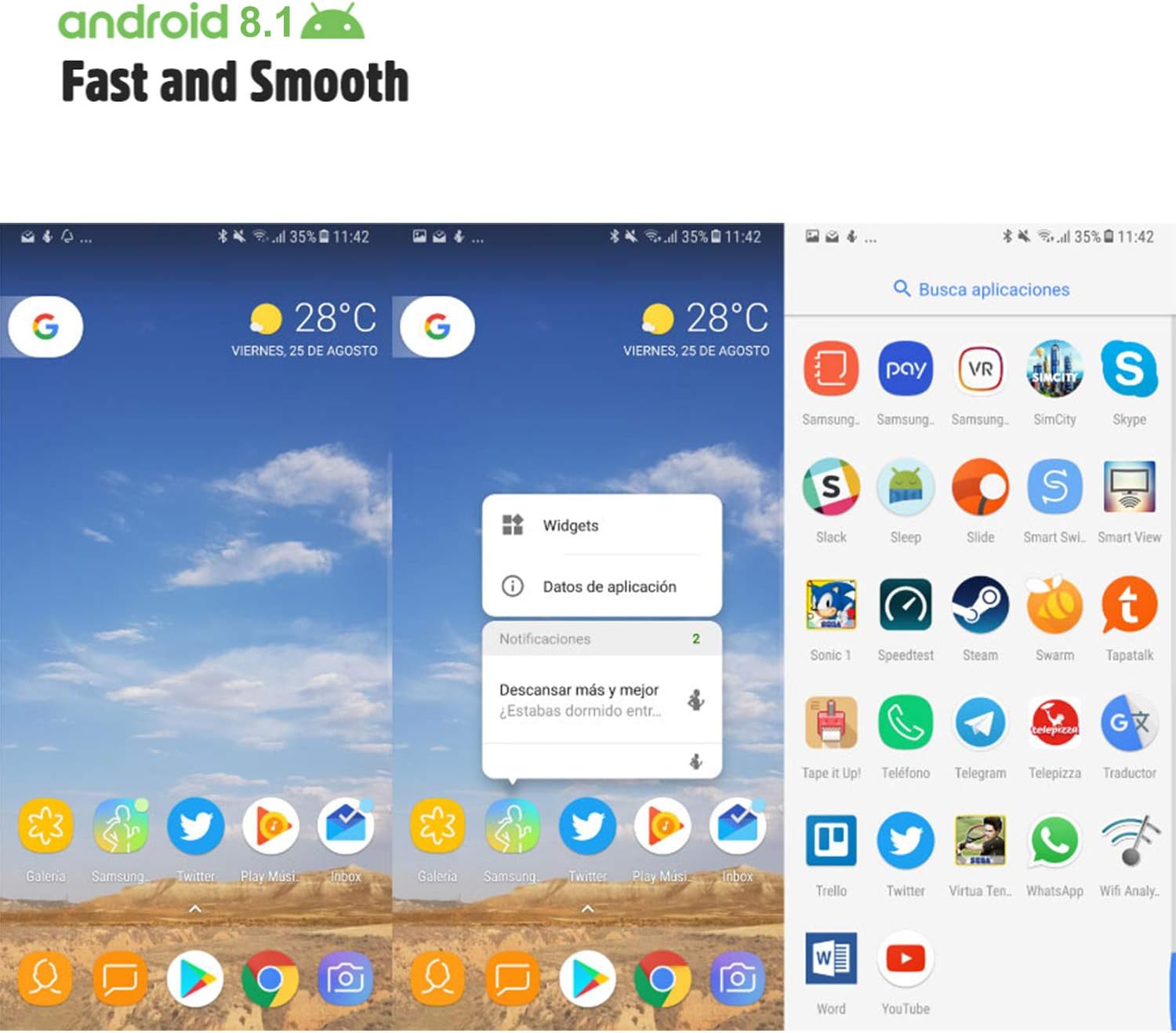
Image: Android 8.1 interface on the Xgody Mate10+.
4.3. Камера
The Xgody Mate10+ is equipped with dual 5MP cameras, including a rear camera and a front beauty camera, for capturing photos and videos.

Image: Using the front camera for selfies.
4.4. Перформансе и складиштење
The device includes 1GB RAM and 8GB internal storage (ROM), expandable up to 32GB with an external SD card, providing sufficient space for applications and media.

Image: Internal components and storage capabilities.
4.5. Повезивање
The Xgody Mate10+ is a 3G unlocked smartphone, supporting WCDMA 850/1900/2100MHz and GSM 850/900/1800/1900 MHz network bands. It is compatible with most WCDMA SIM carriers but not with CDMA carriers (e.g., Sprint, Verizon, Boost Mobile).
4.6. Безбедност
The device supports Face ID for unlocking, providing a convenient and secure method to access your phone.
Видео: Готовоview of Xgody Mate10+ features, including camera, processor, memory, Face ID, 5.5-inch screen, dual SIM, and Android 8.1 operating system.
5. Спецификације
| Модел | Mate10+ |
| Оперативни систем | Андроид 8.1 |
| Дисплаи | 5.5 inch HD Full View Екран |
| РАМ | 1ГБ |
| ROM (интерна меморија) | 8ГБ |
| Екпандабле Стораге | Up to 32GB (TF card) |
| Задња камера | 5МП |
| Предња камера | 5MP (Beauty Camera) |
| Подршка за СИМ картицу | Dual SIM Dual Standby (1 Nano SIM, 1 Micro SIM or TF card) |
| Нетворк Бандс | 3G WCDMA 850/1900/2100MHz, 2G GSM 850/900/1800/1900 MHz |
| Капацитет батерије | 2000мАх |
| Вирелесс Тецхнологиес | Блутут, Ви-Фи, Мобилна мрежа |
| Повезивање | УСБ |
| ГПС | ГЛОНАСС |
| Тежина артикла | 14 унци |
| Димензије производа | 0.39 к 0.39 к 0.39 инча |
КСНУМКС. Решавање проблема
If you encounter issues with your Xgody Mate10+, refer to the following common solutions:
- Уређај се не укључује: Уверите се да је батерија напуњена. Прикључите пуњач и сачекајте неколико минута пре него што поново покушате да је укључите.
- Лош век трајања батерије: Reduce screen brightness, close unused apps running in the background, disable Wi-Fi/Bluetooth when not in use, and limit background data usage.
- Проблеми са мрежним повезивањем: Check if your SIM card is properly inserted. Verify that your SIM card supports the device's network bands (3G WCDMA 850/1900/2100MHz & 2G GSM 850/900/1800/1900 MHz). Restart the device.
- Апликације се замрзавају или руше: Close and restart the application. If the issue persists, clear the app's cache and data in Settings > Apps. Consider uninstalling and reinstalling the app.
- Споре перформансе: Close unnecessary background applications. Clear cache data regularly. Ensure sufficient free storage space.
- Екран не реагује: Restart the device by holding the power button. If unresponsive, force restart by holding the power button for an extended period (usually 10-15 seconds).
7. Гаранција и подршка
For warranty information and technical support, please refer to the warranty card included in your product package or contact Xgody customer service through their official website or designated support channels. Keep your purchase receipt as proof of purchase for warranty claims.


