1. Увод
Thank you for choosing the Hama 186369 Weather Forecast Center. This device provides comprehensive weather data, including satellite-based forecasts, indoor and outdoor temperature/humidity, and more. This manual will guide you through the setup, operation, and maintenance of your weather station to ensure optimal performance.
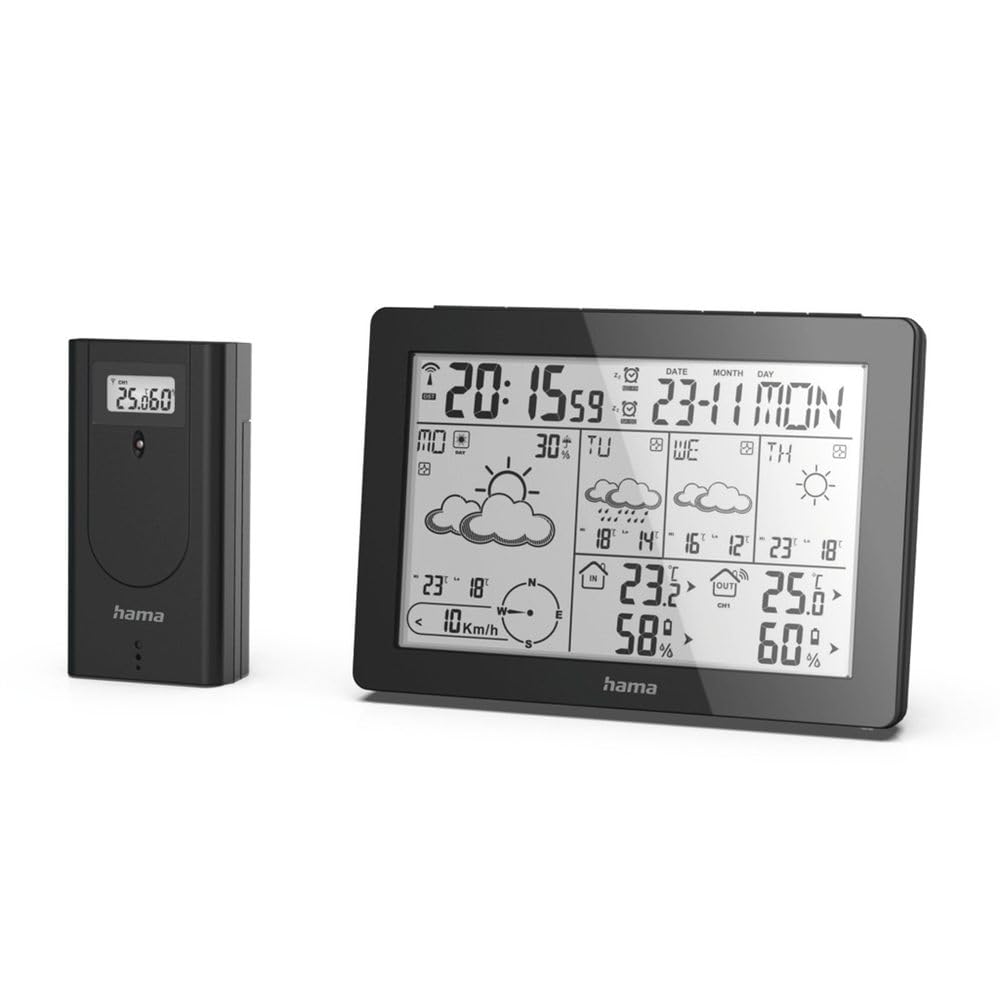
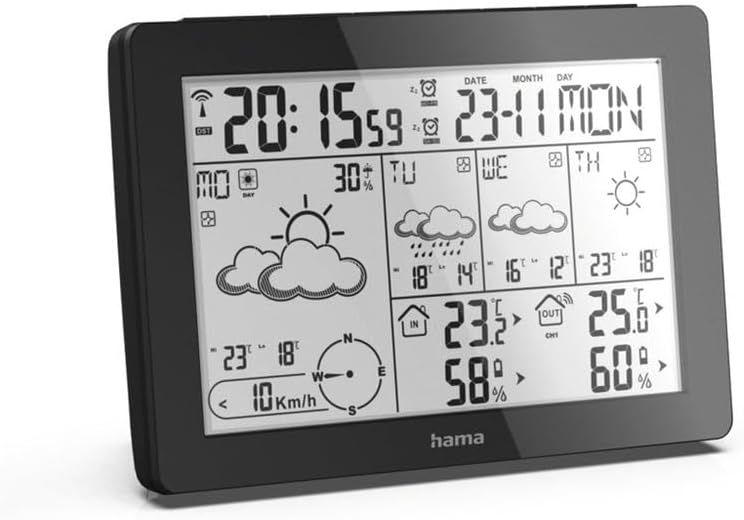
The Hama 186369 Weather Forecast Center main unit, showcasing its digital display with various weather parameters.
2. Садржај пакета
Молимо вас да проверите да ли су све ставке наведене у наставку присутне и у добром стању:
- Hama 186369 Weather Forecast Center (Base Station)
- Бежични отворни сензор
- 4 x AA Batteries (for both units)
- Ово упутство за употребу

The complete set, including the base station and the wireless outdoor sensor.
3. Безбедносна упутства
- Не отварајте уређај. Неправилна поправка може довести до значајних опасности за корисника.
- Не излажите производ директној сунчевој светлости, екстремним температурама или високој влажности.
- Чувајте овај производ, као и све електричне производе, ван домашаја деце.
- Заштитите производ од прљавштине, влаге и прегревања.
- Користите производ само за његову намену.
- Не користите производ у областима где електронски производи нису дозвољени.
- When inserting batteries, note the correct polarity (+ and - markings) and insert the batteries accordingly. Otherwise, the batteries could leak or explode.
- Replace all batteries of a set at the same time. Do not mix old and new batteries or batteries of different types.
4. Подешавање
4.1 Уметање батерија
The Hama 186369 Weather Forecast Center and its outdoor sensor require AA batteries for operation.
- Open the battery compartment cover on the back of both the base station and the outdoor sensor.
- Insert the AA batteries, ensuring correct polarity (+ and -). The base station requires 2x AA batteries, and the outdoor sensor requires 2x AA batteries.
- Добро затворите поклопце одељка за батерије.
Inserting batteries into the base station. Ensure correct polarity.

The wireless outdoor sensor, which also requires batteries.
4.2 Initial Operation and Signal Reception
After inserting the batteries, the base station will automatically search for the DCF-77 signal and connect to the outdoor sensor.
- Place the base station and the outdoor sensor close to each other during initial setup.
- The DCF-77 radio signal for time and date synchronization will be automatically received. This process may take several minutes.
- The outdoor sensor will transmit temperature and humidity data to the base station. Ensure they are within range (up to 30 meters in open areas).

Готовоview of the weather station's features and components, including the outdoor sensor and base station display.
5. Operating the Weather Forecast Center
5.1 Приказ прекоview
The main display shows various information at a glance:
- Време и датум: Synchronized via DCF-77 signal.
- Температура и влажност у затвореном простору: Measured by the base station.
- Спољна температура и влажност: Received from the wireless outdoor sensor.
- Временска прогноза: Satellite-based 4-day forecast for 60 regions/30 regions in Europe, updated daily.
- Rain Probability: Indication of precipitation likelihood.
- Брзина и правац ветра: Displayed graphically.
- Frost Alarm: Activates when temperatures drop to a critical level.
5.2 Функције дугмета
The buttons on the top of the base station allow you to adjust settings and view different information.

Врх view of the base station showing the control buttons.
- НАЧИН: Switches between display modes (e.g., time, alarm setting).
- КАНАЛ: Selects different outdoor sensor channels if multiple sensors are used.
- DAY/NIGHT/SNOOZE+LIGHT: Activates backlight, snooze function for alarm, or switches between day/night display.
- ТЕСТ: Initiates a test of the sensor connection.
- ГОРЕ ДОЛЕ: Adjusts values during settings or navigates through forecast data.
5.3 Setting Time and Date (Manual Adjustment)
While the time and date are usually set automatically via the DCF-77 signal, you can manually adjust them if needed.
- Притисните и држите МОДЕ дугме док приказ времена не почне да трепери.
- Користите UP и ДОВН дугмад за подешавање сата, а затим притисните МОДЕ да потврдите и пређете на минуте.
- Поновите за минуте, годину, месец и дан.
- Притисните МОДЕ поново да бисте изашли из режима подешавања.
5.4 Функција аларма
The weather station includes an alarm function.
- Притисните тастер МОДЕ више пута док се не прикаже време аларма.
- Притисните и држите МОДЕ за улазак у режим подешавања аларма.
- Користите UP и ДОВН да подесите жељено време аларма.
- Притисните МОДЕ да бисте потврдили свако подешавање.
- Да бисте активирали/деактивирали аларм, притисните дугме UP button when the alarm time is displayed. An alarm icon will appear/disappear.
6. Одржавање
6.1 Чишћење
- Очистите овај производ само благим дamp, крпом која не оставља длачице и не користите агресивна средства за чишћење.
- Уверите се да вода не улази у уређај.
6.2 Замена батерије
When the battery indicator appears on the display, replace all batteries in the respective unit (base station or outdoor sensor).
- Follow the steps in section 4.1 "Inserting Batteries".
- Истрошене батерије одложите у складу са локалним прописима.
КСНУМКС. Решавање проблема
| Проблем | Могући узрок | Решење |
|---|---|---|
| No display / Weak display | Batteries are empty or incorrectly inserted. | Замените батерије, водећи рачуна о исправном поларитету. |
| Нема очитавања спољне температуре/влажности | Outdoor sensor not connected or out of range. |
|
| Нетачно време/датум | DCF-77 signal not received or interference. |
|
| Нетачна временска прогноза | Incorrect region setting or temporary signal issue. |
|
8. Спецификације
| Феатуре | Детаљ |
|---|---|
| Број модела | 186369 |
| Dimensions (Base Station) | 3 к 15.3 к 10.5 цм |
| Тежина | 510 г |
| Материјал | Акрил |
| Извор напајања | Battery-powered (4 AA batteries required, included) |
| Повезивање | Wireless (for outdoor sensor) |
| Посебне карактеристике | Alarm, Wireless Outdoor Sensor, Frost Alarm, DCF-77 Radio Clock |
| Временска прогноза | Satellite-based 4-day forecast for 60 regions/30 regions in Europe, daily updated data for 611 locations. |
| Препоручена употреба | Temperature measurement, hobby, private, business. |
9. Гаранција и подршка
Хама ГмбХ & Цо КГ не преузима никакву одговорност и не даје никакву гаранцију за штету која је настала услед неправилне инсталације/монтаже, неправилне употребе производа или због непоштовања упутства за употребу и/или безбедносних напомена.
For technical support or warranty claims, please contact your retailer or visit the official Hama webсајт за даљу помоћ.

Hama: Experience and competence since 1923.


