Увод
This user manual provides detailed instructions for the setup, operation, maintenance, and troubleshooting of your iFFALCON 43K71 4K Ultra HD Smart Android LED TV. Please read this manual thoroughly before using the television and retain it for future reference.

Слика: Фронт view of the iFFALCON 43K71 4K Ultra HD Smart Android LED TV, showcasinг његов танак дизајн и живописан екран.
Безбедносне информације
Увек се придржавајте следећих мера предострожности како бисте спречили пожар, струјни удар или повреде:
- Не излажите телевизор киши или влази.
- Обезбедите одговарајућу вентилацију; не блокирајте вентилационе отворе.
- Користите само кабл за напајање који је испоручен уз телевизор.
- Do not open the TV cabinet; refer all servicing to qualified personnel.
- Држите телевизор даље од директне сунчеве светлости, извора топлоте и јаких магнетних поља.
- Поставите телевизор на стабилну, равну површину или га безбедно монтирајте на зид.
Шта је у кутији
Проверите да ли су све компоненте присутне приликом распакивања:
- 1 x iFFALCON 43K71 LED TV
- 1 x Даљински управљач (са 2 ААА батерије)
- 2 x Table Stand components
- 1 к Упутство за употребу
- 1 к Гарантни лист
- 1 к аудио кабл
Сетуп
1. Физичка инсталација
You can install your TV using the included table stands or by wall-mounting (wall mount bracket sold separately).
Инсталација постоља за сто:
- Пажљиво поставите телевизор лицем надоле на меку, равну површину како бисте спречили оштећење екрана.
- Attach the two table stand components to the designated slots on the bottom of the TV using the provided screws. Ensure they are securely fastened.
- Пажљиво подигните телевизор у усправан положај на стабилној, равној површини.
Монтажа зидног носача:
For wall mounting, consult a professional installer. Ensure the wall mount bracket is compatible with the TV's VESA mounting pattern and can support the TV's weight (approximately 6.9 kg).

Слика: Врх view of the iFFALCON 43K71 TV, showing its slim profile и тачке за причвршћивање постоља.
2. Прво укључивање и мрежна веза
- Прикључите кабл за напајање на телевизор, а затим на утичницу.
- Притисните дугме за напајање на телевизору или даљинском управљачу да бисте укључили телевизор.
- Пратите упутства на екрану да бисте завршили почетно подешавање, укључујући избор језика, земље и мрежне везе (Wi-Fi или Ethernet).
- Sign in with your Google account to access Android TV features and download apps.
Управљање ТВ-ом
Ремоте Цонтрол
The supplied remote control allows you to navigate the TV's interface and access various functions.
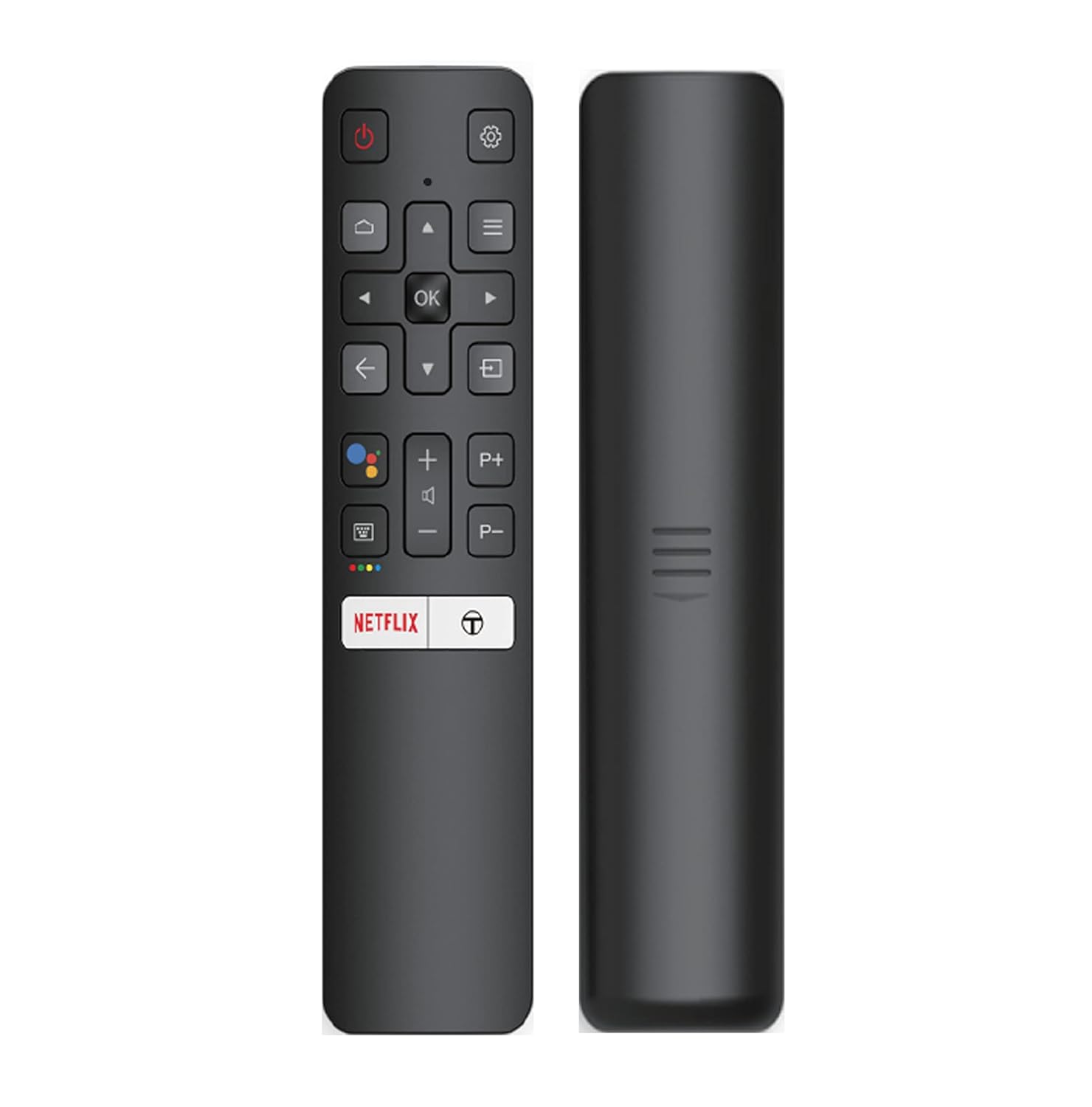
Image: The iFFALCON 43K71 remote control, featuring dedicated buttons for Netflix, Amazon Prime Video, Zee5, and Google Assistant.
Кључна дугмад укључују:
- Снага: Укључује/искључује ТВ.
- Navigation (Up/Down/Left/Right/OK): Креће се кроз меније и потврђује изборе.
- назад: Враћа се на претходни екран.
- Почетна: Приступа почетном екрану Андроид ТВ-а.
- Волуме +/-: Подешава јачину звука.
- Channel P+/P-: Мења канале.
- Гоогле помоћник: Активира гласовну контролу.
- Netflix, Prime Video, Zee5: Direct access buttons for streaming services.
Карактеристике паметног телевизора (Андроид ТВ)
Your iFFALCON 43K71 TV runs on Android 9.0, providing access to a wide range of applications and smart functionalities.

Image: The Android TV home screen on the iFFALCON 43K71, displaying various streaming apps like Netflix, YouTube, and Prime Video.
- апликације: Download and install apps from the Google Play Store, including Netflix, YouTube, Prime Video, Disney+Hotstar, and more.
- Хандс-фрее гласовна контрола: Use the built-in Google Assistant to control your TV, search for content, and manage smart home devices by speaking commands directly to the TV.
- Уграђен Цхромецаст: Преносите садржај са свог паметног телефона, таблета или рачунара директно на ТВ екран.
- AI-IN: iFFALCON's AI-IN technology integrates with Google Assistant for enhanced smart home connectivity and personalized recommendations.
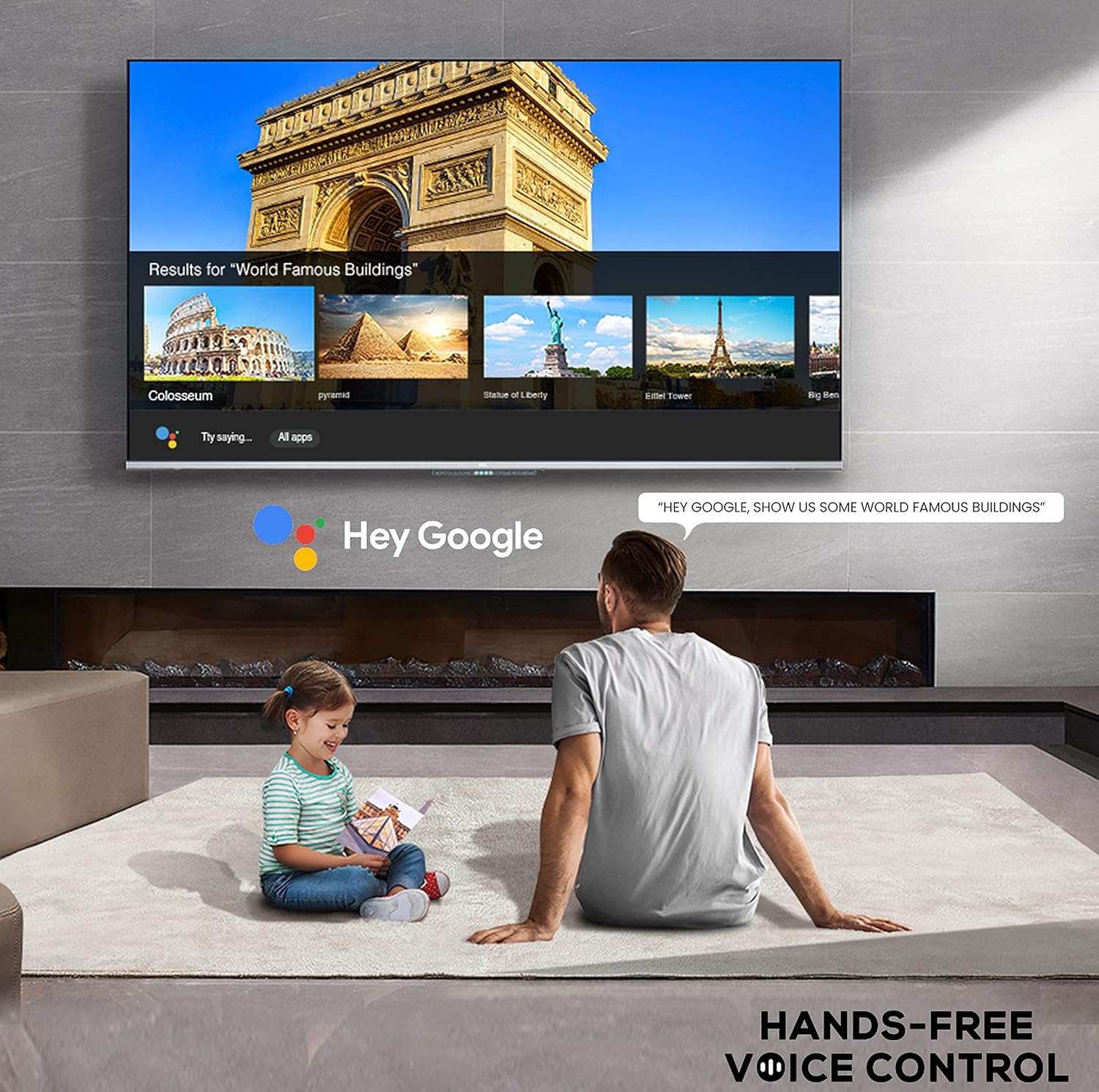
Image: A user interacting with the iFFALCON 43K71 using hands-free voice control, demonstrating the Google Assistant feature.
Повезивање
Телевизор нуди разне портове за повезивање екстерних уређаја:
- HDMI портови (2): Connect set-top boxes, Blu-ray players, gaming consoles, etc.
- УСБ порт (1): Повежите чврсте дискове, УСБ флеш дискове за репродукцију медија.
- Блуетоотх: Повежите бежичне слушалице, звучне панеле или другу додатну опрему која подржава Bluetooth.
- Ви-Фи: Повежите се на кућну бежичну мрежу за приступ интернету.
- Аудио кабл: For external audio connections.
Подешавања слике и звука
Подесите подешавања слике и звука да бисте оптимизовали viewинг искуство.
- Режими слике: Select from various preset picture modes (e.g., Standard, Dynamic, Movie, Sport) or customize settings like brightness, contrast, color, and sharpness.
- 4K Ultra HD & HDR 10: Experience stunning detail and vibrant colors with 4K resolution and High Dynamic Range (HDR 10) support.
- Микро затамњење: Enhances contrast by analyzing video content in hundreds of separate zones and adjusting brightness and darkness independently.
- Режими звука: Choose from preset sound modes (e.g., Standard, Music, Movie, Clear Voice) or adjust equalizer settings.
- Долби Аудио: Enjoy immersive audio with Dolby Audio processing, delivering rich, clear, and powerful sound from the 30 Watts speakers.
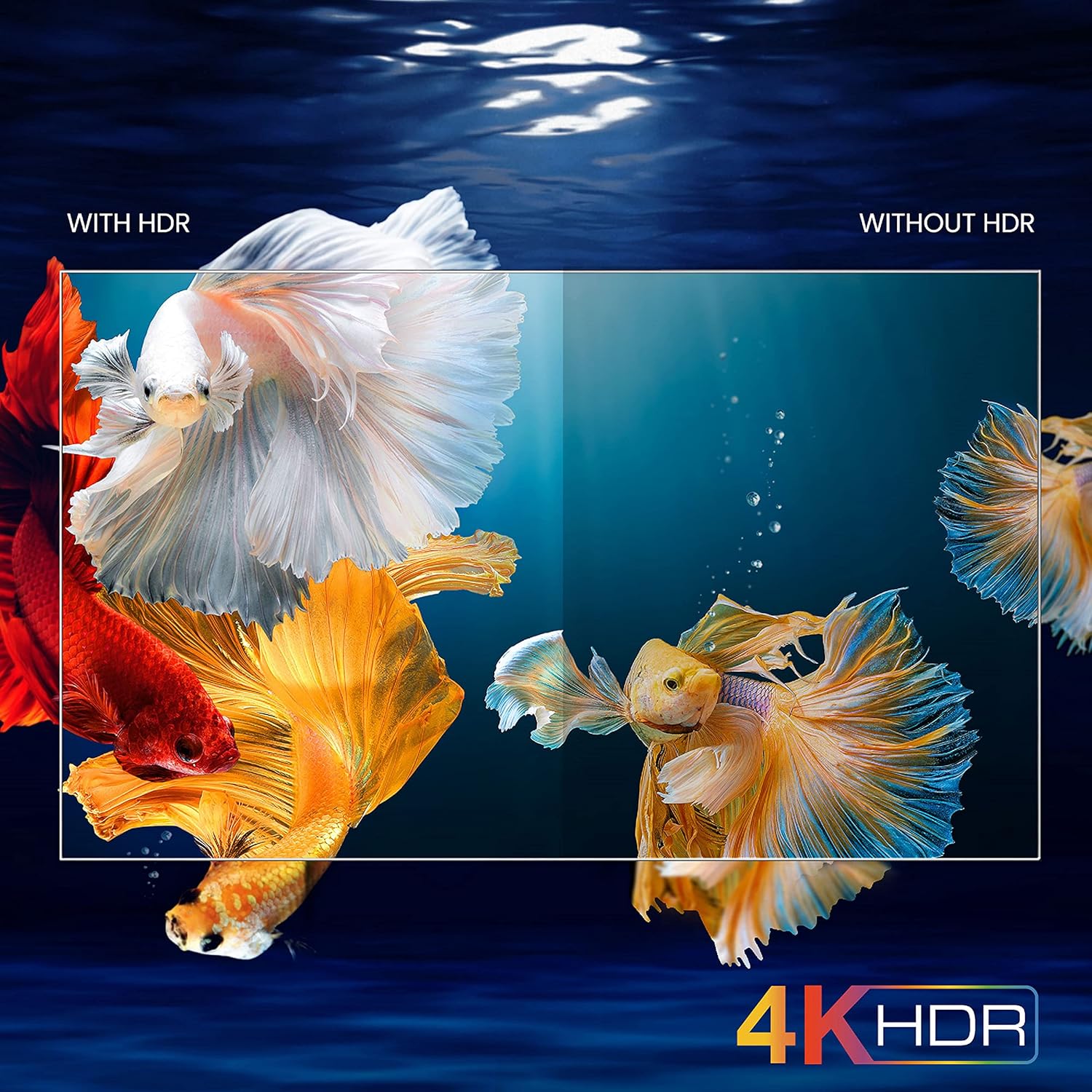
Image: A visual comparison demonstrating the enhanced color and contrast with 4K HDR enabled versus disabled on the iFFALCON 43K71 TV.
Одржавање
Чишћење
- Увек искључите телевизор из струје пре чишћења.
- Користите меку, суву крпу за брисање екрана и кућишта. За тврдокорне мрље, лагано дрхтајтеampОбришите крпу водом или благим, неабразивним средством за чишћење екрана.
- Не користите алкохол, бензен, разређиваче или друге испарљиве супстанце.
Ажурирања софтвера
The TV may receive software updates periodically to improve performance and add new features. Ensure your TV is connected to the internet to receive these updates automatically or check for them manually in the settings menu.
Решавање проблема
If you encounter issues, refer to the following common solutions before contacting support:
| Проблем | Могуће решење |
|---|---|
| ТВ се не укључује. | Check if the power cord is securely plugged into the TV and the power outlet. Ensure the power outlet is working. Try pressing the power button on the TV itself. |
| Нема слике, али је звук присутан. | Проверите извор улаза. Уверите се да су спољни уређаји правилно повезани и укључени. Покушајте да поново покренете телевизор. |
| Нема звука, али је слика присутна. | Check the volume level and ensure the TV is not muted. Verify audio output settings. If using external speakers, check their connections and power. |
| Даљински управљач не ради. | Замените батерије (2 AAA). Уверите се да нема препрека између даљинског управљача и инфрацрвеног сензора телевизора. |
| Повезивање на Ви-Фи није могуће. | Check your router and modem. Restart them if necessary. Ensure you are entering the correct Wi-Fi password. Try moving the TV closer to the router or using an Ethernet cable. |
| Slow performance or app crashes. | Close unused applications. Clear cache for problematic apps. Restart the TV. Consider a factory reset as a last resort (this will erase all data and settings). |
Спецификације
Key technical specifications for the iFFALCON 43K71 TV:
| Феатуре | Детаљ |
|---|---|
| Модел | 43К71 |
| Величина екрана | 43 инча (108 цм) |
| Резолуција | 4К Ултра ХД (3840 к 2160 пиксела) |
| Рефресх Рате | 60 Хз |
| Оперативни систем | Андроид 9.0 |
| РАМ | 2 ГБ |
| Складиштење | 16 ГБ |
| Излаз звука | 30 Watts (Dolby Audio Power Speakers) |
| ХДМИ портови | 2 |
| УСБ портови | 1 |
| Повезивање | Ви-Фи, Блуетоотх |
| Димензије (ДкШкВ) | 96 к 4.1 к 55.8 цм (без постоља) |
| Тежина артикла | 6.9 кг |

Image: Diagram showing the physical dimensions of the iFFALCON 43K71 TV in centimeters and inches.
Гаранција
The iFFALCON 43K71 TV comes with a 1 година гаранције provided by the manufacturer from the date of purchase. Please retain your purchase receipt for warranty claims. For detailed terms and conditions, refer to the included Warranty Card.
Подршка
For further assistance, technical support, or service requests, please contact iFFALCON customer service. Contact details can typically be found on the manufacturer's official webсајту или на гарантном листу.
Производ је завршенview Видео
Видео: Кратак уводview видео емисијаasing key features and visual enhancements of the iFFALCON 43K71 4K Ultra HD Smart Android LED TV, including 4K HDR, dynamic tone mapping, color enhancement, Android TV interface, and hands-free voice control.


