Увод
Хвала вам на куповиниasing the IPEGA Wireless Switch Controller. This manual provides detailed instructions on how to set up, operate, and maintain your new gamepad. Please read this manual thoroughly before use to ensure optimal performance and longevity of your device.

Figure 1: IPEGA Wireless Switch Controller in use with a tablet device, showcasing its telescopic design.
Карактеристике производа
- Компатибилност са више платформи: Designed for N-Switch, P3, Android devices, and PC (Win 7/8/10). Note: Does not support MediaTek chips.
- Побољшано искуство играња: Features six-axis gyroscope function for precise motion control and dual motor vibration for immersive feedback.
- Ергономски дизајн: Full ergonomic structure provides a comfortable hand feeling during extended gaming sessions.
- Телескопски носач: Integrated lever telescopic bracket with a super long telescopic function, adjustable from 130mm to 280mm (approximately 5.1 to 11 inches), suitable for various devices including N-Switch host and tablets.
- Дуг век трајања батерије: Built-in 300mAh high-performance lithium battery offers over 10 hours of continuous use and up to 30 days of standby time on a full charge.
- Погодне контроле: Equipped with a screen capture button and multimedia buttons (volume+, -, last, next, Play/Pause) for Android devices.

Figure 2: The controller's telescopic design, suitable for various devices.
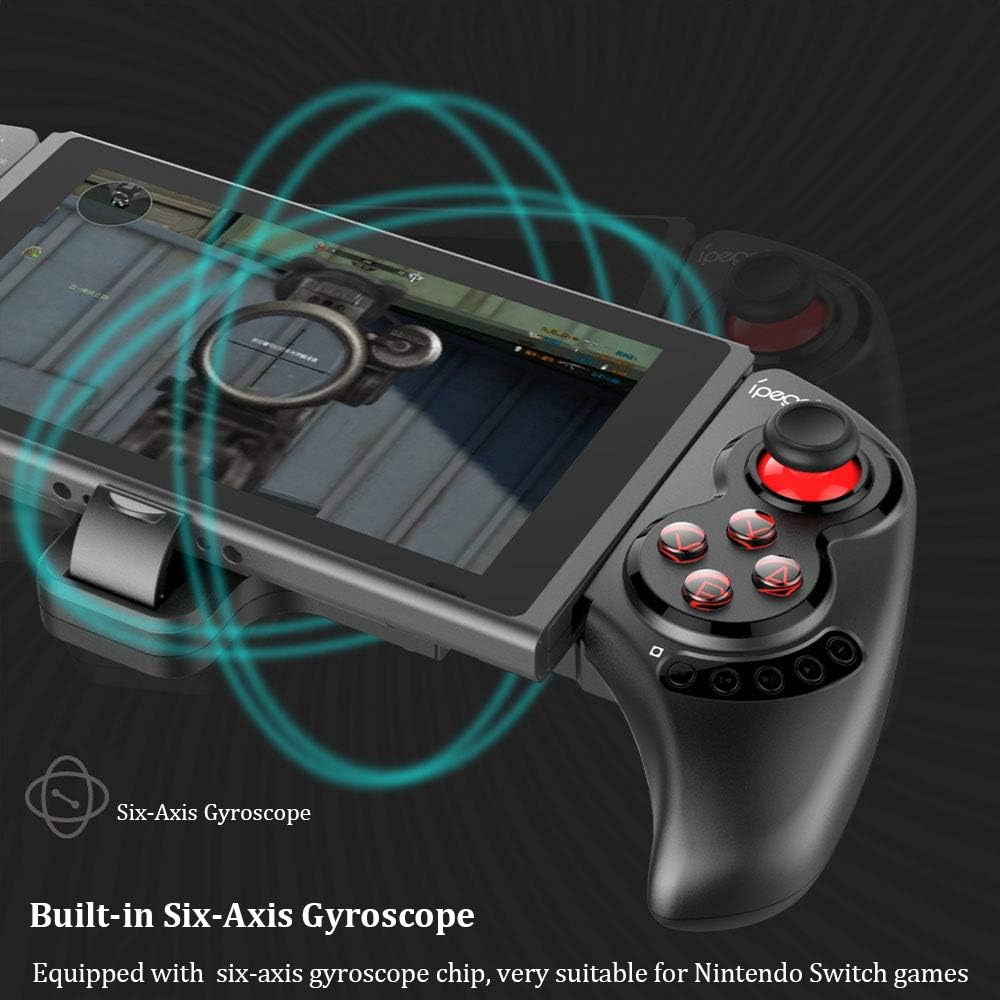
Figure 3: Illustration highlighting the built-in six-axis gyroscope for motion control.

Figure 4: Illustration demonstrating the dual motor vibration feature for haptic feedback.

Figure 5: The telescopic rod's adjustable range (130-280mm) and compatibility with Switch Mobile Device, Android Phone, and PC Tablet.

Figure 6: Detail of the controller's ergonomic structure designed for comfortable hand feeling.
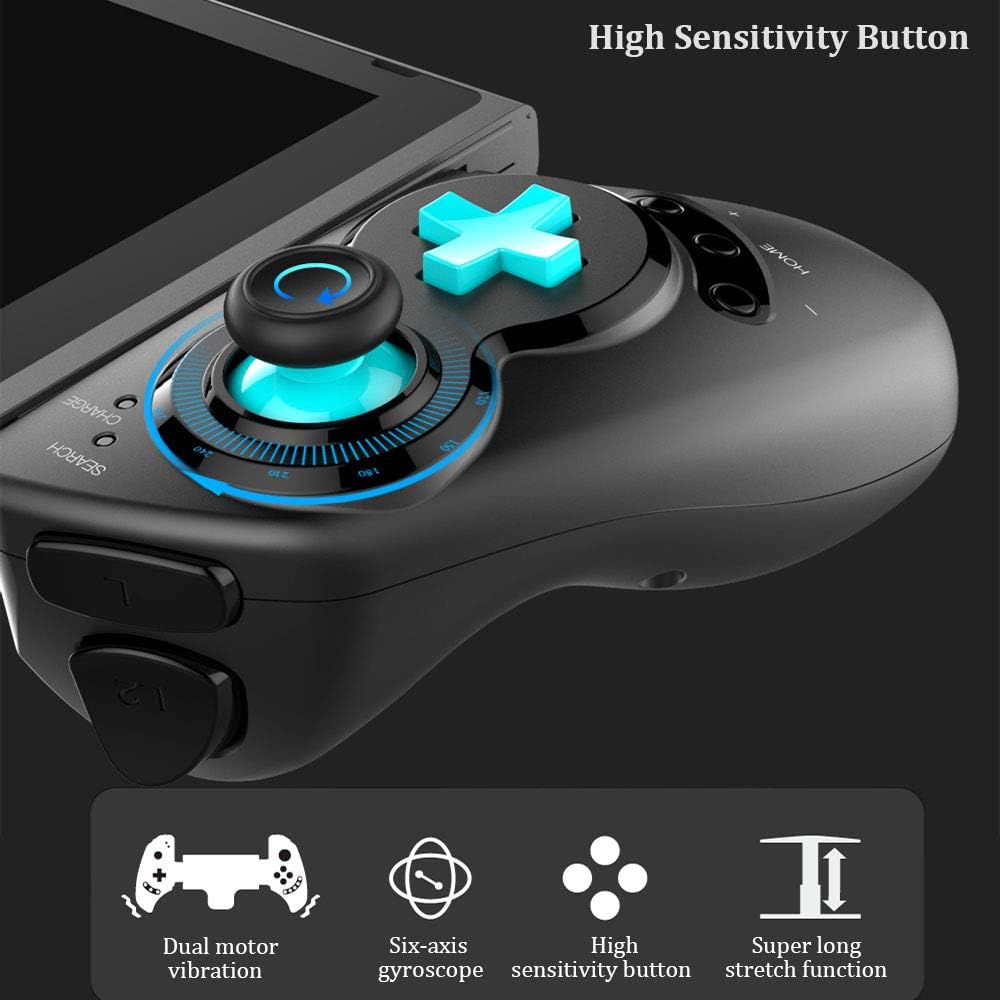
Figure 7: Highlighting the high sensitivity buttons and other key features like dual motor vibration, six-axis gyroscope, and super long stretch function.
Сетуп
Before using your IPEGA Wireless Switch Controller, ensure it is adequately charged. Connect the included USB cable to the controller's charging port and to a USB power source (e.g., computer, USB wall adapter). The charge indicator will show charging status.
Оперативни режими
N-Switch Connection Mode
- Прво упаривање:
- Turn on your Nintendo Switch Console.
- From the HOME Menu, navigate to Контролори, а затим изаберите Промените грип и поредак.
- On the IPEGA controller, press and hold down the "B" + "HOME" buttons simultaneously for 2 seconds. The SEARCH indicators on the controller will flash quickly.
- Once successfully paired, the indicators will turn on solid. Press "A" on the controller when prompted to confirm.
- Поновно упаривање:
- Притисните и држите "HOME" button for 2 seconds to turn on the controller.
- The SEARCH indicator will flash slowly, indicating it's in re-pair mode. The controller will automatically attempt to connect to the previously paired console.
- Када се повежете, притисните "A" when you're ready to play.
- Контролор буђења:
- If the controller is in sleep mode, press the "HOME" дугме да га пробудите.
- It will automatically connect to the console.
- Притисните "A" when you're ready.
Андроид режим
- Притисните и држите "Y" + "HOME" buttons simultaneously for 2 seconds to turn on the controller. The SEARCH indicators will flash quickly.
- On your Android device, enable Bluetooth and search for available devices. Select "PG-SW029" упарити.
- Once successfully paired, the SEARCH indicator on the controller will turn on solid, indicating it has entered Android Mode.
- The controller supports standard Android HID games.
P3 Mode (PlayStation 3)
- Притисните и држите "A" + "HOME" buttons simultaneously for 2 seconds to turn on the controller. The SEARCH indicators will flash quickly.
- Connect the controller to your P3 console using the provided USB cable. Press the "HOME" button to initiate pairing.
- Once paired successfully, the corresponding SEARCH indicator will turn on solid, indicating the gamepad has entered P3 mode.
- You can then unplug the USB cable, and the controller will operate in wireless connection mode.
Одржавање
- Keep the controller away from extreme temperatures, direct sunlight, and humid environments.
- Избегавајте испуштање или излагање контролера јаким ударцима.
- Clean the controller with a soft, dry cloth. Do not use chemical solvents or abrasive cleaners.
- Када се контролер не користи дуже време, чувајте га на хладном и сувом месту.
- Не покушавајте да растављате или модификујете контролер, јер ће то поништити гаранцију и може проузроковати оштећења.
Решавање проблема
| Проблем | Могуће решење |
|---|---|
| Контролер се не укључује. | Ensure the controller is fully charged. Connect it to a power source using the USB cable. |
| Controller fails to pair with device. |
|
| Input lag or disconnection during gameplay. |
|
| Дугмад или џојстици не реагују. |
|
Спецификације
| Феатуре | Детаљ |
|---|---|
| Број модела | ПГ-СВ029 |
| Бранд | ипега |
| Повезивање | бежични (Блуетоотх) |
| Трансмиссион Дистанце | ≤ 26ft (8 meters) |
| Капацитет батерије | 300мАх литијумска батерија |
| Време непрекидног коришћења | > 10 сати |
| Време приправности | До 30 дана |
| Телескопски домет | 130mm - 280mm (approx. 5.1 - 11 inches) |
| Димензије производа | КСНУМКС к КСНУМКС к КСНУМКС цм (КСНУМКС к КСНУМКС к КСНУМКС инча) |
| Компатибилност | Nintendo Switch, PlayStation 3, Android Phones/Tablets, PC (Win 7/8/10) |

Figure 8: Detailed dimensions of the controller and its retail packaging.
Листа пакета
Следеће ставке су укључене у пакет вашег производа:
- Wireless Gamepad x1
- User Manual x1 (This document)
- УСБ кабл кКСНУМКС
Гаранција и подршка
For warranty information and technical support, please refer to the contact details provided by your retailer or visit the official IPEGA webсајт. Сачувајте рачун као доказ о куповини за потребе гаранције.
If you encounter any issues not covered in this manual, please contact customer support for assistance.


