1. Увод
Thank you for choosing the IKEA NOLLATTA Digital Alarm Clock. This manual provides essential information for the safe and efficient use of your new alarm clock. Please read it thoroughly before use and keep it for future reference.
The IKEA NOLLATTA is a modern digital alarm clock featuring a clear LED display, adjustable brightness, and a compact design suitable for various spaces. It operates via a USB power cable and includes a battery backup for time memory.
2. Безбедносне информације
- Ensure the product is connected to a compatible USB power source (5V/1A adapter, not included).
- Do not expose the clock to water or excessive humidity.
- Keep the clock away from direct sunlight and heat sources.
- Only use the specified CR2032 3V lithium battery for time memory. Incorrect battery type may cause damage.
- Do not attempt to disassemble or repair the clock yourself. Contact qualified service personnel for assistance.
- Keep batteries out of reach of children. Swallowing batteries can be fatal.
3. Садржај пакета
Проверите да ли су све ставке присутне у пакету:
- IKEA NOLLATTA Digital Alarm Clock (Main Unit)
- USB Power Cable (1.5m)
- Десктоп Станд
- Упутство за употребу
Note: A CR2032 3V lithium battery is required for time memory backup but is sold separately and not included in the package. A 5V/1A USB power adapter is also required and sold separately.
4. Производ је готовview
The IKEA NOLLATTA features a minimalist design with a clear LED display. The main unit includes control buttons on the back for setting time and alarms, and a light sensor for automatic brightness adjustment.
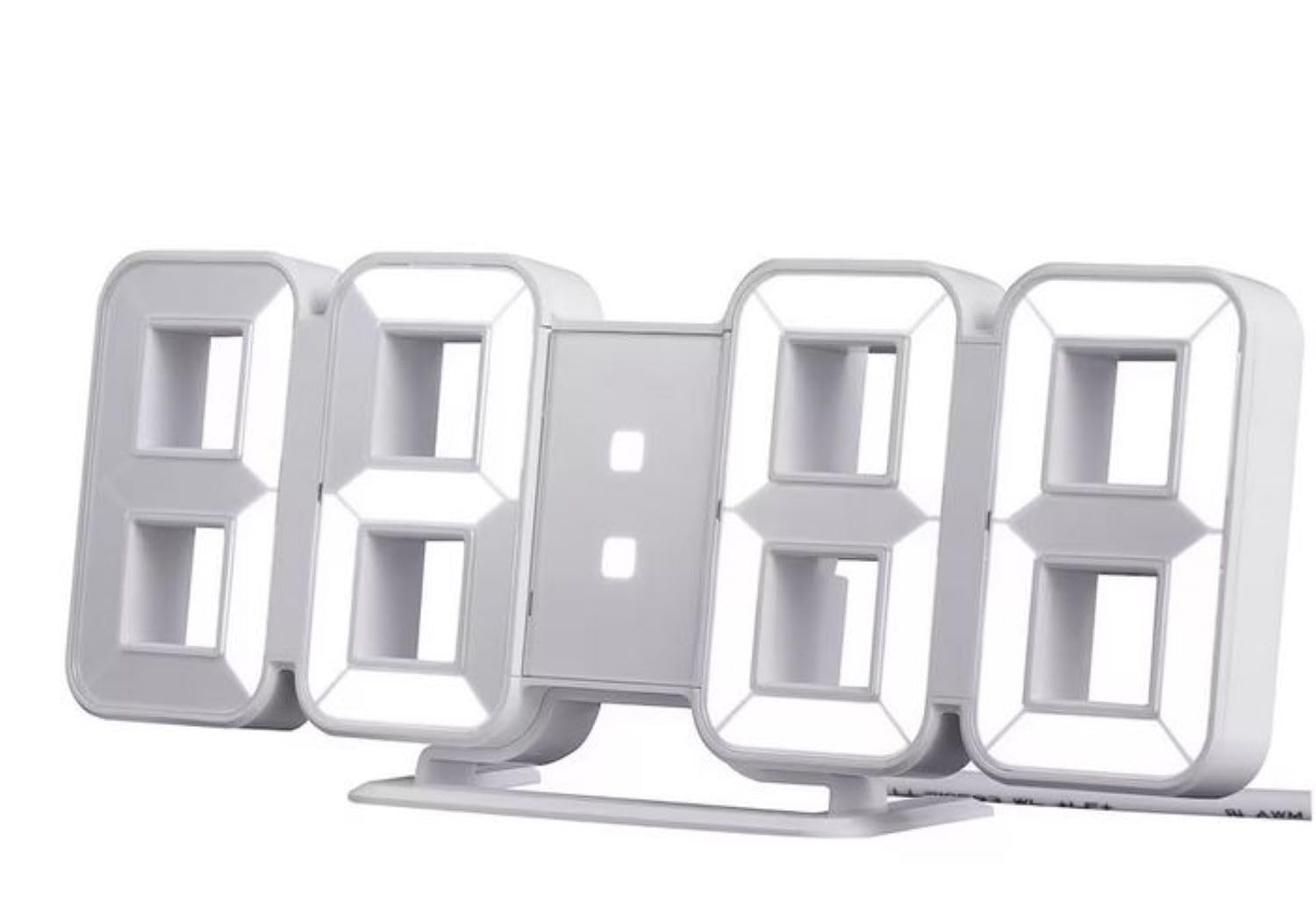
Figure 1: IKEA NOLLATTA Digital Alarm Clock in a bedroom setting.

Слика 2: Задња страна view of the clock, highlighting the control buttons, USB port, and battery compartment.
Control Buttons (Rear of Clock):
- Дугме МОДЕ: Used to switch between time, date, and temperature display modes, and to enter setting modes.
- Дугме ГОРЕ: Used to increase values during setting, or to adjust brightness.
- Дугме ДОЛЕ: Used to decrease values during setting, or to adjust brightness.
Остале карактеристике:
- Светлосни сензор: Automatically adjusts display brightness based on ambient light.
- УСБ порт за напајање: Connects the clock to a power source using the included USB cable.
- Одељак за батерије: Holds a CR2032 3V lithium battery for time memory backup.
5. Подешавање
5.1. Прикључак за напајање
- Insert the small end of the included USB power cable into the USB power port on the back of the clock.
- Connect the other end of the USB cable to a 5V/1A USB power adapter (not included) and plug it into a wall outlet. The display will light up.
5.2. Installing Time Memory Battery (CR2032, sold separately)
The CR2032 battery provides backup power to retain time settings in case of a power outage or when the USB cable is disconnected. The display will not be active on battery power alone, but the internal clock and alarm settings will be preserved.
- Пронађите одељак за батерије на полеђини сата.
- Отворите поклопац одељка за батерије.
- Insert one CR2032 3V lithium battery, ensuring correct polarity (+/-).
- Добро затворите поклопац одељка за батерије.
КСНУМКС. Постављање
The IKEA NOLLATTA can be placed on a flat surface using the included desktop stand or mounted on a wall.
- Положај на радној површини: Attach the desktop stand to the bottom of the clock. Place the clock on a stable, flat surface.
- Монтажа на зид: The clock has keyhole slots on the back for wall mounting. Use appropriate screws and wall plugs (not included) for your wall type. Ensure the clock is securely mounted before releasinг ит.
6. Упутство за употребу
6.1. Подешавање времена и датума
- Притисните и држите МОДЕ button for 3 seconds to enter time setting mode. The hour digits will start blinking.
- Користите UP и ДОВН дугмад за подешавање сата.
- Притисните МОДЕ поново да бисте прешли на подешавање минута. Користите UP и ДОВН за прилагођавање минута.
- Наставите да притискате МОДЕ to cycle through setting the year, month, and day, adjusting each with the UP и ДОВН дугмад.
- Након подешавања дана, притисните МОДЕ да изађете из режима подешавања.
6.2. 12/24-Hour Format Selection
У режиму нормалног приказа времена, притисните UP дугме за пребацивање између 12-часовног и 24-часовног формата.
6.3. Подешавање аларма
The alarm function works even when the display is turned off.
- Притисните тастер МОДЕ button repeatedly until "AL" appears on the display, indicating alarm mode.
- Притисните и држите МОДЕ button for 3 seconds. The alarm hour digits will start blinking.
- Користите UP и ДОВН дугмад да бисте подесили жељени сат аларма.
- Притисните МОДЕ again to move to alarm minute setting. Use UP и ДОВН да подесите минуте.
- Притисните МОДЕ да потврдите и изађете из подешавања аларма.
- To activate/deactivate the alarm, in alarm mode ("AL" displayed), press the UP дугме. Икона аларма ће се појавити/нестати на екрану.
- When the alarm sounds, press any button to snooze. To turn off the alarm, press and hold the МОДЕ дугме.
6.4. Подешавање осветљености
The clock offers 3 levels of brightness (High, Medium, Low) and an automatic adjustment mode, as well as an OFF setting for the display.
- У режиму нормалног приказа времена, притисните ДОВН button repeatedly to cycle through brightness levels: High → Medium → Low → OFF.
- The clock also features an automatic brightness adjustment function via its built-in light sensor.
6.5. Display Rotation Mode
The clock can cycle through displaying time, date, and temperature.
- У режиму нормалног приказа времена, притисните МОДЕ button briefly to switch between Time, Date, and Temperature displays.
- To activate automatic cycling through Time, Date, and Temperature, press and hold the МОДЕ button until the display starts rotating.
- To stop automatic cycling and return to a static display, press the МОДЕ поново кратко дугме.
7. Одржавање
7.1. Чишћење
Wipe the clock surface with a soft, dry cloth. Do not use abrasive cleaners or solvents, as they may damage the finish.
7.2. Замена батерије
If the time memory function is no longer working during power disconnection, replace the CR2032 3V lithium battery in the battery compartment (refer to section 5.2).
КСНУМКС. Решавање проблема
| Проблем | Могући узрок | Решење |
|---|---|---|
| Display is off, but alarm still works. | USB power cable disconnected, or power outage. | This is normal behavior if a CR2032 battery is installed for time memory. Reconnect the USB cable to restore the display. |
| Сат се не укључује. | Нема напајања. | Ensure the USB cable is securely connected to both the clock and a working 5V/1A USB power adapter. Check the power outlet. |
| Time/Date settings are lost after power disconnection. | CR2032 battery is dead or not installed. | Install a new CR2032 3V lithium battery (sold separately) in the battery compartment. |
| Екран је превише светао/таман. | Потребно је подесити подешавање осветљености. | Притисните тастер ДОВН button to cycle through brightness levels (High, Medium, Low, OFF). The clock also has an automatic brightness feature. |
9. Спецификације
- Модел: NOLLATTA (704.993.50)
- Боја: Бела
- Димензије (приближно): Length: 21.5 cm, Height: 8.5 cm, Depth: 4 cm
- Материјали: Clock face: Polystyrene plastic; Back cover/feet: ABS plastic
- Извор напајања: USB (потребан је адаптер од 5V/1A, није укључен)
- Резервна батерија: 1 x CR2032 3V Lithium Battery (sold separately) for time memory
- Дужина кабла: 1.5m USB cable included
- Тип приказа: ЛЕД Дигитал
- Карактеристике: 3-level dimming, 12/24-hour format, alarm function, automatic brightness adjustment
10. Гаранција и подршка
For information regarding warranty, returns, or technical support, please refer to the purchase documentation or contact your IKEA retailer directly. Keep your proof of purchase for any warranty claims.